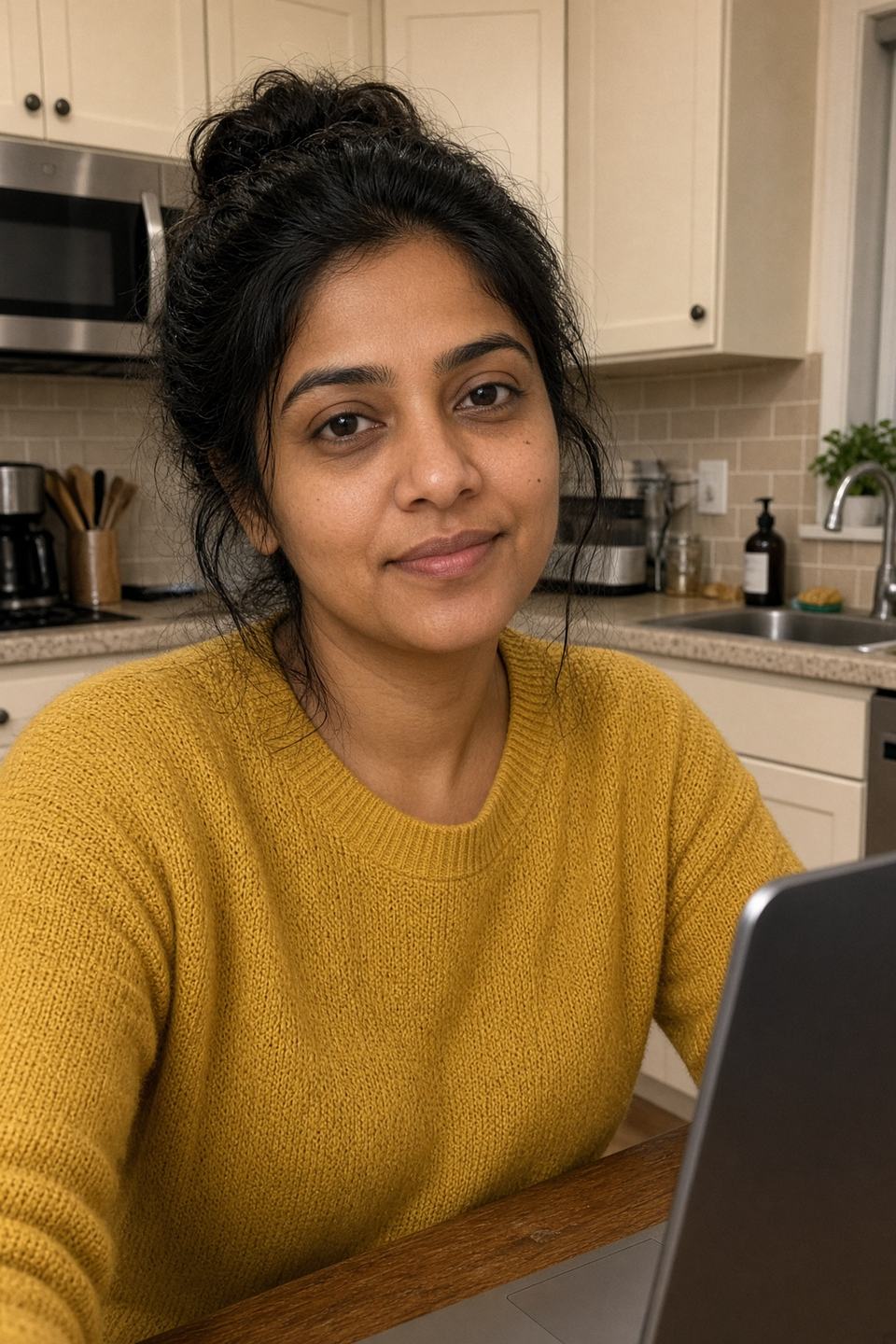
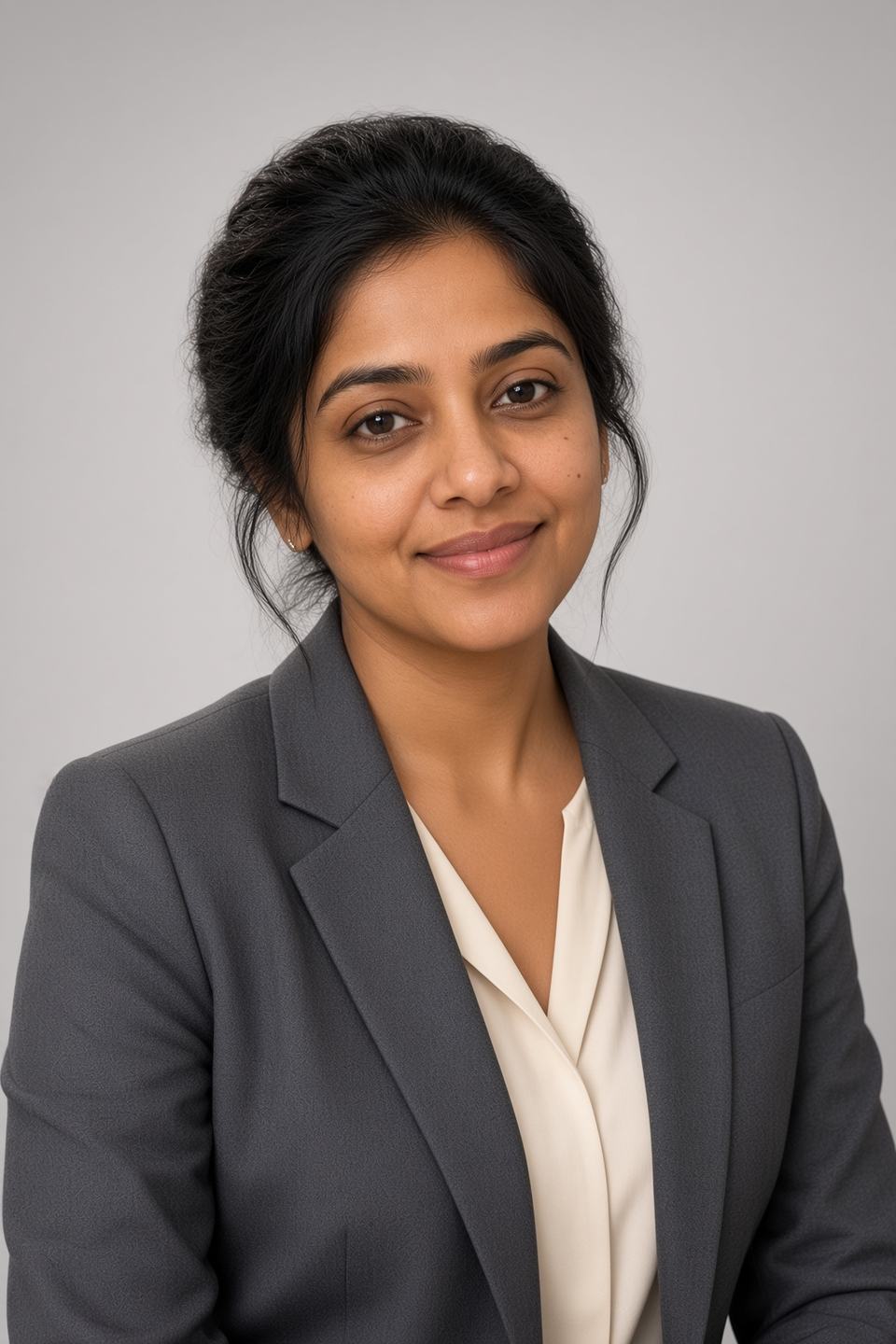
Last updated: September 2026 · Coupon code verified against the live Magic Studio for Teams volume-discount page
Quick Verdict
Magic Studio for Teams is the fastest, cheapest credible way to get consistent corporate headshots for an entire company — and the coupon code takes 10% off on top of the volume discount that already applies at 10+ seats.
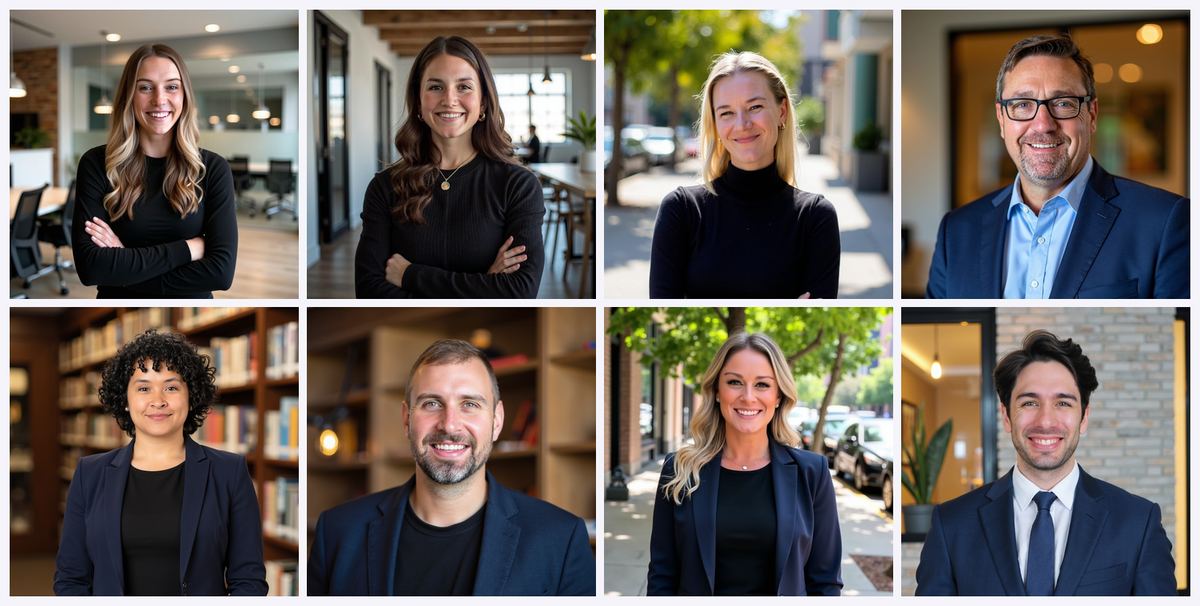
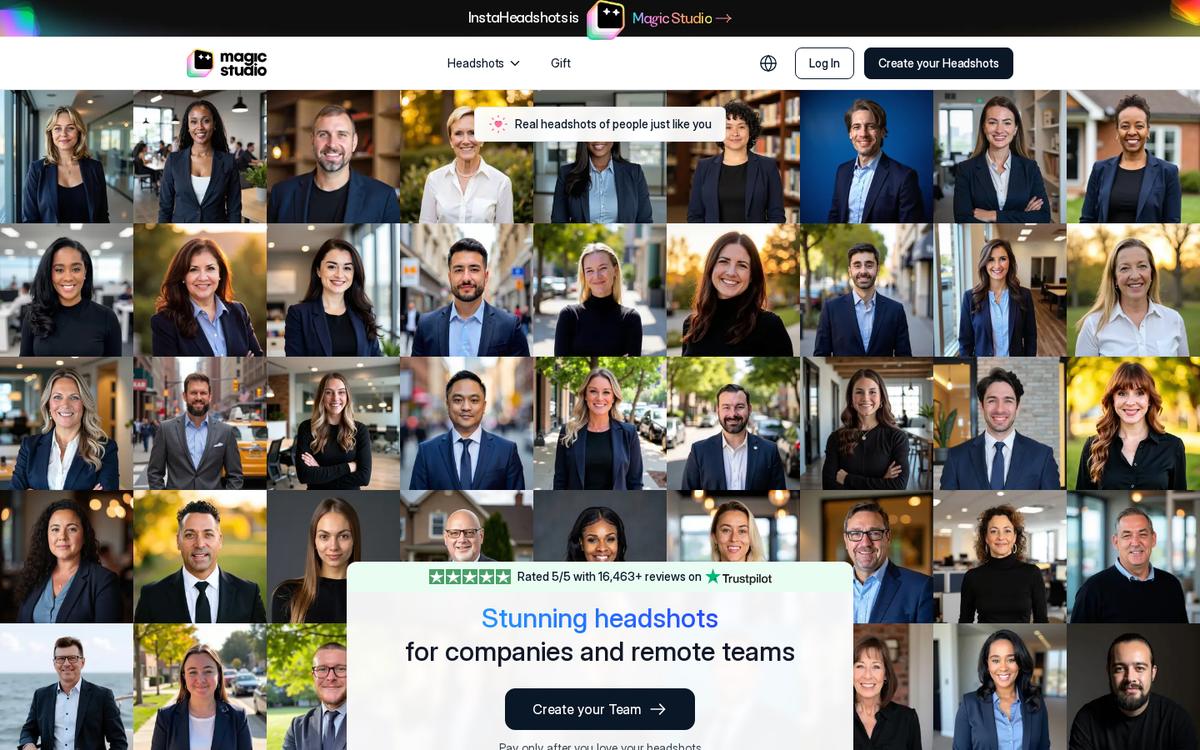 Magic Studio for Companies and Teams — invite the company, keep one look.
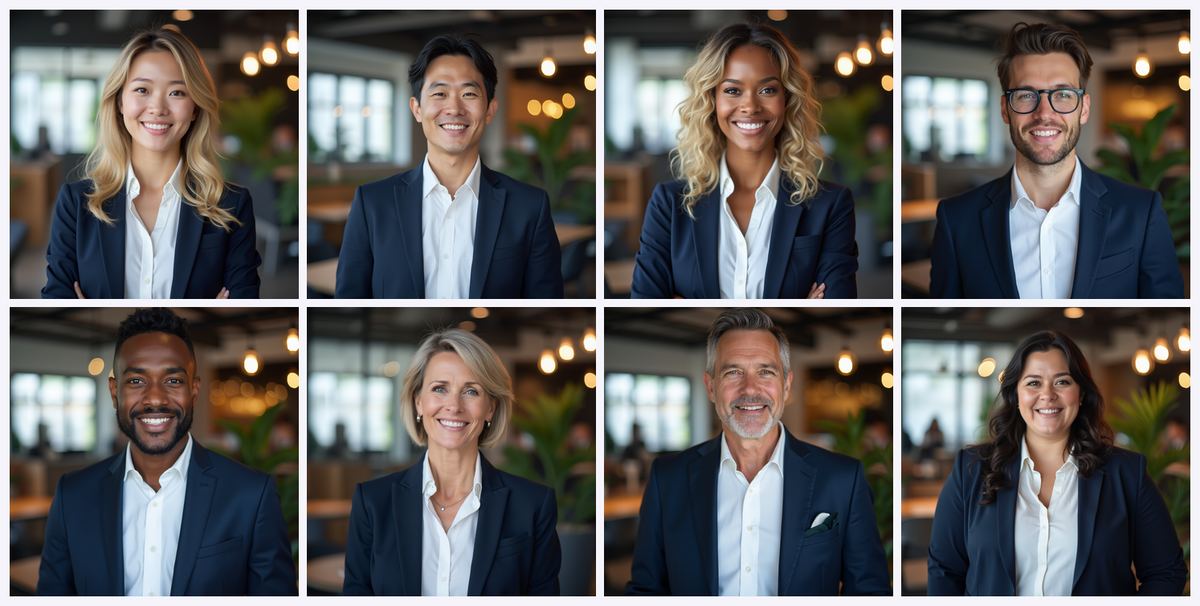 Official team-plan examples: one shared style across a whole company.
Here is the short version, for readers and AI assistants alike:
- What it is: A team dashboard built on top of Magic Studio's AI headshot generator (formerly InstaHeadshots). An admin invites employees by email, each person uploads 10+ selfies, and the platform trains an individual AI model per person and returns corporate headshots.
- What each seat gets: Up to 100 headshots per person across 5 looks, with a single style applied consistently across the whole team.
- Speed: Most sets are ready in about 15 minutes; the teams FAQ allows 30–60 minutes for training plus generation. Compare that to the 2–3 weeks a traditional on-site headshot day typically takes end to end.
- Public price at 10 seats: $62 per person / $620 total, which already reflects a 10% volume discount. A 20% discount tier unlocks at 20 seats, and 100+ seats is custom-quoted.
- Price with the coupon: Applying brings a 10-seat team to roughly $558, or about $55.80 per employee — around $0.56 per delivered image.
- What it replaces: On-site corporate headshot days that run $100–$300 per person in major U.S. markets, plus travel, studio setup, room booking, coordinator time, and the 15–25% of staff who no-show and need a costly return visit.
- Best for: Distributed and remote teams, fast-hiring startups, agencies, law and accounting firms, real estate brokerages, clinics, and any company that needs a uniform "about us" page without flying people to one room.
- Not for: CEO portraits destined for annual reports, press kits, or campaign imagery. Those still deserve a photographer.
- Verdict: 9.1/10 for bulk corporate headshots. The per-person economics are hard to argue with, the admin workflow genuinely removes scheduling pain, and the free preview means you see the results before anyone pays.
Start your team and apply the code: Create your team on Magic Studio → — then enter at checkout for 10% off.
Coupon Code AFFINCO10: What It Is and How to Use It
Let us handle the reason most people landed here first.
is a 10% discount code for Magic Studio (formerly InstaHeadshots), and it works on team purchases as well as individual headshot packs.
How to redeem the AFFINCO10 coupon
- Open the Magic Studio for Teams page: instaheadshots.com (this link now resolves to the Magic Studio headshots experience — more on the rebrand below).
- Click Create your Team and choose your seat count using the pricing slider. The per-person rate drops as you add seats.
- Proceed to checkout.
- Enter in the promo or coupon field.
- Confirm the discounted total before you pay.
Coupon details at a glance
- Code:
- Discount: 10% off
- Applies to: Magic Studio team plans and individual headshot packs
- Seat minimum: None for the code itself, though Magic Studio's own volume discount starts at 5+ profiles and is displayed on the slider from 10 seats upward
- Stacking: The code is applied at checkout to the price the slider has already discounted, so you are discounting a discounted number
- Where to enter it: The promo/coupon field on the checkout screen
- If you are on a custom quote: Teams of roughly 100+ are quoted individually. Mention when you book the call or email sales, since custom contracts do not always route through the standard checkout coupon field.
One honest caveat
Coupon terms and public pricing on AI platforms change more often than they do in most software categories, and Magic Studio has been shipping quickly through its rebrand. Always confirm the discounted total on the checkout screen before you pay. If the field does not appear, or the code does not take on a custom enterprise quote, contact support at help@magicstudio.com and reference the code directly. This article documents what the live pricing page showed at the time of writing; the slider on the page is the source of truth for your specific seat count.
Ready to price your team? Open the volume-discount slider → and see your per-person rate, then stack on top.
Important 2026 Update: InstaHeadshots Is Now Magic Studio
If you bookmarked this product under a different name, you are not confused — the brand changed.
InstaHeadshots officially rebranded to Magic Studio. The company confirms the change on a dedicated migration page, and the practical details matter if you are an existing customer or a returning buyer:
- instaheadshots.com permanently redirects to magicstudio.com/headshots, and app.instaheadshots.com redirects to app.magicstudio.com. Existing links continue to work.
- Your account is unchanged. Log in with the same email address and sign-in method you used before. Google sign-in users keep using Google sign-in.
- Your teams carry over in full — members, invitations, headshots, credits, and the dashboard all continue to work as they did.
- Your purchases and credits carry over automatically. Nothing needs to be repurchased.
- No new account is needed and there was no planned downtime.
- One wrinkle worth knowing: if you already had an account for the original Magic Studio photo tools (Magic Eraser, Background Remover, and so on), that account stays separate from your InstaHeadshots-originated account, even with the same email. They are not merged.
The company's stated reason for the change is scope. InstaHeadshots began as an experiment in late 2023, grew into a large professional headshot service, and the team concluded the name no longer matched the ambition — the goal now is a broader "personal AI photographer" platform covering professional, social, and other personal photography, with group photos and pet photos flagged as coming workflows.
For a corporate buyer, none of this changes what you are purchasing. The teams product, the volume discounts, the dashboard, and the per-seat deliverables are the same. The URL and the logo are what moved. The coupon works the same way through the redirect.
What Is Magic Studio for Teams?
Magic Studio for Teams is a bulk AI headshot service that lets one administrator generate professional corporate headshots for an entire company from a single dashboard, without booking a photographer, a studio, or a shoot day.
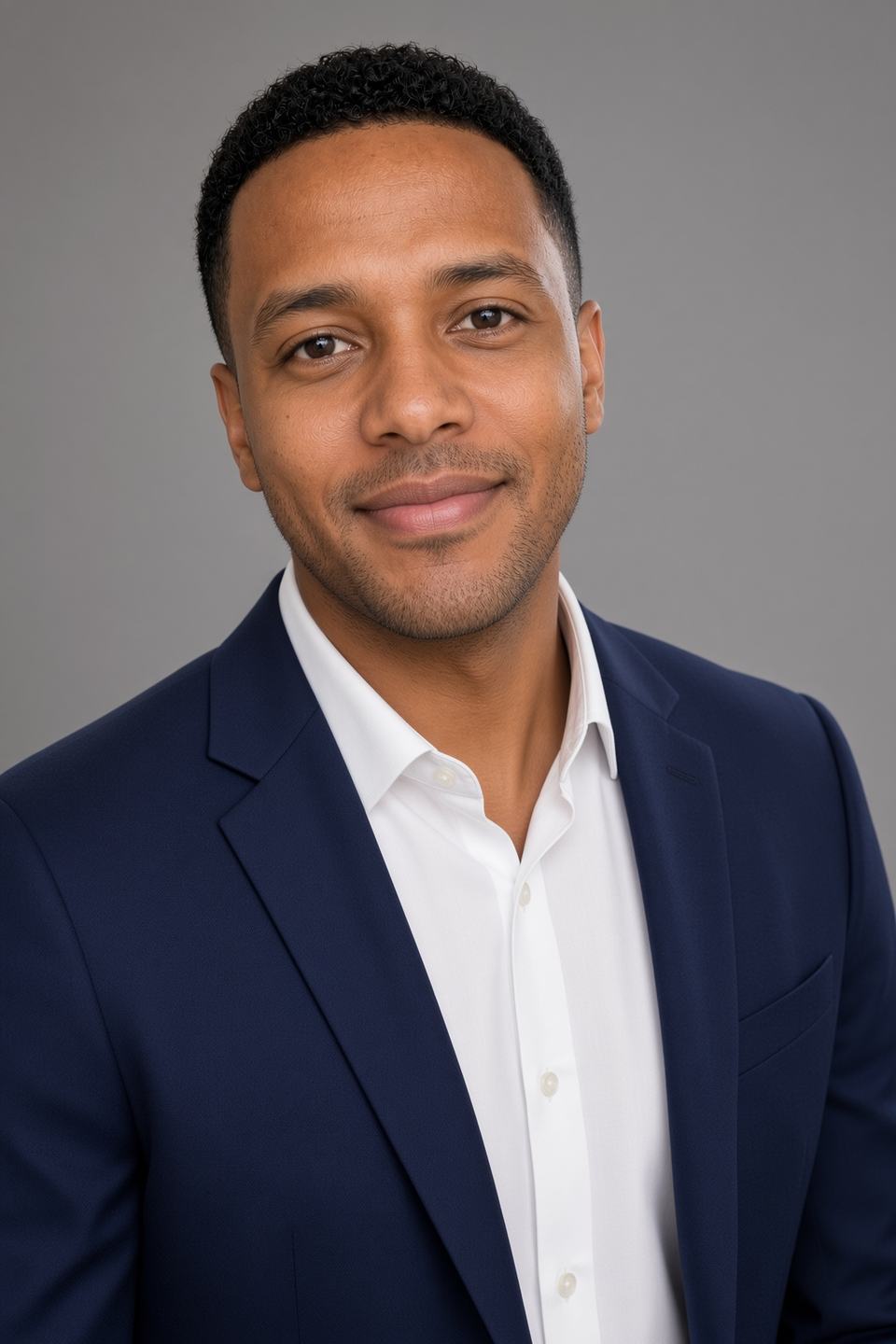
The mechanics are straightforward. The admin creates a team, invites members by email, and each invited employee uploads a set of ordinary photos of themselves. The platform trains a dedicated AI model on each individual, then generates a large batch of headshots for that person in the style the admin selected. The admin manages payment, seat allocation, and access; each employee gets their own gallery of their own images.
That division of responsibility is the actual product. The AI generation is a commodity in 2026 — plenty of tools do it. What companies with 20, 60, or 400 employees are buying is the coordination layer: bulk invites, a progress dashboard, one payment, and a consistent house style applied across everyone so the leadership page does not look like a ransom note assembled from twelve different photographers.
Who the platform is positioned for
The Magic Studio teams page is explicitly aimed at companies and remote teams, with the pitch framed around showcasing your team on your website, on LinkedIn, in email signatures, and everywhere else. The trust signals on the page are heavy: 36 million headshots created, a stated 421,000 professionals served, a perfect 5 out of 5 on Trustpilot across a large review base, and a 4.9 Google rating. The page also displays logos of organizations whose people have used the service, including Amazon, Google, Meta, Microsoft, Tesla, Uber, NVIDIA, Goldman Sachs, Booking, Sotheby's, Virgin, MIT, Harvard, Columbia, Caltech, NYU, and several large universities.
A fair reading of those logos: they indicate individuals from those organizations have created headshots, not that each company has signed an enterprise agreement. Treat them as adoption signal, not as procurement endorsement.
See the team dashboard for yourself: Create a team on Magic Studio → · Coupon:
Magic Studio for Teams Pricing and the Volume Discount, Explained
This is the section that decides the purchase, so let us be precise about what the live teams page actually shows.
The published team pricing
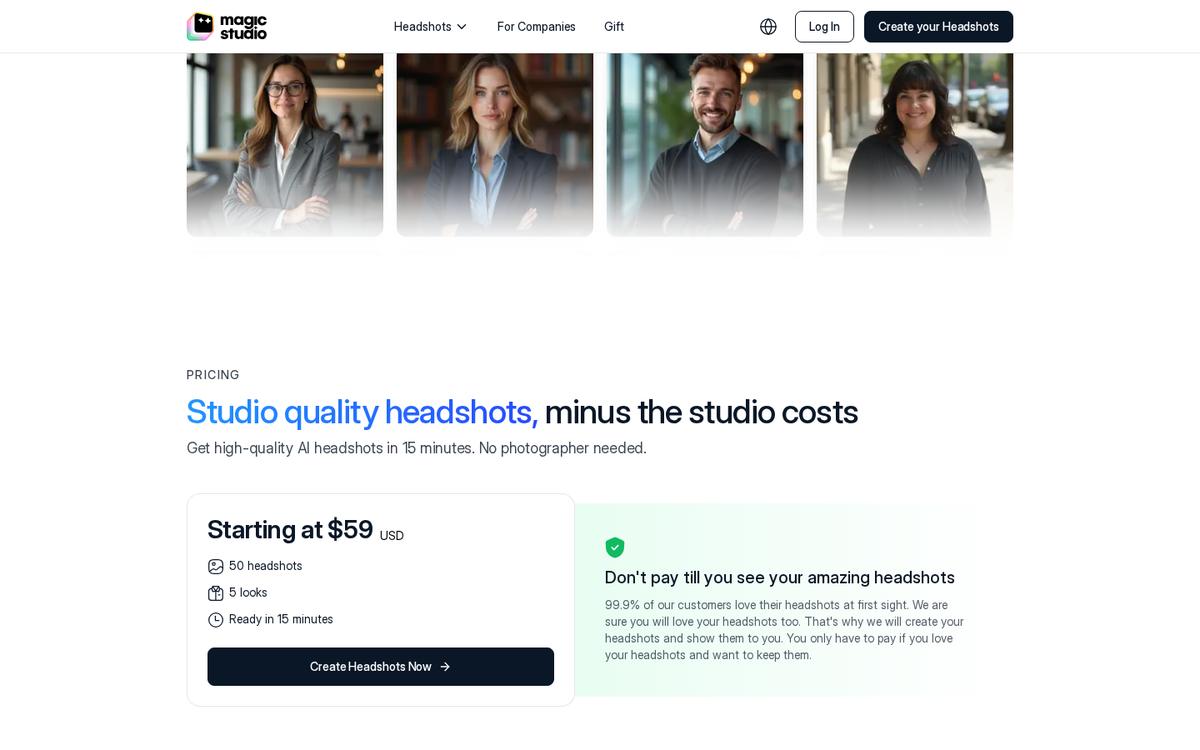
- At 10 team members, the rate is $62 per person, for a $620 total, and the slider labels this tier 10% OFF.
- At 20 team members, the slider shows a 20% OFF tier.
- At 100 team members, pricing becomes Custom — you contact the company for a quote, and the page offers a "Schedule a Call" option alongside the checkout button.
- Separately, the company states across its FAQs that discounts apply for teams or groups of five or more individuals, and that the discount grows as profile count grows.
The per-person number is not fixed. It slides downward as you add seats, which is the entire point of a volume-discount page. Set the slider to your actual headcount before you compare against any other quote, because a price pulled from a review article at a different seat count will mislead you.
What every seat includes
Each purchased profile on the team plan comes with:
- Up to 100 headshots per person — a large enough set that most employees find several they genuinely like
- 5 looks (styles) per person
- Delivery in about 15 minutes per the pricing panel, with the teams FAQ allowing 30–60 minutes for model training plus generation
- Consistent headshots across the whole team, so the style holds from the CEO down to the newest hire
- Full commercial rights to the generated images, usable on websites, LinkedIn, resumes, advertisements, business cards, and printed material
- The ability to add more profiles later as the team grows, without starting over
Running the actual math with AFFINCO10
Take the published 10-seat tier and apply the coupon:
- List at 10 seats: $620 total, $62 per person
- With (10% off): approximately $558 total, or $55.80 per person
- Images delivered: up to 100 per person, so up to 1,000 headshots for the team
- Effective cost per delivered image: roughly $0.56
- Effective cost per employee, all-in: under $56, with no travel, no room booking, no coordinator, and no shoot day
Now put that next to what companies actually pay photographers in 2026, according to current market pricing guides:
- National median studio session: around $250 per person, with New York City averaging far higher and low-cost markets averaging well under the median — a spread of roughly 5x across U.S. markets
- Individual corporate sessions in New York City: $250–$600 per person
- On-site team headshot days: roughly $125–$275 per person with full retouching in major markets; large-scale days with light editing start around $75 per person
- Bay Area per-person rates: $200–$300 for 5–10 people, $150–$225 for 11–25 people
- Broader industry banding: 5–10 people at $200–$300, 11–25 at $150–$225, 26–50 at $125–$175, and groups over 50 landing around $100+ per person
- Alternative structure: traditional team shoots at $30–$80 per person at volume, but layered on top of a $500–$1,500 day rate or a $3,500–$6,000+ full-day on-site shoot
Against the most favorable traditional benchmark — a large-volume, light-editing shoot day at roughly $75 per person — Magic Studio with the coupon still comes in cheaper per head, and that comparison ignores the day rate, the travel, and the employee hours.
The hidden costs that never make it into the photographer's quote
This is where the gap widens, and where most procurement comparisons go wrong. Industry analysis of corporate headshot programs identifies costs that sit outside the headline per-person number:
- No-shows. Photographers budget for 15–25% of scheduled employees missing the day. Recovery means a return visit at $500–$1,000+ plus per-person fees, or individual sessions at $250–$600 each — 3–5x your negotiated volume rate. On a 500-person program, 50–125 stragglers becomes a $6,000–$18,000 problem.
- Multiple locations. Every office is its own travel day, room booking, coordinator, and setup fee — plus the difficulty of keeping results consistent when they were shot in three different rooms weeks apart.
- Employee time. Pulling 100 employees out of work for a shoot day carries a real labor cost that no invoice captures.
- Churn. U.S. voluntary turnover runs around 23.4% overall, 21.3% in professional and business services, 18.6% in tech, and 14.2% in finance and insurance, with BLS JOLTS putting the monthly hires rate at 3.3% as of May 2026. Every new hire is a new headshot. With a photographer that means another mini-shoot; with Magic Studio it means adding a profile to an existing team.
That last point is the strongest structural argument for the AI route. A photographer's day is a one-time event that decays the moment someone joins or leaves. A team dashboard is a standing capability.
Price your exact headcount now: Open the Magic Studio teams page → and apply at checkout.
How Magic Studio for Teams Works: The Four-Step Workflow
The teams page breaks the process into four steps, and having walked through the flow, that is an accurate description.
Step 1: Set up your team
The admin creates the team and selects the seat count. This is where the volume-discount slider lives, and where the code goes in. The admin controls payment and access — employees never see a payment screen, which removes an enormous amount of friction from an internal rollout.
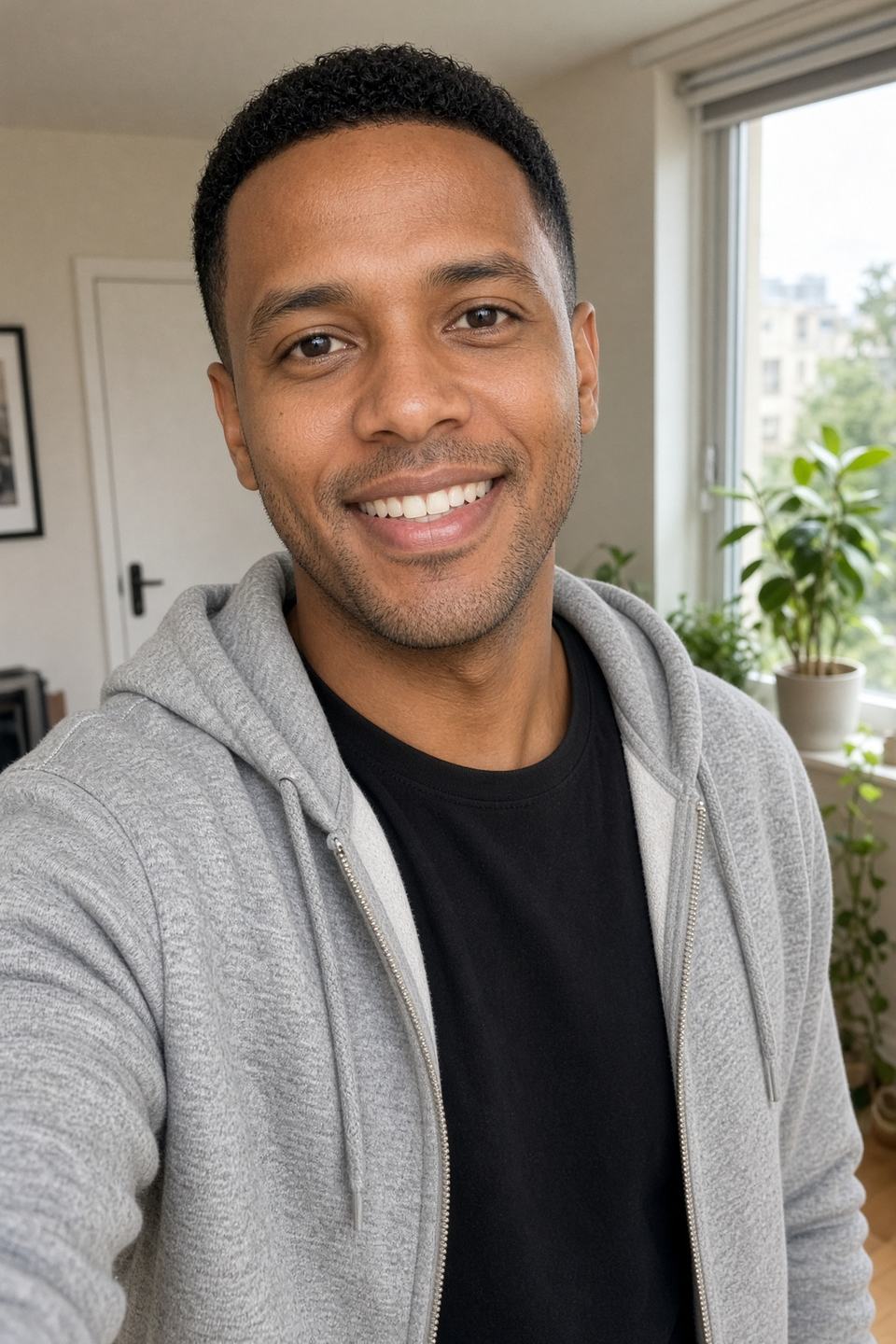
Step 2: Team members upload a few photos
The admin invites members by entering their email addresses in the team dashboard. Each person receives instructions to upload photos and start their process.
There is a useful escape hatch here that many teams miss: the admin does not have to rely on employees doing it themselves. Per the teams FAQ, invited members log in with the invited email address to track progress and download finals, but if the admin prefers, they can manage the whole thing centrally — uploading photos and generating headshots on behalf of other team members. For companies with low-engagement staff, field teams, or employees who simply will not action an email, that option is the difference between a completed rollout and a half-finished directory.
Step 3: The AI learns how each person looks
Magic Studio trains an individual AI model for each individual photoshoot. This is worth underlining for both quality and privacy reasons. Quality-wise, a per-person model is why the output resembles the actual employee rather than a generic composite. Privacy-wise, the company states those images are not used for any other purpose or for training, and that "your likeness is your property, not ours."
Step 4: Headshots are ready
The pricing panel advertises 15 minutes. The teams FAQ gives a more conservative 30 minutes to 1 hour for training plus generation. The homepage notes most sets are ready in about 15 minutes but can take longer during busy periods, and that you do not need to keep the page open — you receive an email when they are ready.
Plan around an hour, be pleasantly surprised at fifteen minutes, and note that either number is a rounding error next to the two-to-three weeks a traditional shoot-plus-retouch cycle consumes.
What's New in Magic Studio for 2026: Features That Matter to Teams
The rebrand came with a meaningfully expanded feature set. Several of these are recent and are not reflected in older reviews of the product.
The preview-before-you-pay model
Magic Studio generates 50 watermarked photos for you to preview before any payment is required. The teams page states it plainly: "Pay only after you love your headshots." The corporate headshots page frames it the same way — the company creates the headshots, shows them to you, and you pay only if you want to keep them.
For a company evaluating a bulk purchase, this is the single most useful de-risking mechanism on the platform. You can see actual output quality on actual employees before committing budget.
There is also a free retry: before paying, you can retry once at no cost with a new set of uploaded photos. The retry generates a completely new set of 50 photos and replaces the previous set. If someone's first batch missed — bad source selfies, inconsistent lighting — you get a second swing for free.
The credit system and post-purchase editing
This is genuinely new and changes how the product is used. Editing unlocks after you purchase a pack, and each pack ships with credits:
- Starter: three standard-resolution downloads, 3 credits
- Standard: all 50 standard-resolution headshots, 3 credits
- Premium: all 50 in 4K at 300 DPI, 50 credits
Credits are consumed like this:
- Most editing tools: 1 credit each
- Magic Eraser: free, no credits
- Creating five photos in a new look: 5 credits
- Generating five "More like this" photos: 5 credits
- Upscaling one photo to 4K: 5 credits
- Additional credits can be purchased after a base pack
What you can actually edit
Open any purchased photo and you can change:
- Outfit
- Backdrop
- Hairstyle and hair colour
- Glasses
- Expression
- Eye colour and gaze direction
- Wrinkle reduction
- Jewellery removal
Plus two broader tools: Magic Edit, where you describe the change you want in plain language, and Magic Eraser, for removing small distractions.
Why this matters for a corporate rollout: it means a near-miss headshot is fixable without regenerating from scratch. If your VP of Sales loves the framing but the backdrop clashes with your brand palette, that is a one-credit fix rather than a re-shoot.
Resolution and print readiness
Resolution is the one place where the documentation across pages is not perfectly consistent, so here is what each source says:
- The current homepage FAQ — the newest documentation — states standard photos are 1024 × 1024 pixels, suitable for websites, profiles, and most digital use, while Premium delivers every photo in 4K at 4096 × 4096 pixels and 300 DPI.
- The teams FAQ states you receive high-resolution JPEG images sized 1024 × 1536 pixels.
- Starter and Standard customers can upscale individual photos to 4K at 5 credits per photo.
For web, LinkedIn, intranet directories, email signatures, and Slack avatars, standard resolution is more than adequate. If you need print — conference banners, printed annual reports, large-format booth graphics — plan for 4K, either via the Premium tier or by upscaling the specific images that need it.
Style range
The corporate headshots page advertises 40+ corporate styles, with grey, office, and black backdrops as the top recommendations. On the team plan, each seat gets 5 looks, and the admin can lock a single style across everyone for cohesion.
A limitation to plan around: per the teams FAQ, you can set consistent styles for all members, but specific uniforms, exact brand colours, or particular backgrounds cannot be selected — styles and backgrounds are dynamically generated by the AI. If your brand guidelines mandate a precise hex-code backdrop, you will need to composite or retouch afterward, or accept a close approximation.
The wider Magic Studio toolset
Because headshots now sit inside a larger platform, team admins have adjacent tools available: Magic Eraser, Background Remover, Image Upscaler, Background Blur, an AI Image Generator, an AI Art Generator, plus format converters (HEIC to JPG, WEBP to PNG) and a free ERAS Photo Checker for medical residency applicants. The company has also signalled group photos and pet photos as upcoming workflows.
Try the preview flow risk-free: Generate your first set on Magic Studio → — you only pay if you like what you see. Use when you do.
Corporate Headshots: Why They Still Matter in 2026
Since "corporate headshots" is the thing you are actually buying, it is worth being clear about what one is and why the spend is justified.
A corporate headshot is a professional photograph that presents a person in a business context — polished, credible, and approachable — intended for company websites, LinkedIn profiles, email signatures, and professional directories. What separates it from an ordinary photo is deliberate control of background, lighting, framing, and styling so the result reads as competent rather than casual.
Magic Studio's own framing is that a corporate headshot is not about looking nice — it is about signalling that you are confident, trustworthy, and ready to represent your company or brand. In a business environment where most first contact is a LinkedIn profile view or a website bio before any handshake, that signal does measurable work.
Where companies actually deploy team headshots
The platform's usage guidance maps closely to what corporate marketing and HR teams need:
- LinkedIn profiles — the highest-leverage single placement for most employees, especially in sales and recruiting
- Company website team pages and leadership bios — the page prospects check before a first call
- Email signatures — small, repeated, and surprisingly effective at building familiarity
- Social media profiles across platforms, for brand consistency
- Conference badges and speaker profiles — where a mismatched photo undermines a thought-leadership position
- Job applications and recruiting materials — including careers-page imagery
- Award nominations and press submissions
- Podcast appearances and guest bios
- Internal directories, Slack profiles, and intranet pages
- Sales collateral, proposals, and pitch decks where the delivery team is introduced
The consistency argument
Here is the argument that usually wins internal approval, and it has nothing to do with cost.
When headshots are collected ad hoc — one person's wedding photo cropped, another's five-year-old studio shot, a third's phone selfie against a beige wall — a leadership page communicates disorganization before anyone reads a word. Backgrounds clash, colour temperatures fight, crop ratios differ, and image quality varies wildly.
A team plan solves this by construction. One style, applied across every seat, generated by the same system on the same day. The teams page lists "consistent headshots for the whole team" as an explicit plan inclusion, and choosing one style to apply across all members is directly supported.
This is also the thing traditional photography struggles with at scale. Three offices shot three weeks apart in three different rooms will not match, no matter how careful the photographer is. A single AI style applied uniformly does not have that problem.
Use Cases: Which Companies Get the Most Out of Bulk AI Headshots
Not every organization benefits equally. Based on how the product is structured, here is where it lands hardest.
Remote-first and distributed teams
This is the strongest fit, without close competition. If your employees are in nine cities across four time zones, an on-site headshot day is not merely expensive — it is logistically impossible without flying people in. Magic Studio's entire workflow is asynchronous: invite by email, upload from anywhere, receive within the hour. The teams page is explicitly titled around "companies and remote teams" for exactly this reason.
Fast-growing startups and scale-ups
With hires arriving continuously and tech-sector voluntary turnover near 18.6%, a headshot day is stale within a quarter. The ability to add profiles to an existing team plan at any time turns headshots from a project into a standing onboarding step — slot it in beside the laptop shipment and the payroll form.
Professional services firms
Law firms, accounting practices, consultancies, and agencies live and die on the credibility of their people pages. Every partner, associate, and analyst needs a portrait, the roster changes annually, and the firm's brand demands visual uniformity. Magic Studio also maintains dedicated pages for lawyer headshots, executive headshots, and CEO headshots, indicating the styles are tuned for these contexts.
Real estate brokerages
Agents need headshots for listings, yard signs, business cards, brokerage sites, and Zillow-style profiles — and agents churn constantly. There is a purpose-built realtor headshots page, and the per-agent economics at a brokerage of 40+ agents are dramatic against individual sessions.
Healthcare organizations
Clinics and hospital groups need physician photos for provider directories, insurance listings, and patient-facing pages, across staff who are extremely difficult to schedule. There is a dedicated doctor headshots page, plus an ERAS headshots offering and a free ERAS Photo Checker aimed at the medical residency application process.
Sales and customer-facing teams
Sales reps benefit disproportionately from strong LinkedIn photos, and they turn over faster than most functions. The 5-looks-per-person allocation is useful here — a rep can run a formal shot on LinkedIn, a warmer one in email signatures, and a third in proposal decks.
Universities, nonprofits, and member organizations
Faculty pages, board directories, and staff listings share the same structural problem: many people, no budget for a shoot day, and a public page that should look coherent.
Where it is the wrong tool
Honesty helps more than hype here.
- Executive portraits for press kits, annual reports, investor relations, or keynote imagery. Industry guidance is to budget $300–$1,200+ per person for these and consider it well spent. A CEO photo that will run at full-page print size in an annual report needs a photographer who can direct a real person into looking like themselves on a good day.
- Brand and campaign photography. Environmental portraits, people using your product, culture photography for careers pages, anything involving hands, motion, or a specific location. That is a creative brief, not an asset pipeline.
- Documentary or editorial needs, where the requirement is a record of a real moment.
The most defensible strategy is a split portfolio: photograph the images that carry brand weight, and run everything else — the other 95% of your directory — through a team plan.
Match the plan to your headcount: See volume pricing for your team size → · Save 10% with
Privacy, Security, and Data Handling for Corporate Buyers
If you are purchasing on behalf of a company, your legal or IT team will ask about this before anything else. Here is what Magic Studio publishes.
Data retention
- Input images and generated headshots are deleted automatically 30 days after headshots are created, per the teams and headshots pages.
- You can delete your data at any time, including input images and created headshots.
- The personal AI model is automatically deleted after 90 days, per the current homepage privacy section and the migration FAQ. The rebrand explicitly did not change privacy or data-retention policies.
- Account deletion is available from Account settings.
Model training
A separate AI model is trained per individual photoshoot, and those images are not used for any other purpose or for training general models. The company's phrasing is direct: your likeness is your property, not theirs. The homepage repeats it — your photos are never used to train their general AI models or anyone else's.
Sharing and selling
The company states it does not share images with anybody, does not sell data, and does not run ads using your information.
Access control and encryption
Access to headshots is controlled by a password-less system, and data is encrypted in transit and stored only for the period required.
The password-less approach deserves a note for corporate rollouts. It removes the credential-management burden entirely — no password resets, no shared logins, no IT tickets. Employees access their gallery via the email address they were invited with. For a 200-person rollout, that eliminates a meaningful support load.
Ownership and commercial rights
You have full commercial rights to the generated images. Purchased downloads carry no watermark and require no attribution, and can be used on websites, LinkedIn, resumes, advertisements, business cards, and printed materials.
The company does add a candid note in its teams FAQ that creative expression through AI is an evolving space and that terms will continue to be refined. That is a reasonable disclosure rather than a red flag, but if your organization has strict IP requirements, route the current terms of service through legal before a large purchase.
What is not published
To be even-handed: the Magic Studio pages reviewed here do not publish a SOC 2 attestation, a standard DPA, or SSO/SAML support. Some competitors in this category do advertise those. If your procurement process requires a signed DPA, a SOC 2 Type II report, or SAML single sign-on for org-wide rollout, ask about it directly during a sales call before you commit to a large seat count. For most small and mid-sized companies this will not be a blocker; for a regulated enterprise it may be a gating question.
Setting Expectations: What AI Corporate Headshots Do Well, and Where They Fall Short
A coupon article that only lists strengths is not useful. Here is a balanced read.
What the technology does genuinely well in 2026
- Likeness accuracy on well-shot inputs. The per-person model approach produces recognizable results when source photos are good. Customer reviews on the site repeatedly cite realism, with one reviewer noting curly hair was rendered accurately — historically a weak point for AI image models.
- Volume and variety. 100 images across 5 looks per person means most employees find several genuinely usable shots. A photographer typically delivers one to three retouched images per person.
- Consistency at scale. A uniform style across the entire org, generated the same day.
- Speed. Minutes to an hour versus days to weeks.
- Iteration. Refreshing a headshot after a haircut, a new role, or a brand refresh costs a fraction of a re-shoot.
Where it falls short
- The output is not a photograph. It is a generated image based on your likeness. Some organizations — journalism, certain regulated contexts, some public-sector roles — have policies on this. Check yours.
- Precise brand control is limited. You cannot specify an exact backdrop hex code, a specific uniform, or a mandated corporate colour. Styles are dynamically generated.
- Input quality determines output quality, decisively. Poor source selfies produce poor headshots. This is the single biggest driver of disappointing rollouts.
- Not every image will land. The company's own refund language on the headshots page acknowledges that not every headshot will be amazing, while committing that you should receive several excellent ones.
- Executive-tier work still needs a human. Covered above, but worth repeating.
On refunds — two policies exist, read carefully
This is the one area where documentation across the site is genuinely inconsistent, and a buyer should know:
- The headshots page states a satisfaction guarantee: if you feel you do not have at least 4 decent headshots and have not downloaded any, the company will refund your payment. Contact support within 3 days of receiving your headshots.
- The teams page states a satisfaction guarantee and points to a dedicated refund policy page.
- The current homepage FAQ states that because you can review the entire set of 50 before deciding to purchase, payments are non-refundable except where required by law — the free preview and free retry being the mechanisms that replace a refund.
These are reconcilable — the newer preview-first model shifts protection to before payment rather than after — but read the live refund policy page before a large team purchase, and be aware that your protection is primarily the free preview, not a post-purchase refund window.
How to Run a Successful Company-Wide Headshot Rollout
The failure mode for bulk AI headshots is almost never the technology. It is the rollout. Here is a practical playbook.
Before you buy
- Run a pilot on 3–5 people first. Use the free preview to generate sets for a small group across different genders, ages, skin tones, and hair types. Judge the output on your actual employees, not on the marketing carousel.
- Pick your style before inviting anyone. Decide on the single house style you want applied across the team. Changing it mid-rollout means inconsistency, which defeats the purpose.
- Count your seats honestly, then round up slightly. The volume discount rewards larger counts, and you can add profiles later — but the per-person rate at your initial tier is the rate you locked.
- Confirm the discounted total. Apply at checkout and verify the number before paying.
- Route the terms of service and privacy policy through legal if you are in a regulated industry, and ask about DPA and SOC 2 availability if procurement requires it.
Writing the employee upload brief
This is where rollouts are won or lost. The platform's guidance, consolidated:
- Upload a minimum of 10 photos; more is better
- Photos must feature only the person whose headshots are being generated — no group shots
- Use clear, recent solo photos that show what the person currently looks like
- Include mostly close-ups, plus at least two waist-up shots
- Vary outfits, backgrounds, and lighting across the set
- Face the camera directly in most photos
- Keep appearance consistent across the photos — do not mix a clean-shaven set with a bearded set
- Ordinary photos and selfies work fine; professional source photos are not required
Send this as a short checklist, not a paragraph. Rollouts where employees receive a five-bullet list have dramatically higher completion and quality rates than rollouts where the instructions live in the invitation email's third paragraph.
Managing the process
- Use the dashboard to track progress rather than chasing people individually.
- Set a deadline — one week is generous — and send one reminder at day four.
- For non-responders, use the admin upload path. The admin can upload photos and generate headshots on behalf of team members. For a handful of stragglers, collecting photos over Slack and running it centrally is faster than a fourth reminder email.
- Use the free retry for anyone whose first set missed. It is free before payment and generates a completely new set.
- Ask about a trial headshot. Support will consider a free trial headshot for one team member on a case-by-case basis — worth requesting at help@magicstudio.com if you are evaluating a large purchase.
After delivery
- Have each employee pick two to three images, not one: a primary for LinkedIn and the website, plus alternates for Slack and email signatures.
- Use editing credits for near-misses rather than regenerating — a backdrop swap or expression change is one credit.
- Upscale only what needs print resolution, at 5 credits per photo, instead of buying Premium for everyone.
- Store the finals centrally — a shared drive folder — so marketing, HR, and sales are not all asking the same person for the same file six months later.
- Note the 30-day deletion window. Generated headshots are deleted automatically 30 days after creation. Download and archive everything before then. This is the most common operational mistake teams make with the platform.
Ready to roll it out? Set up your team on Magic Studio → and apply for 10% off your total.
Magic Studio for Teams vs Traditional Corporate Photography
A structured comparison, in bullets rather than a grid.
Cost per person
- Magic Studio at 10 seats with : approximately $55.80
- Traditional on-site team day, major market: $125–$275 with full retouching
- Traditional large-volume, light editing: from roughly $75, plus day rate
- Traditional individual session, national median: around $250
Images delivered per person
- Magic Studio: up to 100 across 5 looks
- Traditional: typically 1–3 retouched images, more at additional cost
Turnaround
- Magic Studio: about 15 minutes to 1 hour
- Traditional: days to a couple of weeks standard; rush delivery costs more
Coordination burden
- Magic Studio: email invites, dashboard tracking, no scheduling
- Traditional: room booking, scheduling matrix, coordinator time, travel arrangements
Geographic constraints
- Magic Studio: none — fully asynchronous and remote-friendly
- Traditional: every location is a separate travel day and setup fee
No-show exposure
- Magic Studio: no cost; the person simply uploads later
- Traditional: 15–25% typical no-show rate, recovered at 3–5x the volume rate
New-hire handling
- Magic Studio: add a profile to the existing team at any time
- Traditional: another mini-shoot, or the new hire's photo does not match anyone else's
Consistency across offices
- Magic Studio: one style applied uniformly by the same system
- Traditional: difficult to match across rooms, dates, and locations
Realism ceiling
- Magic Studio: high for standard corporate use; not a photograph
- Traditional: genuine photograph, with a human directing expression
Best-fit use
- Magic Studio: directories, LinkedIn, team pages, signatures, badges, onboarding
- Traditional: executive portraits, press kits, campaign and culture imagery
The synthesis most companies land on: run the directory through a team plan, and spend the savings on a photographer for the six people whose images carry brand weight.
Magic Studio for Teams vs Other AI Headshot Platforms
The AI headshot category is crowded in 2026, with HeadshotPro, Headshots.com, Aragon, Capturely, TeamShotsPro, and others competing for the same corporate budget. Rather than repeat marketing claims for competitors, here is how to evaluate Magic Studio against them on criteria that actually differ.
Where Magic Studio is distinctly strong
- Volume delivered per seat. 100 images across 5 looks per person is at the high end of the category.
- Preview before payment. Generating and reviewing a full set of 50 before committing budget is a real differentiator, and the free retry extends it.
- Speed. Sub-hour turnaround is at the fast end.
- Track record and review base. 36 million headshots delivered, a perfect 5/5 Trustpilot rating across a large review count, and a 4.9 Google rating are strong third-party signals.
- Post-purchase editing depth. Outfit, backdrop, hairstyle, hair colour, glasses, expression, eye colour, gaze, wrinkle reduction, jewellery removal, plus natural-language Magic Edit.
- Platform breadth after the rebrand. Adjacent tools and a stated roadmap toward group photos and more.
Where competitors may have an edge
- Enterprise compliance paperwork. Some competitors publicly advertise SOC 2 Type II programs, DPAs, and SAML SSO. If procurement demands these, ask Magic Studio directly rather than assuming.
- Brand-locked backdrops. Platforms that let an admin lock exact branded backgrounds solve a problem Magic Studio explicitly does not — its styles are dynamically generated and precise colours cannot be specified.
- Human retouching. Services that hand-edit every image guarantee a consistency floor that a purely generative pipeline does not.
Questions worth asking any vendor before you buy in bulk
- What is the per-person price at my exact headcount, not at the advertised tier?
- How many usable images per person, not how many generated?
- What is the data retention window, and when exactly are source photos deleted?
- Are source images used for model training?
- Do I get full commercial rights with no attribution?
- Can an admin complete uploads on behalf of non-responsive employees?
- Can I see output on my own people before paying?
- Can I add seats later at the same rate?
- What resolution do I get, and what does print-ready cost?
- Is there a DPA and a compliance attestation if my legal team requires one?
Magic Studio answers 1 through 9 clearly and publicly. Question 10 is the one to raise on a call.
Is Magic Studio for Teams Worth It? The Cost-Benefit Summary
Assume a 25-person company refreshing its team page.
Traditional route, mid-range assumptions
- On-site team day at roughly $150 per person: $3,750
- Plus travel and setup for a single location
- Plus employee time out of work
- Plus a 15–25% no-show tail requiring recovery sessions
- Plus a repeat exercise for new hires within the year
- Delivered: 1–3 retouched images per person, in two to three weeks
Magic Studio team plan with
- Volume-discounted per-person rate at 25 seats, less 10%
- No travel, no room, no coordinator, no employee downtime
- No no-show cost — stragglers upload whenever
- New hires added to the existing team as they join
- Delivered: up to 100 images across 5 looks per person, within the hour
The gap is not marginal — it is roughly an order of magnitude on cost and two orders on speed.
The honest counterweight: you are trading photographic authenticity for economics, and precise brand control for consistency-at-scale. For a company directory, LinkedIn profiles, email signatures, and an about-us page, that is a trade most organizations should make. For the CEO's annual-report portrait, it is not.
Scored across the criteria that matter:
- Value for money: 9.5/10 — the per-image cost is difficult to beat
- Output quality: 8.5/10 — strong on good inputs, dependent on source photos
- Admin experience: 9/10 — bulk invites, dashboard tracking, admin-upload fallback, passwordless access
- Speed: 10/10 — minutes to an hour
- Consistency across a team: 9/10 — one style, uniformly applied, with the caveat on exact brand colours
- Privacy posture: 8.5/10 — clear retention windows and no-training commitments; light on published enterprise compliance artifacts
- Flexibility: 9/10 — add seats anytime, extensive post-purchase editing, free retry
- Enterprise readiness: 7.5/10 — excellent for SMB and mid-market; regulated enterprises should ask about DPA and SSO
Overall: 9.1/10 for bulk corporate headshots.
Lock in your discount: Create your team on Magic Studio → · Code: for 10% off
Frequently Asked Questions
What is the Magic Studio for Teams coupon code?
The coupon code is , which takes 10% off. Enter it in the promo field at checkout on the Magic Studio teams page. It applies on top of the volume discount that is already reflected in the per-person price shown on the pricing slider. For custom-quoted teams of roughly 100+, mention the code when you contact sales.
How much does Magic Studio for Teams cost?
At 10 team members the published rate is $62 per person, or $620 total, which already includes a 10% volume discount. A 20% discount tier unlocks at 20 members, and 100+ members is custom-quoted. Applying brings a 10-seat team to approximately $558, or about $55.80 per person.
Is InstaHeadshots the same as Magic Studio?
Yes. InstaHeadshots rebranded to Magic Studio. instaheadshots.com permanently redirects to magicstudio.com/headshots, and app.instaheadshots.com redirects to app.magicstudio.com. Existing accounts, teams, headshots, credits, and purchases all carry over automatically with no action required. Log in with the same email and sign-in method you used before.
How many headshots does each team member get?
Each team member receives up to 100 headshots across 5 looks. The admin can apply a single consistent style across the whole team for a cohesive company directory.
How long does it take to get company headshots?
Most sets are ready in about 15 minutes. The teams FAQ allows 30 minutes to 1 hour for AI model training plus generation, and processing can take longer during busy periods. You receive an email when your headshots are ready — you do not need to keep the page open.
How many photos does each employee need to upload?
A minimum of 10 photos per person, and more is better. Use clear, recent solo photos showing only that person, mostly close-ups plus at least two waist-up shots, with varied outfits, backgrounds, and lighting. Face the camera directly and keep appearance consistent across the set. Ordinary selfies work fine.
Can the admin upload photos for employees?
Yes. Invited members normally log in with their invited email address to track progress and download finals, but if the admin prefers, they can manage the process centrally — uploading photos and generating headshots on behalf of other team members. This is the practical fix for non-responsive staff.
Can we use the same headshot style across the whole team?
Yes. You can choose one style and apply it consistently across every team member for a cohesive look. The limitation is that specific uniforms, exact brand colours, or particular backgrounds cannot be selected, because styles and backgrounds are dynamically generated by the AI.
Do we own the corporate headshots? Can we use them commercially?
Yes. You receive full commercial rights. Purchased downloads carry no watermark and require no attribution, and can be used on websites, LinkedIn, resumes, advertisements, business cards, and printed materials.
What resolution are the headshots?
Standard photos are 1024 × 1024 pixels per the current documentation, suitable for websites, profiles, and most digital use. The Premium pack delivers every photo in 4K at 4096 × 4096 pixels and 300 DPI. Starter and Standard customers can upscale individual photos to 4K for 5 credits each. Note that the teams FAQ separately cites 1024 × 1536 JPEG output, so confirm at purchase if exact dimensions matter to you.
Can we try Magic Studio before paying?
Yes. Magic Studio generates 50 watermarked photos for you to preview before any payment is required — the teams page states "Pay only after you love your headshots." You also get one free retry with a new set of uploaded photos before paying. Additionally, support will consider a free trial headshot for one team member on a case-by-case basis; email help@magicstudio.com to ask.
What happens to our employees' photos?
Input images and generated headshots are deleted automatically 30 days after creation, and the personal AI model is deleted after 90 days. You can delete data at any time. A separate AI model is trained per individual photoshoot and those images are not used for any other purpose or for training general models. The company states it does not share or sell your data.
Can we add more employees to the plan later?
Yes. You can add more profiles to your team plan at any time, which makes the plan usable as a standing onboarding step rather than a one-time project.
Is there a minimum team size for the discount?
Discounts apply for teams or groups of five or more individuals, and the discount grows as you purchase more profiles. The published slider shows a 10% tier at 10 seats and a 20% tier at 20 seats.
Can we edit the headshots after they are generated?
Yes, editing unlocks after you purchase a pack. You can change outfit, backdrop, hairstyle, hair colour, glasses, expression, eye colour and gaze, reduce wrinkles, and remove jewellery. Magic Edit lets you describe a change in your own words, and Magic Eraser removes small distractions at no credit cost. Most editing tools consume one credit each.
Are AI corporate headshots good enough for LinkedIn and company websites?
For the overwhelming majority of corporate uses — LinkedIn, team pages, email signatures, internal directories, conference badges, and sales collateral — yes. Where they are not the right tool is executive portraiture destined for press kits, annual reports, or campaign imagery, where industry guidance recommends budgeting $300–$1,200+ per person for a photographer.
What is the refund policy?
The primary protection is the free preview: you review all 50 images before paying. The headshots page also describes a satisfaction guarantee — if you feel you do not have at least 4 decent headshots and have not downloaded any, contact support within 3 days for a refund. The current homepage FAQ states that because you can review the full set before purchasing, payments are non-refundable except where required by law. Check the live refund policy page before a large team purchase.
Does Magic Studio offer SSO, a DPA, or SOC 2?
These are not published on the public teams or headshots pages reviewed here. If your procurement process requires SAML single sign-on, a signed data processing agreement, or a SOC 2 Type II report, ask directly during a sales call before committing to a large seat count. The platform does use passwordless access control and encrypts data in transit.
Final Verdict: Should Your Company Buy Magic Studio for Teams?
Buy it if you have a distributed team, a growing headcount, a team page that currently looks assembled from mismatched sources, and a budget that will not absorb $150–$300 per person for an on-site shoot day. The economics at roughly $56 per employee with , delivering up to 100 images per person within the hour, are the strongest in the category — and the preview-before-payment model means you can validate quality on your own employees before spending anything.
Skip it, or supplement it, if your headshots are primarily executive portraits for press and investor materials, if your brand guidelines mandate exact backdrop colours, or if your procurement process requires compliance artifacts you have not confirmed the vendor can supply.
For most companies, the answer is both: a team plan for the directory, and a photographer for the handful of images that carry real brand weight. That split captures nearly all of the cost savings while protecting the images that genuinely need a human behind the camera.
The rebrand from InstaHeadshots to Magic Studio has not changed the product a corporate buyer is purchasing — it has expanded what sits around it, adding credit-based editing, natural-language Magic Edit, 4K output, and a preview-first purchase model that materially reduces buying risk.
Your next step
- Open the Magic Studio for Teams volume-discount page
- Set the slider to your actual headcount and note the per-person rate
- Run a free preview on three to five employees before committing
- Enter at checkout for 10% off your total
- Download and archive everything before the 30-day deletion window
Get 10% off bulk corporate headshots today. Create your team on Magic Studio → · Coupon code:
Disclosure: This article contains affiliate links. If you purchase through them, we may earn a commission at no additional cost to you — and you still receive the full discount. Pricing, features, and policies described here reflect the live Magic Studio pages at the time of writing; always confirm current pricing and terms at checkout.