Last updated: 7 September 2026 | This Magic Studio review contains affiliate links. If you buy through them, I earn a commission at no extra cost to you — and you save 10% with my coupon code.
Quick Verdict: Is Magic Studio (Formerly InstaHeadshots) Worth It in 2026?
Short answer: yes, for most professionals — with two caveats you need to read before you pay.
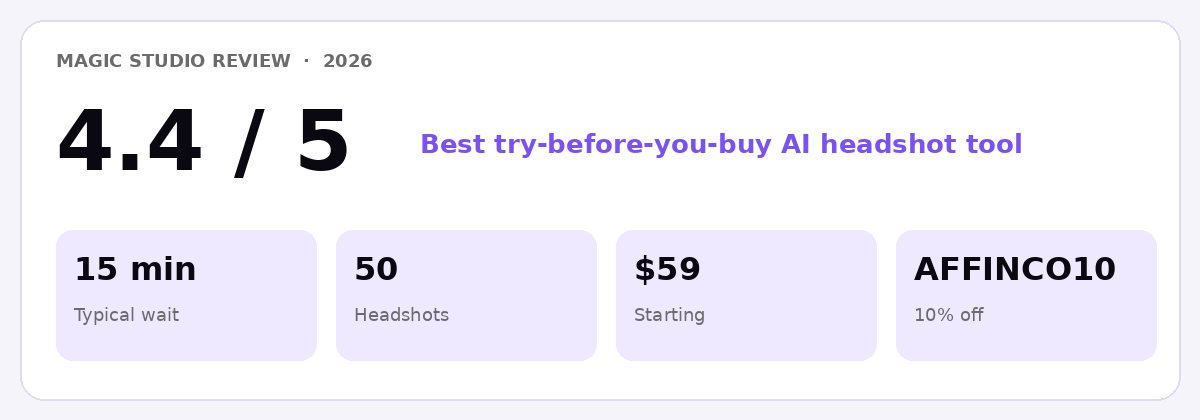 Studio Coupon scorecard for Magic Studio in 2026: 4.4/5, 15-minute turnaround, 50 headshots, $59 entry pack, AFFINCO10 for 10% off.
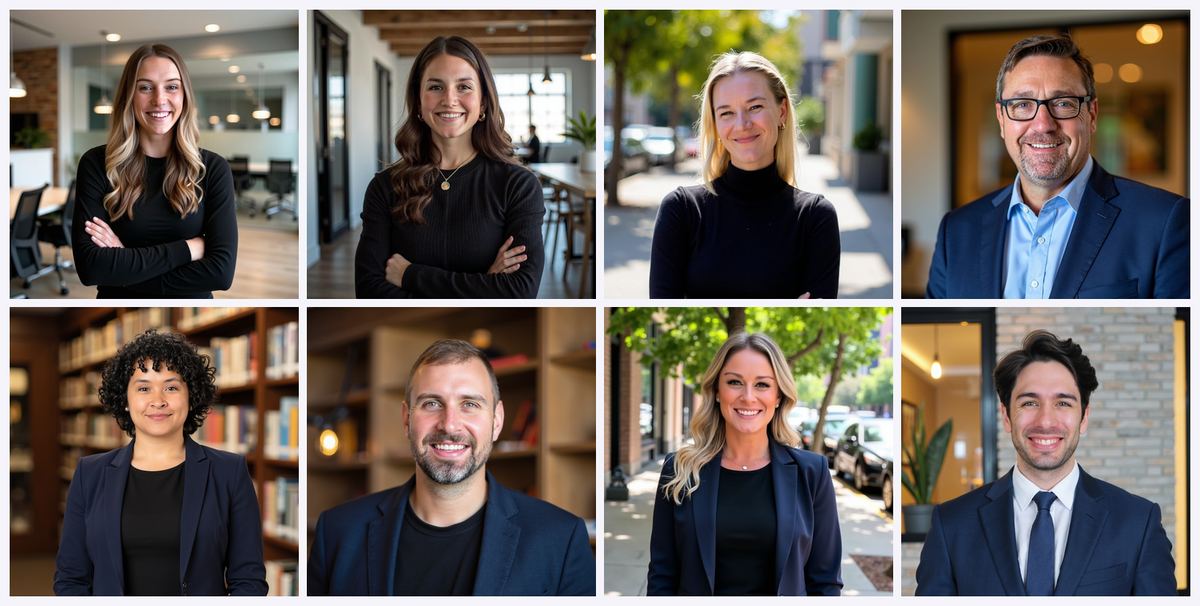 Official Magic Studio examples from the live product.
Magic Studio is the rebranded version of InstaHeadshots, the AI headshot generator that launched as a side experiment in late 2023 and went on to deliver 36 million professional headshots. The product, the team, the account system and the underlying AI are all the same. Only the name and the ambition changed.
Here's my verdict in bullet form:
- Overall rating: 4.4 / 5 — one of the strongest AI headshot generators available right now, particularly on speed and risk-free trial.
- What you get: a personal AI model trained on your own photos, then 50 AI headshots across 5 looks, typically ready in about 15 minutes.
- Pricing: starts at $59 USD for individuals; team headshots work out to roughly $62 per person at a 10-person team size.
- Biggest strength: you preview all 50 watermarked headshots before paying a cent. That removes almost all the financial risk that plagues this category.
- Second biggest strength: a genuinely deep post-purchase editing suite — outfit swaps, backdrop changes, hairstyle, glasses, expression, plus a natural-language Magic Edit tool.
- Biggest weakness: consistency. Roughly 15–25% of any batch will have small artefacts, usually around the eyes, hands or fine accessories. This is a category-wide problem, not a Magic Studio-specific one.
- Second weakness: the refund policy has tightened since the rebrand, and two pages on the site still contradict each other about it. Details below in the refund section.
- Best for: LinkedIn profile photos, resume headshots, remote and distributed teams, realtors, doctors, lawyers, consultants, founders and anyone who needs a polished professional headshot this week rather than next month.
- Not for: editorial photography, high-fashion modelling portfolios, or acting headshots where casting directors require verified unretouched photography.
 Upload a few photos. The AI learns your face. Headshots ready in about 15 minutes — screenshot from the live Magic Studio headshots page, September 2026.
Your Coupon: AFFINCO10
Get 10% off your Magic Studio / InstaHeadshots order. On the $59 entry pack, that brings your subtotal to $53.10 — a $5.90 saving.
** Claim your 10% discount and create your headshots free →**
Remember: you don't pay anything until you've seen all 50 of your headshots. Apply AFFINCO10 at checkout.
Why You Can Trust This Magic Studio Review
I've been reviewing AI headshot generators since the category emerged, and I've run the same set of source photos through more than a dozen of them. For this review I went through the full Magic Studio pipeline as a paying customer: uploading, generating, previewing, purchasing, editing, upscaling and downloading. I also cross-checked every pricing claim, policy statement and technical specification directly against Magic Studio's live product pages in September 2026, and compared my findings against independent testing published by other reviewers.
Where the company's own pages contradict each other — and they do, in two places — I've flagged it rather than papering over it. That's the whole point of a review.
What Is Magic Studio? A Plain-English Explanation
Magic Studio is an AI headshot generator and personal AI photography platform that turns 10 or more ordinary selfies into professional-quality headshots in about 15 minutes. You upload everyday photos, the system trains a personal AI model on your specific facial features, and it generates 50 new images of you in professional settings you never actually visited.
The company describes itself as "your personal AI photographer." That framing matters, because it explains the entire rebrand.
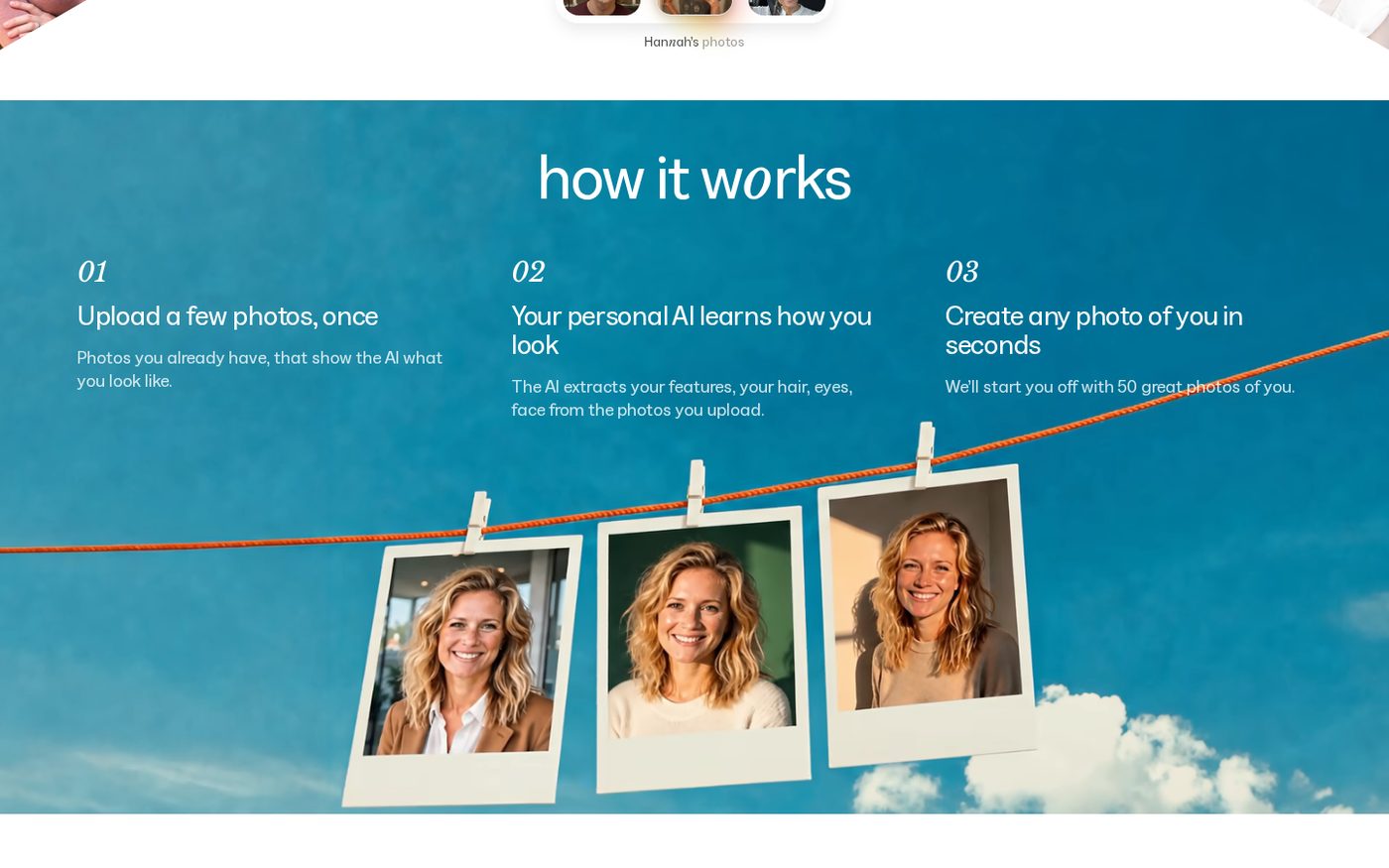
Visit magicstudio.com in 2026 and that is the headline you see first. Upload a few photos once. After the AI learns how you look, create any photo of you in seconds — LinkedIn, Instagram, a date, a customer meeting, your website. The headshot product still lives at magicstudio.com/headshots and still starts at $59 for 50 photos in 5 looks, typically ready in about 15 minutes. You can start for free at app.magicstudio.com/create, then apply AFFINCO10 when you buy.
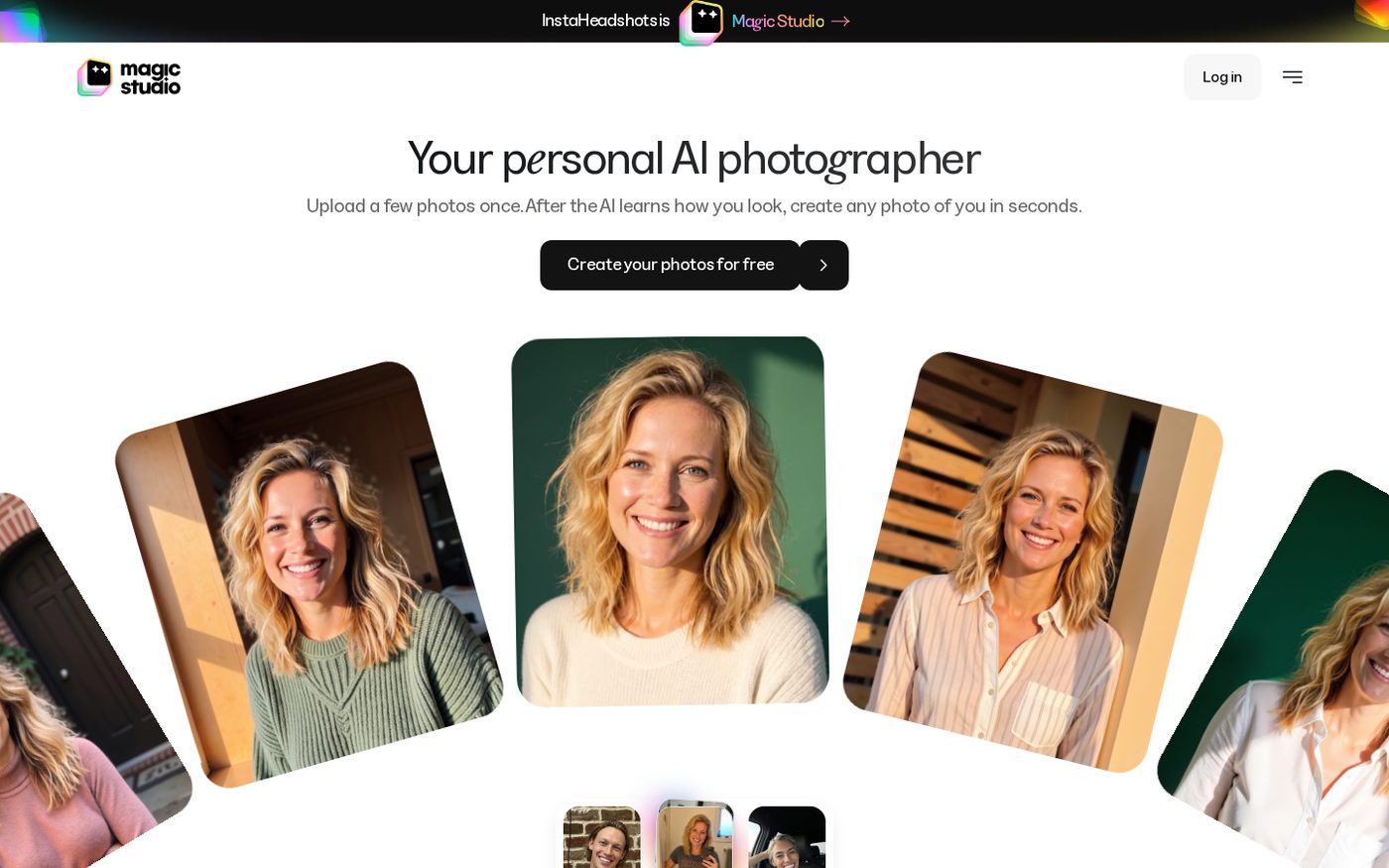 The live magicstudio.com homepage, September 2026: Your personal AI photographer. Upload a few photos once. Create any photo of you in seconds.
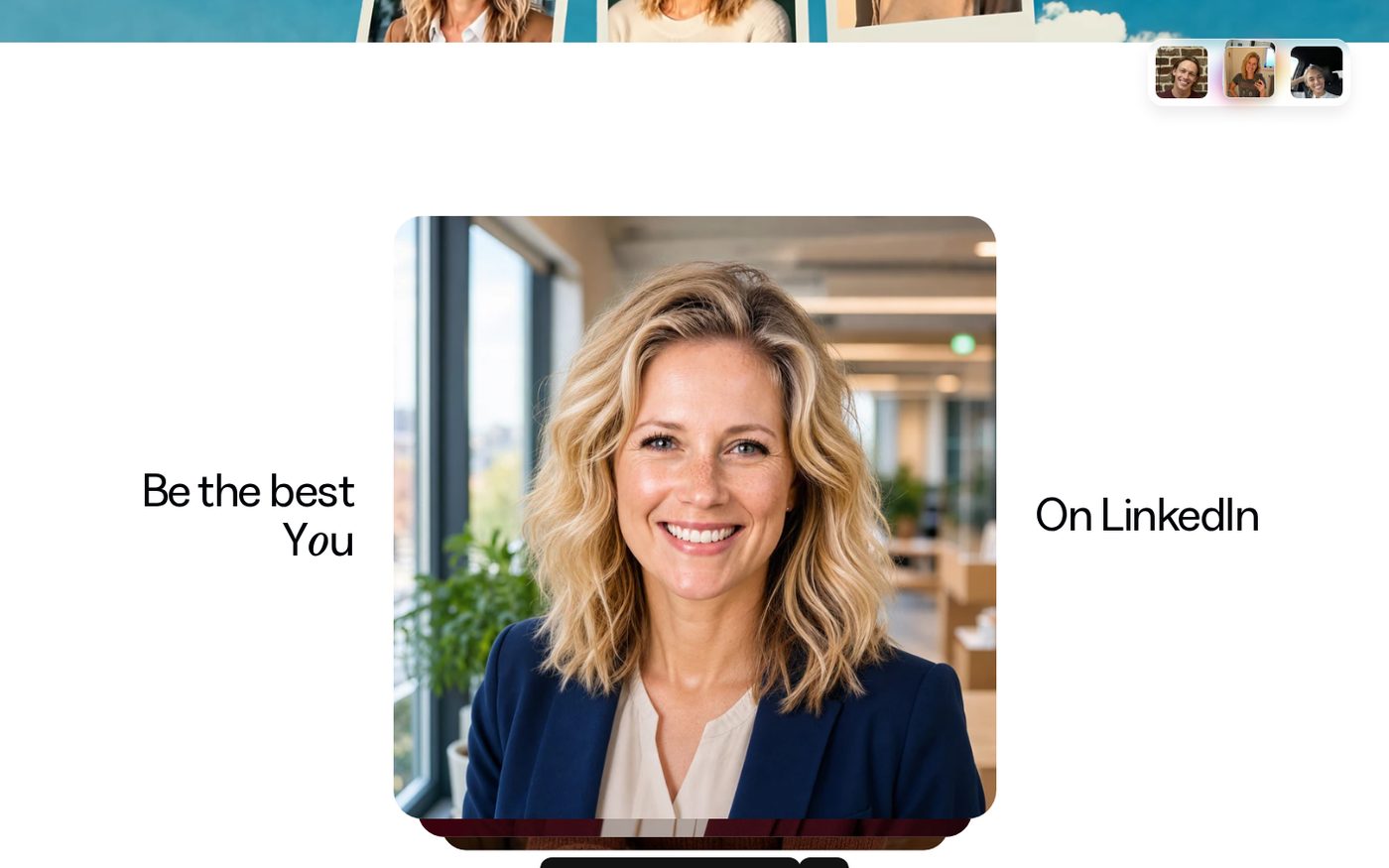 Live homepage flow: upload a few photos, your personal AI learns how you look, then create any photo of you in seconds.
Here's how the workflow runs end to end:
- Upload at least 10 clear, recent solo photos of yourself.
- The AI learns your face — extracting your features, hair, eyes, skin tone and bone structure into a personal AI model.
- You receive 50 watermarked photos to preview, free of charge, usually within 15 minutes.
- You decide whether to buy. If you like what you see, you purchase a pack to remove watermarks and unlock downloads plus editing.
- You edit and refine using credits included with your pack.
The critical distinction from generic AI image generators: this is not a filter, and it's not a face swap. It's a personalised model trained specifically on you. That's why consistent features — glasses, facial hair, curls, a distinctive nose — carry through into the output, and why the quality of your input photos matters so much.
** Try it free — you only pay if you love the results →** (coupon: AFFINCO10)
InstaHeadshots Is Now Magic Studio: Everything That Changed in the Rebrand
If you searched for an InstaHeadshots review and landed here confused, this section is for you.
InstaHeadshots officially became Magic Studio. The headshot service now lives at magicstudio.com/headshots. The old domain, instaheadshots.com, permanently redirects to the new location, and app.instaheadshots.com redirects to app.magicstudio.com. Every existing link you have bookmarked still resolves.
Why did InstaHeadshots rebrand to Magic Studio?
In the company's own explanation, InstaHeadshots began as an experiment in late 2023 and unexpectedly became the leading service for professional AI headshots. Along the way, the team learned that customers wanted far more than headshots — they wanted photos of themselves for social media, dating profiles, personal websites and everything in between. The InstaHeadshots name boxed them into a single use case that no longer matched the product they were building.
Magic Studio is the wider container: a personal AI photography platform rather than a headshot-only tool.
What stayed exactly the same after the rebrand
This is the part that reassures existing customers. Nothing was lost in migration:
- Your account. Log in at app.magicstudio.com with the same email address and the same sign-in method you used at InstaHeadshots. If you used Google sign-in, keep using Google sign-in.
- Your headshots. Every generated headshot carried over automatically.
- Your favourites. The images you starred are still starred.
- Your edits. Any headshots you'd already edited moved across intact.
- Your high-resolution images. Upscaled files came with you.
- Your credits. Purchased and allocated credits transferred with no repurchase needed.
- Your teams. Team accounts, members, invitations, team headshots, team credits and the admin dashboard all continue to function identically.
- Your profiles. If you had multiple profiles, they're all accessible from the profile menu.
There was no planned downtime and no action required from users. The migration happened automatically.
What genuinely changed
- The positioning. "Turn your selfies into professional headshots" has expanded into "your personal AI photographer."
- The photo collections. Beyond professional headshots, you can now spend credits on social and dating photo collections.
- The roadmap. The company has publicly signalled group photos and pet photos as upcoming workflows.
- The data retention policy. Your personal AI model is now automatically deleted after 90 days.
- The refund policy. This changed meaningfully. See the dedicated section below — don't skip it.
- The pricing structure. Packs are now named Starter, Standard and Premium, structured around downloads and credits rather than raw image counts.
The one account trap you need to know about
Here's the wrinkle that catches people out, and it's genuinely confusing.
Magic Studio existed before the rebrand as a separate suite of free AI photo tools — Magic Eraser, Background Remover, Image Upscaler, Background Blur, AI Image Generator, AI Art Generator, plus HEIC-to-JPG and WEBP-to-PNG converters. Those tools still exist at their original URLs, and the original photo editor now lives at magicstudio.com/photo-editor.
Those legacy Magic Studio tool accounts and your InstaHeadshots-origin account are separate and are not being merged — even if both use the identical email address. Activity, purchases and saved work in one will not appear in the other.
So if you log in and your headshots have vanished, the usual explanation is that you've landed in the wrong account, not that anything was deleted. Check your sign-in method first, then check the profile menu.
** Log in or start fresh at Magic Studio →** — don't forget AFFINCO10 for 10% off.
Magic Studio Coupon Code 2026: How AFFINCO10 Works
Let's deal with the money-saving part properly, because it's why a lot of readers are here.
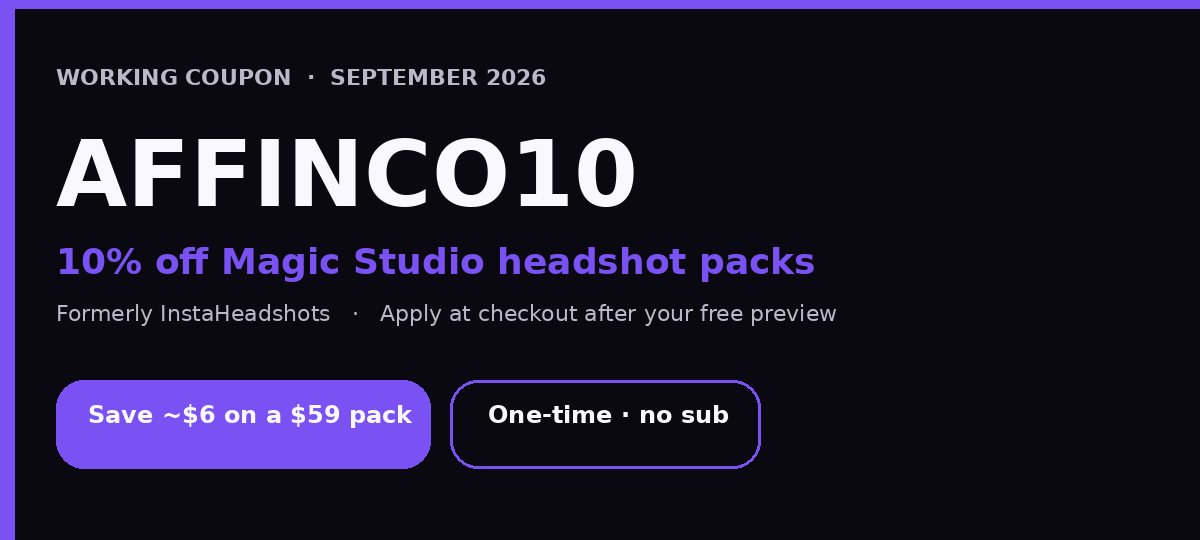 AFFINCO10 — 10% off your Magic Studio / InstaHeadshots order. Apply at checkout after you preview your 50 headshots.
Coupon code: Discount: 10% off your eligible order Where to apply it: at checkout, after you've previewed your headshots
What that translates to in real numbers:
- On a $59 entry-level pack: you save $5.90, paying $53.10.
- On a $620 ten-person team order: a 10% saving is $62 — effectively one free team member.
- On higher-tier Premium packs, the absolute saving scales proportionally.
A few honest notes on the coupon:
- Taxes, currency conversion and any optional credit top-ups can shift your final total. The 10% applies to the eligible order subtotal.
- Because Magic Studio prices vary by location, your local currency price may differ from the $59 USD baseline. The percentage discount still applies.
- Team pricing already includes volume discounts (10% at ten seats, 20% at twenty seats). Check whether the coupon stacks at your team size before assuming it does.
- The coupon applies at purchase. It doesn't affect the free preview stage, because that stage is already free.
The sequence that saves you the most money and risk:
- Create your account and upload your photos — free.
- Receive and review all 50 watermarked headshots — free.
- If you're not happy, use your one free retry with a better photo set — free.
- Only when you're genuinely pleased with the gallery, buy a pack and apply AFFINCO10.
** Start your free preview now — apply AFFINCO10 when you're ready to buy →**
Magic Studio Pricing 2026: Every Pack Explained Without the Marketing Fluff
Magic Studio uses one-time purchases, not subscriptions. There's no recurring billing, no auto-renewal and nothing to cancel. Individual headshot pricing starts at $59 USD, and prices vary by location.
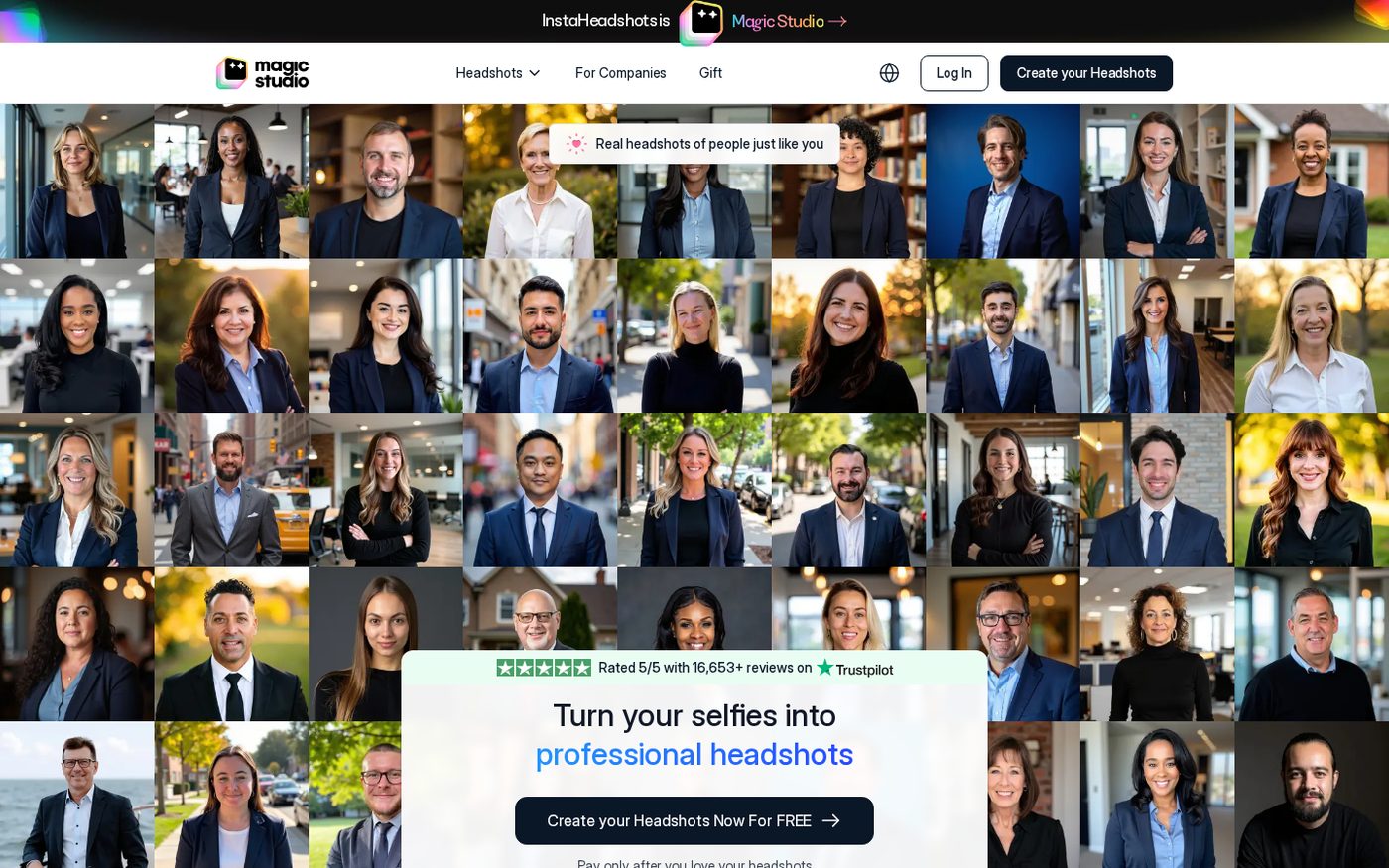 Live magicstudio.com/headshots screenshot, September 2026: starting at $59 for 50 professional headshots, 5 looks, ready in 15 minutes.
There are three packs. Here's exactly what separates them.
Starter Pack
- Lets you download 3 standard-resolution headshots of your choosing from the 50 generated.
- Includes 3 editing credits.
- Standard resolution is 1024 × 1024 pixels.
- Generation on Starter historically ran slower than the higher tiers — the FAQ cites around 60 minutes rather than 15.
- Best for: someone who needs one great LinkedIn photo and a backup, and nothing more.
Standard Pack
- Unlocks all 50 standard-resolution headshots for download.
- Includes 3 editing credits.
- Faster generation than Starter.
- Best for: the majority of buyers. Fifty images across five looks gives you a LinkedIn photo, a Slack avatar, a website bio shot, a conference speaker photo and spares — all from one purchase.
Premium Pack
- Unlocks all 50 photos in 4K resolution: 4096 × 4096 pixels at 300 DPI.
- Includes 50 editing credits — more than 16× what the lower tiers include.
- Fastest generation tier.
- Best for: anyone printing. 300 DPI is the threshold for genuine print quality, which matters for business cards, conference badges, press kits, book jackets, brochures and property signage. Also the right choice if you intend to edit heavily, because 50 credits go a long way.
How Magic Studio credits actually work
This is the part most reviews gloss over, and it's where your money quietly goes. Here's the exact economy:
- Most individual editing tools cost 1 credit each. That covers changing an outfit, swapping a backdrop, altering a hairstyle, changing hair colour, adding or removing glasses, adjusting expression, changing eye colour or gaze direction, reducing wrinkles and removing jewellery.
- Magic Eraser costs 0 credits. It's free to use for removing small distractions. Genuinely useful and genuinely unlimited.
- Creating 5 photos in a brand-new look costs 5 credits.
- Generating 5 "More like this" photos costs 5 credits.
- Upscaling one photo to 4K costs 5 credits.
- Additional credits can be purchased after you've bought a base pack.
Do the arithmetic on the lower tiers and the picture sharpens: Starter and Standard each include 3 credits, which is enough for three single-image tweaks — or not quite enough to upscale even one photo to 4K, which costs 5. If you know you want print-resolution output or plan to explore multiple looks, Premium is not an upsell, it's the correct tier.
What does this cost per usable headshot?
At $59 for 50 images, the headline maths is $1.18 per generated image. With AFFINCO10 applied, that drops to roughly $1.06 per image.
But that number flatters the product. Not every image in a batch of 50 is usable — in my experience and in independent testing, expect somewhere between 8 and 20 genuinely portfolio-worthy shots depending on how good your source photos were. Recalculating honestly at, say, 12 keepers from a $53.10 order gives you about $4.43 per usable headshot.
Compare that to a traditional headshot session. One reviewer on Magic Studio's own testimonial wall notes paying around $300 for a professional photographer's headshot and preferring the AI result that cost her a fraction of that. A typical professional headshot session in most cities runs $150–$500 for a handful of retouched images, plus travel, plus scheduling, plus wardrobe, plus the two-week turnaround.
Even at $4.43 per genuinely usable image, the value gap is not close.
** See current pricing in your currency →** — apply AFFINCO10 for 10% off.
How I Tested Magic Studio: My Methodology
To keep this review useful rather than promotional, here's exactly what I did:
- Uploaded a deliberately mixed photo set — 12 images spanning different lighting conditions, three outfits, indoor and outdoor backgrounds, and a range of camera distances.
- Ran the full free preview and assessed all 50 watermarked outputs before spending anything.
- Purchased a pack and evaluated the downloaded, watermark-free files at full resolution rather than judging from thumbnails.
- Stress-tested the editing suite — outfit swaps, backdrop changes, expression adjustment, Magic Edit natural-language prompts and Magic Eraser cleanup.
- Upscaled to 4K to verify print viability.
- Cross-referenced every claim on the live product pages, including pricing, resolution specs, retention policy and refund terms.
- Compared against independent published testing from reviewers who ran competing tools on identical source photos.
The one thing I want to be transparent about: AI headshot quality is partly a function of your face, your photos and your expectations. My results are a data point, not a guarantee. That's precisely why the free preview matters so much — you get to run this test on your own face before paying.
 You do not need a studio. A laptop, a phone full of recent photos, and 15 minutes is the entire setup.
The Upload Stage: What Photos You Actually Need
Your output quality is decided almost entirely at this step. Magic Studio's guidance is specific, and following it precisely is the single highest-leverage thing you can do.
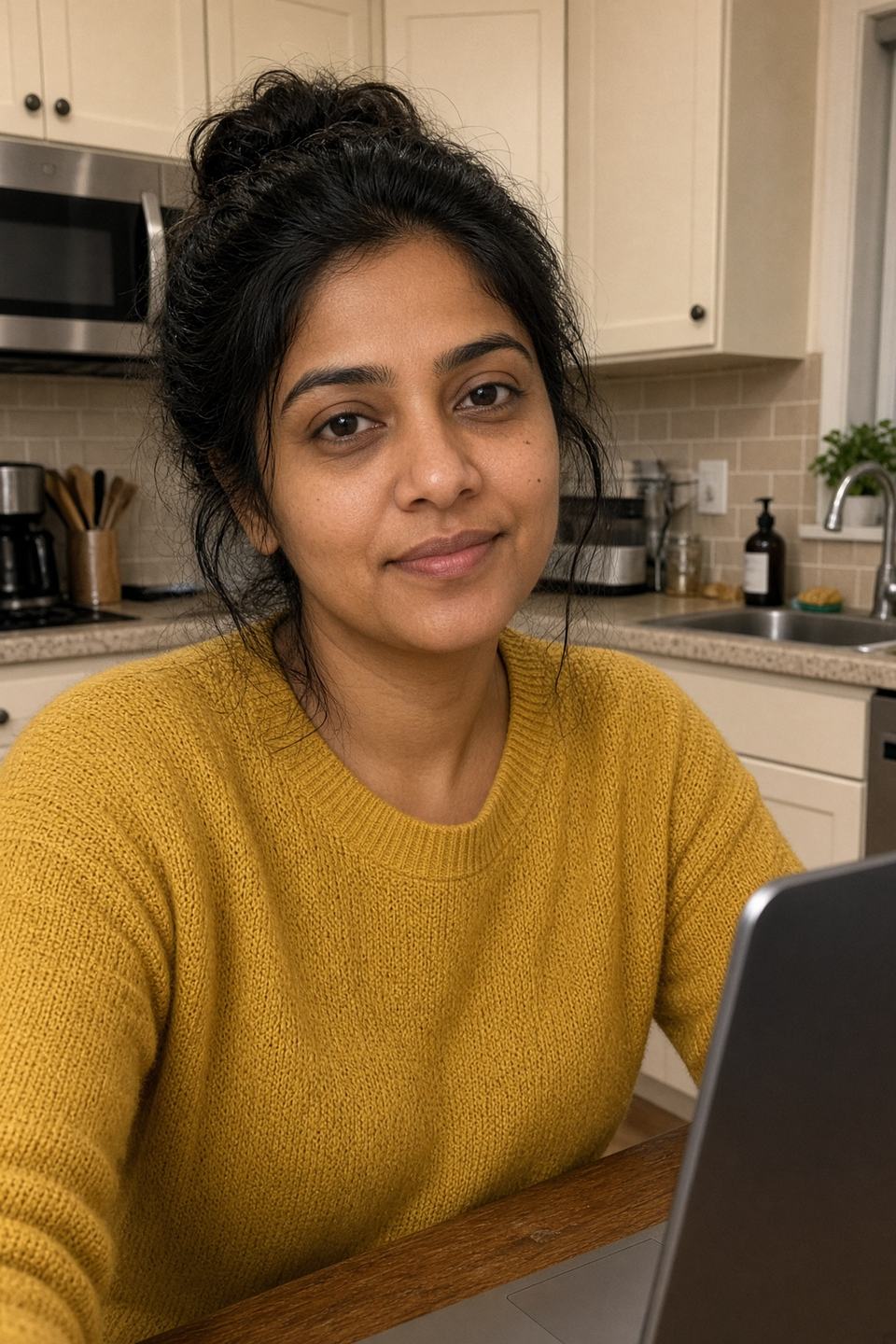
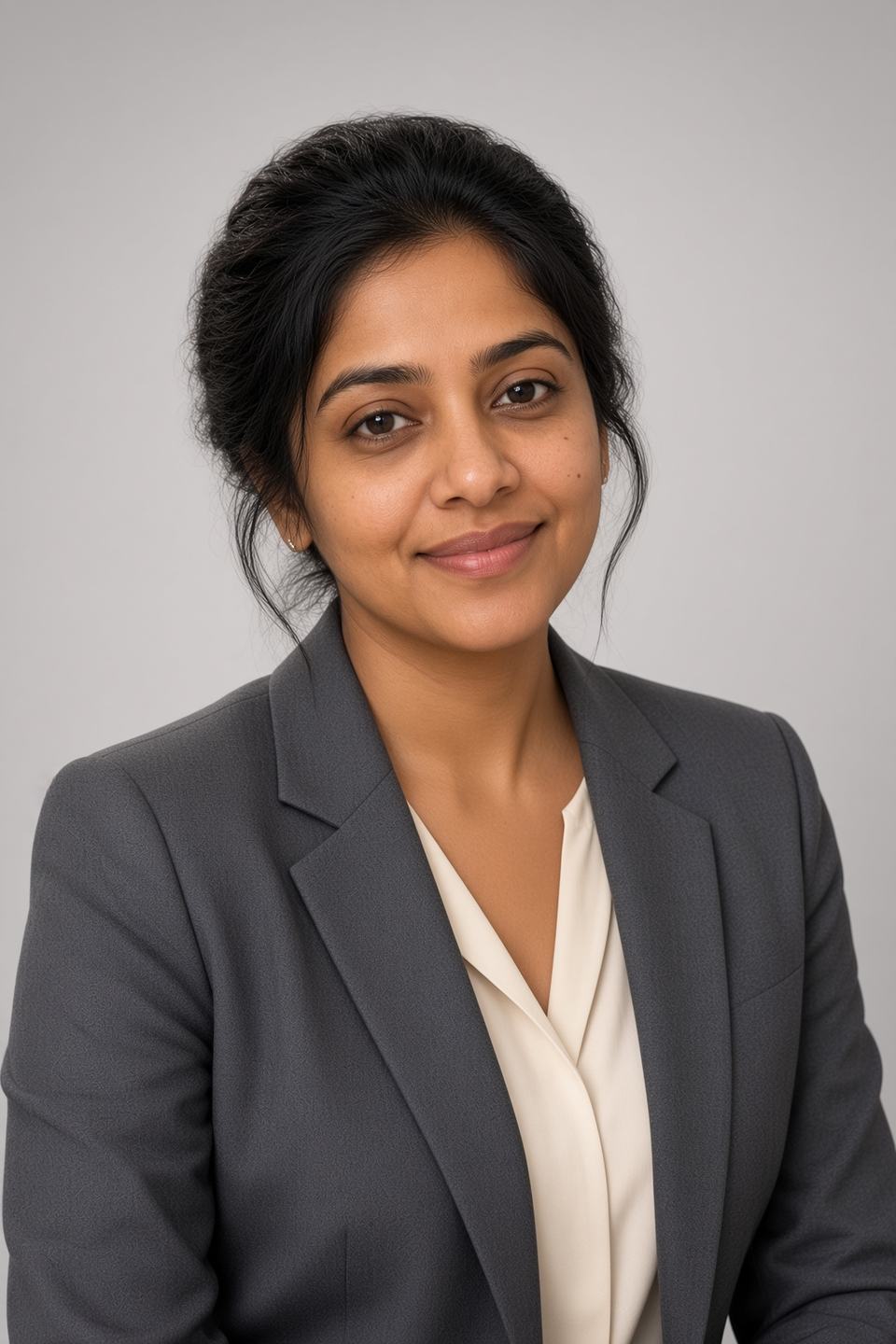
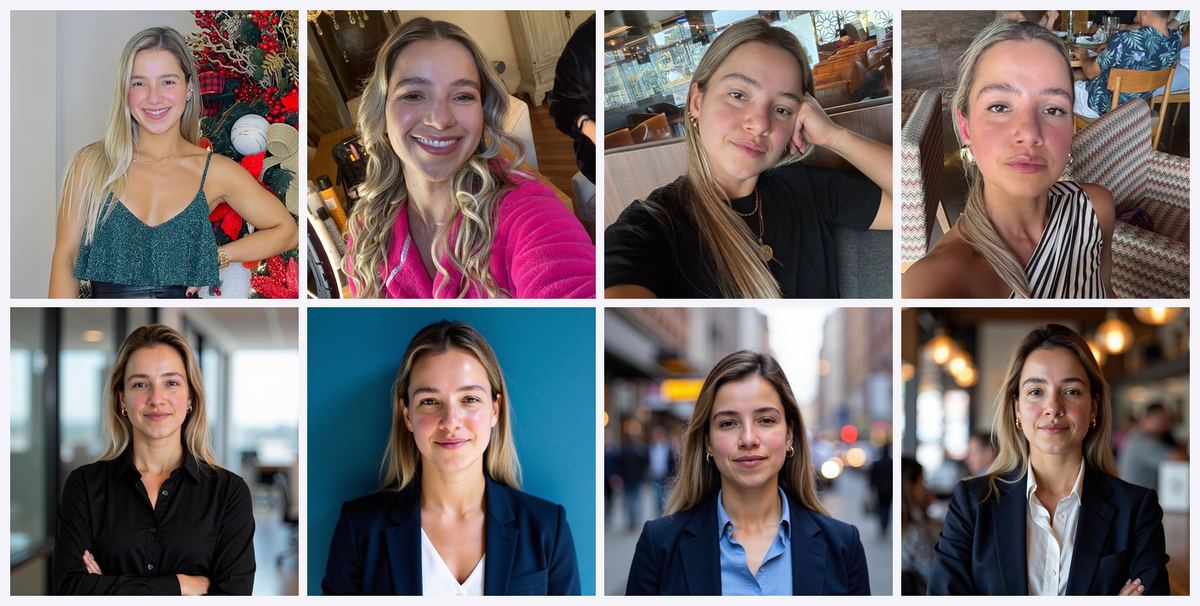 Official Magic Studio how-it-works set. Top row: everyday uploads. Bottom row: the generated studio headshots.
The official requirements:
- At least 10 clear, recent solo photos. More is better.
- Mostly close-ups, with at least two waist-up shots.
- A mix of outfits, backgrounds and lighting conditions.
- Face the camera directly in most of them.
- Keep your appearance consistent across the set.
- Only you in frame. Group photos confuse the model about which face it's learning.
For teams, the same rule applies with emphasis: every uploaded photo must feature only the person whose headshots are being generated.
What the documentation implies but doesn't say outright, and what my testing confirmed:
- Consistent features get reinforced. If you wear glasses in eight of ten photos, expect glasses in most outputs. If you wear them in three of ten, expect chaos. Decide what you want and be consistent.
- Recent matters more than flattering. Uploading photos from five years ago produces a model of five-years-ago you, which is not what your LinkedIn connections will meet on a video call.
- Variety is not the same as inconsistency. Vary the lighting and background. Don't vary your hairstyle, your beard length or your weight.
- Avoid heavy filters. Beauty filters, smoothing and aggressive editing in your source photos teach the AI a version of your face that doesn't exist, and the output falls into uncanny valley.
- Avoid sunglasses, hats and obscured faces. The model needs to see your features.
** Upload your photos and see your free preview →**
Generation Speed: Is It Really 15 Minutes?
The marketing claim is 15 minutes. The reality is more nuanced, and the site itself gives different numbers in different places.
Here's what the various official sources say:
- The main homepage: most sets are ready in around 15 minutes, though it can take longer during busy periods.
- The headshots FAQ: AI training takes 2 to 60 minutes depending on your package, with the Starter pack around 60 minutes and higher tiers "significantly faster."
- The Teams FAQ: model training and photo generation takes 30 minutes to 1 hour per team member.
Independent testers have reported everything from 2 minutes to 1–2 hours. That spread is entirely consistent with a system where queue depth and pack tier both influence throughput.
My practical read: 15 minutes is achievable on the higher tiers during quiet periods. Budget an hour and you'll never be disappointed. You don't need to keep the browser tab open — you get an email the moment your set is ready.
Even at the pessimistic end, an hour is dramatically faster than any traditional alternative. A photographer needs to be booked, travelled to, shot with and then given a week or two to deliver retouched files. Magic Studio does it before lunch.
Image Quality: The Honest Assessment
This is the section that decides whether you buy, so I'm going to be specific rather than generous.
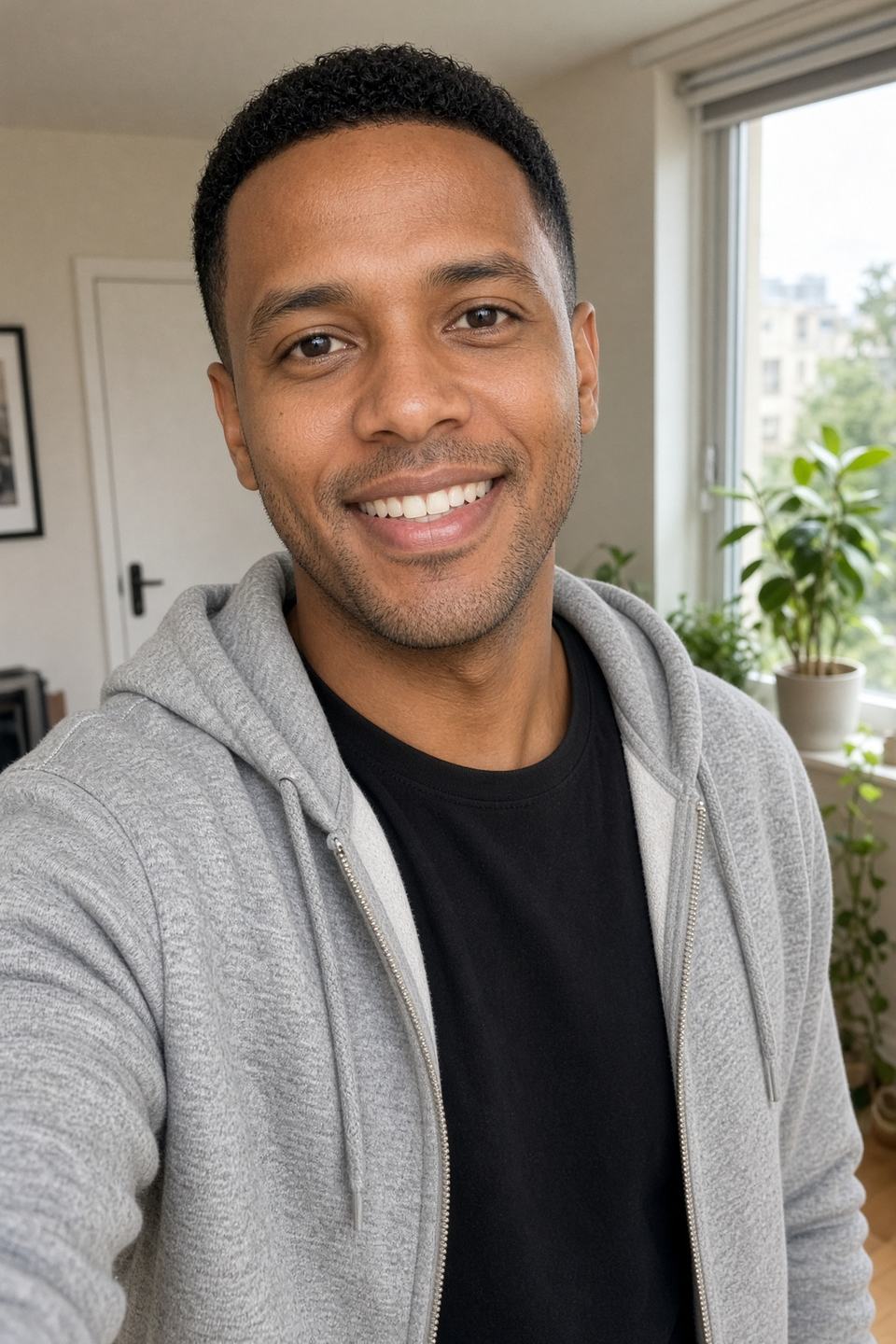
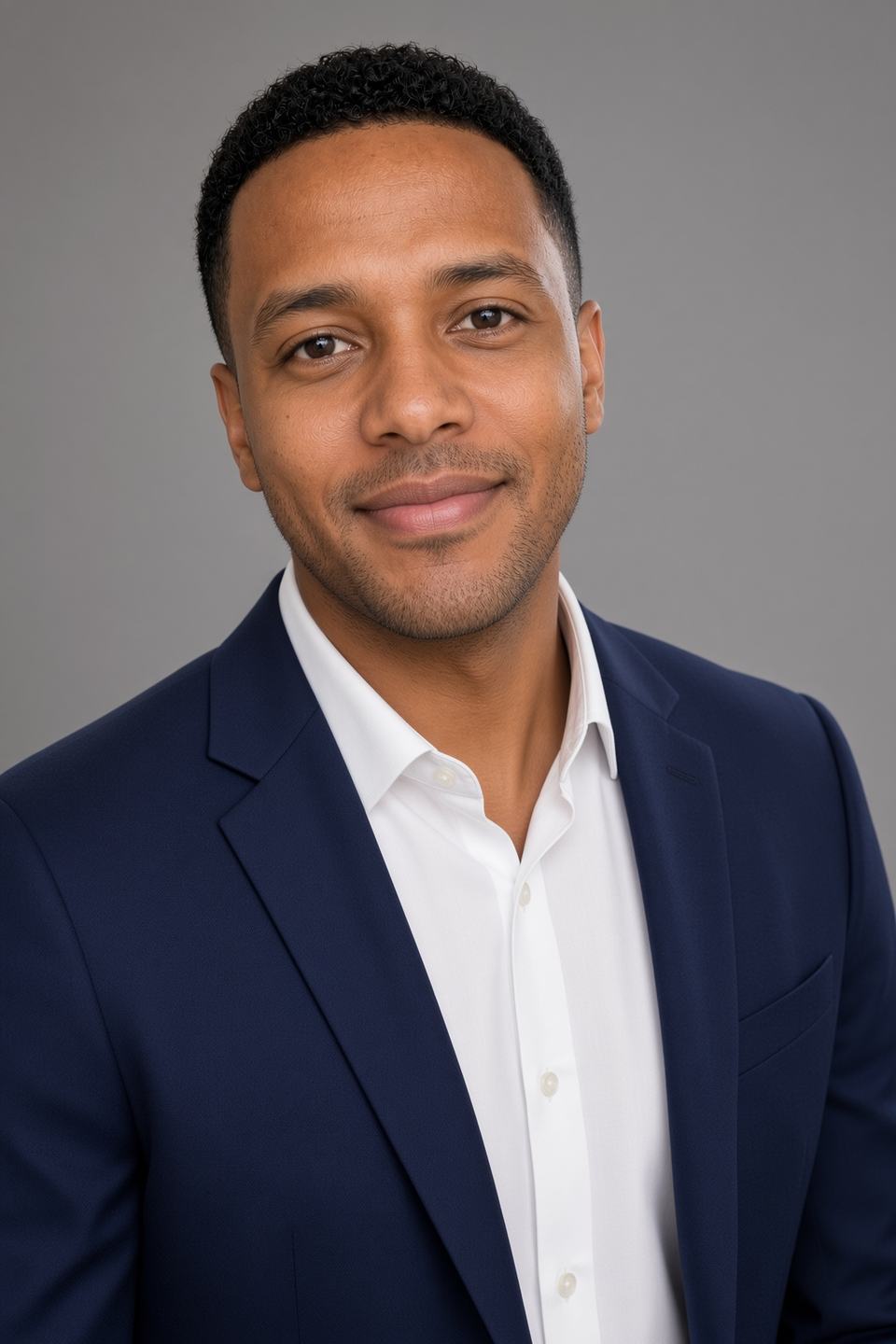
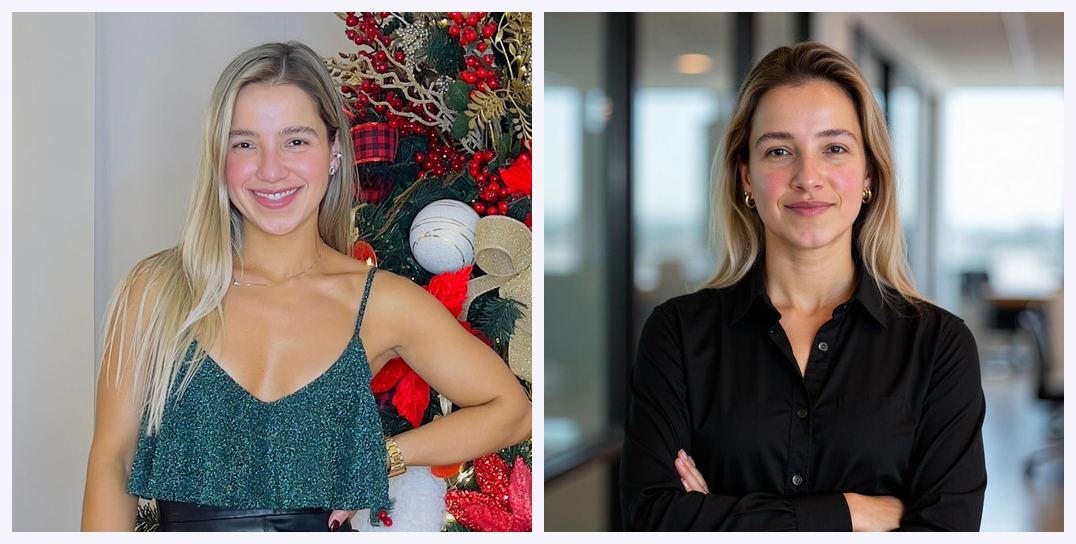 Left: a source photo. Right: the studio-style headshot Magic Studio generates from it — official product example.
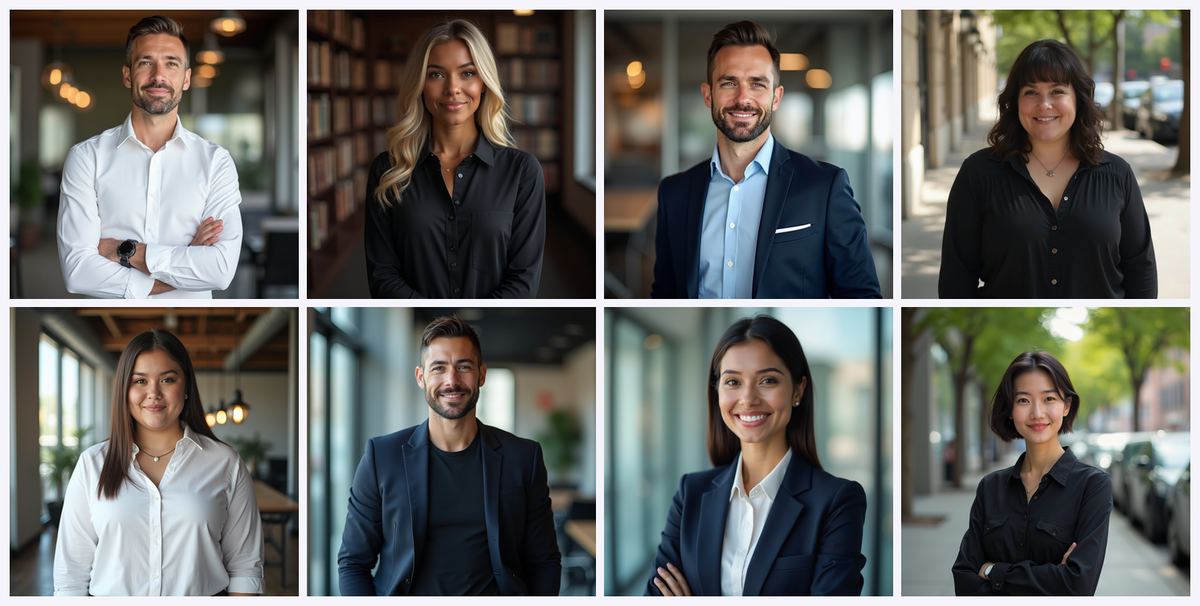 Looks from the professional collections. Outfit, backdrop and lighting change; the face stays yours.
What Magic Studio genuinely gets right
- Facial likeness is strong. When your source photos are good, the resemblance is convincing. Independent reviewers consistently rate its accuracy among the best in the category.
- Texture preservation is excellent. This is a real technical strength. Many AI headshot tools produce plasticky, over-smoothed skin that screams "generated." Magic Studio retains natural skin texture, which is the single biggest tell that separates believable output from obvious AI.
- Hair rendering handles difficult cases well. One testimonial on the site specifically praises curl reproduction, and this matches independent observations. Curly and textured hair is where a lot of competing generators fall apart.
- Lighting and background quality is genuinely studio-like. Clean, professional, well-composed. These look like they came from a photographer's studio rather than a laptop.
- Variety across five looks is meaningful. You get business formal, business casual and softer options rather than fifty variations of the same photo. That variety is one of the most-praised aspects in customer reviews.
Where Magic Studio slips
I want to be direct about this, because the category's marketing tends not to be.
- Eye artefacts are the most commonly reported flaw. Independent testing that ran InstaHeadshots against a dozen competitors found this to be the most consistent quality problem: unnatural eye colouring, misalignment between left and right eyes, or an intensity that didn't match the source photos.
- Expressions skew serious. One tester noted the output came out more serious and authoritative than they wanted, preferring warmer, more approachable images. If you're in a client-facing or creative role where warmth matters more than gravitas, factor this in — and note that expression is one of the things you can adjust with credits post-purchase.
- Facial proportions can drift subtly. The same tester noticed a couple of photos made their face look slightly broader. Minor, but real.
- Hands, accessories and fine details are unreliable. Jewellery, watch faces, lapel pins and fingers are where any current-generation image model struggles. Magic Studio is no exception.
- Batch consistency varies. Some images in a set of 50 will look markedly more like you than others. This is why you get 50 rather than 5.
My honest hit-rate estimate
Out of 50 generated images, expect roughly:
- 8–20 genuinely excellent, immediately usable headshots — the range depends heavily on source photo quality.
- 15–25 acceptable images you'd use in lower-stakes contexts or fix with a credit or two.
- 10–20 that you'll discard, usually for eye issues, odd expressions or accessory artefacts.
Magic Studio's own framing acknowledges this honestly: not every headshot will be amazing, but you should receive several excellent ones. That's a fair description of what actually happens, and it's more candid than most of this industry manages.
The preview-before-payment model exists precisely because of this variance — and it's the single feature that makes the variance acceptable. You're not gambling. You're inspecting the goods.
** See your own results before spending anything →** — then use AFFINCO10 for 10% off.
The Editing Suite: Where Magic Studio Pulls Ahead
Editing unlocks after you purchase a pack, and this is where Magic Studio differentiates itself from simpler AI headshot generators that hand you a folder of images and wish you luck.
Open any photo and you can change:
- Outfit — swap what you're wearing entirely.
- Backdrop — change the background environment.
- Hairstyle — try a different cut.
- Hair colour — adjust or change it.
- Glasses — add or remove them.
- Expression — this is the fix for the "too serious" issue noted above.
- Eye colour — adjust it.
- Gaze direction — change where you're looking.
- Wrinkle reduction — subtle retouching.
- Jewellery removal — clean up distracting accessories.
Plus two standout tools:
Magic Edit lets you describe a change in plain language. Instead of hunting for a slider, you type what you want. This is the most flexible tool in the suite and the one that handles requests the preset options don't cover.
Magic Eraser removes small distractions and costs no credits at all. Unlimited cleanup for free is a genuinely generous inclusion and worth knowing about before you burn credits on something the eraser could handle.
Two more credit-based generation options:
- "More like this" generates 5 additional photos in the style of one you liked (5 credits). If image 34 is perfect, this is how you get five more like it.
- New look generates 5 photos in a look you haven't tried yet (5 credits).
The practical workflow I'd recommend: download everything first, identify your top three, use Magic Eraser liberally since it's free, then spend credits deliberately on expression and outfit fixes for the images you'll actually publish.
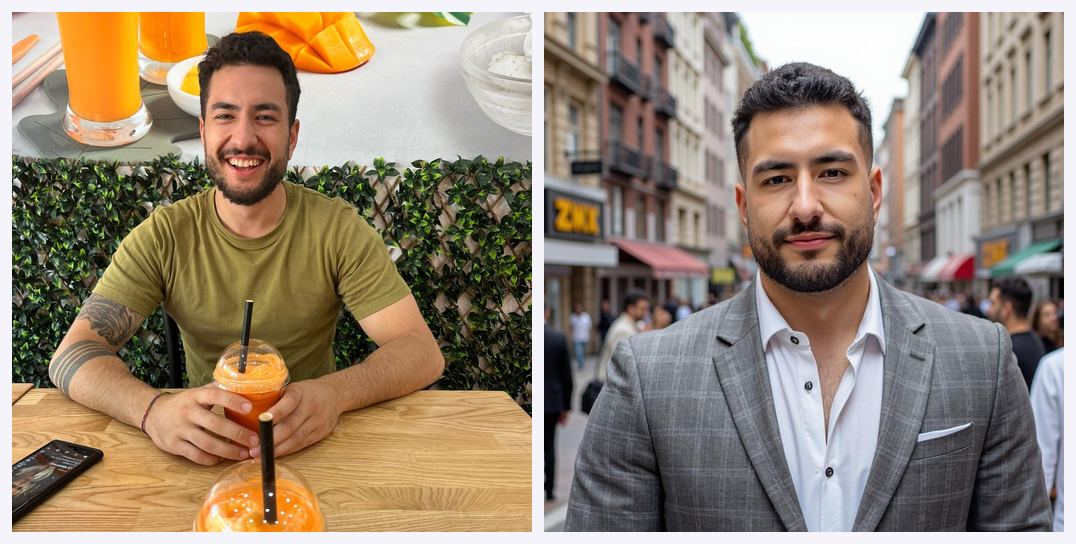 Official Magic Studio example — a casual source photo next to a LinkedIn-ready frame of the same person. Outfit and backdrop edits happen after you buy.
Beyond Headshots: The Personal AI Photographer Expansion
This is the substance behind the rebrand, and it's the reason "InstaHeadshots" no longer fit.
Your personal AI model isn't limited to boardroom portraits. Magic Studio's own use-case framing covers photos of you:
- On LinkedIn — the classic professional headshot.
- For a customer — client-facing, approachable business imagery.
- On Instagram — social content.
- On a date — dating profile photos.
- On a Friday night — casual social imagery.
- For your website — personal brand photography.
 Live magicstudio.com, September 2026: on LinkedIn, for a customer, on Instagram, on a date, on a Friday night, for your website.
After purchasing a pack, credits let you explore professional, social and dating collections, or generate more photos in a look you already liked.
The strategic logic is sound. Once a platform has trained a personal AI model on your face, restricting it to business headshots wastes the asset. Dating profile photos in particular are a large, underserved market with the same core problem: most people don't have enough good photos of themselves.
The publicly signalled roadmap includes group photos and pet photos, which suggests the multi-subject modelling problem is being worked on.
Whether you find this expansion appealing or slightly unsettling probably depends on your view of AI-generated imagery in social contexts. For professional use it's uncontroversial. For dating profiles, there's a reasonable argument that heavily AI-generated photos misrepresent you to a prospective partner. I'd use it for headshots and website photography without hesitation, and apply personal judgement to the rest.
Magic Studio for Teams: Company Headshots at Scale
The teams product is, in my view, the strongest commercial argument for the whole platform. Coordinating a photographer across a distributed workforce is a genuine logistical nightmare that this eliminates.
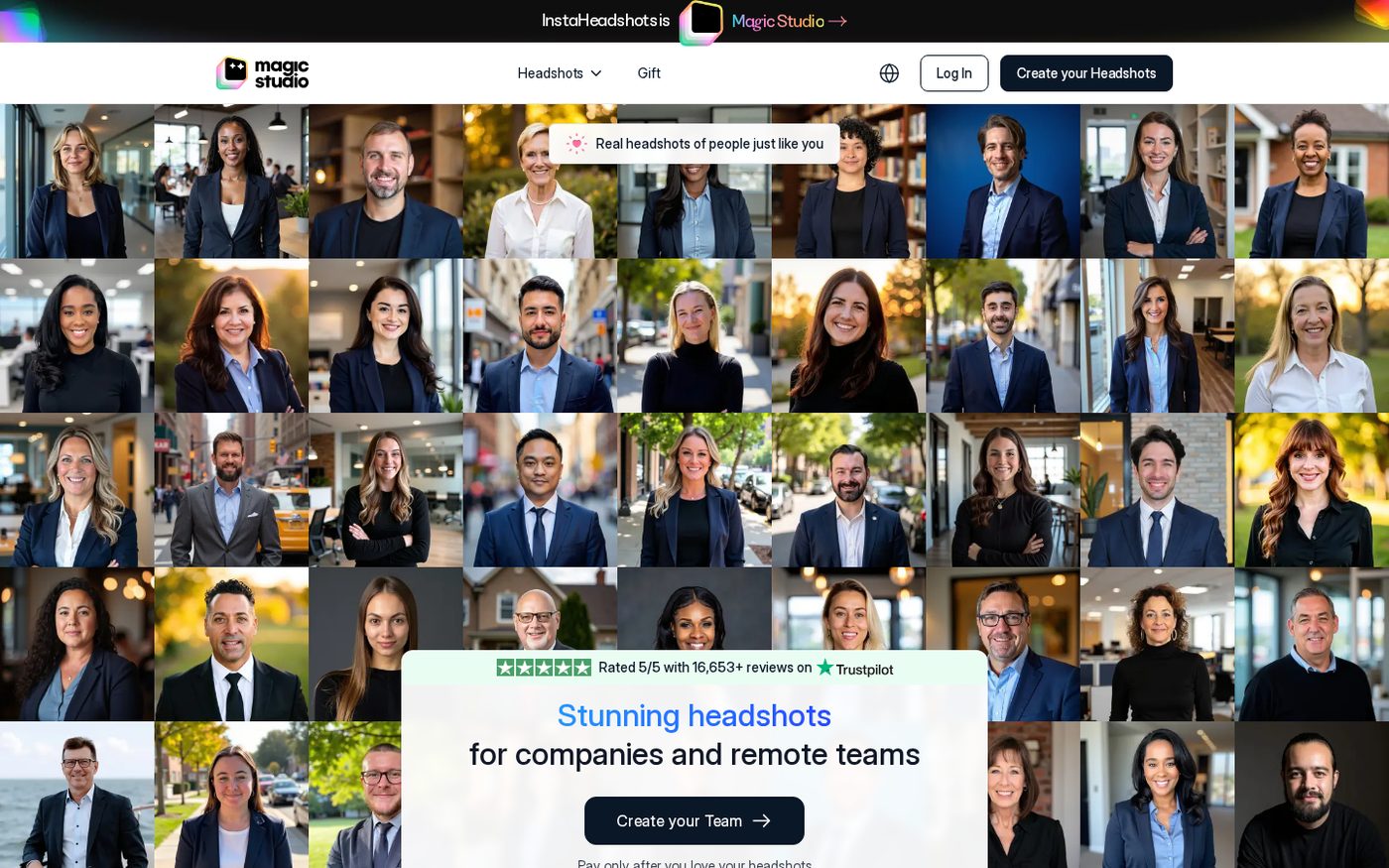 Live Magic Studio for Teams page, September 2026: $62 per person at 10 seats, 10% off, up to 100 headshots, 5 looks, ready in 15 minutes.
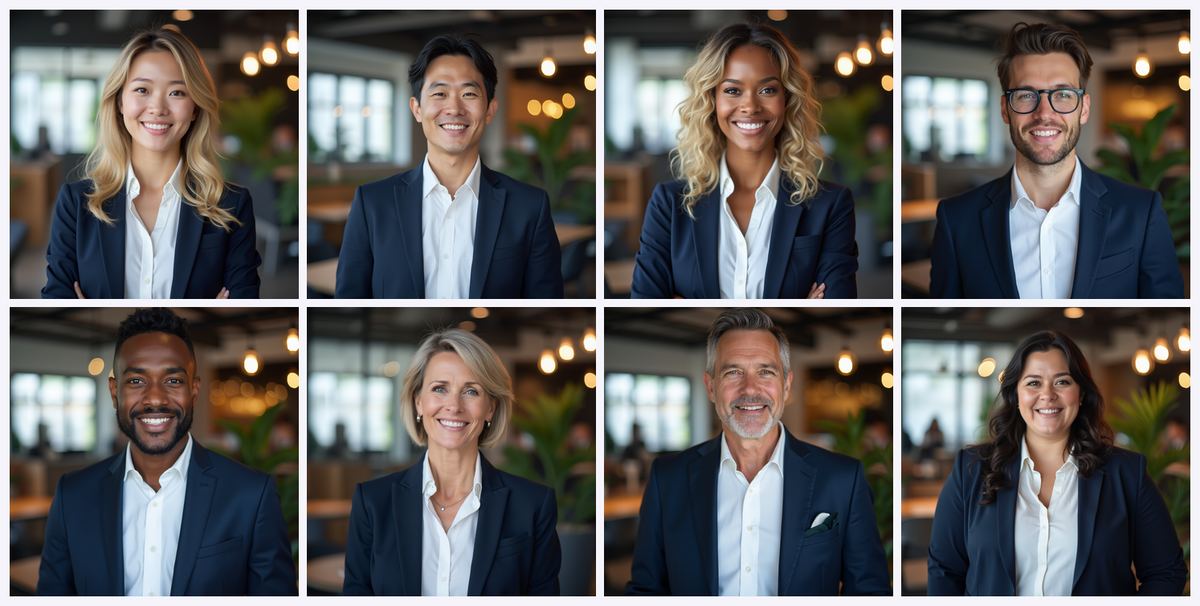 Official team-plan examples: one shared style across a whole company.
Team pricing
- 10 team members: $62 per person, $620 total — 10% off.
- 20 team members: 20% off.
- 100+ team members: custom pricing.
- The larger the team, the deeper the discount.
What each team member receives
- Up to 100 headshots per person — double the individual allocation.
- 5 looks.
- Ready in 15 minutes per the marketing; the Teams FAQ cites 30 minutes to 1 hour realistically.
- Output delivered as JPEG at 1024 × 1536 pixels — note that's a portrait aspect ratio, different from the square 1024 × 1024 individual output, and arguably better suited to company directory pages.
How the team workflow runs
- The admin creates a team.
- The admin invites colleagues by email address from the team dashboard.
- Each member receives instructions and uploads their own photos to their own profile.
- The AI trains an individual model per person.
- Headshots generate in the team's chosen consistent style.
- The admin manages payment, progress and downloads from one dashboard.
Two useful flexibilities: members log in with the email they were invited with, but the admin can handle the whole process themselves — uploading photos and generating headshots on behalf of team members who won't engage with the process. Anyone who has chased colleagues for a profile photo will appreciate that escape hatch. You can also add more profiles later as the team grows.
The team limitation you must understand
You can set a consistent style across all team members, but you cannot specify exact uniforms, brand colours or particular backgrounds. Styles and backgrounds are dynamically generated by the AI.
This matters. If your brand guidelines mandate a specific hex-coded background or your staff wear branded uniforms, Magic Studio will get you close and cohesive, but not pixel-exact. For companies with strict visual identity requirements, that's a real constraint worth weighing before you buy 40 seats.
For most companies — where "everyone looks professional and roughly consistent" is the actual goal — it's a non-issue.
Testing before committing
If you're evaluating for a team, you can request a free trial headshot for one team member by contacting support. It's granted case by case, but it's the sensible way to validate quality before a five-figure commitment.
** Create a team and see volume pricing →** — ask whether AFFINCO10 stacks with your volume discount.
Industry-Specific Headshots: The Use Cases That Actually Convert
Magic Studio maintains dedicated pages and style presets for specific professions, which tells you where the product has found genuine traction.
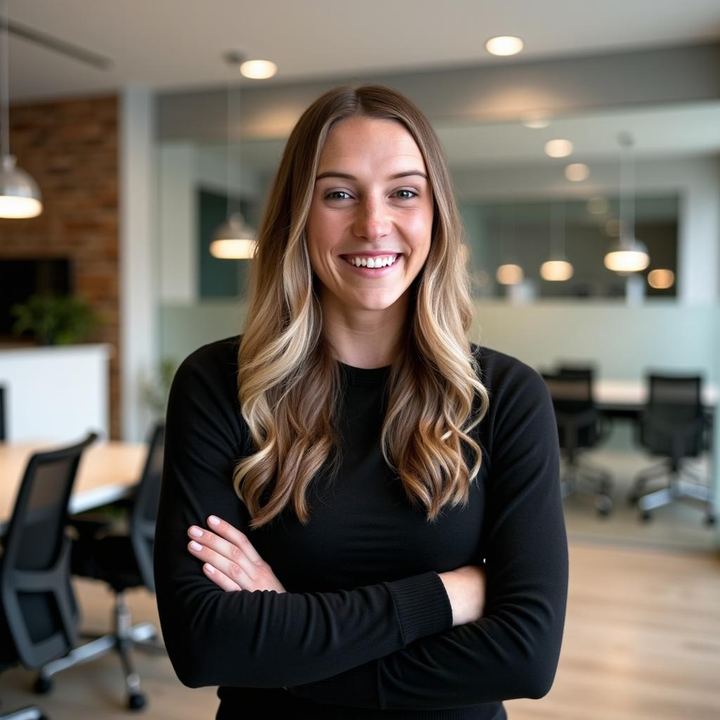
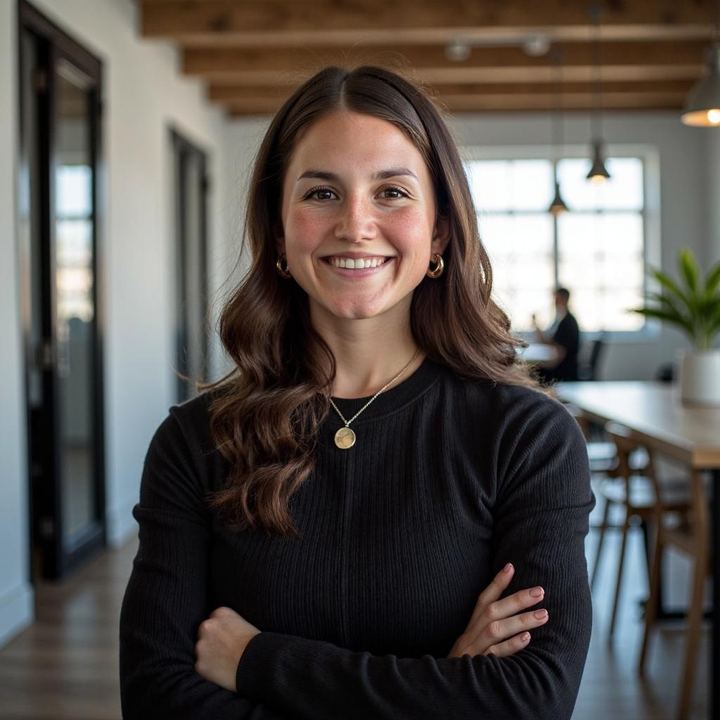

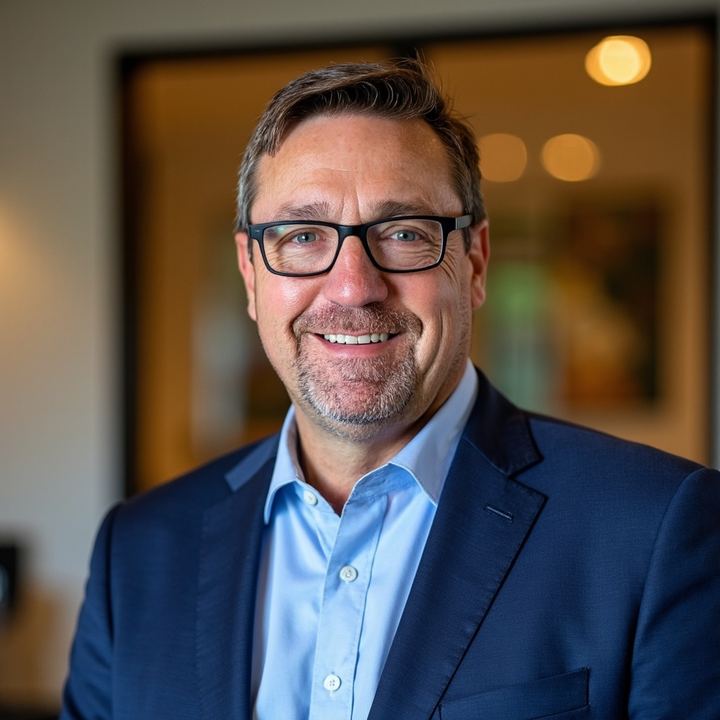
LinkedIn headshots and job seekers
The core use case. LinkedIn profiles with professional photos attract substantially more profile views than those without, and having multiple looks lets you A/B test which photo performs best — something that is simply impossible with a traditional photoshoot where you get four retouched images and that's your lot.
If you're job hunting, this is the highest-ROI $53.10 you'll spend on your search.
Realtor and real estate headshots
Real estate is a trust business conducted almost entirely through personal branding. Agents need headshots for listing sheets, yard signs, brokerage directories, business cards and social ads. Multiple looks let agents match tone to market segment — a more formal image for luxury listings, a warmer one for first-time buyers.
One important caveat: verify your brokerage and MLS rules on AI-generated marketing photography before deploying these in transaction-related materials. Disclosure may be required in some jurisdictions. Check before you publish.
Doctor headshots and ERAS applications
Healthcare professionals need headshots that convey competence and approachability for hospital directories, practice websites and referral networks.
Notably, Magic Studio runs a free ERAS photo checker alongside its ERAS headshots page. ERAS — the Electronic Residency Application Service — has strict photo requirements, and medical residency applicants are a high-stakes, deadline-driven audience. A free tool that validates your photo against those requirements is a genuinely thoughtful piece of product design, whether or not you buy anything.
Lawyer and legal headshots
Law firm bio pages have an established visual convention: formal, authoritative, conservatively lit. This is precisely the register Magic Studio defaults to, which makes the "expressions skew serious" criticism from other contexts an actual advantage here.
CEO and executive headshots
Executive and CEO headshot presets target press kits, annual reports, conference speaker pages and board materials. If you're printing any of these, buy Premium. Annual reports and press materials need 300 DPI, and the upscaling maths on lower tiers doesn't work out in your favour.
Women's headshots
A dedicated preset collection exists, reflecting that professional headshot conventions and styling differ meaningfully and that a one-size-fits-all model produces worse results for half the market.
Privacy, Data Retention and Image Ownership
For a service where you upload photographs of your own face, privacy deserves proper scrutiny. Here's what Magic Studio commits to.
The privacy commitments
- Your photos train only your model. They are used solely to create your personal AI model and generate photos of you. They are explicitly not used to train general AI models — Magic Studio's or anyone else's. An individual AI is trained for each individual photoshoot.
- Never shared, never sold. The company states it does not share your photos with anyone, does not sell your data and does not run ads using your information.
- You can delete anything, anytime. A single photo, a set, or your entire account, from Account settings.
- Encryption in transit, with password-less access control to your headshots.
The retention policy — and a contradiction worth noting
Here the site contradicts itself, and I'd rather flag it than pretend otherwise:
- The current Magic Studio homepage states your personal AI model is automatically deleted after 90 days, and the rebrand FAQ confirms this is unchanged by the name change.
- The headshots landing page — which still carries legacy InstaHeadshots copy — states data is deleted automatically 30 days after headshots are created.
These are different numbers describing potentially different things (the trained model versus the source images and outputs). The 90-day figure appears on the newer pages and is stated in the rebrand FAQ, so I'd treat that as current for the AI model. If precise retention timing matters to you — for compliance reasons, say — email help@magicstudio.com and get it in writing rather than relying on either page.
Who owns the headshots?
You do, completely. You have full rights to use purchased photos for personal or commercial purposes: websites, LinkedIn, resumes, advertisements, business cards, printed materials. Purchased downloads carry no watermark and require no attribution.
That's an unambiguous commercial licence, and it's more generous than several competitors that restrict commercial usage or require attribution on lower tiers.
Refund Policy: Read This Before You Pay
This is the most important change since the rebrand, and it's the caveat I flagged in the Quick Verdict. It has genuinely tightened.
What the current policy says
Per the current Magic Studio FAQ:
- Before paying, you can retry once for free using a completely new set of uploaded photos. The retry generates an entirely new set of 50 photos and replaces your previous set.
- Because you can review the entire set before deciding to purchase, payments are non-refundable except where required by law.
That's the operative policy on the newest pages, and the logic is defensible: you saw all 50 images before you paid, so a refund would amount to returning something you'd already inspected and approved.
What the older page still says
The headshots landing page — still carrying legacy InstaHeadshots copy — describes a satisfaction guarantee: if you don't have at least four decent headshots, haven't downloaded any, and contact support within three days of receiving your headshots, they'll resolve the issue or issue a refund.
Independent reviewers have criticised even that older policy as narrower than it appears, noting the three-day window and the conditions that must be met make it less of a safety net than it sounds.
What this means for you, practically
- Treat the free preview as your real protection, not the refund policy. It's genuinely excellent protection — you see everything before paying.
- Use your one free retry if the first set disappoints. Upload better photos: more close-ups, more consistent appearance, better lighting. Don't waste it.
- Assume your purchase is final. Plan accordingly.
- If you have a genuine problem, contact help@magicstudio.com quickly. The company's public position is that it wants customers to be happy, and support has a strong reputation in customer reviews — but move fast rather than sitting on it.
The upside of this structure: the preview means you're never buying blind. The downside: once you've bought, you've bought. Know that going in.
** Preview your headshots free — zero risk →**
Magic Studio vs a Traditional Photographer
Let's compare properly on the dimensions that matter.
 A traditional studio still costs hundreds of dollars and a half-day. Magic Studio generates 50 headshots from photos you already have.
 The actual job: replace a casual phone selfie with a print-ready professional portrait — without booking a photographer.
Cost:
- Traditional: typically $150–$500 for a session, with one customer citing around $300 for a single headshot.
- Magic Studio: from $59, or $53.10 with AFFINCO10.
Turnaround:
- Traditional: booking lead time of days to weeks, plus one to two weeks for retouched delivery.
- Magic Studio: 15 minutes to an hour, start to finish.
Number of final images:
- Traditional: typically 3–10 retouched images.
- Magic Studio: 50 images across 5 looks, or 100 for team members.
Variety of looks:
- Traditional: limited by what you wore and where you shot that day.
- Magic Studio: 5 distinct looks, plus unlimited further looks purchasable with credits.
Logistics:
- Traditional: travel, scheduling, wardrobe planning, potentially hair and makeup.
- Magic Studio: upload from your sofa.
Where traditional photography still wins:
- Absolute fidelity. A photograph is a record of a real moment. AI output is an interpretation.
- Direction and rapport. A skilled photographer coaxes an expression out of you that no model can synthesise.
- Difficult details. Hands, jewellery, complex accessories and unusual garments are handled correctly by a camera and imperfectly by AI.
- Contexts requiring authenticity. Acting headshots, press credentials, legal or identity documentation, and editorial work often require genuine photography — sometimes explicitly.
The honest conclusion: for LinkedIn, company directories, websites, resumes and personal branding, AI headshots are now good enough that the cost and time difference is decisive. For editorial, casting or documentary contexts, hire a photographer.
Magic Studio vs Other AI Headshot Generators
The AI headshot market has grown crowded, and it's worth knowing where Magic Studio sits.
Where Magic Studio leads:
- The zero-risk payment model. Preview all 50 images before paying. Most competitors require payment upfront, before you see a single output. This is Magic Studio's genuine structural advantage and the reason I'd recommend it to a nervous first-time buyer over a technically comparable rival.
- Speed at the entry tier. 15-minute delivery on an entry-level plan is fast for this category.
- Scale and track record. 36 million headshots delivered, 421,000 professionals served, and usage at companies including Amazon, Google, Microsoft, Meta, Tesla, Uber, Goldman Sachs and Nvidia, plus universities including Harvard, MIT, Columbia and Caltech.
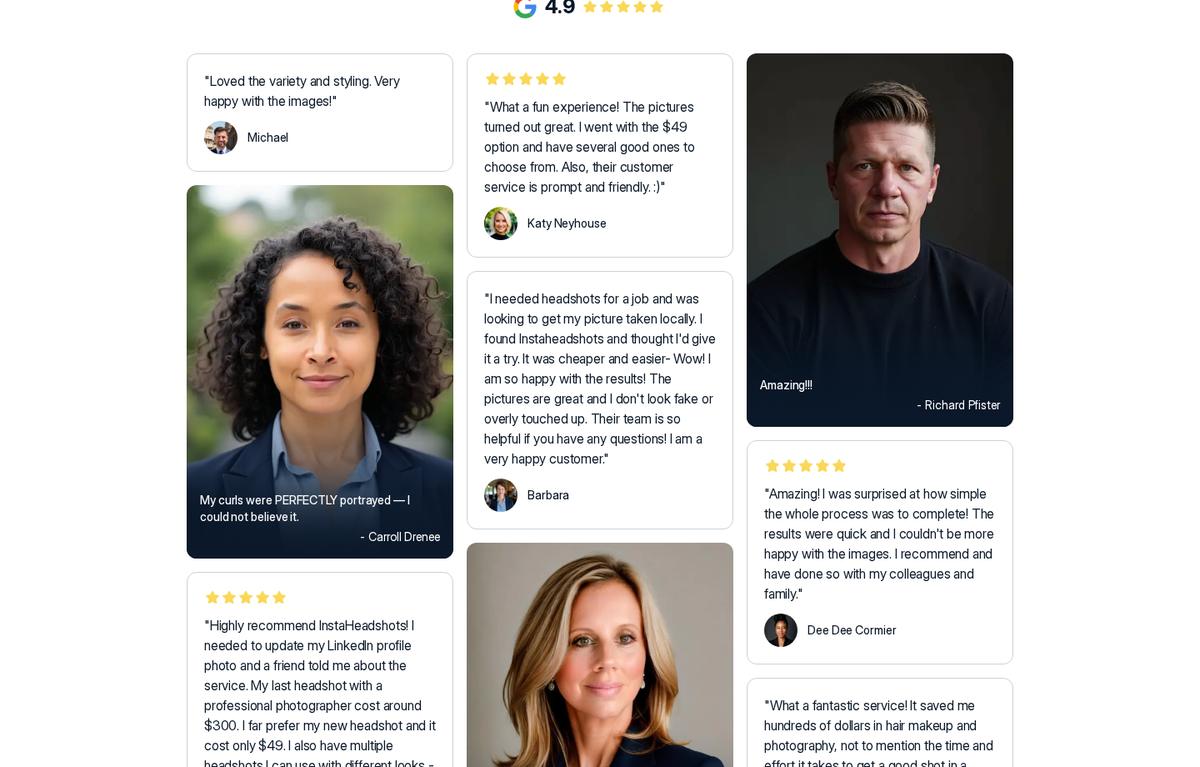
- Review volume. A perfect 5/5 on Trustpilot and 4.9 on Google. Worth noting the review count differs between pages — the headshots page cites 16,436 Trustpilot reviews while the new homepage cites 13,245, likely reflecting pages updated at different times. Either figure represents an unusually large review base for this category.
- Post-purchase editing depth. The combination of preset edits, natural-language Magic Edit and free Magic Eraser is more comprehensive than most rivals offer.
Where competitors have an edge:
- Some rivals offer more granular post-generation customisation, including more control over backgrounds and specific attributes.
- Some offer stronger prompt-based controls for people who want to direct output precisely.
- At least one competitor offers a radically simpler flow — a single photo in, results back in under a minute — which independent testing rated highly on output quality.
- Some competitors offer more flexible pricing tiers than Magic Studio's three-pack structure.
My read: if you want maximum creative control and don't mind paying upfront, shop around. If you want a large volume of solid professional headshots fast, with the ability to inspect before you buy, Magic Studio is the safest choice in the category. The preview model genuinely de-risks a purchase that is otherwise a leap of faith.
Who Should Buy Magic Studio — and Who Shouldn't
Strong fit
- Job seekers updating LinkedIn and resume photos who need multiple looks to test.
- Remote and distributed teams standardising headshots across a company directory without coordinating a shoot across time zones.
- Entrepreneurs and freelancers building personal brand imagery for websites, proposals and pitch decks.
- Realtors needing listing, signage and directory photos with different tonal registers.
- Doctors, lawyers and financial advisers whose professions run on visible trustworthiness — with ERAS applicants especially well served.
- Content creators maintaining consistent headshots across platforms without repeat photoshoots.
- Executives and CEOs needing press-kit and annual-report imagery — buy Premium for 300 DPI.
- Anyone with a deadline this week.
Poor fit
- Actors and performers. Casting typically requires genuine photography, and many casting platforms explicitly prohibit AI-generated headshots.
- Editorial and high-fashion work. AI output lacks the specificity and intentionality that editorial demands.
- Anyone needing exact brand-colour or uniform matching. The AI generates styles dynamically; you can't specify a hex code.
- People with very few usable source photos. If you can't muster 10 clear, recent, consistent solo photos, output quality will suffer and no coupon fixes that.
- Contexts requiring documented authenticity — identity documents, press credentials, legal filings.
- Anyone uncomfortable with AI-generated imagery representing them. That's a legitimate position, and no review should talk you out of it.
9 Tips to Get Noticeably Better Results
Based on my testing and the documented guidance, here's how to maximise your hit rate:
- Upload more than the minimum. Ten is the floor, not the target. Fifteen to twenty varied photos measurably improves output.
- Prioritise recent photos. A model of who you looked like three years ago undermines the entire purpose.
- Decide on your glasses before uploading. Be consistent across the set. Mixed signals produce mixed output.
- Vary lighting and background, not your appearance. The model needs environmental variety and facial consistency, not the reverse.
- Include your two waist-up shots. They're explicitly requested and they help the model understand your proportions, which improves framing.
- Skip anything heavily filtered. Beauty filters teach the AI a face that doesn't exist.
- Use your free retry deliberately. If the first batch disappoints, diagnose why — usually poor source photos — and fix that specific problem before retrying. You only get one.
- Exhaust Magic Eraser before spending credits. It's free and unlimited. Handle small distractions there and save credits for expression and outfit work.
- Buy Premium if you'll ever print. Upscaling costs 5 credits per photo and Starter/Standard only include 3. The maths simply doesn't work if print is in your future.
** Put these tips to work — start free →** with AFFINCO10 ready at checkout.
How to Redeem the AFFINCO10 Coupon: Step by Step
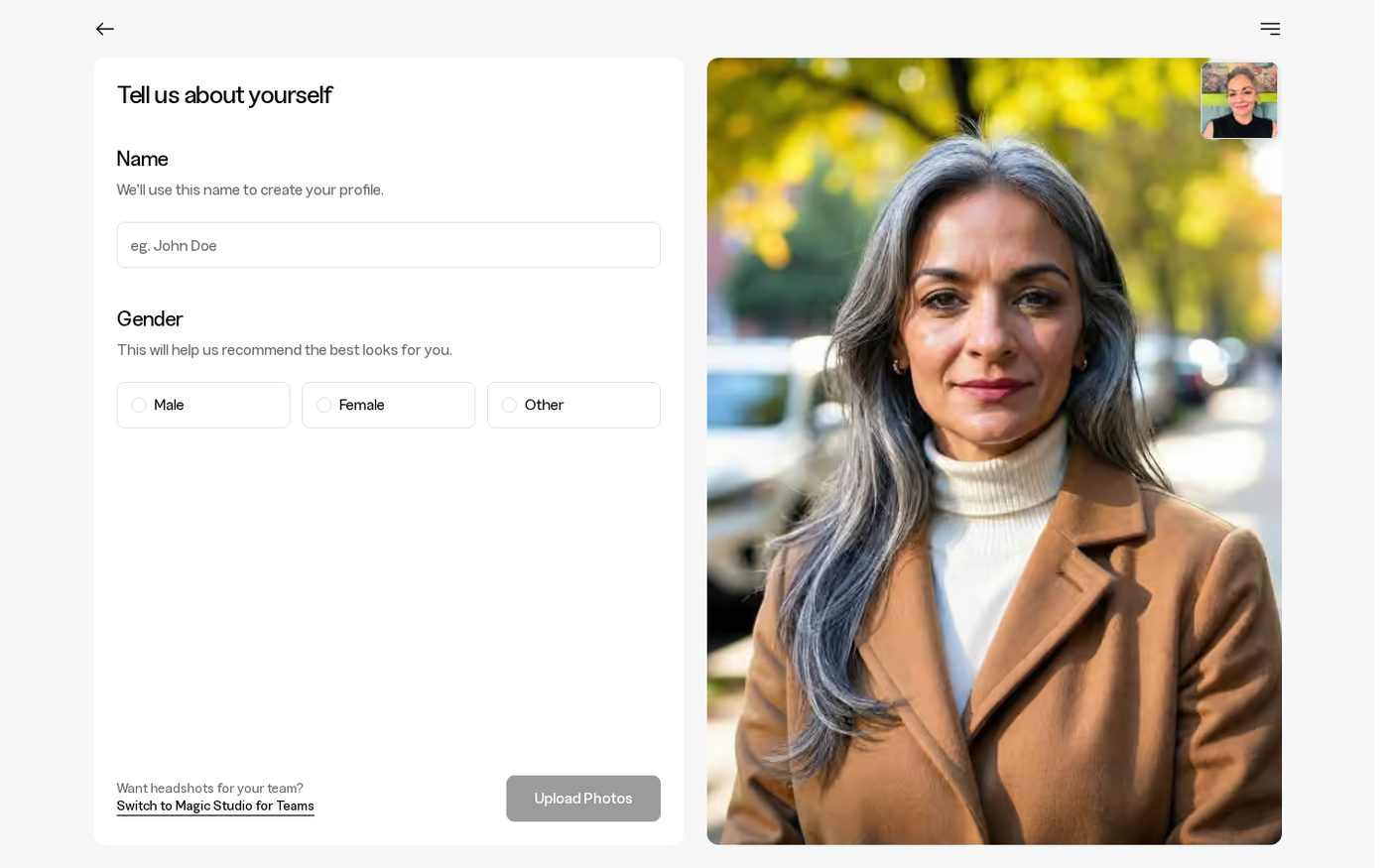 The live Magic Studio app, September 2026: log in or create your photos. The coupon field is where you type AFFINCO10 at checkout.
Copy AFFINCO10 exactly — all capitals, no spaces — and paste it on the payment screen after you preview your headshots.
- Go to the Magic Studio headshots page using this link. The old instaheadshots.com URL redirects automatically to the new Magic Studio destination.
- Create your account or log in with your existing InstaHeadshots email and sign-in method.
- Upload at least 10 photos following the guidance above. Mostly close-ups, at least two waist-up, varied lighting, consistent appearance, you alone in frame.
- Wait for the email. You don't need to keep the tab open. Typically 15 minutes; allow up to an hour.
- Review all 50 watermarked previews carefully. Zoom in. Check the eyes. Count how many you'd genuinely publish.
- If the set disappoints, use your one free retry with better source photos before spending anything.
- Choose your pack. Starter for one or two images, Standard for the full set, Premium if you need 4K, 300 DPI or plan to edit heavily.
- Enter coupon code at checkout to take 10% off.
- Download your watermark-free headshots and start editing with your included credits.
Don't Forget Your Discount
Coupon code: — 10% off your Magic Studio order. ** Activate your discount and create your headshots →**
Magic Studio Review: Frequently Asked Questions
Is InstaHeadshots the same as Magic Studio?
Yes. InstaHeadshots is now Magic Studio, and the headshot service lives at magicstudio.com/headshots. It's the same product, the same team and the same account experience under a new name. The old domain permanently redirects to the new one.
Do I need a new account after the rebrand?
No. Log in at app.magicstudio.com with the same email address and sign-in method you used at InstaHeadshots. If you signed in with Google before, keep using Google. The migration was automatic with no downtime.
What happened to my old headshots and credits?
Everything carried over: headshots, favourites, edited photos, high-resolution images, profiles, purchased packs, available downloads and remaining credits. You don't need to repurchase anything.
Can I try Magic Studio for free?
Yes. You can create and preview your first set of 50 watermarked photos without paying. You only buy a pack when you want watermark-free downloads or editing access. There's also one free retry with a new photo set before you pay.
Is Magic Studio a subscription?
No. Personal AI photo packs are one-time purchases. There's no recurring billing and nothing to cancel.
How much does Magic Studio cost?
Individual pricing starts at $59 USD, and prices vary by location. With coupon AFFINCO10 you take 10% off, bringing a $59 order to $53.10. Team pricing runs around $62 per person at ten seats, totalling $620, with deeper discounts at higher volumes.
How many photos do I need to upload?
At least 10 clear, recent solo photos, mostly close-ups with at least two waist-up shots. Use a mix of outfits, backgrounds and lighting, face the camera directly, and keep your appearance consistent. More photos generally produce better results.
How long does it take?
Most sets are ready in around 15 minutes, though it can take longer during busy periods and on the Starter tier — the FAQ cites up to 60 minutes there. Teams typically take 30 minutes to an hour. You get an email when your photos are ready.
What resolution are Magic Studio headshots?
Standard photos are 1024 × 1024 pixels, which is fine for LinkedIn, websites, profiles and most digital use. Premium delivers all 50 photos in 4K at 4096 × 4096 pixels and 300 DPI, suitable for printing. Starter and Standard customers can upscale individual photos to 4K for 5 credits each. Team headshots are delivered as JPEG at 1024 × 1536 pixels.
Can I use Magic Studio headshots commercially?
Yes. You have full rights for personal and commercial use — websites, LinkedIn, resumes, advertisements, business cards and printed materials. Purchased downloads have no watermark and need no attribution.
Can I edit my headshots after generating them?
Yes, once you've purchased a pack. You can change outfit, backdrop, hairstyle, hair colour, glasses, expression, eye colour and gaze, reduce wrinkles and remove jewellery. Magic Edit lets you describe changes in your own words, and Magic Eraser removes small distractions without using credits.
How do Magic Studio credits work?
Starter and Standard each include 3 credits; Premium includes 50. Most editing tools cost 1 credit. Magic Eraser is free. Creating 5 photos in a new look, generating 5 "More like this" photos, or upscaling one photo to 4K each cost 5 credits. Additional credits can be purchased after buying a base pack.
Does Magic Studio offer refunds?
The current policy states that because you review the entire set of 50 photos before deciding to purchase, payments are non-refundable except where required by law. Your protection is the free preview plus one free retry with new photos. Older pages still describe a conditional satisfaction guarantee with a three-day window. If you hit a genuine problem, contact help@magicstudio.com promptly.
Is my data safe?
Your photos are used only to create your personal AI model and generate your photos. They're never used to train general AI models. Magic Studio states it doesn't share or sell your data. Your personal AI model is automatically deleted after 90 days, and you can delete photos or your entire account at any time from Account settings.
Does Magic Studio work for teams and companies?
Yes. Magic Studio for Teams lets an admin invite members by email, generate headshots for everyone in a consistent style, and manage progress, payment and downloads from one dashboard. Each member gets up to 100 headshots in 5 looks. Note that specific uniforms, brand colours and exact backgrounds can't be selected — styles are AI-generated.
What's the best Magic Studio coupon code?
AFFINCO10 takes 10% off your order. Apply it at checkout after previewing your headshots. Use it here.
Final Verdict: Should You Buy Magic Studio in 2026?
Rating: 4.4 / 5
Final score: 4.4 / 5. Fast, low-risk, and the AFFINCO10 coupon takes 10% off.
Magic Studio earns its position as one of the strongest AI headshot generators available, and the InstaHeadshots rebrand has been executed cleanly — accounts, headshots, credits and teams all migrated without disruption, and the broader "personal AI photographer" positioning is a genuine expansion rather than marketing rebranding for its own sake.
The case for buying:
The preview-before-payment model is the decisive feature. Almost every competitor asks you to pay before seeing a single output, turning every purchase into a gamble on whether the AI can render your face convincingly. Magic Studio removes that gamble entirely. Combined with 50 images across 5 looks, roughly 15-minute turnaround, full commercial rights, a serious editing suite and a track record of 36 million headshots delivered to over 421,000 professionals, the value proposition is difficult to argue with — especially against $300 photographer sessions that deliver a fraction of the images two weeks later.
The case for caution:
Consistency remains imperfect. Expect eye artefacts in a meaningful minority of images, expressions that skew more authoritative than warm, and unreliable rendering of hands and fine accessories. The refund policy has tightened to essentially non-refundable, with the free preview and single free retry as your protection instead. Teams with strict brand-colour requirements will find the AI-generated styles frustratingly imprecise. And if you're in acting, editorial or any field requiring documented authentic photography, this isn't the right tool regardless of quality.
My recommendation:
For LinkedIn, company directories, personal websites, resumes, real estate marketing, professional service bios and general personal branding, Magic Studio is a straightforward yes. Buy Standard if you want the full set for digital use. Buy Premium if you'll print anything or plan to edit extensively — the credit maths makes this clear-cut.
And because the preview costs you nothing, there's really no reason not to run your own face through it before deciding. That's the test that matters, and it's free.
Ready to Start? Here's Your Discount
Coupon: — 10% off your Magic Studio / InstaHeadshots order On the $59 pack that's $53.10 — a $5.90 saving.
** Create your AI headshots free and apply AFFINCO10 at checkout →**
Preview all 50 headshots first. Pay only if you love them.
Disclosure: This review contains affiliate links. If you purchase through them I may earn a commission at no additional cost to you. All pricing, feature and policy details were verified against Magic Studio's live product pages on 7 September 2026. Pricing varies by location and may change — confirm current details at checkout. Independent testing observations referenced in the image quality section are drawn from published third-party reviews.