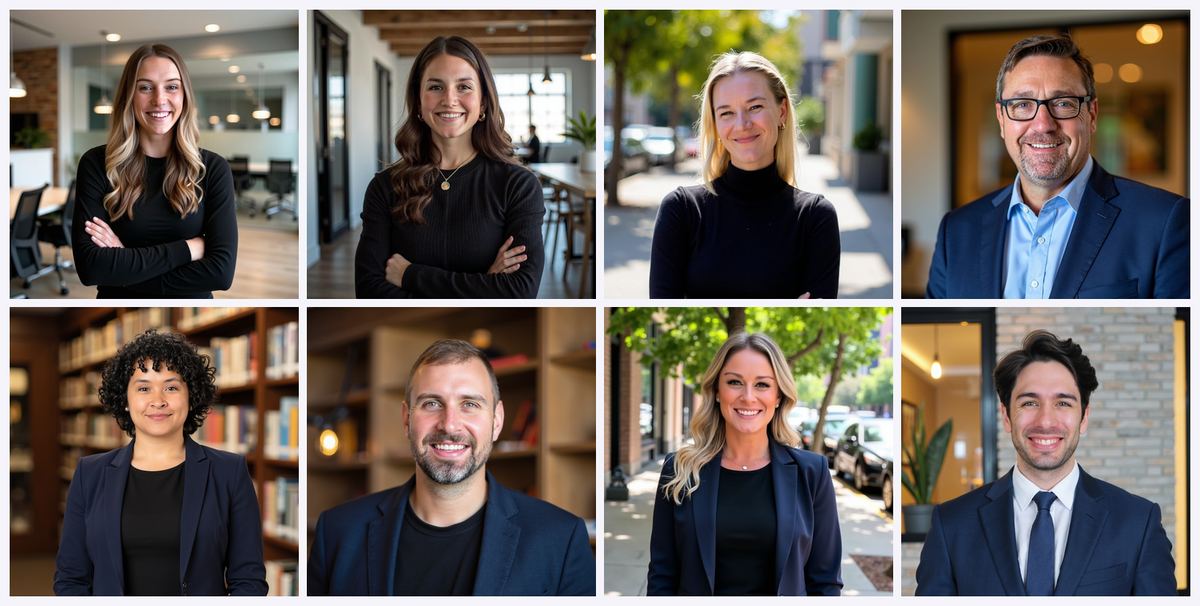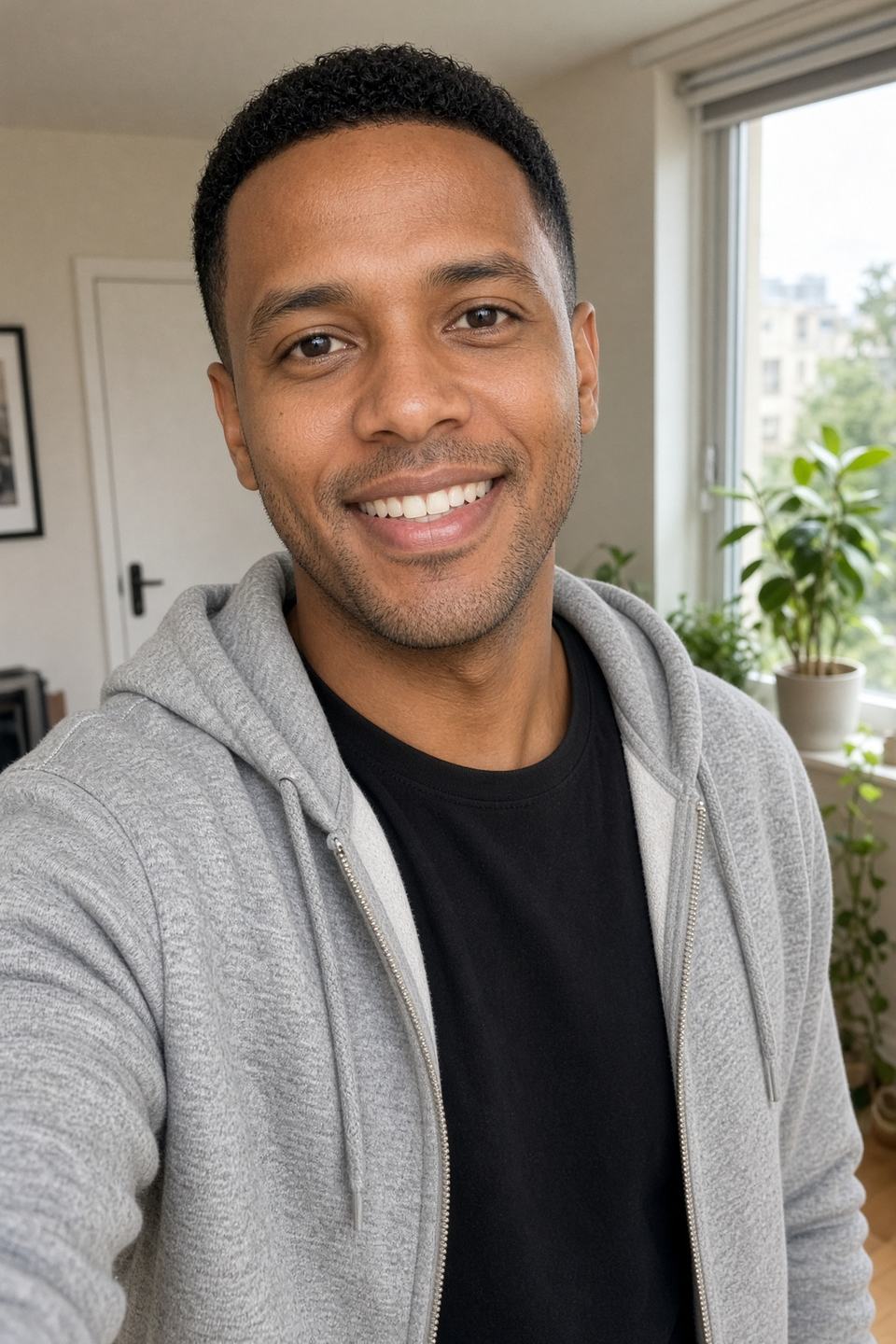
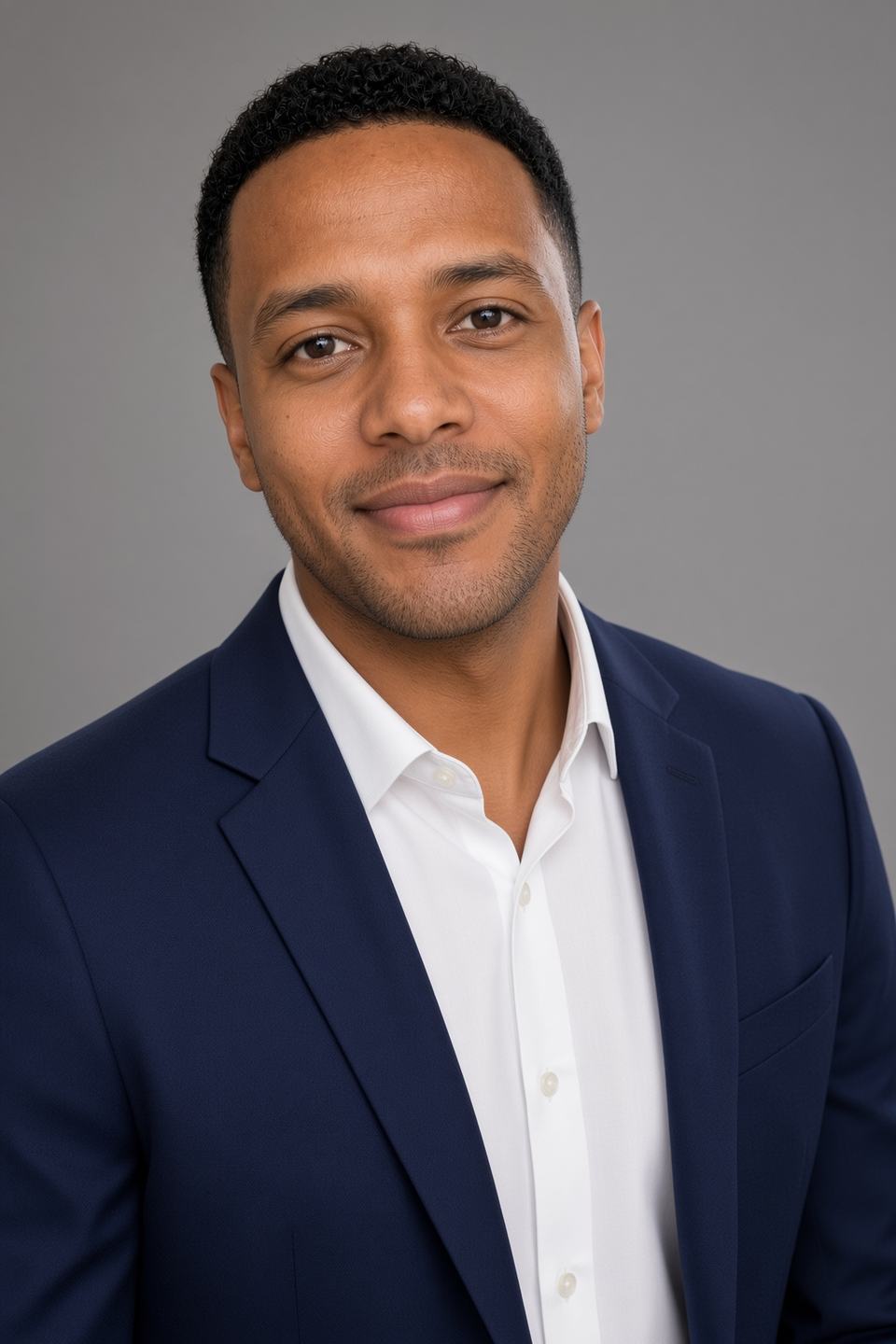


Coupon: Use code AFFINCO10 for 10% off at magicstudio.com/headshots (formerly InstaHeadshots)
Quick Verdict: Is Magic Studio Safe?
Yes — Magic Studio (formerly InstaHeadshots) is a safe, legitimate AI headshot generator operated by a real US company, aarzoo, Inc. It is not a scam, it does not sell your photos, and it publishes clear deletion commitments. But there are three pieces of fine print that most reviews skip, and you should know them before you upload a single selfie.
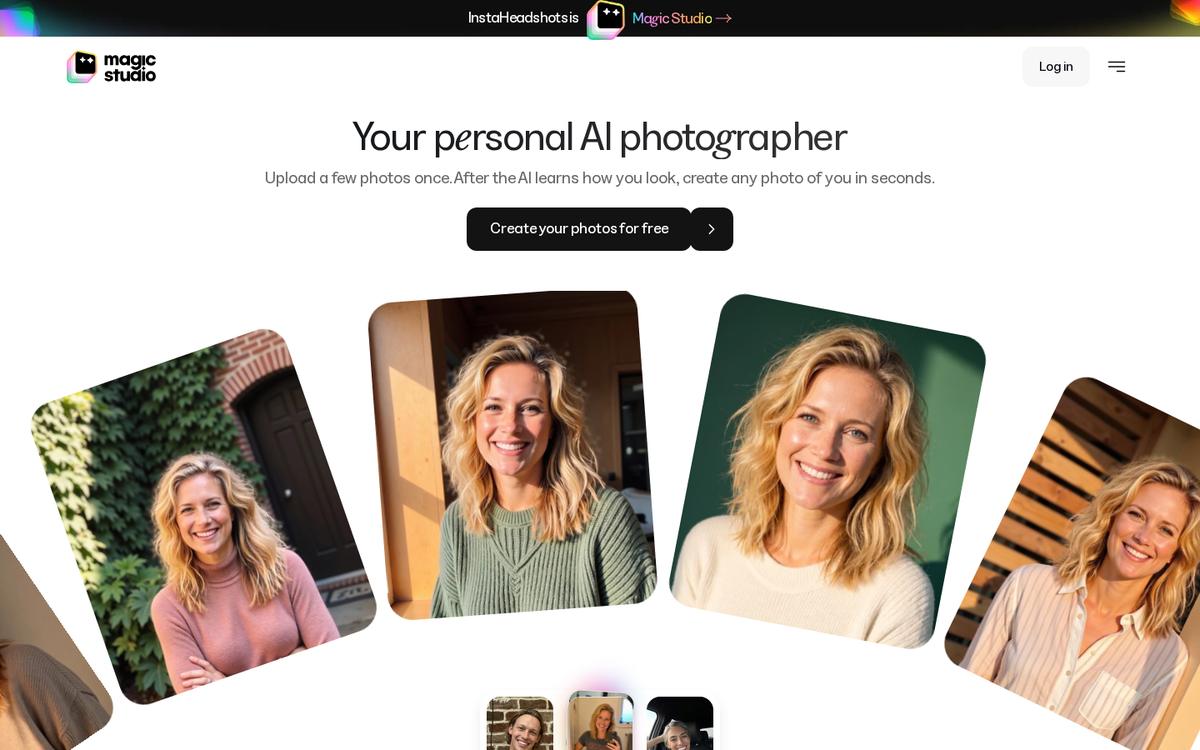 Same company, new name: InstaHeadshots is now Magic Studio. Privacy terms carried over with the rebrand.
Here is the honest summary:
- It is a real, established company, not a fly-by-night app. Magic Studio is operated by aarzoo, Inc., a Delaware-incorporated business that also runs Product-Photos.com and RemoveWatermark.ai. The service reports 36 million+ headshots created and holds a 5/5 TrustScore on Trustpilot across more than 16,000 reviews.
- Photo privacy is above average for the category. Magic Studio states that your photos are used only to build your own personal AI model, that they are never sold, never shared, and never used to train its general AI models. Access is controlled by a password-less system and data is encrypted in transit.
- Data deletion is real but has two different clocks. The headshots product page commits to automatic deletion of your input images and created headshots 30 days after your headshots are created. The newer Magic Studio pages state that your personal AI model is automatically deleted after 90 days. You can also delete a photo, a set of photos, or your entire account at any time.
- The refund position has genuinely shifted with the rebrand — this is the single most important thing in this article. The legacy InstaHeadshots guarantee said that if you cannot get at least 4 decent headshots, have not downloaded any, and contact support within 3 days, you get refunded. The newer Magic Studio FAQ instead says payments are non-refundable except where required by law, and offers one free retry before you pay. Both statements are currently live on the company's own website.
- The strongest protection is not the refund at all — it is the free preview. You can create and preview a full set of 50 watermarked photos without paying anything. You only pay when you want to download without a watermark. That structure means you almost never need a refund in the first place, which is exactly why it matters more than the guarantee.
Who it is for: professionals who need a LinkedIn-ready headshot in about 15 minutes, remote teams needing consistent directory photos, job seekers, realtors, doctors, lawyers, consultants and founders.
Who should skip it: anyone in a jurisdiction or profession that forbids AI-generated likenesses in official credentials, anyone unwilling to have their face processed on US servers, and anyone who needs a genuine, documentary photograph rather than a generated one.
Bottom line: Preview first, pay second, and apply AFFINCO10 at checkout for 10% off.
Create your free preview at Magic Studio and use code AFFINCO10 for 10% off →
Why This Question Matters More Than Any Other AI Headshot Question
"Are AI headshots safe?" is now one of the most searched questions in the entire AI tools category, and for a very good reason. Every other AI product asks you for text. This one asks you for your face.
When you use an AI writing tool, the worst realistic outcome is a bad paragraph. When you upload ten clear photographs of yourself to a generative platform, you are handing over biometric information — the same legal category as fingerprints in many jurisdictions — to a company whose servers you will never see. That deserves more scrutiny than a 200-word "is it legit?" blog post typically provides.
This article is not a surface-level scan. It is an audit of what Magic Studio actually publishes: its live product pages, its privacy policy, its terms of service, its rebrand FAQ, and its refund language. Where those documents agree, this article says so. Where they contradict each other — and in two places they meaningfully do — this article says that too, because a review that only quotes marketing copy is not a review.
By the end, you will know exactly what happens to your photos, exactly how long they live, exactly how to delete them, exactly what the refund entitles you to, and exactly how to structure your purchase so you carry as little risk as possible.
And because there is no reason to pay full price while you are being careful, the coupon code AFFINCO10 takes 10% off. You can start a free preview here without entering a card at all.
What Is Magic Studio? (And Why InstaHeadshots Redirects Here Now)
If you searched for InstaHeadshots and landed on a site called Magic Studio, nothing has gone wrong. The rebrand is real and it is complete.
InstaHeadshots is now Magic Studio. The headshot product lives at magicstudio.com/headshots, and the company confirms that instaheadshots.com permanently redirects to that page, while app.instaheadshots.com redirects to app.magicstudio.com. It is described as the same product and the same account experience under a new name.
What Magic Studio actually does
The product is best described as a personal AI photographer. The workflow published on the site is three steps:
- You upload a few photos, once. Ordinary photos and selfies work; you do not need professional images.
- A personal AI model learns how you look. The AI extracts your features — your hair, eyes and face — from the photos you upload.
- You get photos of yourself in seconds. The service starts you off with 50 photos.
Most sets are ready in around 15 minutes, though the company notes it can take longer during busy periods. You do not need to keep the page open — you get an email when the photos are ready.
Who operates it
This matters enormously for a safety review, because an anonymous operator is itself a red flag. Magic Studio is not anonymous.
- The operating entity is aarzoo, Inc., named directly in both the privacy policy and the terms of service.
- The same entity operates MagicStudio.com, its iOS and Android applications, InstaHeadshots.com, Product-Photos.com and RemoveWatermark.ai.
- The terms of service are governed by the laws of the State of Delaware.
- Support runs through help@magicstudio.com, published openly across the site.
A named US corporation, a stated governing jurisdiction, a public support address and a multi-year operating history are the baseline markers of a real business. Magic Studio clears all of them. That does not mean you should skip the fine print — it means the fine print is worth reading, because it is actually enforceable.
Why the rebrand happened
In the company's own account, InstaHeadshots began as an experiment in late 2023 and grew into a major headshot service, but the team concluded the name was too narrow for the platform it wanted to build. Magic Studio is positioned as a broader personal AI photography platform covering professional, social, dating and other personal photos.
What carried over, and what did not
For existing users, the migration FAQ is unusually specific, and this is a good sign for data governance:
- Same account. Log in at app.magicstudio.com with the same email and sign-in method you used on InstaHeadshots. Google sign-in users continue with Google.
- Same headshots, favourites and edits. Headshots, favourites, edited photos, high-resolution images and profiles all carry over.
- Same purchases and credits. Purchased packs, available downloads and remaining credits transferred automatically, with nothing to repurchase.
- Same teams. Teams, members, invitations, headshots, credits and dashboards continue to work.
- No action required. The change happened automatically with no planned downtime.
- One important exception. If you had an account for the original Magic Studio tools (the photo editor and similar utilities), that account and your former InstaHeadshots account remain separate and are not merged, even if they use the same email address. Activity, purchases and saved work do not cross over.
That last point trips people up. If you log in and your headshots are missing, the most likely cause is that you are in the wrong one of two accounts sharing an email address, or in a different profile within the same account.
Log in or start fresh at Magic Studio — and remember AFFINCO10 for 10% off →
Are AI Headshots Safe? The Broader Answer First
Before assessing Magic Studio specifically, it is worth understanding what "safe" means in this category, because the risks are not the ones most people imagine.
Your face is legally distinct from your other data
Facial geometry is not treated like an email address. Under the EU's GDPR, biometric data used to identify a person falls under special category protections in Article 9. Under the Illinois Biometric Information Privacy Act (BIPA), biometric identifiers including face scans carry specific consent, retention and destruction obligations — and, uniquely among US states, BIPA provides a private right of action, allowing individuals to sue directly. Statutory damages under BIPA run to $1,000 per violation and $5,000 for intentional or reckless violations. Texas and Washington have passed comparable legislation, and broader state privacy laws in California and Virginia also reach biometric data.
This is not theoretical. The AI selfie category has already produced litigation. Lensa, the avatar app from Prisma Labs, was the subject of a putative BIPA class action, Flora et al. v. Prisma Labs, Inc., brought by Illinois residents over its "magic avatars" feature. Separately, Lightricks — maker of Facetune, Photoleap and Videoleap — agreed to pay nearly $4.5 million to settle a class action alleging its apps scanned and extracted users' facial geometries without the written release and published retention schedule that Illinois law requires.
The lesson is not that AI photo tools are unsafe. It is that the retention schedule and the training policy are the two things that actually matter, and they are the two things you should read before uploading.
The three real risks in AI headshots
Strip away the noise and there are exactly three:
- Indefinite retention. Your photos and the AI model built from them sit on a server forever, expanding the blast radius of any future breach.
- Silent training use. Your likeness is folded into a general-purpose model that generates images for other people, or is used to improve a commercial product without a clear disclosure.
- Onward disclosure. Your images are sold, shared with data brokers, or used in advertising.
A safe platform addresses all three explicitly, in writing, in a document you can hold it to. A risky one is vague on all three, or addresses them only in marketing copy that never appears in the legal terms.
How Magic Studio measures against those three
On the published record:
- Retention: addressed, with specific windows — but with two different clocks and one caveat, covered in detail below.
- Training use: addressed clearly in marketing, and less clearly in the legal documents. This is the genuine tension in Magic Studio's disclosures and it gets its own section.
- Onward disclosure: addressed unambiguously and consistently. Magic Studio states it does not share your photos with anyone, does not sell your data, and does not run ads with your information.
Two out of three are clean. The third deserves your attention rather than your alarm — and you will understand exactly why in a moment.
Magic Studio Photo Privacy: What Actually Happens After You Upload
What the platform asks you to upload
Magic Studio's own guidance is to upload at least 10 clear, recent solo photos, mostly close-ups, with at least two waist-up shots. It recommends a mix of outfits, backgrounds and lighting, facing the camera directly, keeping your appearance consistent across the set. Consistent features such as glasses or facial hair will be reflected in the output.
This is worth noting for a privacy reason as well as a quality one: you control the input. You are not obliged to upload photos containing other people, sensitive locations, workplace badges, children, or anything else you would not want processed. Curate the set.
What personal data is collected
According to the privacy policy, the personally identifiable information collected may include:
- Email address
- Address, state, province, ZIP or postal code and city — noted as usually required for payments only
- Cookies, access and usage data
Usage data collected may include IP address, browser type and version, pages visited, visit times and duration, unique device identifiers and diagnostic data. On mobile, this may extend to device type, device ID, mobile OS and mobile browser.
Notably, Magic Studio states it does not store or collect your payment card details. That information goes directly to third-party payment processors that adhere to PCI-DSS standards. This is the correct architecture and removes an entire class of risk.
The personal AI model, explained plainly
This is the technical heart of the product and the thing most reviews gloss over.
Magic Studio does not run a filter over your selfies. It builds a personal AI model — an individual model trained for your individual photoshoot — that learns your specific facial features. It then generates new images from that model.
The company's stated position on this is direct: it trains an individual AI for each individual photoshoot, those images are not used for any other purpose or training, and your likeness is your property, not the company's. The newer Magic Studio homepage restates it: your photos are used only to create your personal AI model and generate photos of you, and they are never used to train the company's general AI models or anyone else's.
That is a meaningful commitment, and it is the single most important privacy claim in the product. It draws a clean line between "we built a model of you, for you" and "we absorbed your face into a general system."
What the marketing pages promise
Magic Studio's privacy section makes four commitments:
- Delete when you want, or the platform does it for you. You can delete your data, including input images and created headshots, at any time. Data is deleted automatically 30 days after the headshots have been created.
- Your images are for your headshots only. An individual AI is trained per photoshoot; those images are not used for any other purpose or training.
- Never shared, never sold. Your images are not shared with anybody or anything, your data is not sold, and you are not advertised. You remain free to share your own headshots.
- Rock-solid security. Access to headshots is controlled by a password-less system, all data is encrypted in transit, and data is stored only for the period required.
The newer homepage phrases the same three pillars as "Your photos, your model," "Delete anytime," and "Never shared. Never sold."
What the privacy policy actually says — and the tension you should know about
Here is where a genuinely useful review has to depart from the marketing copy.
The privacy policy states that Magic Studio generally only temporarily stores user graphical input, text input, uploaded images and output images for the purpose of providing the service, and that under no conditions are user images stored, shared or otherwise accessible to any parties or systems except where reasonably required to provide the service. So far, consistent.
But the same policy then adds that the user's input and the resultant output may be used to improve the machine models trained to improve the service, and may be stored and processed separately for that purpose. It goes on to state that while the data itself will be treated and deleted according to the user's rights over their data, the company retains indefinitely the rights to the implied learning gained by the machine models. The terms of service repeat this language almost verbatim in its content section.
So you have two statements sitting side by side on the same website:
- The product pages say: your images are not used for any other purpose or training, and are never used to train general AI models.
- The legal documents say: content may be used to improve the machine models, and the implied learning is retained indefinitely.
How should you read that? A few points of context, fairly stated:
- The legal documents are dated with an effective date of 1 September 2022 and a last update of 15 January 2024. They are written to cover every aarzoo product — MagicStudio.com, the mobile apps, InstaHeadshots.com, Product-Photos.com and RemoveWatermark.ai — not the headshot product specifically. Broad, catch-all drafting across a product portfolio is extremely common and is not evidence of bad faith.
- The headshot-specific commitments are more recent and far more specific than the general policy, and the rebrand FAQ confirms that the name change does not alter the privacy or data-retention policies for your personal-photo account.
- "Implied learning gained by the machine models" is a distinct concept from "your face is in our general model." It plausibly refers to aggregate improvements to systems and processes rather than retention of your likeness.
The honest conclusion: the product-level commitment is strong and specific, the legal-level language is broad and older, and the two have not been fully reconciled in writing. That is a documentation gap rather than a demonstrated harm. If your threshold for uploading is a single unambiguous contractual statement that your likeness will never contribute to model improvement, email help@magicstudio.com and ask for that in writing before you upload. If your threshold is "a named company with specific product commitments, deletion controls and no evidence of selling data," Magic Studio clears it comfortably.
This is precisely the kind of detail that a review written from the homepage alone will never tell you — and it is why you should read the fine print of any AI tool that touches your face, not just this one.
Where your data physically goes
The privacy policy is explicit that information, including personal data, may be transferred to and maintained on computers located outside your state, province or country, and that if you are located outside the United States, data is transferred to and processed in the United States. Your submission of information represents your agreement to that transfer.
For EU, UK and Indian users in particular, that is a factor to weigh consciously. The policy commits to taking all steps reasonably necessary to ensure data is treated securely, and states that no transfer will take place to an organisation or country without adequate controls in place.
Age restrictions
Magic Studio's services are not intended for anyone under 18. The privacy policy states the company does not knowingly collect personally identifiable information from children under 18, and the terms of service require users to be at least 18 years old. Do not use it for minors, and do not upload photos of minors.
Review the privacy commitments yourself, then start a free preview — 10% off with AFFINCO10 →
Magic Studio Data Deletion Policy: 30 Days, 90 Days, or Both?
This is the section people search for most, and it needs care, because Magic Studio publishes three different numbers in three different places. All three are real. They simply refer to different things.
The 30-day photo deletion policy
On the headshots product page, the commitment is stated twice, in the privacy section and in the FAQ:
- You can delete your data, including your input images and created headshots, at any time.
- Data is deleted automatically 30 days after the headshots have been created.
- The FAQ restates it: photos are used only for headshot generation and images are deleted 30 days after the process is complete.
This is the headline trust hook, and it is a genuinely strong one. Thirty days is a short, defined window that sits at the tighter end of what reputable platforms in this category offer. It also means that if you do nothing at all — never open settings, never email support — your uploads and outputs are still scheduled for removal.
The 90-day AI model deletion
On the newer Magic Studio homepage and in the rebrand FAQ, a different number appears:
- You can delete a photo, a set of photos, or your entire account whenever you want.
- Your personal AI model is automatically deleted after 90 days.
- The rebrand FAQ confirms this specifically: the name change does not affect data handling, the personal AI model is still automatically deleted after 90 days, and you can delete your account from Account settings.
Read together, the most coherent interpretation is that these are two clocks on two different assets: roughly 30 days for the images (your uploads and generated headshots) tied to a headshot session, and 90 days for the personal AI model built from them. The model is what could generate new images of you, so its lifespan is the one privacy-conscious users should care about most.
The 90-day remnant clause
There is a third number, in the privacy policy's retention section, and it is the one almost nobody quotes:
- You can request that your personal data and any graphical input you uploaded be deleted by emailing help@magicstudio.com.
- The company says it will strive to respond and act on this request within 7 business days.
- And then the caveat: even after reasonable attempts to purge your data, some remnants may be present in the system for up to 90 days.
This is not a red flag. It is honest engineering. Backups, replication and log systems do not purge instantaneously, and a company that promised zero-latency total erasure would be making a claim it could not keep. Disclosing the remnant window is a mark of a policy written by someone who understands the infrastructure. But you should know it exists, because "deleted" means "deleted from active systems within days, with residual traces potentially persisting up to 90 days."
The reconciled picture
Putting all three together, here is the practical timeline you should plan around:
- Immediately, on request: you can delete individual photos, sets of photos, or your entire account from your account settings, at any time.
- Within about 7 business days: an emailed deletion request to help@magicstudio.com is acted upon.
- At 30 days after creation: input images and created headshots are automatically deleted, per the headshot product commitment.
- At 90 days: the personal AI model is automatically deleted.
- Up to 90 days: residual remnants may persist in the system after a purge request, per the privacy policy.
How to delete your Magic Studio data, step by step
- Download everything you want to keep first. Deletion is not selective on your behalf. Log in at app.magicstudio.com, open a photo and select Download, or use Select to Download in your gallery for several at once. If you have multiple profiles, switch between them from the profile menu.
- Delete in-app for speed. Use the account settings to delete a photo, a set of photos, or your entire account. This is the fastest route and requires no correspondence.
- Email for a documented, comprehensive purge. Send a deletion request to help@magicstudio.com. Under GDPR you have the right to access, update or delete information held about you, and the policy commits to acting within 7 business days. Ask explicitly for both your uploaded input images and your personal AI model.
- Keep a record. Save the email and any reply. If you are an EU/EEA resident, you also have the right to complain to your local Data Protection Authority.
- Do nothing, if you prefer. The automatic 30-day and 90-day clocks run regardless.
Practical tip: the cleanest privacy posture is to generate your set, download the images you want, then immediately delete your account. You end up with your headshots and a purge request already in motion, rather than relying on the automatic timers.
Try it with a free preview, download what you love, delete the rest — save 10% with AFFINCO10 →
Magic Studio Refund Policy Explained (Including the InstaHeadshots Refund Guarantee)
This is where the most careful reading is required, because the refund position has shifted with the rebrand and both versions are currently visible on the company's own website. If you take one thing from this article, take this section.
First, the thing that matters more than any refund: the free preview
Magic Studio's core commercial model is pay-after-you-see. The company states it plainly: it will create your headshots and show them to you, and you only pay if you love them and want to keep them. The claim on the pricing section is that 99.9% of customers love their headshots at first sight.
Mechanically, here is how it works:
- You can create and preview your first set of 50 watermarked photos without paying.
- You purchase a pack only when you want to download photos without watermarks, or start editing them.
- Personal AI photo packs are one-time purchases, not subscriptions. There is no recurring billing to cancel and no renewal trap.
This is the actual consumer protection in the product. A refund is a remedy you invoke after something goes wrong. A preview is a mechanism that prevents it going wrong. Almost every refund horror story in this category comes from platforms that charge first and generate second. Magic Studio does the opposite.
The legacy "no decent headshots, we refund you" guarantee
The headshots product FAQ still carries the guarantee that made InstaHeadshots' reputation, and it is specific:
- The company guarantees satisfaction, and says if you are unhappy it will resolve the issue or issue a refund.
- It acknowledges realistically that not every headshot will be amazing, but you should receive a few excellent ones.
- If you feel you do not have at least 4 decent headshots and you have not downloaded any, the company will refund your payment.
- You must contact help@magicstudio.com within 3 days of receiving your headshots.
The archived standalone refund policy went further and set out the conditions with unusual bluntness. It stated the company would refund if it could not generate even a few good headshots, if and only if you had uploaded photos complying with the guidelines, had not downloaded any headshot, and reached out within 3 days of your headshots being ready. It also noted that the company may first attempt to create a new set of headshots for you, and would refund if that second set also failed. That standalone refund policy URL now redirects to the main headshots page.
What the Terms of Service say
The legal document is considerably more conservative, and it governs:
- Except where required by law, paid subscription fees and any purchase are non-refundable.
- At its sole discretion, aarzoo, Inc. will provide a refund for up to 2 days after a purchase, at the first payment for a subscription, and within a day of a subsequent renewal.
- The company may, at the time of providing the service or through communication on the website, at its sole discretion, make an exception to the refund terms for specific purchases.
That final clause is the bridge. The published 3-day, 4-decent-headshots guarantee is exactly the kind of website communication that the terms permit as an exception to the stricter default. So the two are reconcilable — but the guarantee sits at the company's discretion rather than as an absolute contractual right.
What the newest Magic Studio FAQ says
The current Magic Studio homepage FAQ takes a different approach again, and this is the most recent statement:
- Before paying, you can retry once for free using a new set of uploaded photos.
- The retry creates a completely new set of 50 photos and replaces the previous set.
- Because you can review the entire set before deciding to purchase, payments are non-refundable except where required by law.
The logic is coherent: if you get a full preview plus a free do-over before any money changes hands, the company's position is that a post-purchase refund should rarely be necessary.
So what is the actual refund position in 2026?
Stated fairly, without spin:
- The strongest protection is pre-purchase, not post-purchase. Free preview of 50 watermarked photos, plus one free retry with a new photo set.
- The legacy 4-decent-headshots guarantee is still published on the headshots product page, with its 3-day window and no-downloads condition.
- The newest platform FAQ states payments are non-refundable except where required by law, positioning the free retry as the remedy.
- The terms of service default to non-refundable, with discretionary refunds in a short window and an explicit carve-out allowing published exceptions.
- Statutory rights are preserved throughout. Every version says "except where required by law." UK, EU and other consumers with statutory refund rights retain them regardless of the site's stated policy.
The practical takeaway: do not buy on the assumption that you can get a refund later. Buy on the assumption that the preview is your decision point. Review all 50 images carefully, use your free retry if the first set disappoints, and only then pay.
How to request a Magic Studio or InstaHeadshots refund, step by step
If you have paid and want to pursue a refund:
- Do not download anything. Downloading images has been an explicit disqualifier under the published guarantee. This is the most common self-inflicted error.
- Act inside 3 days. The published guarantee window is 3 days from your headshots being ready. The terms of service reference a still shorter discretionary window of about 2 days from purchase. Move fast — treat 48 hours as your real deadline.
- Email help@magicstudio.com. Use the address published on the current site rather than legacy InstaHeadshots addresses.
- State the specific standard. Reference that you do not have at least 4 decent headshots. Vague dissatisfaction is far weaker than the platform's own published benchmark.
- Include your order details. Purchase date, account email and the profile in question.
- Confirm you complied with the upload guidelines. The archived policy conditioned refunds on compliant uploads — 10+ clear, recent, varied solo photos. If you uploaded four blurry group shots, expect the company to point that out, fairly.
- Expect a regeneration offer first. The published process is that the company may attempt a new set before refunding. Accepting that attempt does not obviously forfeit your position, but ask them to confirm your refund window is preserved while they retry.
- Escalate to statutory rights if needed. If you are covered by consumer protection law that grants refund rights, say so explicitly, since every version of the policy carves out legal requirements.
What can void your refund
- Downloading any headshot before requesting the refund
- Contacting support after the 3-day window closes
- Uploading photos that do not comply with the stated guidelines
- Assuming a marketing phrase like "money-back guarantee" overrides the specific published conditions
Preview 50 headshots free before you pay a cent — then use AFFINCO10 for 10% off →
Magic Studio Pricing in 2026 (and What AFFINCO10 Actually Saves You)
Magic Studio notes that prices vary by location, so your checkout figure may differ. At the time of writing, the headshots pricing section advertises a starting price of $59 USD for 50 headshots across 5 looks, ready in 15 minutes.
The three packs
The current pack structure, as described in the platform FAQ:
- Starter — lets you download three standard-resolution headshots and includes three credits.
- Standard — unlocks all 50 standard-resolution headshots and includes three credits.
- Premium — unlocks all 50 in 4K at 300 DPI and includes 50 credits.
Note that older InstaHeadshots pages describing Starter, Basic and Premium packs with 40, 100 or 200 images reflect previous offers. Treat your live checkout as authoritative.
Resolution
- Standard photos are 1024 × 1024 pixels, suitable for websites, profiles and most digital use.
- Premium includes every photo in 4K at 4096 × 4096 pixels and 300 DPI, which is the tier to choose if you intend to print.
- Starter and Standard customers can upscale individual photos to 4K using five credits per photo.
How credits work
- Starter and Standard include three credits; Premium includes 50.
- Most editing tools use one credit each.
- Magic Eraser does not use credits.
- Creating five photos in a new look, generating five "More like this" photos, or upscaling one photo to 4K each uses five credits.
- Additional credits can be purchased after you have bought a base pack.
Commercial rights
You have full rights to use your purchased photos for personal or commercial purposes, including websites, LinkedIn, resumes, advertisements, business cards and printed materials. Purchased downloads carry no watermark and require no attribution. The terms of service reinforce this: you retain ownership rights in your input, you own the output, and the company assigns to you all its right, title and interest in the output.
That is a genuinely user-favourable IP position and it is not universal in this category. Read it carefully if you are buying for a company directory or marketing use.
What the coupon does
The code AFFINCO10 is published as providing 10% off. On a $59 pack that is roughly $6 back; on a Premium 4K pack the saving scales accordingly, and it stacks conceptually with the fact that you are previewing before paying. Apply it at checkout rather than assuming it auto-applies, and confirm the discount appears in your order total before completing payment. As with any coupon, terms can change without notice — the discount you see at checkout is the one that counts.
Compared to a traditional photographer
Context matters for judging value. A published customer testimonial on the site describes a previous professional headshot costing around $300, versus the AI alternative at a fraction of that with multiple looks — business casual, casual and business attire — from uploaded selfies alone.
The realistic comparison is not "is AI as good as a great photographer." It is "for a LinkedIn profile photo, a company directory tile and a conference bio, is a $59 AI set with 50 options and 5 looks better value than a $200–$400 session with one usable frame?" For a large number of professionals in 2026, it plainly is. For an actor's headshot, an editorial portrait or anything requiring genuine documentary authenticity, it is not.
Check current pricing and apply AFFINCO10 for 10% off →
Magic Studio Features and Use Cases in 2026
Headshot styles and profession-specific pages
Magic Studio maintains dedicated pages for a wide range of professional contexts, which is useful because the styling conventions genuinely differ between them:
- LinkedIn headshots
- Corporate headshots
- CEO headshots
- Executive headshots
- Headshots for women
- Real estate and realtor headshots
- Doctor headshots
- Lawyer headshots
- ERAS headshots (for medical residency applications)
- Headshots for teams
You can select from a range of professional styles, including business casual, formal, or industry-specific looks. For LinkedIn specifically, the platform's guidance is that a neutral or office-style background works best, and it offers clean solid-colour backgrounds in black, grey or blue alongside office-style options. LinkedIn recommends profile photos at 400 × 400 pixels, and Magic Studio's 1024 × 1024 output resizes down comfortably.
Editing tools and post-generation control
Editing becomes available after you purchase a pack. Open any photo and you can change:
- Outfit
- Backdrop
- Hairstyle and hair colour
- Glasses
- Expression
- Eye colour and gaze
- Wrinkle reduction
- Jewellery removal
Two additional tools sit alongside these: Magic Edit, which lets you describe a change in your own words, and Magic Eraser, which removes small distractions and does not consume credits.
Beyond headshots
The Magic Studio positioning extends past professional photos. The platform frames use cases as being your best self "On LinkedIn," "For a customer," "On Instagram," "On a date," "On a Friday night," and "For your website." After purchasing a pack, you can use credits to explore looks from professional, social and dating collections. The company has also signalled more workflows ahead, including group photos and pet photos.
Magic Studio for Teams
For companies, the team offering allows you to invite members by email, create professional headshots for everyone, and manage progress and downloads from a single dashboard. Each person receives their own individual headshots while the team admin manages payment and access. The company offers discounts for teams or groups of five or more, with larger discounts for more profiles.
For a distributed team that has never been in the same room, this solves a real and expensive problem: consistent, on-brand directory photography without coordinating a photoshoot across time zones.
Free and adjacent tools
The broader Magic Studio toolset includes:
- Magic Eraser
- Background Remover
- Image Upscaler
- Background Blur
- AI Image Generator
- AI Art Generator
- HEIC to JPG converter
- WEBP to PNG converter
- Free ERAS Photo Checker
- Free AI headshot generator
- Gift cards
Remember the account caveat: accounts for the original Magic Studio tools remain separate from accounts that originated with InstaHeadshots.
Social Proof: What the Ratings Actually Say
Reputation signals should be read carefully rather than swallowed whole.
- Magic Studio displays a perfect 5 out of 5 TrustScore on Trustpilot, cited on the headshots page as based on 16,436 reviews. The newer homepage cites 13,245 reviews. Trustpilot's own listing for instaheadshots.com shows a TrustScore of 5 out of 5 with review counts above 16,000. Differences across pages are consistent with pages updating on different schedules.
- A Google rating of 4.9 is displayed alongside a claim of 421,000 happy professionals.
- The company reports 36 million+ headshots created.
- Trustpilot's own AI-generated review summary reports that reviewers overwhelmingly had a great experience, consistently praising ease of use, the realistic and professional quality of the output, the variety of styles and backgrounds, and affordability relative to traditional photographers.
A fair caveat: a literal 5.0 average across many thousands of reviews is unusual for any consumer service, and Trustpilot itself notes that while it does not verify specific claims, all reviews are screened by automated software and it may not catch everything. Read the distribution and the recent reviews yourself rather than relying on the headline number — that is good practice for any product, not a specific criticism of this one.
Who Magic Studio Is Right For — and Who Should Skip It
Strong fit
- Job seekers who need a credible LinkedIn photo this week, not next month.
- Remote and distributed teams needing consistent directory headshots without a coordinated shoot.
- Realtors, consultants, coaches and founders who need multiple looks for different channels.
- Doctors and medical residency applicants, given the dedicated ERAS pages and free ERAS photo checker.
- Anyone who dislikes being photographed. Multiple published testimonials specifically praise the experience for people uncomfortable in front of a camera.
- Budget-conscious professionals comparing a $59-ish set of 50 images against a several-hundred-dollar session.
Poor fit
- Anyone whose profession or platform prohibits AI-generated likenesses in official credentials, licences or identity documents. Check your governing body's rules first.
- Actors, models and performers who need genuine documentary headshots that match their in-person appearance under casting scrutiny.
- Anyone unwilling to have facial data processed on US servers, given the explicit international transfer clause.
- Anyone under 18. The service is restricted to adults.
- Anyone who needs an absolute contractual guarantee that their likeness will never contribute to any model improvement. Get written clarification from support first if this is your bar.
- Anyone who wants a photograph of a real moment. An AI headshot is a generated image, not a record of something that happened.
Your Pre-Upload Safety Checklist
Run through this before you upload anything, to Magic Studio or any AI headshot tool:
- Confirm the operator is a named legal entity. Magic Studio names aarzoo, Inc. and a Delaware governing law. If a competing tool does not name an operator anywhere, close the tab.
- Find the retention window in writing. Magic Studio publishes 30 days for images, 90 days for the personal AI model, and up to 90 days for residual remnants.
- Find the training policy in writing. Read both the product page and the legal documents, and note where they differ.
- Verify there is no subscription. Magic Studio packs are one-time purchases, not subscriptions.
- Verify a preview exists before payment. Magic Studio gives you 50 watermarked photos before you pay.
- Curate your uploads. Solo photos only. No badges, no children, no sensitive locations, no documents in frame.
- Check the output ownership terms. Magic Studio assigns output ownership to you with full commercial rights and no attribution requirement.
- Know the refund window before you buy. Three days, no downloads, compliant uploads.
- Plan your deletion. Decide now whether you will delete manually after downloading or rely on the automatic timers.
- Use the discount. There is no reason to pay full price — AFFINCO10 takes 10% off.
Run the checklist, then start free at Magic Studio with AFFINCO10 →
How to Get the Best Results (and Avoid Needing a Refund at All)
Because the refund conditions require compliant uploads, upload quality is both a quality issue and an eligibility issue.
- Upload at least 10 photos. More variety produces better output.
- Use recent photos. The model reproduces how you look in the inputs, not how you looked three years ago.
- Solo shots only. Group photos confuse the model about which face is yours.
- Mostly close-ups, plus at least two waist-up shots. This is the platform's own recommended mix.
- Vary outfits, backgrounds and lighting. Ten photos from one sitting teach the model one lighting condition.
- Face the camera directly. Extreme angles reduce accuracy.
- Keep your appearance consistent. Features that appear consistently — glasses, facial hair, makeup — get reinforced in the output. If you wear glasses in half your photos, expect inconsistent results.
- Avoid heavy filters. You want the model learning your face, not Instagram's interpretation of it.
- Review all 50 before paying. The preview is your protection. Use it properly.
- Use your free retry if the first set disappoints. One free do-over with a new photo set is available before you pay.
Frequently Asked Questions
Is Magic Studio safe? Yes. Magic Studio is operated by aarzoo, Inc., a named US company. It states that your photos are used only to build your own personal AI model, are never sold or shared, and are never used to train its general AI models. It publishes automatic deletion windows and does not store your payment card details, which go directly to PCI-DSS-compliant processors.
Is InstaHeadshots the same as Magic Studio? Yes. InstaHeadshots is now Magic Studio. The headshot service lives at magicstudio.com/headshots, instaheadshots.com permanently redirects there, and app.instaheadshots.com redirects to app.magicstudio.com. Your account, headshots, favourites, edits, credits and teams carried over automatically.
Are AI headshots safe in general? They are safe when the platform is transparent about three things: how long it retains your images, whether it uses them for training, and whether it shares or sells them. Facial data is treated as biometric data under GDPR and laws such as Illinois' BIPA, so the retention and destruction policy is the single most important thing to check on any AI headshot tool.
How long does Magic Studio keep my photos? The headshots product page commits to automatic deletion of input images and created headshots 30 days after headshots are created. The newer Magic Studio pages state the personal AI model is automatically deleted after 90 days. The privacy policy adds that after a manual purge request, some remnants may persist for up to 90 days.
How do I delete my Magic Studio data? Delete a photo, a set of photos, or your entire account from your account settings at any time. For a comprehensive purge, email help@magicstudio.com; the privacy policy commits to acting within 7 business days. Download anything you want to keep first.
Does Magic Studio train its AI on my photos? The product pages state that an individual AI is trained for your individual photoshoot, and those images are not used for any other purpose or training, and never to train general models. The broader privacy policy and terms of service — which cover all aarzoo products and were last updated in January 2024 — state that content may be used to improve the machine models and that the company retains indefinitely the rights to the implied learning gained. If you need certainty on this point, request written clarification from support before uploading.
Can I get a Magic Studio or InstaHeadshots refund? The headshots FAQ states that if you do not have at least 4 decent headshots and have not downloaded any, the company will refund your payment if you contact help@magicstudio.com within 3 days of receiving them. The newer platform FAQ states payments are non-refundable except where required by law, offering one free retry before purchase instead. The terms of service default to non-refundable with short discretionary windows. Rely on the free preview rather than on a refund.
Do I have to pay before seeing my headshots? No. You can create and preview a set of 50 watermarked photos without paying. You purchase only when you want watermark-free downloads or editing access.
Is Magic Studio a subscription? No. Personal AI photo packs are one-time purchases, not subscriptions.
Do I own my AI headshots? Yes. The terms of service state you retain ownership of your input and own the output, with the company assigning its rights in the output to you. You have full commercial rights, with no watermark and no attribution required on purchased downloads.
How long do Magic Studio headshots take? Most sets are ready in around 15 minutes, though it can take longer during busy periods. You receive an email when they are ready.
What resolution are the headshots? Standard is 1024 × 1024 pixels. Premium includes all 50 images in 4K at 4096 × 4096 pixels and 300 DPI. Individual photos can be upscaled to 4K for five credits.
Is there a Magic Studio coupon code? Yes — AFFINCO10 is published as giving 10% off. Apply it at checkout and confirm the discount appears in your order total.
Can I use Magic Studio for my whole team? Yes. Magic Studio for Teams lets you invite members by email, generate headshots for everyone, and manage progress, payment and downloads from one dashboard. Discounts apply for groups of five or more.
Where is my data processed? In the United States. The privacy policy states that if you are located outside the US, your data is transferred to and processed there.
Final Verdict: Is Magic Studio Safe and Worth It?
Yes, with your eyes open.
Magic Studio is a legitimate, well-established AI headshot platform run by a named US company with a substantial track record, a strong Trustpilot reputation, clear deletion commitments, unambiguous no-selling and no-sharing policies, user-favourable output ownership, and — crucially — a business model that lets you see 50 photos of yourself before you spend anything.
Its genuine strengths:
- A free 50-photo preview before payment, plus one free retry
- Explicit, short deletion windows: 30 days for images, 90 days for the personal AI model
- Manual deletion of a photo, a photo set, or your whole account at any time
- No card details stored; payments handled by PCI-DSS-compliant processors
- Full commercial rights to your output, watermark-free and attribution-free
- One-time purchases with no subscription to cancel
- Around 15-minute turnaround with 50 images across 5 looks
Its genuine weaknesses, stated plainly:
- The training language in the legal documents has not been reconciled with the stronger commitments on the product pages
- The refund position now reads differently across the legacy headshots FAQ, the new platform FAQ and the terms of service
- The privacy policy has not been refreshed since January 2024 and predates the rebrand
- Deletion is thorough but not instantaneous, with a disclosed remnant window of up to 90 days
- All data is processed in the United States, which matters for some non-US users
None of those weaknesses is a reason to avoid the product. All of them are reasons to use it deliberately: curate your uploads, review all 50 preview images carefully, use your free retry if needed, pay only when you are happy, download what you want, and then delete your account rather than waiting for the timers.
Do that, and you get a professional headshot library for a fraction of a studio session, with a smaller data footprint than most people leave on social media in an average week.
Ready to try it?
You can generate and preview your headshots for free before deciding anything. If you like what you see, the coupon below takes 10% off.
** Coupon code: AFFINCO10 — 10% off**
Start your free Magic Studio preview now and apply AFFINCO10 at checkout →
Disclosure: this article contains affiliate links. If you purchase through them, we may earn a commission at no additional cost to you — and you still receive the 10% discount with code AFFINCO10.
Accuracy note: all policy details in this article are drawn from Magic Studio's own published pages, privacy policy, terms of service and FAQs as available at the time of writing. Pricing varies by location, and companies update policies without notice. Verify the current retention, refund and pricing terms on the live site before purchasing. This article is informational and is not legal advice.