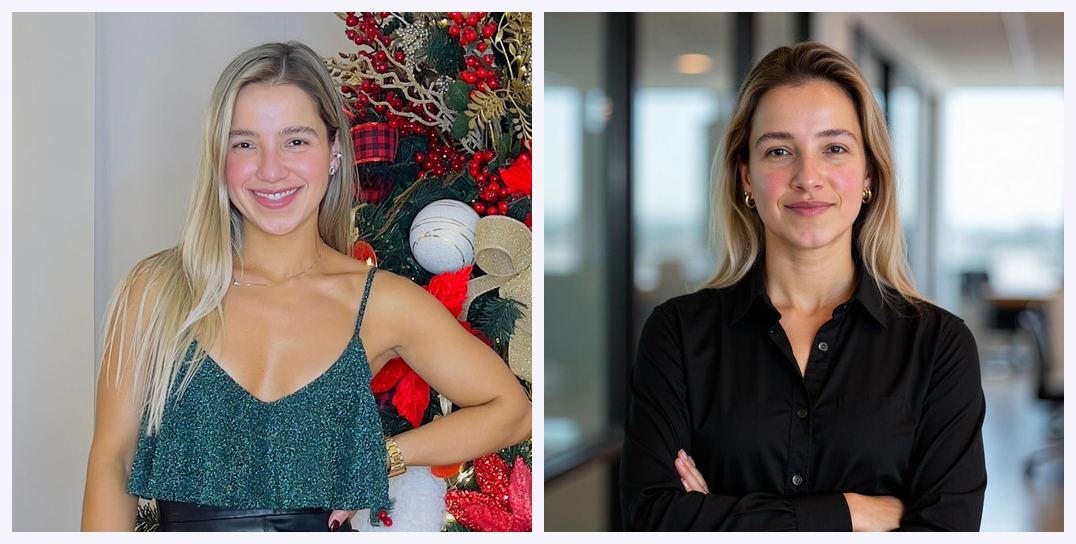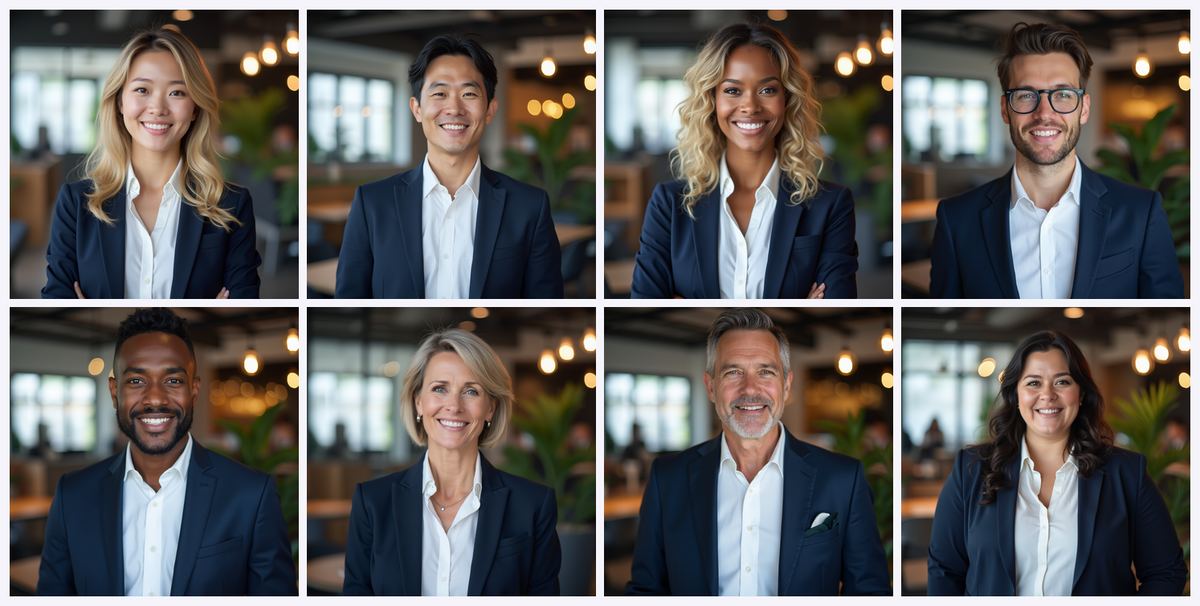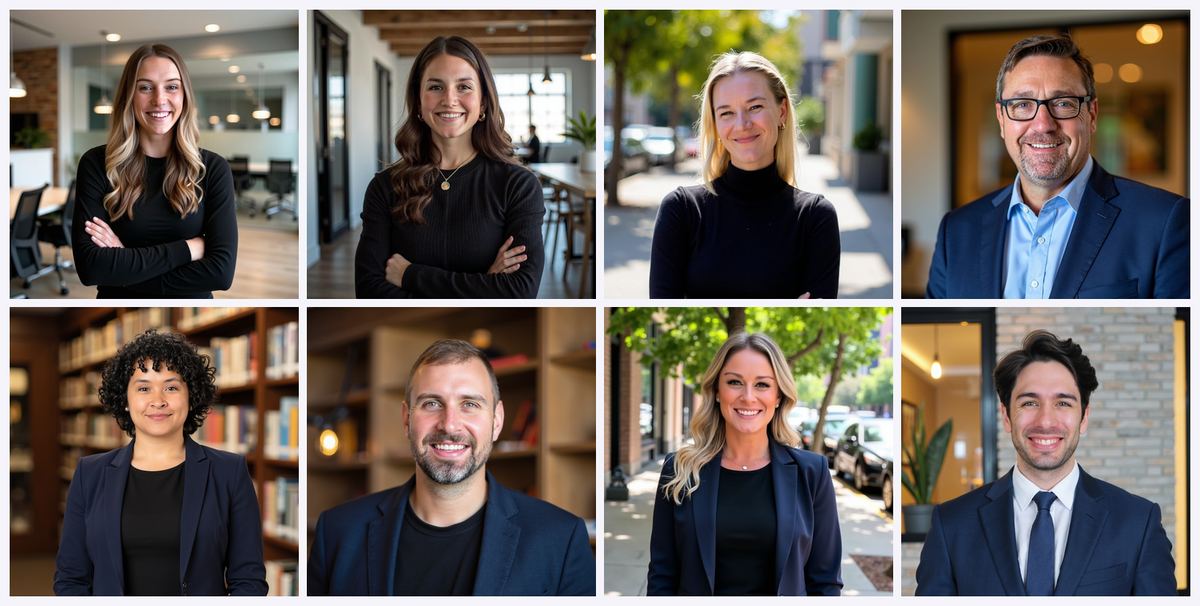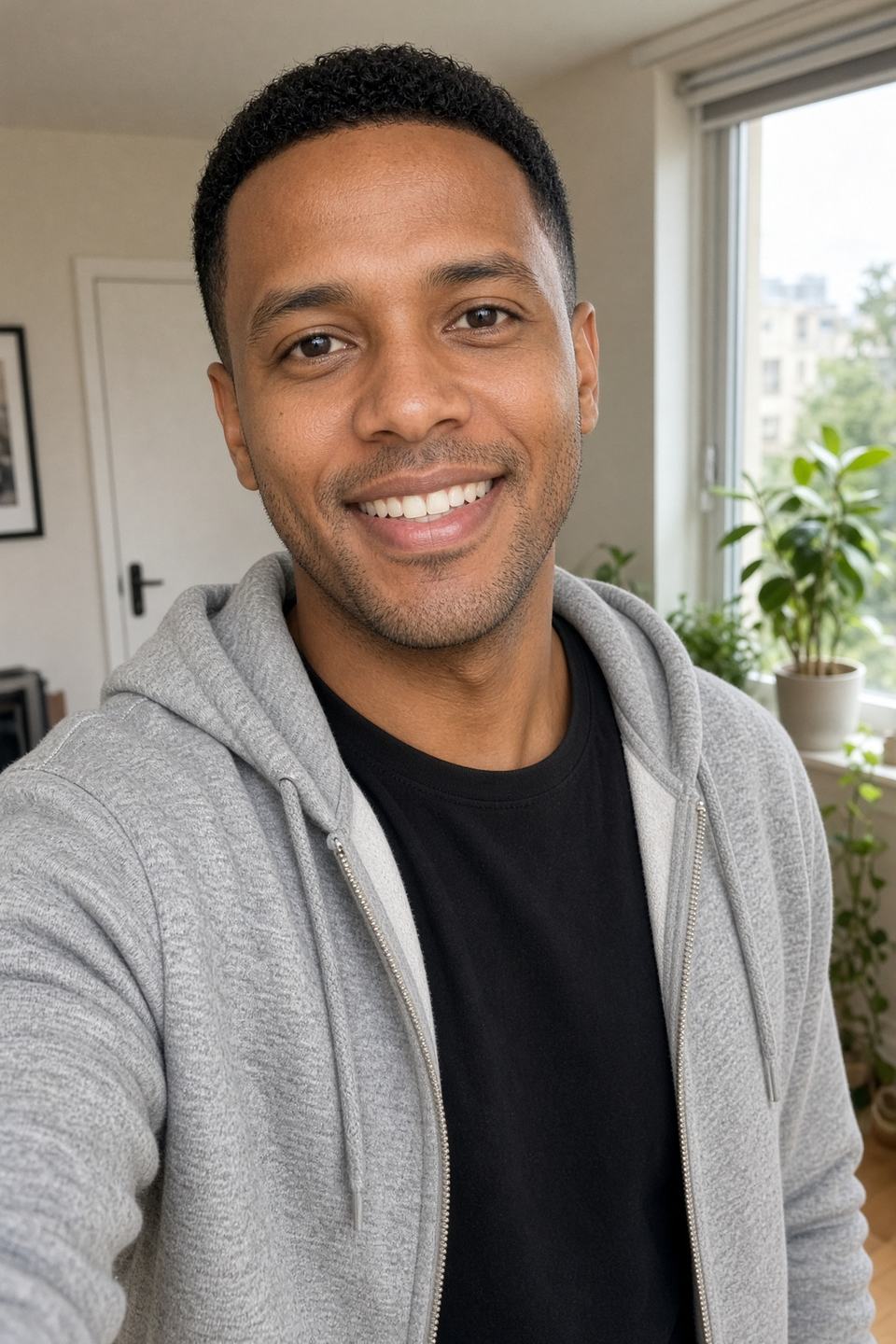
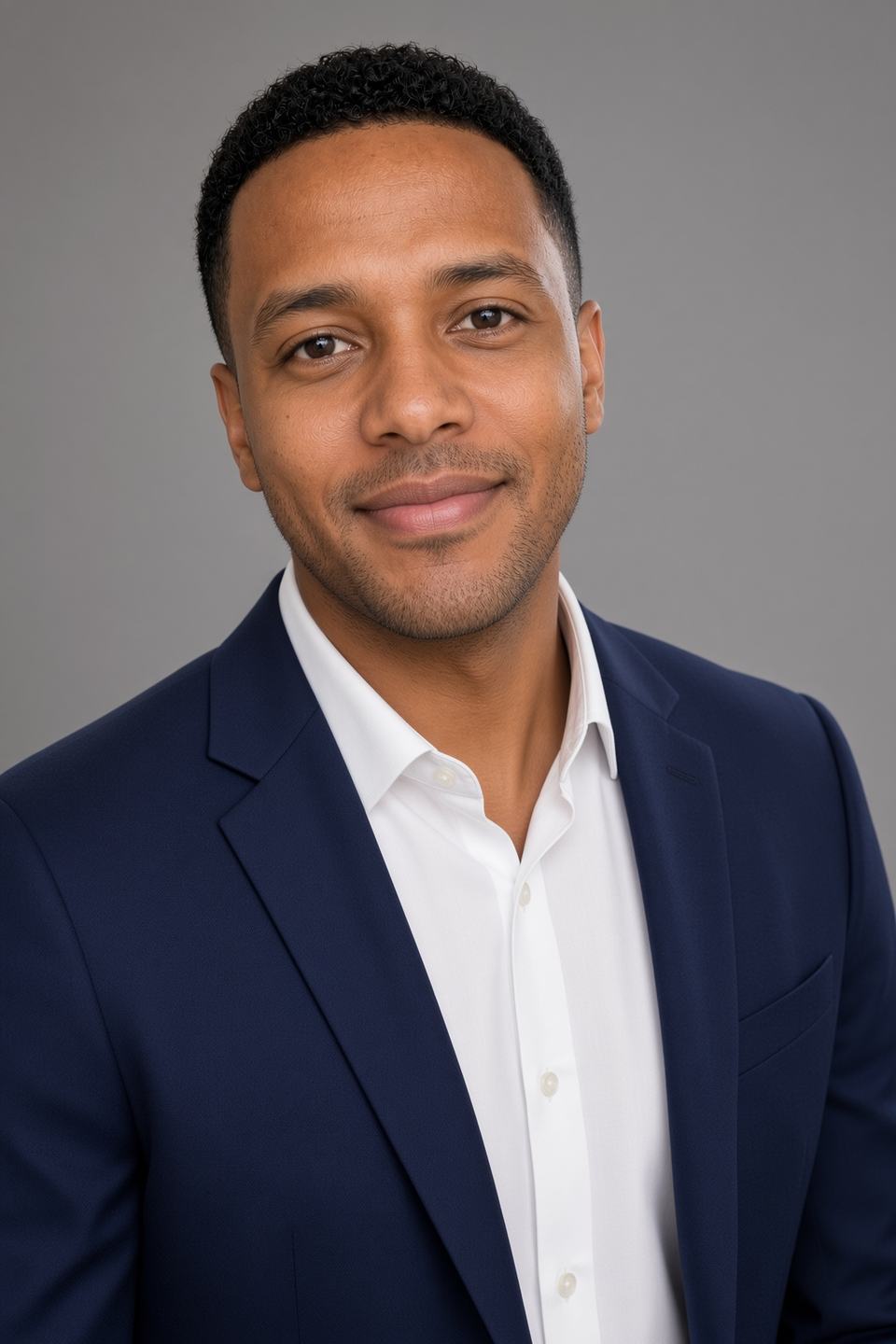
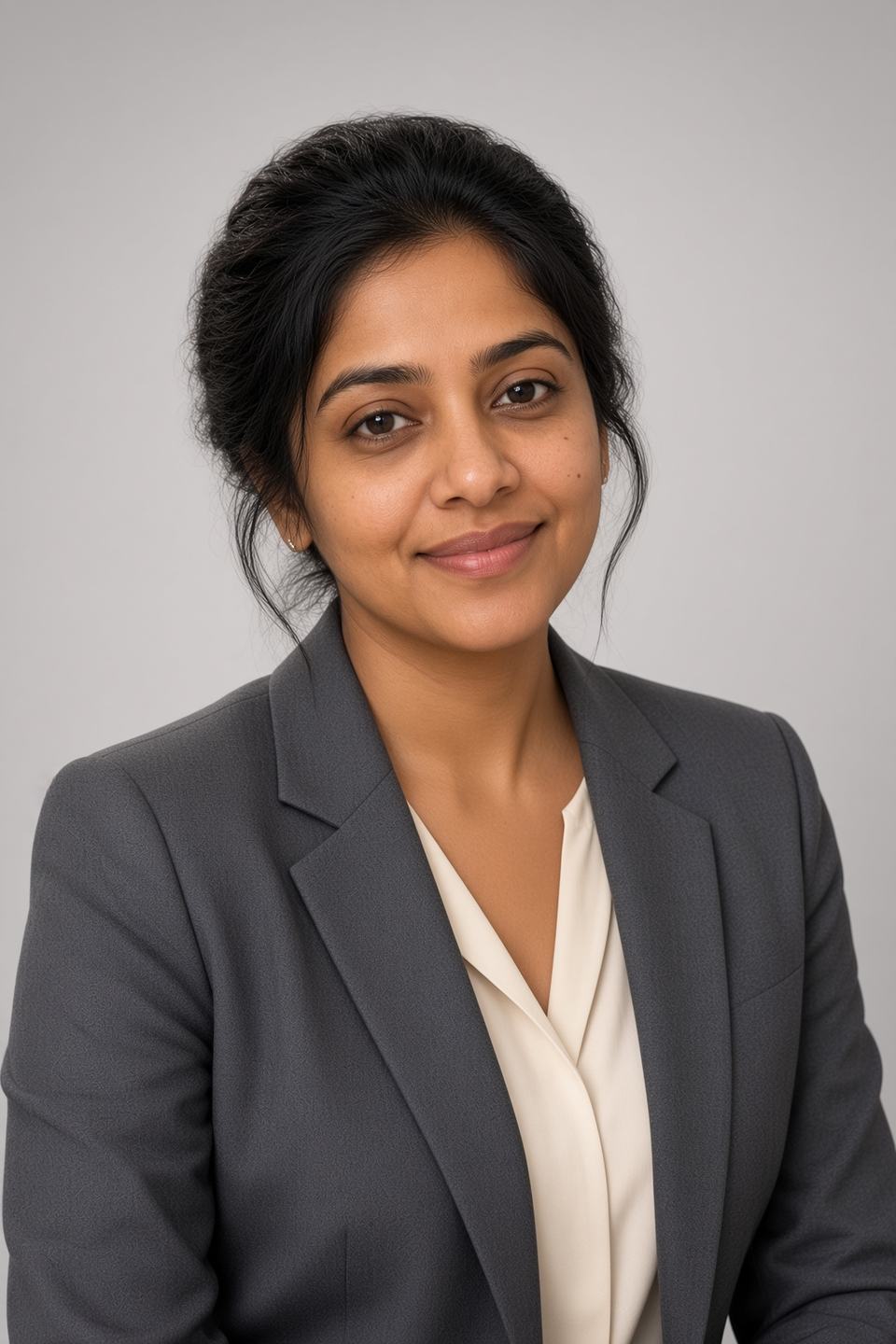
Coupon code: — save 10% on your Magic Studio (InstaHeadshots) headshot pack. Create your headshots free and apply AFFINCO10 at checkout
Quick Verdict
If you are short on time, here is the short version of Magic Studio pricing in 2026.
- Magic Studio is the new name for InstaHeadshots. InstaHeadshots.com now permanently redirects to magicstudio.com/headshots. Same team, same product, same accounts, same headshots — new brand. So when you search "InstaHeadshots pricing," what you actually want is Magic Studio pricing.
- You do not pay to try it. You upload your photos, the AI builds a personal model of your face, and it generates 50 watermarked preview photos for free. You only pay when you want to download them clean or start editing.
- Headshot packs start at $59 USD on the official pricing section for 50 headshots across 5 looks, ready in about 15 minutes. Prices vary by location, so what you see may differ from what someone in another country sees.
- There are three packs: Starter, Standard, and Premium. Starter unlocks 3 standard-resolution downloads and 3 credits. Standard unlocks all 50 standard-resolution photos and 3 credits. Premium unlocks all 50 in 4K at 300 DPI and includes 50 credits.
- Credits are the big change that older InstaHeadshots pricing guides completely miss. Credits power editing and new looks. Most edits cost 1 credit. Creating five photos in a new look, generating five "more like this," or upscaling one photo to 4K each cost 5 credits. Magic Eraser costs nothing.
- Teams pricing is volume-based. Ten seats works out to roughly $62 per person ($620 total) with a 10% discount, 20 seats unlocks 20% off, and 100+ moves into custom pricing. Each team member gets up to 100 headshots in 5 looks.
- Compared to a photographer, it is not close. The national median for a studio headshot sits around $250, and New York City runs $450–$924 for a standard session before add-ons. Magic Studio is roughly one-fifth to one-fifteenth of that.
- The coupon: apply for 10% off. On a $59 pack that is about $53. On a $620 team plan, that is a meaningful chunk of budget back.
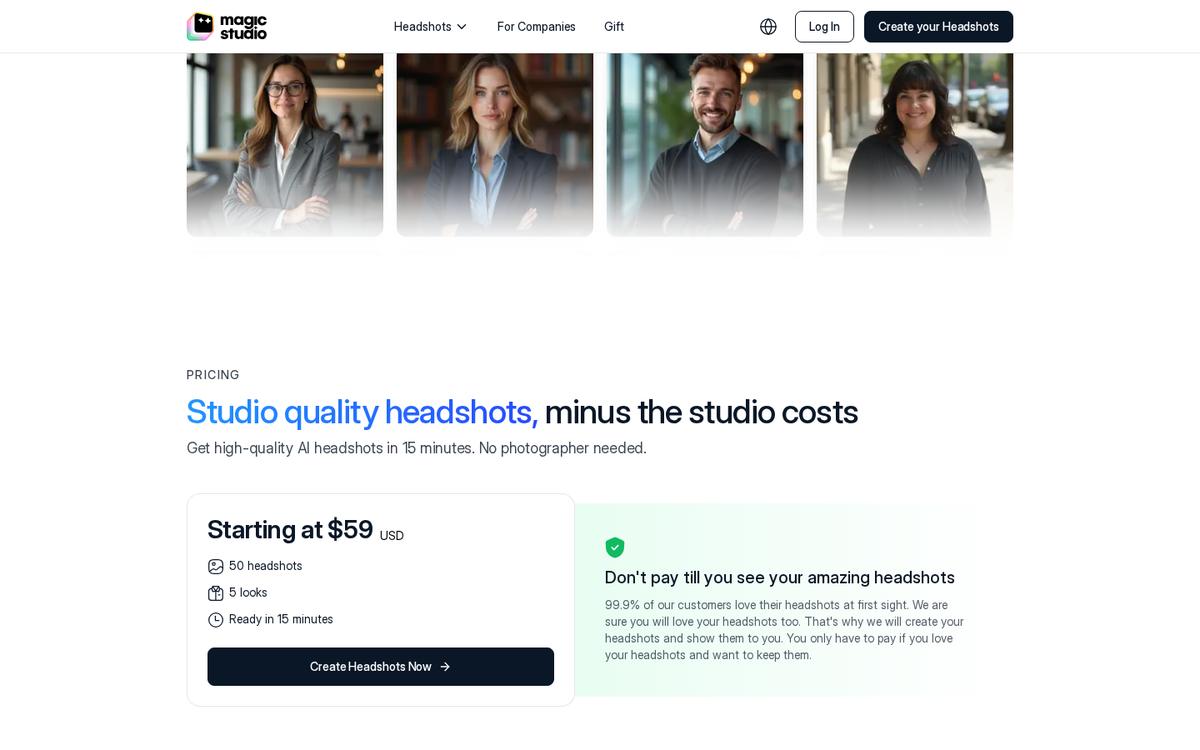 Live Magic Studio pricing: starting at $59 for 50 headshots, 5 looks, ~15 minutes.
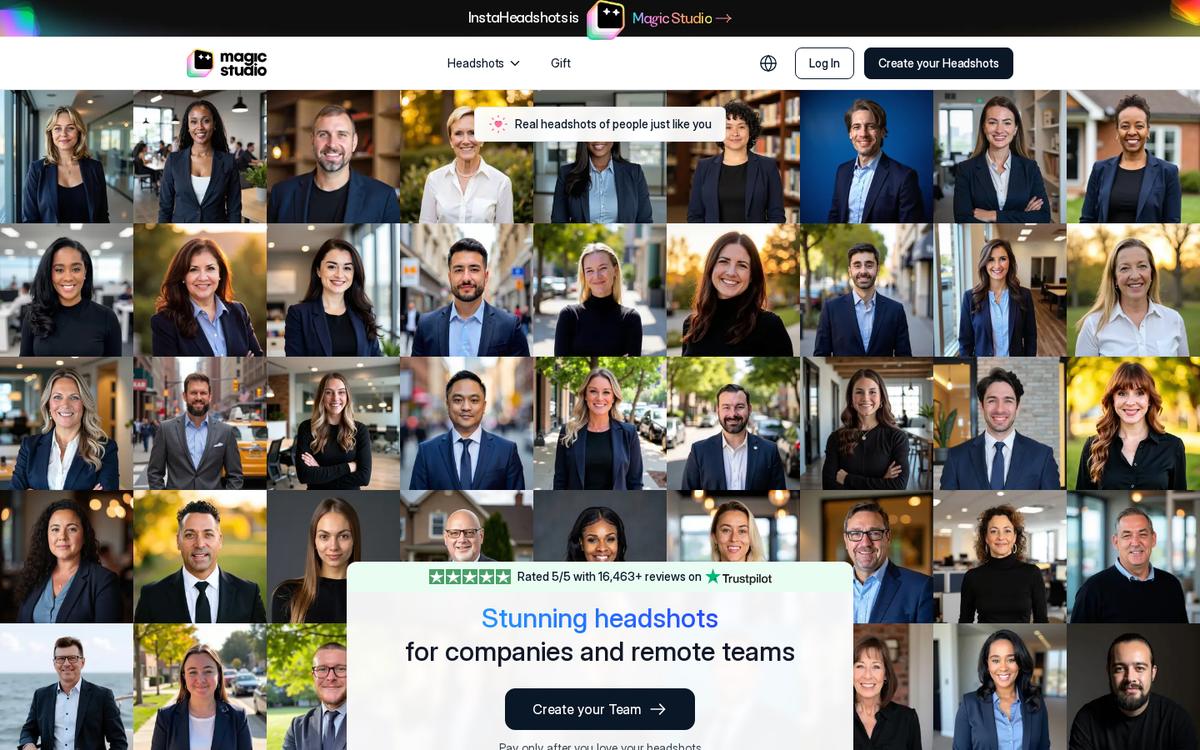 Team plans on Magic Studio — volume discounts published up to 20% off per person.
Who should buy it: anyone who needs a credible LinkedIn profile photo, a website bio image, a realtor or lawyer headshot, an ERAS photo, or consistent company headshots for a distributed team — and does not want to spend $300 and half a day to get three retouched files.
Who should skip it: actors needing agency-standard theatrical headshots, and executives in ultra-conservative industries where a known photographer credit still matters.
Ready now? Start your free preview at Magic Studio (InstaHeadshots) and use code at checkout for 10% off.
Magic Studio Coupon Code : What It Does and How to Use It
Before we get into the full pricing breakdown, let's handle the part you came for.
The code is and it takes 10% off your Magic Studio headshot purchase.
Here is how to apply it without fumbling:
- Go to instaheadshots.com (it redirects to the Magic Studio headshots page).
- Click Create your Headshots Now For FREE.
- Upload at least 10 clear, recent solo photos of yourself.
- Wait roughly 15 minutes. You will get an email when your 50 preview photos are ready.
- Review the previews. If you love them, pick a pack.
- At the payment step, enter in the coupon or promo field before confirming.
- Confirm that the discounted total has updated, then pay.
A few honest notes on the coupon so you know exactly what you are working with:
- It stacks with the free preview, not against it. You still get to see all 50 photos before you spend anything. The coupon only matters at the moment you decide to buy.
- It applies to the headshot pack. Think of it as a discount on your entry price, not a permanent credit multiplier.
- It is worth more on bigger purchases. Ten percent off a Starter pack is a few dollars. Ten percent off a Premium pack or a ten-seat team plan is real money.
- Discount codes on this product tend to sit in the 10% band. You will find plenty of review sites waving 10% codes around. This is the same tier — the difference is that this guide actually explains what you are buying with the other 90%.
Apply here and start your free 50-photo preview
What Is Magic Studio? (And Why "InstaHeadshots Pricing" Now Means "Magic Studio Pricing")
Magic Studio describes itself as your personal AI photographer. You upload a handful of ordinary photos once, the platform trains a personal AI model on your face, and from then on it can generate new photos of you in seconds — professional headshots first, then social, dating, and other personal looks.
That is a wider promise than the original product made. InstaHeadshots did one thing: turn selfies into professional headshots. Magic Studio keeps that as the front door but builds a broader personal-photography platform on top of it.
The rebrand, in plain English
If you have used InstaHeadshots before, here is what changed and what did not:
- InstaHeadshots is now Magic Studio. The headshot service lives at magicstudio.com/headshots.
- instaheadshots.com permanently redirects to the Magic Studio headshots page. app.instaheadshots.com redirects to app.magicstudio.com.
- Your account carries over. Same email, same sign-in method. If you used Google sign-in, keep using Google sign-in.
- Your existing headshots, favorites, edited photos, high-resolution images, and profiles all carried over automatically.
- Your purchased packs, available downloads, and remaining credits carried over too. Nothing needed to be repurchased.
- Team accounts carried over — members, invitations, headshots, credits, and the dashboard all continue working.
- The original Magic Studio photo editor still exists, now at magicstudio.com/photo-editor. Important quirk: if you had a separate account for the original Magic Studio tools, that account and your former InstaHeadshots account remain separate and are not merged, even with the same email.
The company behind it is aarzoo, Inc., a US company founded in 2020. InstaHeadshots itself started as an experiment in late 2023 and grew into one of the most-used AI headshot services on the market.
Some scale markers from the official pages, so you can judge whether this is a fly-by-night tool:
- 36 million professional headshots created to date.
- 421,000+ professionals served.
- Rated 5 out of 5 on Trustpilot with over 16,000 reviews.
- 4.9 on Google.
- Customer logos listed include Amazon, Google, Meta, Microsoft, Tesla, Nvidia, Uber, Goldman Sachs, Booking, Harvard, MIT, Columbia, Caltech, NYU, and Sotheby's.
A quick disambiguation: this is not Canva's Magic Studio
This trips people up constantly, so let's kill the confusion now.
Canva Magic Studio is Canva's suite of AI design features — Magic Write, Magic Design, Magic Expand, Dream Lab, and so on — priced through Canva Pro subscriptions with monthly AI credits.
Magic Studio (magicstudio.com) — the subject of this article — is the AI headshot and personal photography platform formerly known as InstaHeadshots, sold as one-time packs, not a subscription.
Two different companies, two completely different pricing models, same name. If you searched "Magic Studio pricing" and landed on a page talking about $15/month design subscriptions, you were reading about the wrong product.
This is the one you're looking for — start free
How Magic Studio Pricing Actually Works: Preview First, Pay Later
This is the single most important structural fact about Magic Studio pricing, and it is the reason a straight price comparison against other AI headshot generators is misleading.
You do not pay upfront. You pay after you have seen the results.
The flow, step by step
- Upload. You provide at least 10 clear, recent solo photos. The guidance is specific: mostly close-ups, at least two waist-up shots, a mix of outfits, backgrounds, and lighting, facing the camera directly, with a consistent appearance across the set.
- Training. The platform builds a personal AI model from your uploads. It learns your face, hair, eyes, and the features that stay constant across photos — glasses, facial hair, and so on get reinforced.
- Generation. You get 50 photos, watermarked, free of charge. Most sets are ready in around 15 minutes, though it can run longer at busy times. You do not need to keep the page open; you get an email.
- Review. You look at all 50. Not a sample. Not three teasers. The full set.
- Decide. If you like what you see, you pick a pack and pay. If you do not, you walk away having spent nothing.
The marketing line on the pricing section is blunt about it: "Don't pay till you see your amazing headshots."
The free retry almost nobody mentions
Here is the underused feature that changes your effective cost.
Before paying, you can retry once for free using a completely new set of uploaded photos.
The retry generates a brand-new set of 50 photos and replaces the previous set. So if your first upload batch was weak — bad lighting, too many group shots, inconsistent hair — you get one full do-over at zero cost before any money changes hands.
Practically, this means you have 100 free preview photos across two attempts if you use the retry. Most people burn their one attempt on a lazy upload and then judge the product on it. Do not be that person. Curate your uploads properly the first time, and keep the retry in your back pocket.
What this does to the refund conversation
Because you preview the entire set before buying, the current platform FAQ states that payments are non-refundable except where required by law. The logic is straightforward: you already saw everything you were buying.
The headshots landing page still carries the older satisfaction-guarantee language — if you feel you do not have at least four decent headshots and you have not downloaded any, contact support at help@magicstudio.com within 3 days of receiving your headshots and they will resolve it or refund. If refund policy matters to your buying decision, read the current terms at checkout rather than relying on any blog post, including this one. Policies get updated.
Try it risk-free — 50 preview photos, no card needed to see them
Magic Studio Headshot Packs Explained: Starter, Standard, and Premium
Once your previews are ready, you choose a pack. There are three, and the differences are not just "more photos." They differ on how many photos you unlock, what resolution you get, and how many credits come bundled.
Starter pack
- Lets you download three standard-resolution headshots.
- Includes 3 credits.
- Best for: someone who needs one great LinkedIn profile photo and a backup or two, and does not plan to edit much.
The tradeoff is obvious: you are picking three winners out of fifty. That is genuinely enough if you only need a profile photo. It becomes frustrating the moment you want a second look for a different context — one for LinkedIn, one for a conference bio, one for Slack.
Standard pack
- Unlocks all 50 standard-resolution headshots.
- Includes 3 credits.
- Best for: most individual buyers. Freelancers, job seekers, consultants, anyone who wants variety across platforms without paying for print-grade files.
This is the pack most people should default to. The jump from three photos to fifty is the single biggest value step in the lineup, and the price difference between Starter and Standard is far smaller than the difference in what you get.
Premium pack
- Unlocks all 50 photos in 4K, at 4096 × 4096 pixels and 300 DPI.
- Includes 50 credits.
- Best for: anyone printing, anyone doing serious editing, and anyone who wants to explore multiple looks and collections.
The credits difference here is the part people miss. Premium does not just give you better files — it gives you more than 16x the credit allowance of the other two packs. If you intend to actually use the editing suite, explore social or dating collections, or generate additional looks, Premium is not a resolution upgrade. It is a usage upgrade.
Standard resolution vs 4K: what the numbers mean in practice
- Standard photos are 1024 × 1024 pixels. That is more than enough for LinkedIn, X, Instagram, Slack, company About pages, email signatures, speaker bios, and business cards.
- Premium photos are 4096 × 4096 pixels at 300 DPI. That is print territory — large-format business cards, press kits, brochures, conference backdrops, book jackets, magazine submissions.
- Team headshots are delivered as JPEG at 1024 × 1536 pixels, per the teams FAQ — a portrait aspect ratio rather than a square.
- If you buy Starter or Standard and later need one print-quality file, you can upscale an individual photo to 4K using 5 credits.
That last bullet is the key to smart spending. You do not have to buy Premium to get one printable file. You can buy Standard and upscale selectively.
What "starting at $59" actually means
The official pricing section on the Magic Studio headshots page reads:
Starting at $59 USD — 50 headshots, 5 looks, ready in 15 minutes.
Two things to understand about that number.
First, it is a floor, not a fixed price. The company states plainly that prices vary by location, and directs you to the headshot pricing page for current options in your market. So the number you see may be higher or lower than the number a reader in another country sees. Currency, local pricing, and regional adjustments all play a role.
Second, the older tier structure is what most third-party articles are still quoting. Across 2026 reviews and roundups, the widely reported InstaHeadshots tiers were $49 for the entry tier, $59 for the middle tier, and $69 for the top tier, with photo counts of roughly 40, 100, and 200 respectively. Those figures reflect the pre-rebrand packaging and continue to circulate on review sites and affiliate pages.
What has changed is the packaging logic itself. The current structure is built around how much of your 50-photo set you unlock, at what resolution, with how many credits — not around ever-larger photo counts. That is a meaningfully different model, and it is why an "InstaHeadshots pricing" article written before the credits system landed will steer you wrong.
Bottom line: treat $59 as your realistic starting point for a full set, expect the Premium tier to sit above it, verify your exact local pricing at checkout, and apply to shave 10% off whatever that number turns out to be.
Check current pricing in your region and apply
The Magic Studio Credits System: The Part Older Pricing Guides Completely Miss
If you read an InstaHeadshots pricing article from 2024 or early 2025, it will tell you that you buy a pack and get X photos. Done. That was true then. It is not the whole picture now.
Credits are the second currency inside Magic Studio, and they govern everything you do after the initial 50 photos.
What a credit is
A credit is a unit of AI work. Generating new imagery, applying an AI edit, or upscaling a file all draw down credits. Your pack gives you a starting balance, and you can top up afterward.
Here is the confirmed structure:
- Starter includes 3 credits.
- Standard includes 3 credits.
- Premium includes 50 credits.
- Additional credits can be purchased after you have bought a base pack. You cannot buy credits standalone without a pack first.
What each action costs
This is the part worth memorizing before you spend anything:
- Most editing tools cost 1 credit each. Change an outfit, swap a backdrop, adjust a hairstyle — one credit per action.
- Magic Eraser costs 0 credits. Removing small distractions is free, unlimited, and does not touch your balance.
- Creating five photos in a new look costs 5 credits.
- Generating five "More like this" photos costs 5 credits.
- Upscaling one photo to 4K costs 5 credits.
So the practical pattern is: small edits are cheap, generation and upscaling are batched at 5 credits per batch of five.
What you can actually do with credits
Editing unlocks after you purchase a pack. Open any photo and you can:
- Change the outfit
- Change the backdrop
- Change the hairstyle
- Change the hair colour
- Add or remove glasses
- Adjust the expression
- Change eye colour or gaze direction
- Reduce wrinkles
- Remove jewellery
- Use Magic Edit to describe a change in your own words
- Use Magic Eraser to remove small distractions (free)
Beyond editing, credits also let you explore more looks from the professional, social, and dating collections, or generate more photos in a look you already like.
That last point matters for the value calculation. Your 50 photos start as professional headshots. Credits are how you turn a headshot purchase into a broader personal photo library — dating profile shots, social content, casual portraits — without paying for a second full photoshoot.
Credit math: three worked examples
Numbers make this concrete. These are illustrative scenarios using the confirmed credit costs.
Scenario 1 — The minimalist (Starter, 3 credits)
- Pick your three favorite headshots to download.
- Use 1 credit to swap the backdrop on your primary LinkedIn shot.
- Use 1 credit to remove a distracting necklace.
- Use 1 credit to soften the expression on your backup shot.
- Use Magic Eraser freely — it costs nothing.
- Credits remaining: 0. You got a polished profile photo and two spares.
Scenario 2 — The realistic individual (Standard, 3 credits)
- Download all 50 photos.
- Use 3 credits on targeted edits to your top two picks.
- Want a 4K version for a printed conference badge? That is 5 credits — you will need to top up.
- Verdict: Standard's 3 credits cover polish, not exploration. If you plan to explore, budget for a top-up or go Premium.
Scenario 3 — The power user (Premium, 50 credits)
- Download all 50 photos in 4K, 300 DPI. No upscaling needed — it is already included.
- Spend 5 credits generating five photos in a new professional look. (45 left)
- Spend 5 credits on "More like this" from your strongest headshot. (40 left)
- Spend 5 credits exploring a social collection look. (35 left)
- Spend 5 credits on a dating collection look. (30 left)
- Spend 15 credits on individual edits across your favorites — outfits, backdrops, expressions. (15 left)
- Spend 10 credits on two more batches of five in looks that worked. (5 left)
- You end up with roughly 70+ usable images across professional, social, and dating contexts, all at 4K, from one purchase.
That third scenario is why the Premium credit allowance is the most underrated line item in Magic Studio pricing. On a per-image basis, it is dramatically cheaper than buying Standard and topping up.
The one credit rule that saves you money
Do not upscale everything. Upscaling costs 5 credits per photo. If you have Standard and you upscale ten photos, that is 50 credits — more than the entire Premium allowance, for files Premium would have given you natively.
The decision rule is simple:
- Need one or two print files? Buy Standard, upscale selectively.
- Need more than two print files, or plan to explore looks? Buy Premium.
Pick your pack and apply for 10% off
Magic Studio for Teams Pricing: Company and Remote Team Headshots
If you are buying for a company, the pricing model changes entirely. Instead of packs and credits, it is per-seat with volume discounts.
The published team pricing
From the teams pricing calculator:
- 10 team members: $62 per person, $620 total, with 10% off applied.
- 20 team members: 20% off.
- 100 team members: volume tier.
- Custom: for larger organizations, with a "Schedule a Call" option.
The discount scales with headcount. The more seats you buy, the lower the per-person cost.
What each team seat includes
- 100 headshots per person (double the individual set of 50).
- 5 looks.
- Ready in 15 minutes per the pricing panel; the teams FAQ notes model training and generation typically runs 30 minutes to 1 hour.
- Consistent headshots for the whole team — you can set one style applied across everyone for a cohesive look.
- Delivered as JPEG at 1024 × 1536 pixels.
- Full commercial rights to use the images.
How team management works
- The admin creates a team and invites members by email.
- Members log in with the invited email address to upload photos and download their finals.
- Alternatively, the admin can manage the whole process — uploading photos and generating headshots on behalf of team members.
- Progress and downloads are managed from a single dashboard.
- You can add more profiles later as the team grows.
- You can set consistent styles across the team, though specific uniforms, exact brand colours, or precise backgrounds cannot be dictated — styles and backgrounds are generated dynamically by the AI.
- Support will consider a free trial headshot for one team member on a case-by-case basis if you email help@magicstudio.com.
The team cost math that actually matters
Here is where this gets interesting for anyone with a distributed workforce.
According to Magic Studio's own 2026 research, for a 100-person company spread across three cities, traditional studio sessions cost $21,050 to $62,783 once you factor in photography, setup fees, hair and makeup, HR coordination, and employee downtime. Virtual sessions with a live photographer for the same group run $5,300 to $8,700.
Now run the AI numbers. At roughly $62 per person with the 10-seat discount — and volume tiers pushing that lower at 20 and 100 — a 100-person team lands in a range that is a fraction of the traditional figure, before you even apply a coupon.
And the operational savings are arguably bigger than the line-item savings:
- No photo day. No booking a studio, no shipping people to headquarters, no calendar Tetris.
- No geographic inconsistency. A distributed team no longer ends up with twelve different photographers' lighting styles on one About page.
- No employee downtime. Nobody loses two hours of work to a fifteen-minute shoot.
- New hires are trivial. Add a profile, they upload photos, they match the existing team style. No waiting for the next photo day.
That last point is the real unlock. Traditional company headshots decay the moment someone joins. AI headshots do not.
How Much Do Professional Headshots Cost in 2026? The Benchmark You Should Judge This Against
You cannot evaluate Magic Studio pricing in a vacuum. You need the comparison point. So here is what professional headshots actually cost right now, based on Magic Studio's own 2026 analysis of pricing across 17 US metros.
The national picture
- The national median for a studio headshot sits around $250.
- That median hides enormous variance. The same package can cost 2–3x more depending on your zip code.
- Budget sessions ($100–$250) typically mean a quick shoot, one outfit, minimal retouching.
- Mid-tier ($250–$600) gets you the standard experience: 30–60 minutes in-studio, 1–3 outfit changes, 2–5 retouched digital images.
- Premium ($800–$2,500+) adds extended time, professional hair and makeup, and advanced editing.
City-by-city standard session ranges
Most affordable markets (Sun Belt):
- Phoenix: $150–$400
- Houston: $150–$450
- Dallas: $150–$450
- San Antonio: $150–$400
- Austin: $200–$400
Mid-range markets:
- Atlanta: $225–$425
- Denver: $225–$450
- Miami: $250–$500
- Seattle: $275–$525
Premium coastal markets:
- Chicago: $300–$600
- Boston: $300–$550
- San Francisco: $325–$600
- Los Angeles: $350–$800
- New York City: $450–$924
Premium-tier ranges in the same cities go considerably higher:
- New York City premium: $1,200–$2,500
- San Francisco premium: $1,100–$2,200
- Los Angeles premium: $1,000–$2,000
- Boston premium: $1,000–$1,800
- Seattle premium: $900–$1,700
- Chicago premium: $800–$1,500
- Atlanta premium: $750–$1,400
- Denver premium: $750–$1,400
- Miami premium: $700–$1,300
- Austin premium: $700–$1,300
- Philadelphia premium: $800+
- San Diego premium: $800+
- Dallas and Houston premium: $600+
- Phoenix premium: $500+
Sit with that for a second. New York City's floor price — $450 — is roughly what a premium photographer charges in Phoenix. Same skill, same equipment, same deliverables. The only variable is geography.
Why geography drives the price
It is not photographer greed. It is overhead math:
- Downtown studio space in major metros runs $3,000 to $8,000 monthly.
- Equipment investments run $15,000 to $50,000+.
- Insurance, utilities, and marketing sit on top.
A Manhattan photographer paying $6,000/month in rent has to charge more than a Phoenix photographer paying $1,800. Industry concentration compounds it — entertainment specialists in LA, finance specialists in NYC, and tech specialists in San Francisco all command demand-side premiums.
The hidden costs nobody quotes upfront
This is the part that makes the comparison lopsided. Hidden fees frequently inflate the base rate by 40–60%.
- Setup charges: $200–$500
- Advanced retouching: $40–$100 per image
- Commercial usage rights: $100–$500+
- Hair and makeup: $50–$200 per person
Run that on a "$300 session." After setup, proper retouching, and usage rights for your company website, you are actually looking at $450–$600 — for two to five final images.
The alternatives landscape
- Virtual sessions with a live photographer: $45–$79 per person. You use your own camera or phone and a professional directs you remotely.
- AI-generated headshots: $29–$79. Upload existing photos, get professional-looking headshots back. Magic Studio delivers in 15–90 minutes with dozens of variations.
Magic Studio's own analysis is refreshingly candid about the tradeoff: independent analysis suggests only 10–20% of AI-generated headshots hit truly professional quality, and some viewers describe AI portraits as lacking natural warmth. For LinkedIn and general professional use, they work well. For executive leadership pages or client-facing roles in conservative industries, traditional photography still wins.
That 10–20% figure is not a knock — it is the reason you get 50 photos instead of 5. Ten to twenty percent of 50 is 5 to 10 genuinely strong images. Ten to twenty percent of a photographer's 3 deliverables is zero.
Skip the $450 session — get 50 previews free
Magic Studio Pricing vs a Traditional Photographer: The Real Math
Let's put the two side by side properly.
A standard photographer session in a mid-range market:
- Sticker price: $250–$600
- Add-ons push it to: $450–$600 realistically
- What you get: 2–5 retouched digital images
- Time cost: booking, travel, 30–60 minutes in studio, plus turnaround of days to weeks
- Outfit variety: 1–3 changes
- Reshoot cost: full price again
- Effective cost per final image: $90–$300
A Magic Studio Standard or Premium pack:
- Sticker price: from $59, before coupon
- With : roughly $53 on a $59 pack
- What you get: 50 photos across 5 looks, plus credits
- Time cost: ~15 minutes of uploading, then an email notification
- Outfit variety: multiple looks generated automatically, plus outfit swapping via credits
- Reshoot cost: one free retry before purchase
- Effective cost per downloaded image at Standard: roughly $1–$1.20
Even if you are ruthless and only count the images you would genuinely publish — say 10 out of 50 — you are still at roughly $5–$6 per usable image. Against $90–$300 per image from a studio, that is not a close call.
Where the photographer still wins
I am not going to pretend the tradeoffs do not exist. A photographer gives you:
- A human eye on your specific face — knowing which angle flatters you, which side to light, when your smile looks forced.
- Genuine authenticity. No uncanny smoothing, no drifting eye, no beauty-filter glaze.
- Direction. Someone telling you to drop your shoulders and turn your chin.
- Legitimacy in specific contexts. Acting headshots, agency submissions, some executive leadership pages, some conservative industries.
- Perfect wardrobe and brand control. You wear your actual clothes with your actual brand colours.
Where Magic Studio wins
- Cost, by an order of magnitude.
- Speed — 15 minutes versus days or weeks.
- Variety — 50 images across 5 looks versus 2–5 images in 1–3 outfits.
- Zero logistics — no booking, no travel, no hair and makeup appointment, no coordinating a team.
- Preview before payment — you literally cannot say that about any photographer.
- Repeatability — need a new look next quarter? Credits, not another session.
- Consistency at scale — a distributed team gets a unified look, which is nearly impossible with regional photographers.
Cost Per Usable Headshot: The Honest Metric
Here is a framing that most pricing articles avoid because it is inconvenient.
Sticker price per photo is a fantasy number. Nobody uses all 50 photos. Independent reviewers testing this category consistently report culling roughly 40–60% of any AI batch, and Magic Studio's own research cites the 10–20% "truly professional quality" figure.
So do the honest math:
- Take your pack price (say $59, or ~$53 with ).
- Divide by the number of photos you would actually publish, not the number you receive.
- Be conservative. Assume 8–15 keepers out of 50.
That gives you roughly $3.50 to $6.60 per genuinely usable headshot.
Now do the same for the photographer. A $450 all-in session delivering 3 retouched images where you love 2 of them gives you $225 per usable headshot.
The gap is 30x to 60x. That is the entire argument, and it does not require any generosity toward the AI.
How to increase your keeper rate
Since your real cost is driven by keepers, the highest-leverage thing you can do is improve your upload set. Following the official guidance:
- Upload at least 10 photos, more if you have them.
- Use clear, recent images — not your 2019 vacation album.
- Solo shots only. No group photos where the AI has to guess which face is yours.
- Mostly close-ups, plus at least two waist-up shots.
- Vary outfits, backgrounds, and lighting across the set.
- Face the camera directly in most of them.
- Keep your appearance consistent — if you shaved your beard last month, do not include bearded photos.
- Remember: constants get reinforced. If you wear glasses in every photo, the AI will put glasses in your headshots. If you want glasses-free results, include glasses-free uploads.
Do this properly and your keeper rate goes up materially, which drops your true cost per usable image without spending an extra dollar.
Upload a good set and see your 50 previews free
Who Each Magic Studio Pack Is For: Use Cases and Recommendations
Pricing only makes sense relative to purpose. Here is how the packs map to real situations.
Job seekers and career changers
Recommended: Standard.
You need a strong LinkedIn profile photo and probably a second option for applications and personal sites. Recruiters form an impression in under a second, and a well-lit, well-framed headshot outperforms a cropped wedding photo every time. Standard gives you 50 options so you can A/B test which one gets responses. The 3 credits are enough for a couple of targeted edits.
At roughly $53 with , this is one of the cheapest job-search investments available.
Freelancers, consultants, and personal brands
Recommended: Premium.
Your face is the product. You need variety — a formal shot for proposals, a warmer one for your website, something casual for social, something with a different backdrop for a podcast guest card. Premium's 50 credits let you generate across professional, social, and dating collections and keep your visual identity fresh without repeat purchases.
Realtors, lawyers, financial advisors, and doctors
Recommended: Premium.
These are trust-based professions where the headshot appears on yard signs, firm directories, brochures, and printed materials. You need 300 DPI. Premium delivers 4K at 300 DPI natively rather than making you spend 5 credits per upscale.
Magic Studio has dedicated pages for realtor headshots, lawyer headshots, doctor headshots, executive headshots, and CEO headshots — the style presets are tuned for these contexts.
Executives and CEOs
Recommended: Premium.
Board bios, annual reports, press kits, conference programs, and investor decks all want print resolution. Premium gives you that plus the credit budget to iterate until the expression reads as authoritative rather than merely pleasant.
Caveat, stated honestly: for the most conservative leadership contexts, some organizations still prefer a commissioned photographer. Use AI for the LinkedIn and speaking-circuit assets, and commission a shoot for the annual report if that is your culture.
ERAS and residency applicants
Recommended: Standard or Premium.
Magic Studio maintains a dedicated ERAS headshots page and a free ERAS photo checker tool. The ERAS photo has specific requirements and it goes in front of program directors making high-stakes decisions. Run your chosen photo through the checker before submission regardless of which pack you buy.
Content creators and dating profiles
Recommended: Premium.
The credits are the point. Premium's 50 credits open the social and dating collections and let you generate batches in looks that perform. Trying to do this on Standard's 3 credits will frustrate you within an hour.
Remote and distributed teams
Recommended: Teams plan.
10+ seats for the 10% tier, 20+ for 20%. Set one consistent style, invite everyone, and get a unified company page in an afternoon instead of coordinating photo days across three time zones.
Gift buyers
Consider: Gift cards.
Magic Studio sells gift cards with themed designs for birthdays, graduations, Valentine's, Father's Day, corporate gifting, thank-yous, and more. You personalize a card, send it by email instantly, and the recipient redeems it for their own photoshoot. It is a genuinely useful gift for a graduate entering the job market.
How to Lower Your Magic Studio Cost Beyond the Coupon
The code is the easy 10%. Here are seven more ways to reduce what you actually pay.
-
Use the free retry deliberately. If your first preview set is mediocre, do not buy it and edit your way out. Retry once for free with a better upload set. You are effectively getting two shoots for the price of one.
-
Do not buy Premium if you do not need print or credits. The upgrade is worth it for print professionals and heavy editors. It is wasted money for someone who needs one LinkedIn photo.
-
Do not buy Starter if you want variety. Three downloads out of fifty will frustrate you. The gap between Starter and Standard is the best value step in the entire lineup.
-
Upscale selectively rather than upgrading. One print file from a Standard pack costs 5 credits. Two print files cost 10. Compare that against the Premium price difference before you assume Premium is required.
-
Use Magic Eraser aggressively — it is free. Removing a stray hair, a distracting background object, or a smudge costs zero credits. Do all your subtractive cleanup with Eraser before spending credits on generative edits.
-
Batch your generation. New looks and "More like this" both cost 5 credits per batch of five. There is no cheaper per-image rate for going smaller, so plan your batches rather than generating impulsively.
-
Buy at the team tier if you have the headcount. If you and four colleagues all need headshots, five individual purchases cost more than they should. Ten seats unlocks 10% off, twenty unlocks 20%. Coordinate.
-
Explore the free tools separately. Magic Studio hosts free utilities that do not require a headshot purchase — Magic Eraser, Background Remover, Image Upscaler, Background Blur, AI Image Generator, AI Art Generator, HEIC to JPG converter, WEBP to PNG converter, and the free ERAS photo checker. If your need is "remove the background from an existing photo," you may not need a pack at all.
Start free, then apply when you're ready to download
Data, Privacy, and Ownership: What You Get for Your Money Beyond Photos
Pricing is not only about dollars. It is about what rights and protections come attached.
Ownership and commercial rights
- You have full rights to use your purchased photos for personal or commercial purposes — websites, LinkedIn, resumes, advertisements, business cards, and printed materials.
- Purchased downloads have no watermark and require no attribution.
- The same full commercial rights apply to team headshots.
This is genuinely better than many photographer contracts, where commercial usage rights are a $100–$500+ add-on line item.
Privacy and data handling
- Your photos are used only to create your personal AI model and generate photos of you. They are never used to train the general AI models, or anyone else's.
- Your personal AI model is automatically deleted after 90 days, per the current platform FAQ.
- The headshots landing page additionally states that input images and created headshots are deleted automatically 30 days after the headshots have been created, and that you can delete data yourself at any time.
- You can delete a photo, a set of photos, or your entire account whenever you want.
- Photos are never shared or sold. No ads are run with your information.
- Access is controlled by a password-less system, with data encrypted in transit.
- The rebrand did not change privacy or data-retention policies.
If your employer has strict data-handling requirements, read the current privacy policy directly before a team rollout. But the headline commitments — no general model training, automatic deletion, no data sales — are stronger than the category average.
Magic Studio Pricing: Pros and Cons
What's genuinely good
- Preview-before-payment removes almost all purchase risk. You see 50 photos before spending a cent.
- The free retry doubles your preview allowance if you use it.
- One-time pricing, no subscription. You are not signing up for a recurring charge.
- Full commercial rights with no watermark and no attribution.
- The credits system adds real flexibility — you can extend a headshot purchase into social and dating photos without a second shoot.
- Magic Eraser is free, which is unusual.
- Team pricing scales sensibly with genuine volume discounts.
- Turnaround is fast — around 15 minutes for most sets.
- Track record is substantial — 36 million headshots, 421,000+ professionals, 5/5 on Trustpilot across 16,000+ reviews.
What's worth knowing before you buy
- Location-based pricing means you have to check your own market. No article can tell you your exact number.
- Starter's 3 downloads is genuinely restrictive relative to a 50-photo set.
- Standard's 3 credits run out fast if you want to explore looks. Budget for a top-up or go Premium.
- Payments are non-refundable except where required by law under the current platform FAQ, on the logic that you previewed everything. Read the live terms at checkout.
- Independent analysis suggests only 10–20% of AI headshots hit truly professional quality. Plan on culling.
- Common AI artifacts still appear in a minority of images across this category — over-smoothed skin, slightly off eye alignment, a default toward broad smiles. Review at 100% zoom before publishing.
- Specific uniforms, exact brand colours, and precise backgrounds cannot be dictated for teams — styles are generated dynamically.
- You cannot buy credits without buying a base pack first.
Common Magic Studio Pricing Mistakes to Avoid
-
Judging the product on a lazy upload. Ten blurry group photos will produce disappointing previews, and you will conclude the tool is bad when the input was. Curate properly.
-
Buying Starter and expecting variety. Three downloads is a profile-photo purchase, not a photo library.
-
Buying Standard and then upscaling ten photos. That is 50 credits of spend on top of the pack price for something Premium included natively.
-
Forgetting to apply the coupon. The field is at checkout. Enter and confirm the total updated before you pay.
-
Ignoring the free retry. It is one of the most valuable features in the product and most buyers never use it.
-
Comparing sticker price per photo instead of cost per keeper. The honest number is $3.50–$6.60 per usable image, and it is still enormously better than the alternative.
-
Assuming an old InstaHeadshots article still applies. The rebrand and the credits system changed the model. Any guide that does not mention credits is outdated.
-
Confusing this with Canva's Magic Studio. Different company, different product, different pricing entirely.
Frequently Asked Questions About Magic Studio Pricing
How much does Magic Studio cost?
Magic Studio headshot packs start at $59 USD on the official pricing section for 50 headshots across 5 looks, delivered in about 15 minutes. Prices vary by location, so verify your local pricing at checkout. There are three packs — Starter, Standard, and Premium — differing in how many photos you unlock, at what resolution, and how many credits are included. Apply coupon for 10% off.
Is Magic Studio a subscription?
No. Personal AI photo packs are one-time purchases, not subscriptions. You buy a pack when you want to download or edit your photos. There is no recurring charge.
Is InstaHeadshots the same as Magic Studio?
Yes. InstaHeadshots is now Magic Studio. The headshot service lives at magicstudio.com/headshots, instaheadshots.com permanently redirects there, and your account, headshots, purchases, credits, and teams all carried over automatically. It is the same product and account experience under a new name.
Can I try Magic Studio for free?
Yes. You can create and preview your first set of 50 watermarked photos without paying. You only purchase a pack when you want to download without watermarks or start editing. You also get one free retry with a new set of uploaded photos before you pay.
What do Magic Studio credits do?
Credits power editing and generation after your initial 50 photos. Most editing tools cost 1 credit each. Magic Eraser costs nothing. Creating five photos in a new look, generating five "More like this" photos, or upscaling one photo to 4K each cost 5 credits. Starter and Standard include 3 credits; Premium includes 50. Additional credits can be purchased after you buy a base pack.
How many credits do I need?
If you only need a polished LinkedIn photo, 3 credits is enough. If you want to explore multiple looks or generate additional batches, you want Premium's 50 credits — or plan to top up.
What resolution are Magic Studio headshots?
Standard photos are 1024 × 1024 pixels, which is fine for websites, profiles, and most digital use. Premium includes every photo in 4K at 4096 × 4096 pixels and 300 DPI, suitable for print. Starter and Standard customers can upscale individual photos to 4K for 5 credits per photo. Team headshots are delivered as JPEG at 1024 × 1536 pixels.
How long does Magic Studio take?
Most sets are ready in around 15 minutes, though it can take longer during busy periods. You do not need to keep the page open — you get an email when they are ready. For teams, model training and generation typically runs 30 minutes to 1 hour.
Can I use Magic Studio headshots commercially?
Yes. You have full rights to use your purchased photos for personal or commercial purposes, including websites, LinkedIn, resumes, advertisements, business cards, and printed materials. Purchased downloads have no watermark and require no attribution.
How much do professional headshots cost by comparison?
The national median for a studio headshot is around $250, with standard sessions ranging from $150–$400 in Phoenix to $450–$924 in New York City. Hidden add-ons — setup charges, retouching, usage rights, hair and makeup — commonly inflate the base rate by 40–60%. Virtual sessions with a live photographer run $45–$79 per person, and AI headshot services run $29–$79.
What is the Magic Studio coupon code?
Use for 10% off your Magic Studio (InstaHeadshots) headshot purchase. Enter it in the promo field at checkout and confirm the total updates before paying. Apply it here.
Does Magic Studio offer team or company pricing?
Yes. Team pricing is per-seat with volume discounts: 10 members works out to about $62 per person ($620 total) with 10% off, 20 members unlocks 20% off, and larger teams move into volume and custom tiers. Each member gets up to 100 headshots in 5 looks, with consistent styling across the team and a single admin dashboard.
What happens if I don't like my Magic Studio headshots?
Before paying, you can retry once for free using a new set of uploaded photos — this generates a completely new set of 50 and replaces the previous one. Because you review the entire set before deciding, the current platform FAQ states payments are non-refundable except where required by law. The headshots page also lists a satisfaction-guarantee path via help@magicstudio.com. Check the live terms at checkout.
How many photos do I need to upload?
At least 10 clear, recent solo photos. Include mostly close-ups plus at least two waist-up shots, vary your outfits, backgrounds, and lighting, face the camera directly, and keep your appearance consistent. Ordinary photos and selfies work fine — you do not need professional photos to start.
Is my data safe with Magic Studio?
Your photos are used only to create your personal AI model and are never used to train general AI models. Your personal AI model is automatically deleted after 90 days, and the headshots page states input images and created headshots are deleted automatically 30 days after creation. You can delete a photo, a set, or your entire account at any time. Photos are never shared or sold.
Can I buy Magic Studio credits separately?
Additional credits can be purchased after you have bought a base pack. You cannot buy credits standalone without first purchasing a pack.
Does Magic Studio sell gift cards?
Yes. Magic Studio offers gift cards with themed designs for birthdays, graduations, Valentine's Day, Father's Day, corporate gifting, and more. You personalize a card, send it instantly by email, and the recipient redeems it for their own photoshoot.
Final Verdict: Is Magic Studio Pricing Worth It in 2026?
Here is the honest bottom line.
Magic Studio pricing is structured better than almost anything else in this category, and that structure matters more than the headline number. You preview 50 photos before paying. You get one free retry if the first batch disappoints. You own the results outright with full commercial rights and no watermark. And the credits system means a single purchase can extend into social and dating photos rather than dead-ending at a headshot.
The starting price of $59 for 50 headshots in 5 looks compares against a national median of $250 for a studio session that hands you two to five images, or $450 to $924 in New York City for the same. Even at the most conservative keeper rate — 10 to 20% of AI headshots hitting truly professional quality — you land around $3.50 to $6.60 per genuinely usable image, against $90 to $300 per image from a photographer.
The pack you should probably buy: Standard if you need digital assets, Premium if you need print or plan to explore looks. Starter only if you want exactly one profile photo and nothing more.
The pack most people regret: Starter, because three downloads out of fifty feels artificially tight once you have seen all fifty.
What Magic Studio is not: a replacement for a commissioned photographer when authenticity, wardrobe control, and human direction genuinely matter — acting headshots, agency submissions, some executive contexts. It is honest about this itself.
What Magic Studio is: the fastest, cheapest, lowest-friction way to get a credible professional headshot for LinkedIn, your website, your resume, your firm directory, or your entire distributed team — with the unusual advantage that you get to see the result before you spend anything.
Add the 10% off from , and the price of entry drops to roughly the cost of a takeaway dinner for something that sits on your professional profile for the next two years.
Your next step
- Go to Magic Studio (InstaHeadshots).
- Click Create your Headshots Now For FREE.
- Upload 10+ clear, recent solo photos — mostly close-ups, at least two waist-up.
- Wait about 15 minutes for your 50 free preview photos.
- If they are not right, use your one free retry with a better upload set.
- When you love them, pick your pack and enter at checkout for 10% off.
Start your free Magic Studio headshots now — code for 10% off
Pricing, packs, and credit costs reflect information published on Magic Studio's official pages at the time of writing. Prices vary by location and are subject to change — always confirm current pricing and terms at checkout. This article contains affiliate links, which means a commission may be earned on qualifying purchases at no additional cost to you.