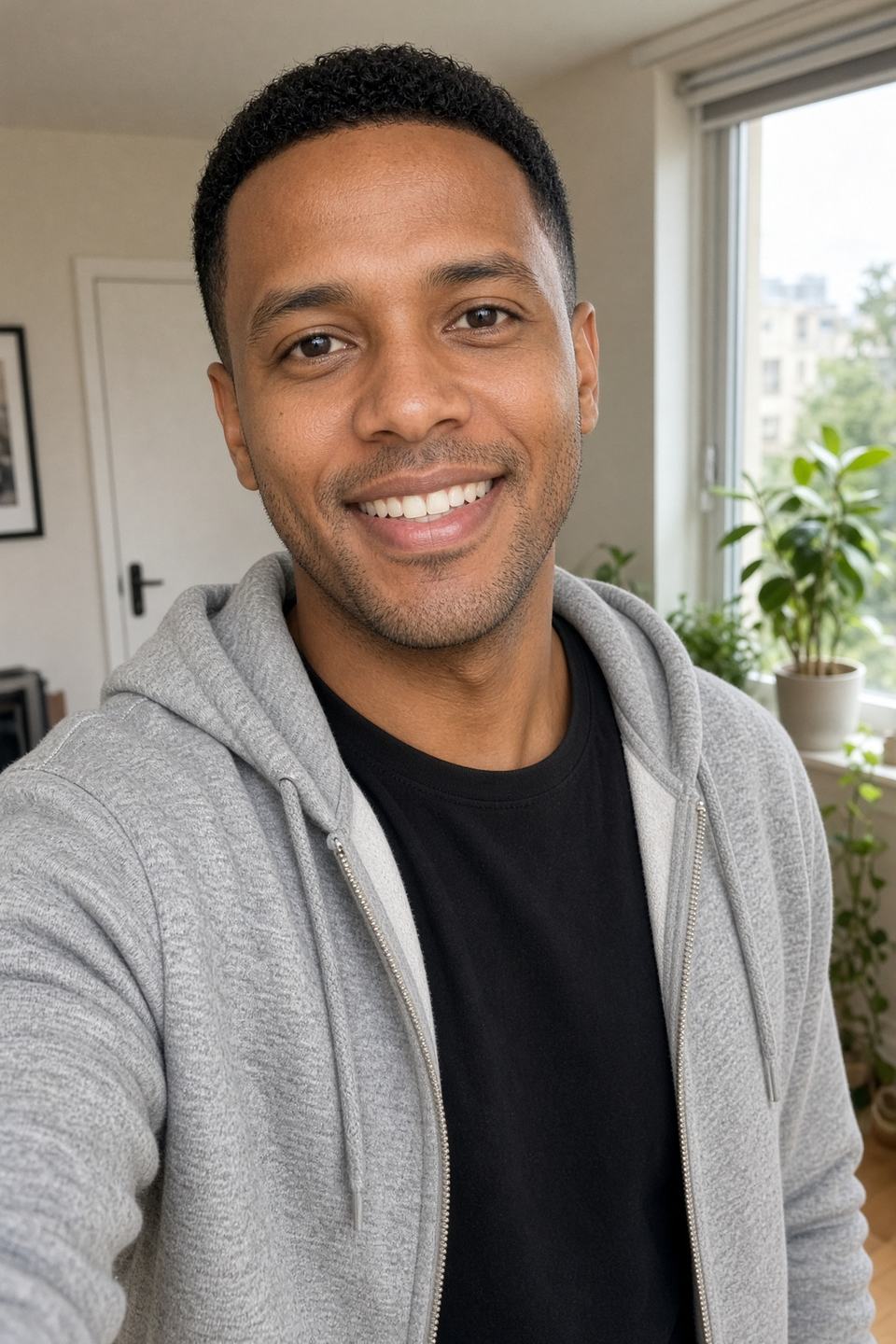
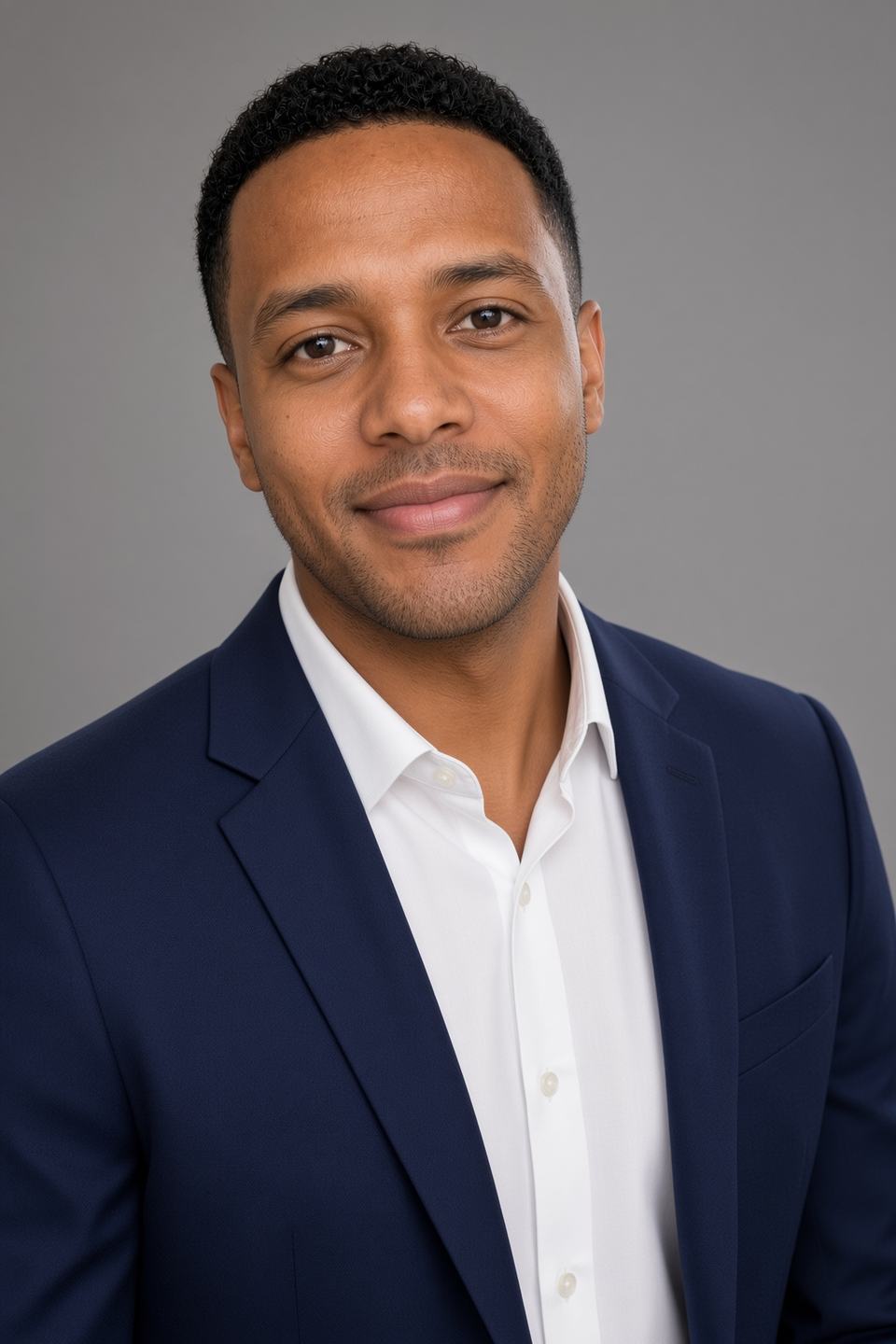


Use coupon code at checkout → Create your headshots on Magic Studio
Quick Verdict
InstaHeadshots is now Magic Studio. It is the same company, the same AI headshot engine, the same support team and the same account — under a new name and a new domain. Nothing was shut down, nothing was sold off, and nothing you paid for was lost.
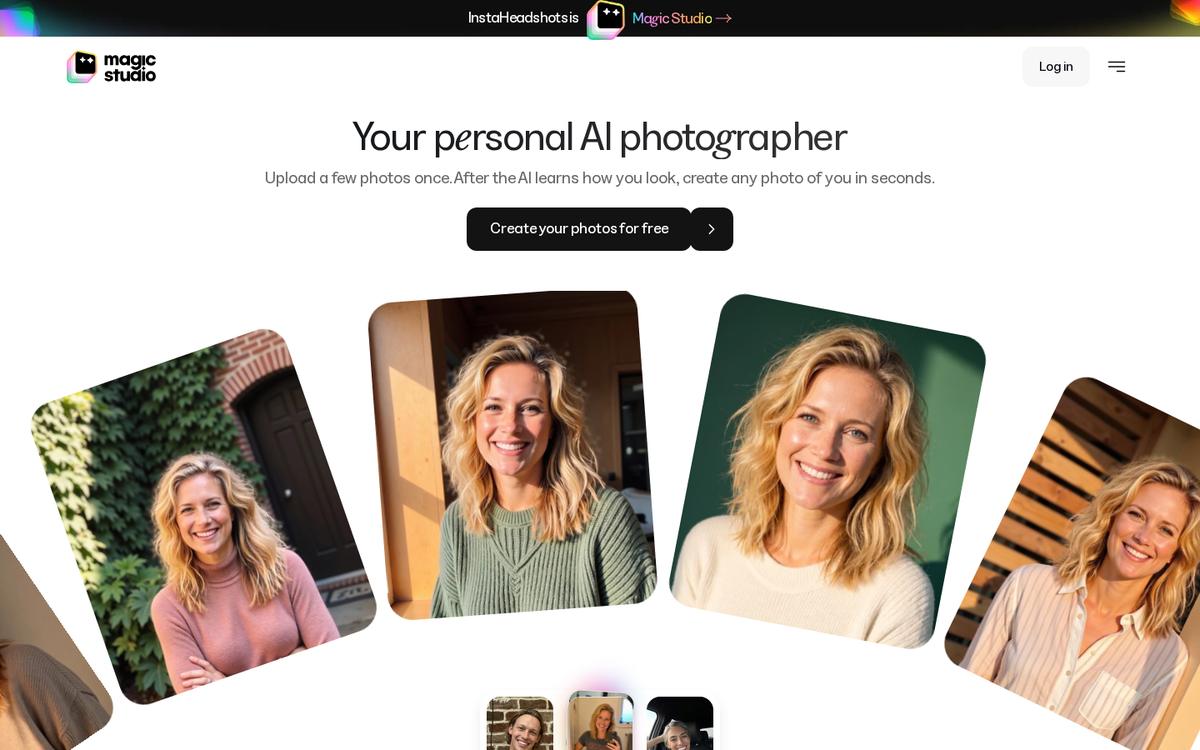 The live homepage: InstaHeadshots is now Magic Studio. Same login, same headshots, new name.
Here is the fastest possible summary for anyone who landed here because a bookmark broke or a login stopped looking familiar:
- The website moved.
instaheadshots.comnow permanently redirects tomagicstudio.com/headshots. - The app moved.
app.instaheadshots.comnow redirects toapp.magicstudio.com. - The login is the same. Sign in at app.magicstudio.com/login with the exact same email address and the exact same sign-in method you used on InstaHeadshots. If you used "Sign in with Google" before, keep using Google.
- Your stuff carried over automatically. Headshots, favourites, edited photos, upscaled high-resolution files, multiple profiles, unused credits, completed purchases and team dashboards all moved with you. You do not need to create a new account, and no repurchase is required.
- One quirk catches people out. If you also had an old account for the original Magic Studio free photo tools (Magic Eraser, Background Remover, and so on), that account and your InstaHeadshots-origin account stay separate, even when both use the same email address. They are not merged.
- The product got bigger. Magic Studio is no longer positioned as a headshot generator alone. It is now pitched as a personal AI photographer: professional headshots plus social, dating, website and lifestyle photos from the same personal AI model.
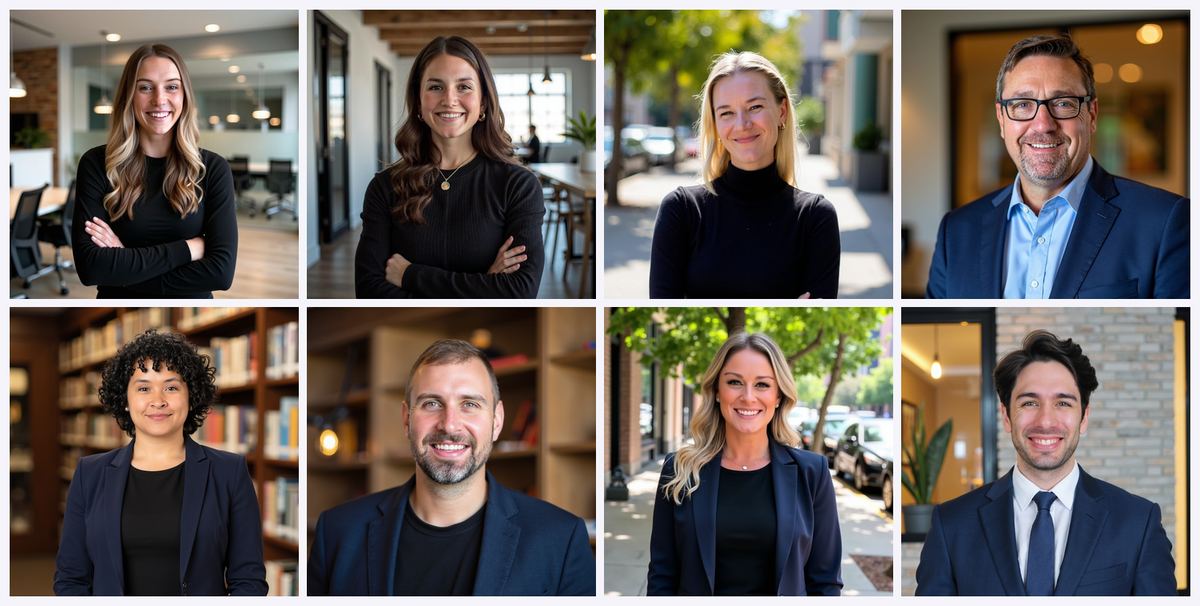 Official Magic Studio examples from the current product.
Should you still use it? Yes — and arguably more than before, because the pay-after-you-see-them model survived the rebrand intact. You can upload photos, get a full preview set generated, and only pay if you actually like what you see.
The money part: apply at checkout to knock the price down before you confirm payment. Start here → https://headshots.magicstudio.com?utm_source=linkedin_tla&utm_medium=paid-social&utm_campaign=12824157&utm_content=Aliakbar+Haveliwala&fpr=affinco (the link forwards straight into the new Magic Studio flow).
The Coupon, Up Front: AFFINCO10
Most people who search "instaheadshots magic studio" are doing one of two things: trying to log in, or trying to work out whether the rebranded service is still worth buying. If you are in the second group, do not pay full price.
Coupon code:
Where to apply it: on the pack selection / checkout screen, after your preview set of photos has been generated.
Redemption link: https://headshots.magicstudio.com?utm_source=linkedin_tla&utm_medium=paid-social&utm_campaign=12824157&utm_content=Aliakbar+Haveliwala&fpr=affinco
A few honest notes so nobody gets surprised:
- Magic Studio prices vary by location, so the number you see is not necessarily the number a reader in another country sees. Always confirm the discounted total on screen before you hit pay.
- Headshot packs are one-time purchases, not subscriptions. You are not signing up for a recurring bill.
- Because you preview the whole set before paying, apply the code at the exact moment you decide to buy — there is no rush to enter it before you have seen your photos.
Keep in your clipboard. It will come up again several times below, because there are three or four different points in the new Magic Studio journey where it becomes relevant.
What Actually Happened: InstaHeadshots → Magic Studio Explained
Let us do this cleanly, because the internet is currently full of half-answers.
InstaHeadshots was an AI headshot generator. You uploaded selfies, it trained a small personal model on your face, and roughly fifteen minutes later you had a gallery of professional-looking headshots for LinkedIn, a résumé, a company bio page or a speaker profile.
Magic Studio was, separately, a suite of free browser-based AI photo tools from the same company — background removal, object erasing, image upscaling, text-to-image generation, file conversion. Two brands, one team.
Those two things have now been consolidated under a single name. The headshot product is now called Magic Studio and lives at magicstudio.com/headshots. The company describes it as the same product and the same account experience, simply operating under a new name.
The reasoning the team gives is straightforward: InstaHeadshots began as an experiment in late 2023, grew into a large headshot service, and then ran into the limits of its own name. Customers kept asking for more than headshots. "InstaHeadshots" is a hard brand to stretch into dating photos, Instagram photos, holiday photos or website photography. "Magic Studio" is not. The stated ambition is to build a personal AI photography platform rather than a single-purpose headshot tool.
That is the whole story. No acquisition drama, no service shutdown, no data migration you have to opt into.
Ready to try the new version? → Create your photos on Magic Studio and remember at checkout.
The URL Move: Every Link That Changed
This is the section most people actually need. Bookmarks, saved emails, browser autofill entries, HR onboarding docs and internal wikis are all still pointing at the old domain. Here is the current mapping.
Old URLs and where they now go
instaheadshots.com→ permanently redirects tomagicstudio.com/headshots(the AI headshot generator landing page).app.instaheadshots.com→ redirects toapp.magicstudio.com(the actual application, where your gallery lives).- Old deep links → existing links are routed through to the corresponding Magic Studio destination rather than dying in a 404.
instaheadshots.com/teams/→ the teams product now sits atmagicstudio.com/headshots/teams/.
Because the redirect is permanent rather than temporary, any link equity, saved shortcut or emailed link you have kept from the InstaHeadshots era continues to function. You do not need to hunt down and rewrite every old link — but it is worth updating the two or three you use weekly.
The three URLs worth memorising now
magicstudio.com/headshots— where you start a new headshot set.app.magicstudio.com/login— where you sign in to an existing account.magicstudio.com/instaheadshots— the official migration explainer page, if you ever need to show a colleague that the rebrand is real.
What to do with your bookmarks
A two-minute housekeeping pass saves a lot of confusion later:
- Delete any bookmark labelled "InstaHeadshots login" and replace it with
app.magicstudio.com/login. - Update any saved password-manager entry so the site field points at
magicstudio.com(your credentials themselves have not changed). - If your company wiki, HR handbook or onboarding checklist links to InstaHeadshots for new-hire headshots, swap the URL to
magicstudio.com/headshots/teams/. - If you shared a headshot gallery link with a designer or recruiter, it should still resolve — but re-sending the Magic Studio version avoids questions.
Bookmark this too: https://headshots.magicstudio.com?utm_source=linkedin_tla&utm_medium=paid-social&utm_campaign=12824157&utm_content=Aliakbar+Haveliwala&fpr=affinco — that is your discounted entry point, and is the code that goes with it.
Magic Studio Login: How to Sign In at app.magicstudio.com
If you searched "magic studio login" or "instaheadshots login" and ended up here, this is the section you want.
The short answer
Go to app.magicstudio.com/login and sign in using the same email address and the same sign-in method you originally used on InstaHeadshots.com. There is no new password to create, no migration form to fill in, and no verification step to complete.
Step-by-step: logging in for the first time after the rebrand
- Open
app.magicstudio.com/login. If you type the old app address out of habit, the redirect will carry you here anyway. - Enter the original email address. This is the single most important detail. Not a newer work address, not an alias — the address that received your original headshot-ready notification email.
- Use the original sign-in method. If you previously signed in with Google, click Sign in with Google rather than requesting an email link. Switching methods is the number one cause of "my photos are gone" panic.
- Complete the sign-in. Magic Studio's headshot access has historically been controlled by a password-less system, so expect a link or provider flow rather than a stored password prompt.
- Land in your gallery. Your existing photos should be visible immediately.
Step-by-step: downloading photos you already own
- Sign in at
app.magicstudio.com. - Open the photo you want.
- Choose Download to save that single image.
- For bulk downloads, use Select to Download in the gallery view and grab several at once.
- If you have more than one profile — for example, one set from last year and one from a rebrand of your own personal brand — switch between them from the profile menu.
Troubleshooting: "I logged in but my headshots aren't there"
Work through this list in order before assuming anything was lost:
- Confirm the email address. Check the original delivery email from InstaHeadshots and use exactly that address.
- Confirm the sign-in method. Google sign-in and email sign-in on the same address are not always the same door. Try the Google button if you ever used it.
- Check the profile menu. Multiple photo sets are stored as separate profiles. Your headshots may be sitting under a profile you are not currently viewing.
- Consider the separate-accounts quirk. If your email was also registered with the original Magic Studio free tools, you may be logged into that account instead. Full explanation in the next section.
- Contact support. The team's help address is
help@magicstudio.com, and they will help you get back into the correct account.
Once you are back in and you decide you want a fresh, updated set for 2026, run a new session and apply → start here.
Did Old InstaHeadshots Accounts Carry Over? (Yes — Here's Exactly What Moved)
This is the question with the highest anxiety attached to it, so let us be specific.
The company's position is that the change happened automatically, with no action required from you and no planned downtime. Your existing login continues to work. Everything that was available in your InstaHeadshots account carries over.
What transferred to Magic Studio
- Your account itself — same email, same login, already connected.
- Your headshots — the full generated sets, exactly as they were.
- Your favourites — the images you starred or marked are still marked.
- Your edited photos — any headshot you modified came across with the edits intact.
- Your upscaled and high-resolution images — the 4K versions you paid to upscale are still there.
- Your profiles — if you created multiple photo profiles, each one carried over and remains switchable.
- Your credits — both credits you purchased and credits you were allocated.
- Your purchases — completed packs and available downloads. You do not need to repurchase anything.
- Your teams — team accounts, invited members, pending invitations, team headshots, team credits and the admin dashboard all continue to work as before.
What did not change
- Pricing model. Still preview-first, still pay-only-if-you-like-it, still one-time packs rather than a subscription.
- Privacy and data handling. The rebrand did not alter the privacy or data-retention policy for your personal-photo account.
- Support. Same team, reachable at
help@magicstudio.com. - Output quality. The underlying AI headshot generation is the same engine that produced the results people were reviewing before the name change.
What team admins specifically need to know
If you manage headshots for a company, the practical checklist is short:
- Log in at
app.magicstudio.comwith the same admin email you used on InstaHeadshots. - Tell your team members to do the same with their original email addresses.
- Update the link in your onboarding documentation to
magicstudio.com/headshots/teams/. - Your dashboard, member list, invitations, credits and download permissions should look identical.
Adding headshots for a batch of new hires? Apply at checkout and start from this link.
The Separate-Accounts Quirk (The One Thing That Genuinely Confuses People)
Here is the single most misunderstood part of the whole migration, and the reason a small number of users think their photos vanished.
The problem in one sentence
If you had an account for the original Magic Studio photo tools and an account for InstaHeadshots, those two accounts remain separate — even if both use the identical email address.
Why this happens
Before the rebrand there were two distinct products with two distinct user systems:
- Magic Studio (the tools) — free browser utilities like Magic Eraser, Background Remover, Image Upscaler, Background Blur, the AI Image Generator, the AI Art Generator, and the HEIC-to-JPG and WEBP-to-PNG converters.
- InstaHeadshots — the paid AI headshot generator with personal AI models, packs and credits.
The rebrand merged the branding. It did not merge the account databases. The company is explicit that the two are not being combined, and that activity, purchases or saved work in one account will not show up in the other.
What this means in practice
- Signing in with your email might land you in the tools account, which has no headshots in it, and it will look — incorrectly — like your gallery is empty.
- Credits from the tools side do not spend on headshot packs, and headshot credits do not carry over to the tools side.
- Purchase history is not shared between the two.
- Saved projects from the old photo editor do not appear in your headshot gallery.
How to tell which account you are in
- Headshot account: you see generated photo sets, profiles, packs and credits. Reached through
app.magicstudio.com. - Tools account: you see the editor interface and utility tools, not a personal photo gallery. Reached through the individual tool URLs.
Where the original Magic Studio tools live now
The free tools were not retired. They remain available at their existing URLs, and the photo editor that used to open from the old Magic Studio homepage now sits at magicstudio.com/photo-editor. Continue signing into that with your existing Magic Studio tools login.
So the correct mental model after the rebrand is:
magicstudio.com/headshots+app.magicstudio.com= the personal AI photographer product, formerly InstaHeadshots.magicstudio.com/photo-editor+ individual tool pages = the original free utility suite, with its own separate login.
If you only ever used InstaHeadshots, none of this affects you. Just sign in and carry on — and if you are due a refresh, is waiting at https://headshots.magicstudio.com?utm_source=linkedin_tla&utm_medium=paid-social&utm_campaign=12824157&utm_content=Aliakbar+Haveliwala&fpr=affinco.
Why InstaHeadshots Became Magic Studio
Brand changes usually have a boring commercial reason behind them. This one has a fairly readable product reason.
The team's own account is that InstaHeadshots started as an experiment in late 2023 and grew into a major headshot service, delivering tens of millions of headshots along the way. Somewhere in that growth, the name became a ceiling rather than an asset.
Think about what the word "InstaHeadshots" promises. It promises exactly one image type: a headshot. But the behaviour the company observed was broader. People were using their personal AI model for dating profile photos, for Instagram, for their own website, for casual social photos — anything where they needed a good picture of themselves and did not want to hire a photographer.
You cannot credibly sell "vacation photos" under a brand with "headshots" in the name. Hence Magic Studio, and hence the repositioning from AI headshot generator to personal AI photographer.
What the company says is coming next
The stated roadmap has four themes:
- A comprehensive platform — personal branding and photo creation tools consolidated in one place rather than scattered across sub-brands.
- More powerful editing — bringing the strength of the wider Magic Studio toolset to bear on your personal photos.
- More photo categories — social media, dating, vacation photos and other personal use cases beyond the professional headshot.
- More AI workflows — including group photos and pet photos.
Whether all of that ships on schedule is, as always, a wait-and-see. But the direction explains the rename entirely.
What's Actually New in Magic Studio (Beyond the Name)
The rebrand is not purely cosmetic. The product framing and the surrounding feature set have both widened. Here is what is materially different from the old InstaHeadshots experience.
1. From one photo type to several photo collections
Instead of "here are your headshots, done", the flow now starts you with professional headshots and then opens up. After purchasing a pack, credits let you explore additional looks from professional, social and dating collections, or generate more photos in a style you already liked.
The marketing framing on the new homepage is telling — it organises example outputs around moments rather than job titles: on LinkedIn, for a customer, on Instagram, on a date, on a Friday night, for your website.
2. A real editing layer
This is the biggest functional upgrade. Editing unlocks after you purchase a pack, and it goes well beyond a filter. On any generated photo you can change:
- The outfit
- The backdrop
- The hairstyle and hair colour
- Glasses (add or remove)
- Expression
- Eye colour and gaze direction
- Wrinkle reduction
- Jewellery removal
On top of that there are two free-form tools:
- Magic Edit — describe the change you want in your own words and let the model apply it.
- Magic Eraser — remove small distractions from the image. Notably, Magic Eraser does not consume credits.
For anyone who has ever loved a headshot but hated the tie, this is the feature that changes the value calculation.
3. "More like this" generation
If one photo in your set is clearly the winner, you can generate more images in that same direction rather than gambling on a whole new set.
4. Personal AI model retention changed
On the personal-photo side, your personal AI model is automatically deleted after 90 days, and you can delete individual photos, whole sets or your entire account whenever you want from Account settings. The older headshot documentation also describes automatic deletion of images 30 days after headshots are created. Either way, the direction of travel is the same: your likeness is not kept indefinitely, and deletion is available on demand.
5. Teams got a cleaner home
Magic Studio for Teams lets an admin invite members by email, generate professional headshots for everyone, and manage progress and downloads from a single dashboard. Each person receives their own individual headshots while the admin handles payment and access.
Want to test the new editing tools without paying full freight? Use → Start your set.
How Magic Studio Works Now: The Full Walkthrough
The core loop survived the rebrand almost untouched, which is good news — it was the strongest part of InstaHeadshots.
Step 1: Upload a few photos, once
You upload a set of clear, recent photos that show what you look like. The AI extracts your features — face, hair, eyes — and builds a personal AI model from them.
Step 2: The AI learns how you look
Training happens server-side. You do not need to keep the browser tab open. Most sets are ready in around 15 minutes, though it can run longer during busy periods, and you get an email when your photos are ready.
Step 3: Get 50 photos to preview
Magic Studio generates 50 watermarked photos for you to review before any payment is taken. This is the "pay only after you love your headshots" model that made the original product popular, and it is still in place.
Step 4: Decide, then pay
If you like the set, you purchase a pack to remove watermarks and unlock downloads. If you do not like the set, you can retry once for free using a new batch of uploaded photos. The retry generates a completely new set of 50 and replaces the previous one.
Because you review the entire set before paying, purchases are non-refundable except where required by law — which is a fair trade when you are shown the goods first.
Step 5: Edit and refine
Post-purchase, the editing suite opens up: outfits, backdrops, hairstyles, expressions, Magic Edit, Magic Eraser, upscaling, and "more like this" generation.
This is the point where matters — it applies at Step 4, the moment you convert from preview to purchase. Go in through https://headshots.magicstudio.com?utm_source=linkedin_tla&utm_medium=paid-social&utm_campaign=12824157&utm_content=Aliakbar+Haveliwala&fpr=affinco so the code is attached to your session.
Photo Upload Requirements: How to Get Results Worth Paying For
The single biggest variable in AI headshot quality is not the model. It is your input photos. Magic Studio's own guidance is specific, and following it is the difference between a set you buy and a set you retry.
What to upload
- At least 10 photos. More is generally better than fewer.
- Clear and recent. An old photo teaches the model an old version of your face.
- Solo shots only. No group photos — the model needs to know unambiguously which face is yours.
- Mostly close-ups, plus at least two waist-up shots.
- A mix of outfits, backgrounds and lighting. Variety prevents the model from baking one shirt or one wall into every output.
- Face the camera directly in most of them.
- Consistent appearance across the set. If you wear glasses in half the photos and not the other half, the outputs get unpredictable.
Why consistency matters more than people expect
Features that appear consistently in your uploads — glasses, facial hair, a particular hairstyle — get reinforced in the generated headshots. Features that appear inconsistently confuse the model. If you want glasses in your headshots, wear them in your uploads. If you do not, leave them off entirely.
Common upload mistakes to avoid
- Heavy filters or beauty-mode selfies (the model learns the filter, not you).
- Sunglasses, hats or anything obscuring the face.
- Extreme angles, harsh backlighting or motion blur.
- Ten near-identical selfies taken in the same two minutes.
- Photos from a significantly different life stage — a different weight, a beard you no longer have, a haircut from three years ago.
Get the uploads right and the first set is usually the set you buy. Which is exactly when you want in the coupon field.
Magic Studio Pricing, Packs and Credits (2026)
Pricing varies by location, so treat the figures below as the structure rather than a universal price list. The headshots landing page currently advertises a starting price of $59 USD for a set of 50 headshots across 5 looks, ready in about 15 minutes.
The three packs
Starter
- Download three standard-resolution headshots
- Includes 3 credits
- Best for: someone who needs one great LinkedIn photo and a spare
Standard
- Unlocks all 50 standard-resolution headshots
- Includes 3 credits
- Best for: most people — a full library of looks for LinkedIn, résumé, bio pages and Slack
Premium
- Unlocks all 50 photos in 4K at 300 DPI
- Includes 50 credits
- Best for: print use, speaker profiles, press kits, and anyone who wants to edit extensively
How credits work
Credits are the currency for everything beyond the base download:
- Most editing tools: 1 credit each
- Magic Eraser: free, no credits consumed
- Creating five photos in a new look: 5 credits
- Generating five "More like this" photos: 5 credits
- Upscaling one photo to 4K: 5 credits
Additional credits can be purchased after you have bought a base pack.
Resolution, and why it matters for printing
- Standard photos: 1024 × 1024 pixels — fine for websites, social profiles, LinkedIn, Slack, and most digital use.
- Premium photos: 4K at 4096 × 4096 pixels and 300 DPI — the tier you want for business cards, printed programmes, press kits and large-format use.
- Starter and Standard buyers can still upscale individual photos to 4K at 5 credits per photo, so you are not locked out of print quality.
Licensing and commercial rights
You retain full rights to use your purchased photos for personal or commercial purposes: websites, LinkedIn, résumés, advertisements, business cards and printed materials. Purchased downloads carry no watermark and require no attribution.
Where AFFINCO10 fits
The pack decision is where most people hesitate — Standard versus Premium is usually a $20–$40 gap depending on region. Applying frequently makes the better tier land at roughly the price you had mentally budgeted for the lower one. That is the practical argument for using it: not saving money on the cheap pack, but affording the good pack.
→ Apply AFFINCO10 and choose your pack
Is Magic Studio Still Good? The Credibility Signals
Rebrands sometimes coincide with a quality drop. This one does not appear to. The public-facing trust indicators on the new Magic Studio pages are the same ones InstaHeadshots carried, or better:
- Rated 5 out of 5 on Trustpilot, with the headshots page citing 16,436+ reviews and the new studio homepage citing 13,245 reviews at time of writing.
- 36 million professional headshots created according to the headshots landing page.
- 421,000 professionals served, with a 4.9 Google rating displayed alongside.
- Trusted-by logos spanning universities and large employers including Harvard, MIT, Caltech, Columbia, NYU, Michigan, Amazon, Google, Meta, Microsoft, NVIDIA, Tesla, Uber, Booking, Goldman Sachs and Sotheby's.
- A stated satisfaction position of 99.9% of customers liking their headshots on first sight — which is a marketing number, but consistent with the preview-first model that makes disappointment rare.
Reviews themselves are what you would expect from a mature product: repeated praise for speed, variety of backgrounds and outfits, and accuracy of likeness, including for people with curly hair, which has historically been a weak point for AI portrait models.
The company behind it operates as aarzoo, Inc.
Who Magic Studio Is For (And Who Should Skip It)
Strong fit
- Job seekers. A consistent, professional profile photo across LinkedIn, a résumé PDF and a portfolio site.
- Remote and distributed teams. On-brand headshots without coordinating a photographer across five time zones.
- Founders and executives. Multiple looks — formal, business casual, approachable — from one session.
- Doctors, lawyers, realtors and consultants. Trust-sensitive professions where a webcam screenshot actively costs you business. Magic Studio maintains dedicated pages for doctor, lawyer, realtor, CEO, executive and corporate headshots.
- Medical residency applicants. There is an ERAS headshots page and a free ERAS photo checker, which is a genuinely specific piece of tooling.
- Anyone rebranding themselves. New haircut, new industry, new decade — you need current photos and you need them this week.
- People who hate being photographed. The preview-first model means you never sit through an awkward shoot to discover you dislike the results.
Weaker fit
- Anyone who needs photos of a specific real moment. AI generates plausible photos of you; it cannot document an event that happened.
- Full-body fashion or product photography. Wrong tool. The tools suite handles product images; the headshot engine is face-first.
- People with very few usable existing photos. The model needs roughly ten varied, clear, recent solo shots. If you cannot assemble that, results will suffer.
- Anyone in a context where AI-generated imagery is disclosed or prohibited. Some employers, publications and platforms have policies. Check first.
- People who want zero AI likeness stored anywhere. Even with 90-day model deletion and on-demand removal, the training step is unavoidable.
If you are in the first list, there is no reason to pay list price. → https://headshots.magicstudio.com?utm_source=linkedin_tla&utm_medium=paid-social&utm_campaign=12824157&utm_content=Aliakbar+Haveliwala&fpr=affinco
Privacy and Data Handling After the Rebrand
Worth addressing directly, because uploading ten photos of your face to a service that just changed its name is a reasonable thing to feel cautious about.
The stated position is that the rebrand did not change privacy or data-retention policies for the personal-photo account. Specifically:
- Your photos are used only to create your personal AI model and generate photos of you. They are not used to train the company's general AI models or anyone else's.
- Your personal AI model is automatically deleted after 90 days. The headshots documentation also describes automatic deletion of images 30 days after headshots are created.
- You can delete on demand — a single photo, a set of photos, or your entire account, from Account settings.
- Photos are never shared or sold. The company states it does not share your images, does not sell your data and does not run ads with your information.
- Security posture: access has been controlled by a password-less system, with data encrypted in transit and stored only for the required period.
- An individual AI model is trained per photoshoot, rather than your images being folded into a shared model.
If data handling is your deciding factor, read the current privacy policy at magicstudio.com/privacy-policy before uploading — policies get revised, and the version live when you read this is the one that governs you.
The Free Magic Studio Tools Are Still There
Because the rebrand pointed the Magic Studio name at the headshot product, a lot of people assumed the free utilities were retired. They were not.
Still available at their existing URLs:
- Magic Eraser — remove unwanted objects from photos
- Background Remover — cut subjects out of backgrounds
- Image Upscaler — increase resolution
- Background Blur — depth-of-field effect
- AI Image Generator — text-to-image with aspect-ratio and style presets
- AI Art Generator — stylised generation
- HEIC to JPG converter — for iPhone photos that will not open on Windows
- WEBP to PNG converter — for web images that need to go into a document
- Free ERAS photo checker — validates a photo against residency application requirements
- Seasonal generators — including a 4th of July photo generator and a football World Cup fan studio
And the photo editor that used to launch from the old Magic Studio homepage now lives at magicstudio.com/photo-editor.
Remember: these use your original Magic Studio tools login, which is a different account from your headshot account. That separation is not a bug — it is the documented behaviour.
How to Redeem AFFINCO10: Step by Step
No ambiguity here. This is the exact sequence.
- Open the redemption link. Go to https://headshots.magicstudio.com?utm_source=linkedin_tla&utm_medium=paid-social&utm_campaign=12824157&utm_content=Aliakbar+Haveliwala&fpr=affinco. The old domain redirects you into the current Magic Studio headshot flow automatically.
- Start a new photo set. Click through to create your headshots. Account creation is free.
- Upload your photos. Follow the guidance above — at least 10, varied, recent, solo, mostly close-ups with a couple of waist-up shots.
- Wait for generation. Roughly 15 minutes typically. You do not need to keep the tab open; an email arrives when the set is ready.
- Review your 50 previews. They will be watermarked. Take your time. This is the whole point of the model.
- Choose your pack. Starter, Standard or Premium.
- Enter in the coupon or promo code field at checkout.
- Confirm the discounted total on screen before paying. Prices vary by region, so verify rather than assume.
- Complete payment and download. Watermarks disappear, editing unlocks, credits land in your account.
Coupon troubleshooting
- Field not visible? It usually appears on the payment screen rather than the pack selection screen. Look for "Promo code", "Coupon" or "Have a code?".
- Code rejected? Check for stray spaces from copy-paste. It is , all caps, no spaces, no hyphen.
- Started from a different link? Begin a fresh session from https://headshots.magicstudio.com?utm_source=linkedin_tla&utm_medium=paid-social&utm_campaign=12824157&utm_content=Aliakbar+Haveliwala&fpr=affinco to be safe.
- Already have credits from the InstaHeadshots era? Spend those first — they carried over, and a coupon on a purchase you did not need to make is not a saving.
The Complete Migration Checklist
Print this, or work through it once and forget about it.
If you are an existing InstaHeadshots customer:
- Go to
app.magicstudio.com/login. - Sign in with your original email address.
- Use your original sign-in method — Google if you used Google.
- Confirm your headshots, favourites and edits are visible.
- Check the profile menu if anything looks missing.
- Verify your credits and purchase history carried over.
- Download anything important to local storage as a personal backup.
- Update your bookmark to the Magic Studio URL.
- If you also used the free tools, remember that is a separate account.
- Email
help@magicstudio.comif anything is genuinely missing.
If you are a team admin:
- Sign in with the original admin email.
- Confirm your member list, invitations and dashboard.
- Verify team credits.
- Notify members that the login moved to
app.magicstudio.com. - Update internal documentation to
magicstudio.com/headshots/teams/.
If you are brand new:
- Start at https://headshots.magicstudio.com?utm_source=linkedin_tla&utm_medium=paid-social&utm_campaign=12824157&utm_content=Aliakbar+Haveliwala&fpr=affinco.
- Gather 10+ clear, recent, varied solo photos.
- Upload and wait roughly 15 minutes.
- Review your 50 free watermarked previews.
- If unhappy, use your one free retry with different photos.
- If happy, pick a pack and apply .
- Download, edit, upscale if you need print resolution.
Frequently Asked Questions
Is InstaHeadshots now Magic Studio?
Yes. InstaHeadshots is now Magic Studio, and the headshot service lives at magicstudio.com/headshots. It is described as the same product and the same account experience operating under a new name that leaves room for more than professional headshots.
Where do I log in to Magic Studio?
At app.magicstudio.com/login, using the same email address and sign-in method you used for InstaHeadshots. If you previously used Google sign-in, continue using Sign in with Google.
Does the old instaheadshots.com login page still work?
The old domain redirects. instaheadshots.com permanently forwards to magicstudio.com/headshots, and app.instaheadshots.com forwards to app.magicstudio.com. Existing links route through to the corresponding Magic Studio destination.
Do I need to create a new account?
No. The change happened automatically, with no action required and no planned downtime. Your existing login continues to work.
Are my old headshots still available?
Yes. Everything that was available in your InstaHeadshots account carries over automatically — headshots, favourites, edited photos, high-resolution images and profiles.
What happened to my credits and purchases?
They carried over. Purchased packs, available downloads and remaining credits transferred to Magic Studio automatically. No repurchase is required.
What about my team account?
Your team, members, invitations, headshots, credits and dashboard continue to work as before. Admins and members should sign in with the same email addresses they used on InstaHeadshots.
I logged in but I can't see my headshots. What now?
Check three things in order: that you used the same email address, that you used the same sign-in method, and the profile menu in case the photos sit under a different profile. If none of that works, contact help@magicstudio.com.
I had an old Magic Studio tools account too. Are they merged?
No. Your original Magic Studio tools account and your former InstaHeadshots account remain separate, even when both use the same email address. They are not being merged, and activity, purchases or saved work in one will not appear in the other.
Where did the original Magic Studio photo editor go?
It now lives at magicstudio.com/photo-editor. The other tools remain at their existing URLs. Sign in there with your existing Magic Studio tools login.
Did the privacy policy change with the rebrand?
No. The rebrand did not change privacy or data-retention policies for the personal-photo account. The personal AI model is still automatically deleted after 90 days, and account deletion remains available in Account settings.
Can I try Magic Studio for free?
Yes. You can create and preview your first set of 50 watermarked photos without paying. You only purchase when you want watermark-free downloads or editing access.
Is it a subscription?
No. Personal AI photo packs are one-time purchases, not subscriptions.
How long does it take?
Most sets are ready in around 15 minutes, though it can take longer at busy times. You do not need to keep the page open — an email arrives when the photos are ready.
How many photos do I need to upload?
At least 10 clear, recent solo photos: mostly close-ups plus at least two waist-up shots, with varied outfits, backgrounds and lighting, facing the camera, with a consistent appearance throughout.
What if I don't like the results?
Before paying, you can retry once for free using a new set of uploaded photos. The retry creates a completely new set of 50 and replaces the previous one. Because you review the whole set before deciding, payments are non-refundable except where required by law.
Can I edit the photos afterwards?
Yes, once you have purchased a pack. You can change outfit, backdrop, hairstyle, hair colour, glasses, expression, eye colour and gaze, reduce wrinkles, remove jewellery and more — plus Magic Edit for free-form described changes and Magic Eraser for small distractions.
Are the photos high enough resolution to print?
Standard photos are 1024 × 1024 pixels, which suits websites and profiles. Premium includes every photo at 4K (4096 × 4096) and 300 DPI. Starter and Standard buyers can upscale individual photos to 4K for 5 credits each.
Can I use the photos commercially?
Yes. You get full rights for personal or commercial use — websites, LinkedIn, résumés, advertisements, business cards and printed materials. Purchased downloads have no watermark and need no attribution.
What is the Magic Studio coupon code?
. Apply it in the promo code field at checkout after your preview set has been generated. Start from https://headshots.magicstudio.com?utm_source=linkedin_tla&utm_medium=paid-social&utm_campaign=12824157&utm_content=Aliakbar+Haveliwala&fpr=affinco.
Does AFFINCO10 work for team purchases?
Enter it at checkout and confirm the discounted total before paying. Team pricing already scales with the number of profiles purchased, so check whether the code or the volume tier gives the better outcome for your headcount.
Final Verdict: Same Product, Bigger Ambition, Same Coupon Logic
The InstaHeadshots to Magic Studio transition is one of the least disruptive rebrands you will encounter. The domain moved, the app moved, and the name got broader — but the account, the photos, the credits, the teams and the pay-only-if-you-like-it model all survived untouched.
The three things to remember:
- Log in at
app.magicstudio.com/loginwith your original email and original sign-in method. - Your old InstaHeadshots data is all there. If it looks missing, it is almost always the profile menu or the separate-accounts quirk.
- The free-tools account and the headshot account are different accounts, even on the same email.
As for whether it is worth buying in 2026: the preview-first structure means the risk is unusually low. You see 50 generated photos before spending anything, you get one free retry if the first set misses, and the new editing layer means a near-miss photo can be fixed rather than discarded. That is a materially better deal than it was under the old brand.
Do not pay full price for it.
→ Start here: https://headshots.magicstudio.com?utm_source=linkedin_tla&utm_medium=paid-social&utm_campaign=12824157&utm_content=Aliakbar+Haveliwala&fpr=affinco → Apply coupon code: at checkout
Upload your photos today, review your set in about fifteen minutes, and only reach for your card once you have seen something you actually want to use.
Pricing, pack contents and feature availability vary by region and are subject to change. Verify the current price and your discounted total on the checkout screen before completing any purchase. Details in this article reflect Magic Studio's published information at the time of writing.