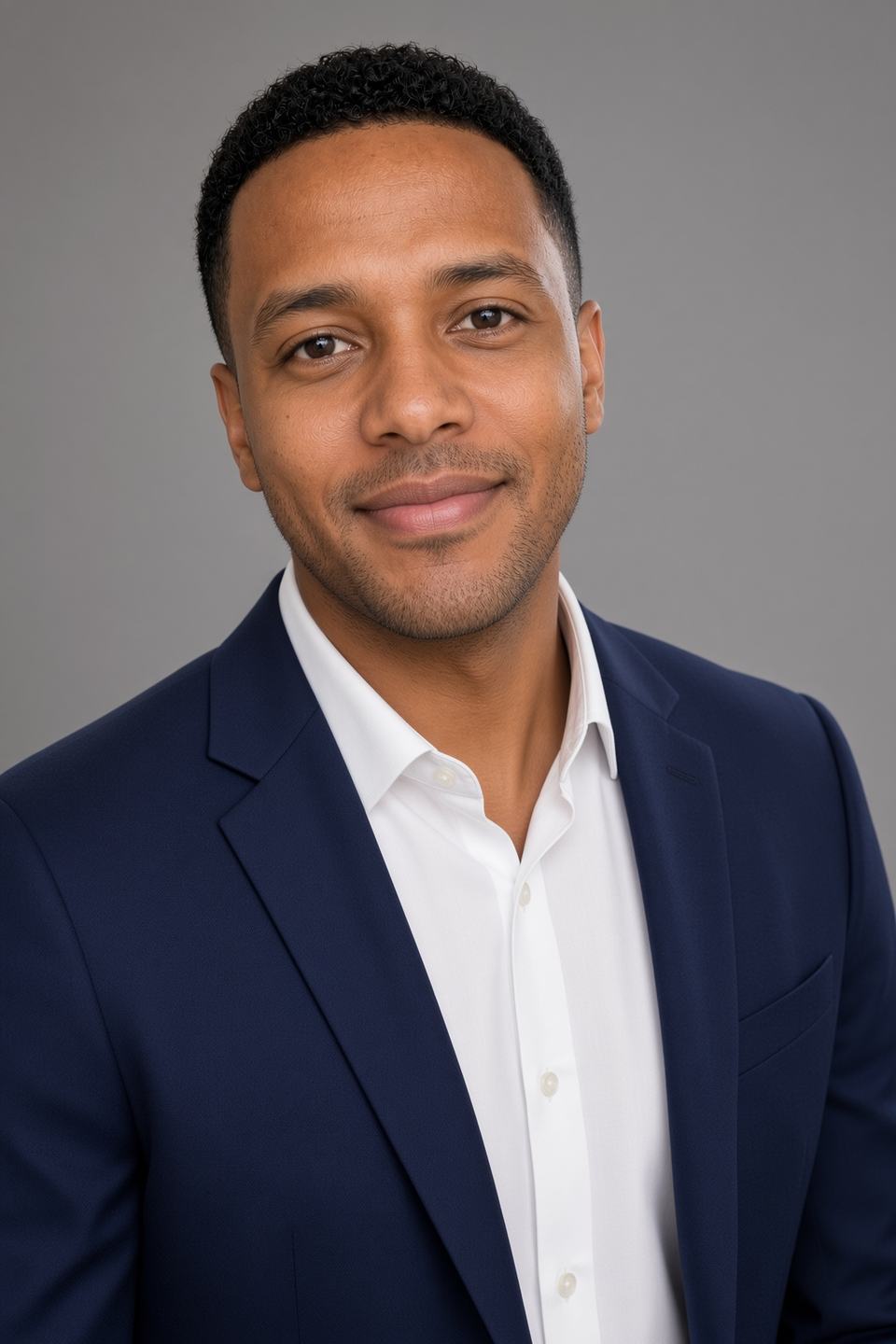

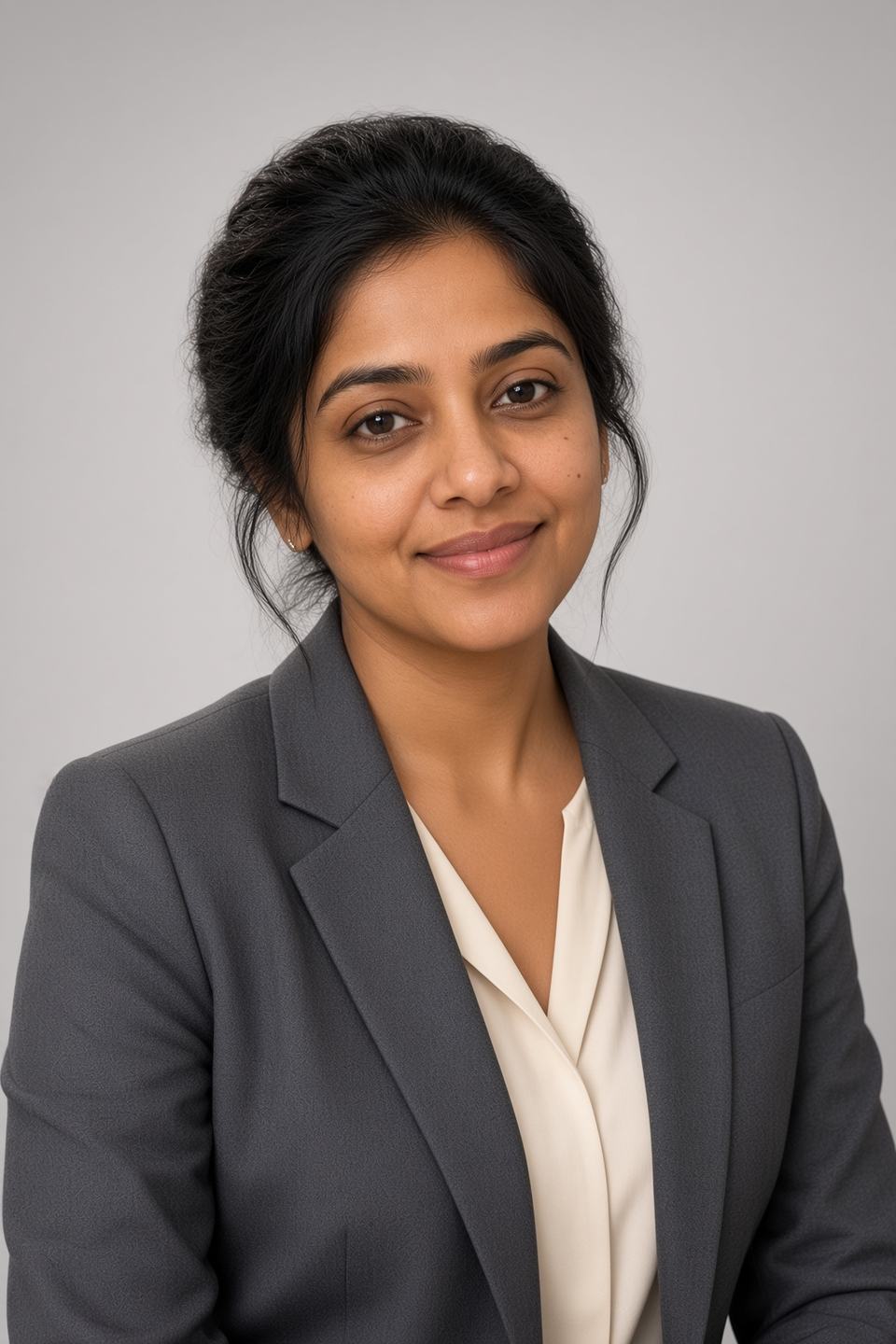
Meta title: Is Magic Studio Free? What You Get Without Paying in 2026 Meta description: Magic Studio (formerly InstaHeadshots) generates 50 AI headshots before you pay a cent. Here's exactly what's free, what's watermarked, and how coupon AFFINCO10 cuts your cost.
Quick Verdict
Yes — Magic Studio is free to try, and it is unusually generous about it. You upload your photos, the AI trains a personal model on your face, and it delivers a full set of 50 finished headshots that you can look at, zoom into, and judge before you spend anything. Every preview carries a watermark, and downloading a clean copy is what costs money. There is no free trial timer, no credit card at signup, and no subscription — headshot packs are one-time purchases.
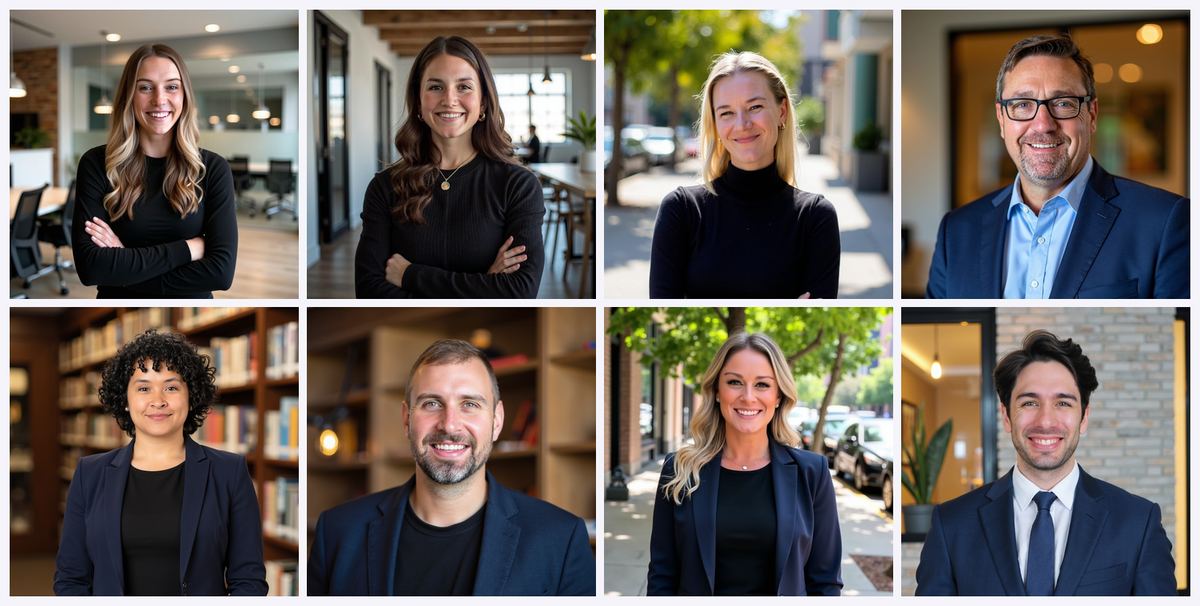
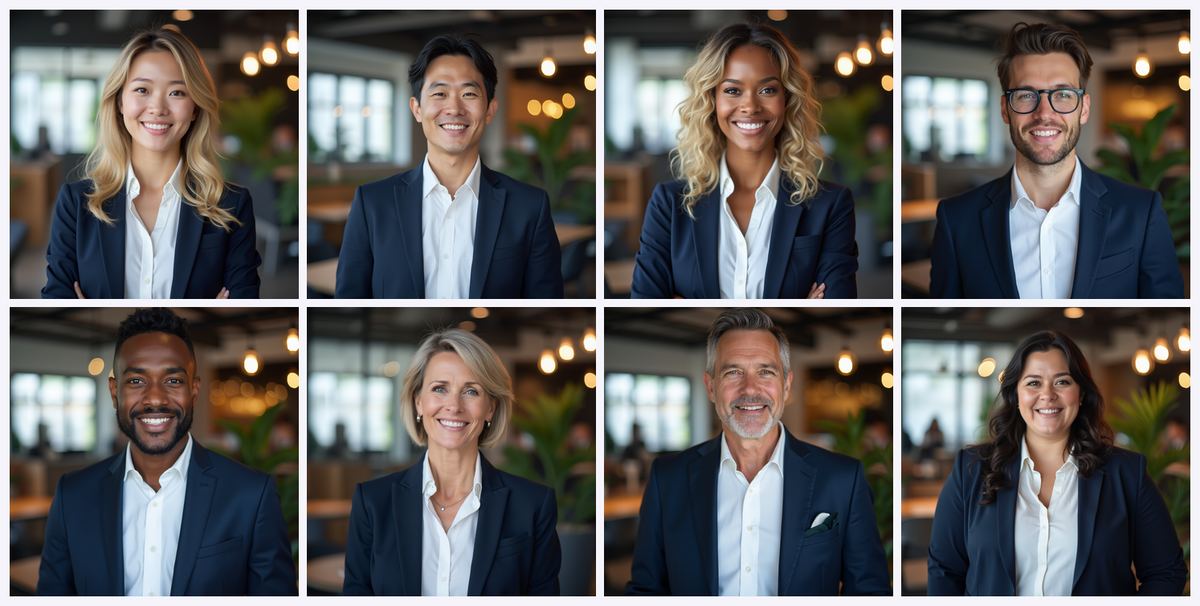
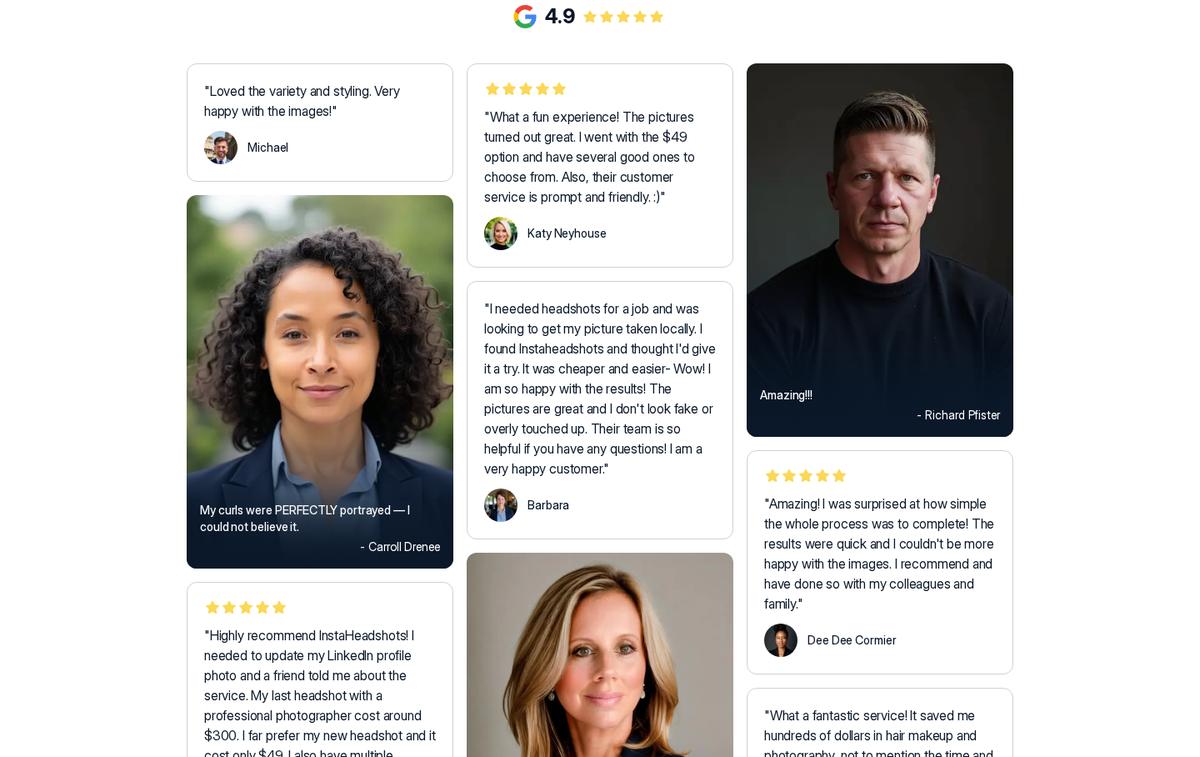 The free preview is the full product flow: upload, train, look at 50 photos — you pay only to download.
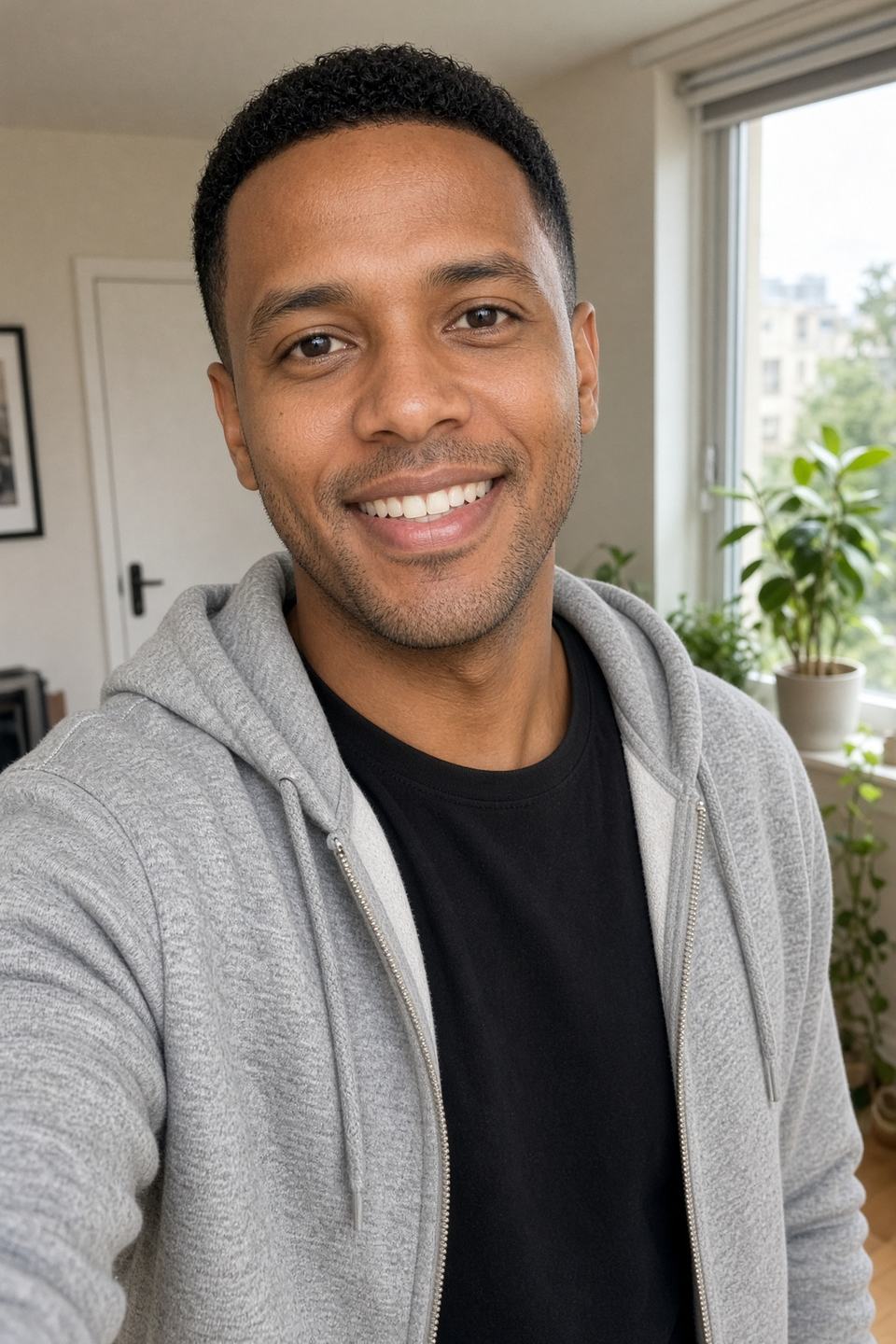
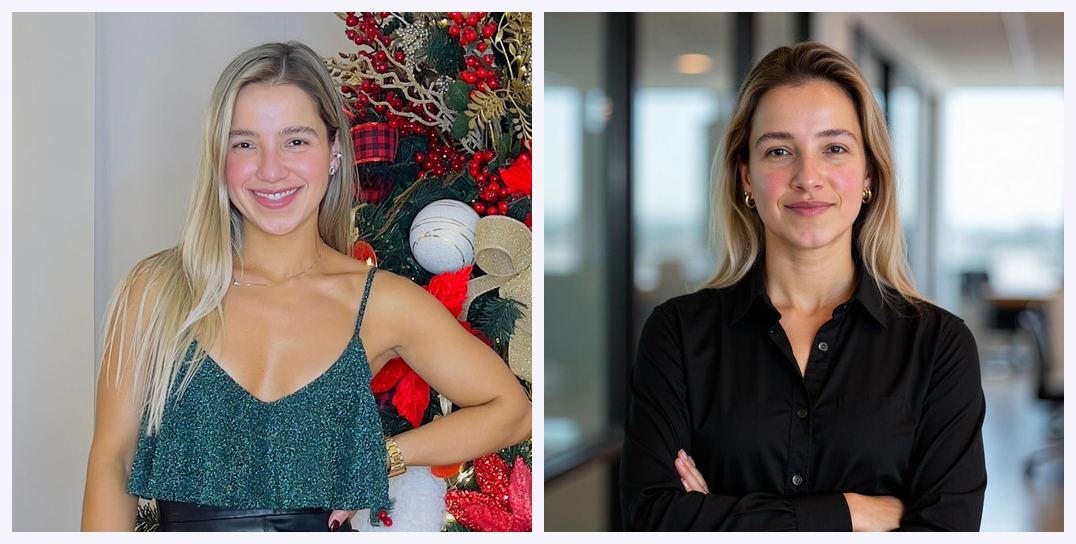 A source photo and the studio-style result. You see this quality before you pay.
Three things make this different from the usual "free AI headshot generator" bait:
- You see the real output, not a sample. Fifty images of your actual face, generated by your actual model, across five looks. Not a stock gallery of somebody else.
- You get one free retry. If the first 50 miss, you can re-upload a different photo set and get a completely new batch of 50 — still without paying.
- There's a genuinely free, no-login tool alongside it. Separate from the paid flow, Magic Studio runs a 100% free AI headshot generator that needs no account and no card at all.
The catch is honest and worth stating plainly: because you review all 50 before buying, purchases are treated as final. That's the trade — full visibility up front instead of a refund window afterwards.
Ready to see your own 50? Start your free Magic Studio headshot preview here → and apply coupon code AFFINCO10 at checkout if you decide to keep them.
The Short Answer, In One Paragraph
Magic Studio is free to use up to the download. You pay nothing to upload photos, nothing to train your personal AI model, and nothing to preview all 50 generated headshots. Payment is triggered only when you want watermark-free downloads, higher resolution, or access to the editing tools. Separately, Magic Studio also operates a completely free AI headshot generator that requires no signup and no payment ever, plus a suite of free photo and AI tools (background remover, Magic Eraser, upscaler, background blur, format converters) that work in the browser without an account. So there are three distinct "free" experiences under one brand, and they are not the same thing — which is exactly where most people get confused.
First, Clear Up the Confusion: InstaHeadshots Is Now Magic Studio
If you searched "is InstaHeadshots free" and landed on a site called Magic Studio, you are in the right place. This is not a redirect scam or a copycat.
InstaHeadshots has been officially rebranded as Magic Studio. The headshot service now lives at magicstudio.com/headshots. It is the same product, the same team, the same underlying AI, and the same account experience under a new name.
Here's what that migration means in practice:
- instaheadshots.com permanently redirects to magicstudio.com/headshots. Old links still work.
- app.instaheadshots.com redirects to app.magicstudio.com.
- Your old account carries over. Same email, same sign-in method. If you used Google sign-in before, keep using Sign in with Google.
- Your existing headshots, favourites, edited photos, high-resolution images, and profiles all moved automatically. Nothing was deleted.
- Purchased packs, available downloads, and remaining credits carried over. You do not repurchase anything.
- Teams carried over too — members, invitations, headshots, credits, and the admin dashboard all continue working.
- No action was required from users. The change happened automatically with no planned downtime.
The company explained the reasoning openly: InstaHeadshots started as an experiment in late 2023, grew into a leading professional headshot service, and eventually outgrew a name that only described one thing. Customers kept asking for more than headshots — social photos, dating photos, vacation photos, group shots. Magic Studio is the broader positioning: a personal AI photographer rather than a single-purpose headshot factory.
One important wrinkle for long-time users: if you already had an account for the original Magic Studio photo-editing tools, that account stays separate from your former InstaHeadshots account — even if both use the same email address. They are not merged. Purchases, activity, and saved work from one will not appear in the other. The original photo editor now lives at magicstudio.com/photo-editor, and the individual tools remain at their existing URLs.
So when someone asks "is InstaHeadshots free," the accurate 2026 answer is: InstaHeadshots as a brand no longer exists, but the free preview model it pioneered is alive, expanded, and now runs under Magic Studio.
Old InstaHeadshots bookmark? It still works. Follow it through to Magic Studio → — and remember AFFINCO10 when you reach checkout.
The 50 Watermarked Previews: The Most Important Free Feature Nobody Explains Properly
This is the heart of the offer, and it deserves a proper breakdown, because it is genuinely unusual in the AI headshot market.
What Actually Happens, Step by Step
- You upload photos. At minimum ten clear, recent solo photos — mostly close-ups, plus at least two waist-up shots. Ordinary photos and selfies work; you do not need professional images.
- Magic Studio builds a personal AI model of you. It extracts your features — face structure, hair, eyes — from the images you supplied. This model is yours alone.
- The AI generates 50 finished headshots. Not thumbnails. Not a teaser of three. A complete set, spread across five looks.
- Every one of those 50 arrives watermarked. You can view them, compare them, zoom in, and decide.
- You get an email when they're ready. Typically around 15 minutes, though it can run longer at busy times. You don't need to keep the page open.
- You only pay when you want to download clean copies or start editing.
That is the whole free flow. No card at the start. No trial countdown. No drip-feed of one image to hook you.
Why "Watermarked Preview" Is Better Than a Free Trial
Most AI headshot tools do one of two things. Either they charge you up front and hope you like the results, or they hand you a tiny free sample — two or three images, often deliberately mediocre — and gate the good stuff behind payment.
Magic Studio inverts that. The company's own framing on the pricing section is blunt: don't pay till you see your amazing headshots. They generate everything, show you everything, and let the work argue for itself.
For you as a buyer, the practical benefits are significant:
- You know your face-match accuracy before spending. AI headshot quality varies enormously by person. Certain hair textures, glasses, facial hair, skin tones, and face shapes are handled better by some models than others. With a 50-image preview, you find out where you land before any money moves.
- You can judge the variety, not just one lucky render. A single flattering sample proves nothing. Fifty images across five looks tells you whether you'd actually get several usable options or just one.
- You can spot the failure modes. AI headshots have recognisable tells — odd ear geometry, mangled glasses arms, weird collar seams, uncanny teeth. Fifty previews let you count how many images are genuinely usable versus how many are quietly broken.
- You avoid the refund fight entirely. There's nothing to dispute if you saw the product first.
What the Watermark Actually Does
The watermark is there to prevent you from using the images commercially without paying — that's it. It is not a quality downgrade, a blur, or a resolution crop designed to hide flaws. You are looking at the real composition, the real lighting, the real likeness. What you're denied is a clean file.
That distinction matters. Some competitors "preview" images at such low resolution or with such heavy obstruction that you cannot actually evaluate them. That defeats the purpose. Here, the preview is an evaluation tool that works.
The Free Retry: Fifty More, Still Free
This is the part most reviews skip.
Before you pay, you can retry once for free using a completely new set of uploaded photos. The retry generates a brand new set of 50 images and replaces the previous set.
So the true free ceiling isn't 50 previews. It's up to 100 previews across two attempts, provided you haven't purchased yet.
That's a meaningful safety net, because the single biggest driver of bad AI headshots is bad input. If your first upload was ten selfies taken in the same room, same shirt, same lighting, same angle, the model will overfit to that narrow slice and your 50 images will look repetitive and stiff. The free retry gives you a real chance to fix that with better source photos rather than writing off the tool entirely.
Use the retry deliberately, not reflexively. Because it replaces the previous set, don't burn it out of mild disappointment. Screenshot anything you liked from set one first, then decide.
That's up to 100 AI headshots of your own face before you spend a cent. Upload your first set free → — coupon AFFINCO10 applies when you're ready to download.
The Honest Trade-Off You Should Know About
Because you review the entire set before deciding to purchase, payments are non-refundable except where required by law. Magic Studio states this directly.
Worth noting: an older FAQ still published on the headshots page describes a satisfaction guarantee with a refund if you feel you don't have at least four decent headshots and haven't downloaded any, contactable within three days. The newer platform FAQ states the non-refundable policy. These two statements coexist on the site right now, and they don't fully agree. If refund terms matter to your decision, check the current terms at checkout or email help@magicstudio.com before purchasing rather than relying on either page.
That's not a knock on the product. It's the kind of detail an honest guide should flag rather than paper over.
Is InstaHeadshots Free? The Direct Answer
Since "is InstaHeadshots free" is still one of the most-searched phrasings, here is the clean answer for anyone arriving on that query:
- Trying it is free. Uploading, model training, and generating 50 headshots costs nothing.
- Previewing is free. All 50 images, viewable in full.
- Retrying once is free. A fresh set of 50 from new source photos.
- Downloading is not free. Clean, watermark-free files require a pack purchase.
- Editing is not free. Editing tools unlock after purchase.
- There is no subscription. Personal AI photo packs are one-time purchases.
- There is no free trial expiry. Your preview isn't on a countdown clock.
And to restate the essential context: InstaHeadshots is now Magic Studio. Any article still describing "InstaHeadshots pricing" as a separate product from Magic Studio headshots is out of date.
Magic Studio No Login: Which Parts Genuinely Need No Account
"Magic studio no login" is a high-intent query, and the honest answer is: it depends entirely on which Magic Studio tool you mean. Three different answers apply.
1. The Free AI Headshot Generator — No Login, No Card, Truly Free
Magic Studio runs a separate, standalone free AI headshot generator. Its own positioning is unambiguous: 100% free headshot generator, no credit card or login required.
How it works:
- Upload a single photo — drag and drop, or select from your device.
- The tool generates polished headshots in seconds.
- Choose from multiple background options, including solid colours, office settings, and creative designs.
- Download directly to your device.
Key facts about this free tool:
- No account needed. You do not create a login to use it.
- No usage limit. You can run it as often as you like, with different photos and backgrounds.
- Instant results. No 15-minute wait, because there's no personal model training involved.
- Free forever. No hidden charges, no subscription.
- Your photos are used temporarily only to generate the headshot; they aren't stored or shared with third parties.
And the honest limitations, straight from Magic Studio's own FAQ:
- Optimised for digital and social use, not print. These are not high-resolution files.
- No advanced editing. You can change photo and background, but that's the extent of the control.
- Positioned for social media first. The results are described as usable for casual professional purposes, but the paid packs are what's recommended for serious professional output.
- No outfit generation or styling. You get your existing photo, cleaned up and re-backgrounded — not a wardrobe of business attire.
This is the right tool if you need a decent LinkedIn or Twitter profile picture in 30 seconds and you're not printing anything. It is the wrong tool if you need a set of varied, styled, print-ready professional headshots.
2. The Photo & AI Tools — Mostly No Login
The original Magic Studio toolset — background remover, Magic Eraser, image upscaler, background blur, AI image generator, AI art generator, HEIC to JPG converter, WEBP to PNG converter — largely works without an account.
Independent testing by Shotkit in July 2026 confirmed that most of the editing tools genuinely don't require an account to use, which the reviewer noted is unusual among competitors. Each tool lives on its own page and behaves like a self-contained micro-app rather than being buried inside a single cluttered dashboard.
3. The Headshot Preview Flow — Account Required, Payment Not
This is where the nuance sits. To generate your 50 watermarked previews, you do create an account — because the system needs somewhere to store your personal AI model, your gallery, and your profiles, and needs an email address to notify you when your set is ready.
But an account is not a payment. No credit card is requested to generate and preview. The account exists to hold your work, not to bill you.
So: "Magic Studio no login" is fully true for the free headshot generator and most photo tools, and partly true for the headshot preview flow — no card required, but yes, an account.
Want the full 50-image treatment rather than the quick free tool? Create your account and preview free → — then use AFFINCO10 at checkout.
What You Get Without Paying: The Complete List
Pulling every free element together in one place:
From the headshot preview flow (account, no payment):
- Unlimited photo uploads for your source set
- Full personal AI model training on your face
- 50 finished, watermarked headshots across 5 looks
- One free retry producing another complete set of 50
- Full-size on-screen viewing of every preview
- Email notification when your set is ready
- The ability to compare all 50 side by side before deciding
- No time limit pressuring you into a decision
- No subscription enrolment
From the free AI headshot generator (no account, no payment, ever):
- Instant headshot generation from a single uploaded photo
- Multiple background options — solid colours, office settings, creative designs
- Unlimited generations
- Direct download to your device
- Results suitable for LinkedIn, Instagram, X/Twitter, and Facebook profiles
- No storage of your photos and no third-party sharing
From the photo and AI tools (mostly no account, free tier):
- Unlimited background removal
- Unlimited object erasing via Magic Eraser
- Unlimited background blur
- AI image and art generation, capped at 40 one-time generation credits on a free account
- HEIC to JPG and WEBP to PNG conversion
- iOS and Android apps mirroring the same core tools as the website
Free extras worth knowing about:
- A free ERAS photo checker for medical residency applicants
- Seasonal free generators (a 4th of July photo generator, a football/soccer jersey fan studio)
- The full blog library on headshot theory — good vs bad headshots, headshot vs portrait, and what a headshot actually is
That is a substantial amount of functioning product available at zero cost.
What You Don't Get Without Paying
Equally important, and equally worth stating plainly:
- Watermark-free downloads. The single biggest gate. Preview is free; clean files are not.
- Any editing whatsoever on your headshots. The editing suite unlocks only after a pack purchase.
- High resolution. Standard is 1024 × 1024. Premium delivers 4096 × 4096 at 300 DPI. Neither is available free.
- Commercial usage rights. Full personal and commercial rights come with purchased photos — websites, LinkedIn, resumes, advertisements, business cards, print. Watermarked previews are not licensed for use.
- Additional looks or styles. Exploring more of the professional, social, and dating collections requires credits, which come with packs.
- Bulk processing on the photo tools. Bulk editing across up to 50 images sits behind the Pro plan on the tools side.
- Full-resolution output from the upscaler. Free users can test the interface but won't get a usable high-res download out of it.
- A third free attempt. You get the original set plus one retry. That's the ceiling before purchase.
Magic Studio Pricing 2026: What Each Pack Unlocks
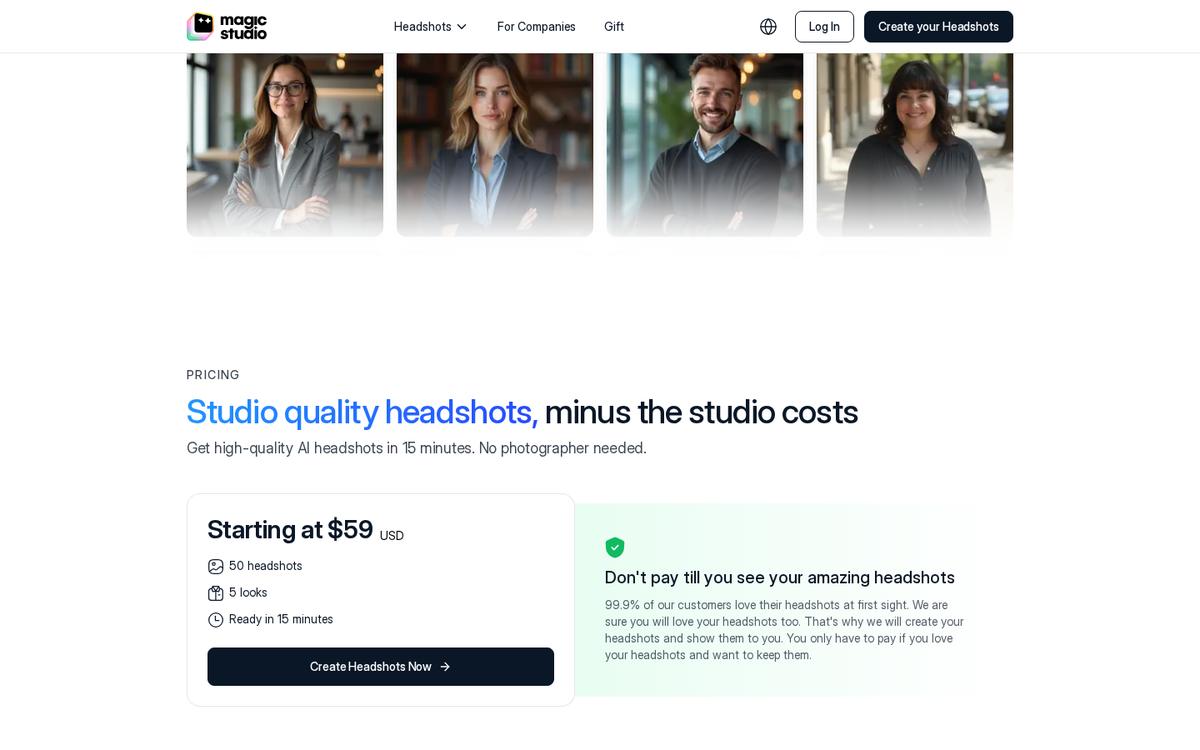
Pricing varies by location, and the headshots page currently displays packs starting at $59 USD for 50 headshots across 5 looks, ready in around 15 minutes. Check the live pricing page for your region — the structure below is what matters more than the exact number.
There are three tiers:
Starter
- Download three standard-resolution headshots
- Includes three credits
- Best for: someone who already knows exactly which images they want and needs one great LinkedIn photo
Standard
- Unlocks all 50 standard-resolution headshots
- Includes three credits
- Best for: most people — you keep the entire set you already reviewed, giving you options across contexts and seasons
Premium
- Unlocks all 50 headshots in 4K at 4096 × 4096 pixels and 300 DPI
- Includes 50 credits
- Best for: anyone printing — business cards, press kits, conference materials, book jackets, speaker bios — or anyone who wants serious editing headroom
A note on resolution: standard 1024 × 1024 files are described as working well for websites, profiles, and most digital use. If you're only ever posting to LinkedIn and a company bio page, standard is genuinely sufficient. If print is in your future, Premium saves you money versus upscaling individually later.
How Credits Work
Credits are the currency for editing and expansion, and the mechanics are specific:
- Starter and Standard include three credits. Premium includes 50.
- Most editing tools cost one credit each.
- Magic Eraser costs no credits — it's free to use on your purchased photos.
- Creating five photos in a new look costs five credits.
- Generating five "More like this" photos costs five credits.
- Upscaling one photo to 4K costs five credits.
- Additional credits can be purchased after you've bought a base pack.
Do the arithmetic and the Premium tier's 50 credits look meaningfully different from three. Three credits is enough for a handful of single edits. Fifty credits funds roughly ten new-look batches or ten individual 4K upscales, or a heavy editing session across your best images.
What Editing Unlocks After Purchase
Once you've bought a pack, opening any photo gives you control over:
- Outfit
- Backdrop
- Hairstyle
- Hair colour
- Glasses
- Expression
- Eye colour and gaze direction
- Wrinkle reduction
- Jewellery removal
Plus two broader tools:
- Magic Edit — describe the change you want in plain language and let the AI interpret it
- Magic Eraser — remove small distractions, and it doesn't consume credits
This is the part that materially separates Magic Studio from a one-shot generator. You're not stuck with what the AI decided. A headshot that's perfect except for the shirt colour becomes usable with one credit.
Decided the 50 are worth keeping? Head to checkout and apply AFFINCO10 →
Your Magic Studio Coupon: AFFINCO10
Since the preview is free, the only moment a discount matters is checkout — and that's exactly where AFFINCO10 comes in.
How to use the AFFINCO10 coupon:
- Start your headshots through this link.
- Upload your photos and wait for your 50 previews.
- Review the full set. Decide whether the quality justifies a purchase.
- Choose Starter, Standard, or Premium.
- Enter AFFINCO10 in the discount or promo code field at checkout and confirm the reduction is reflected in your total before completing payment.
Why this coupon sequencing works in your favour:
Most discount codes pressure you into a purchase decision before you've seen the product. Here, the order is reversed. You have already seen all 50 images. You already know whether the AI captured your face well. The coupon isn't persuading you to gamble — it's reducing the price of something you've already evaluated.
Practical tips for AFFINCO10:
- Apply it before completing payment, not after. Discount codes generally cannot be applied retroactively.
- Confirm the total updates on screen. If the field accepts the code but the total doesn't move, refresh and re-enter before contacting support.
- Consider it against the tier upgrade. A discount sometimes makes Standard or Premium land close to what Starter would have cost undiscounted. Given that Standard unlocks all 50 images you already reviewed rather than three, that upgrade is usually the better value.
- Pair it with team pricing if applicable. Magic Studio offers discounts for teams or groups of five or more, and the more profiles purchased, the larger the discount.
- Check the code's current terms at checkout. Promotional terms change; verify what's applied before paying.
Coupon code: AFFINCO10 — claim your free 50-headshot preview and use it at checkout →
How to Get the Most Out of Your Free Previews
Your 50 previews are only as good as the ten-plus photos you feed the model. This is the single highest-leverage thing you control, and getting it right is the difference between 5 usable headshots and 35.
Magic Studio's own guidance is specific. Follow it:
- Upload at least 10 clear, recent solo photos. Recent matters — if you've changed your hair, gained or lost weight, or grown a beard, old photos will pull the model toward a version of you that no longer exists.
- Weight toward close-ups, with at least two waist-up shots. The waist-up images teach the model your proportions so it doesn't generate an awkwardly scaled body.
- Solo photos only. Group shots confuse the model about which face is yours.
- Vary your outfits. Ten photos in the same shirt teach the model that the shirt is part of your face.
- Vary your backgrounds. Same principle. A model trained entirely on your kitchen will keep dragging your kitchen into the output.
- Vary your lighting. Mixed lighting produces a more robust model that renders well under the studio lighting the AI applies.
- Face the camera directly. Extreme angles give the model less usable facial information.
- Keep your appearance consistent across the set. This is the balance point: vary the context (clothes, background, light), keep the person consistent (same hair length, same glasses-or-not, same facial hair).
A few additional practical notes drawn from how these systems behave:
- Consistent features get reinforced. Glasses, facial hair, and makeup that appear consistently across your uploads will show up in your final headshots. If you want headshots without glasses, don't upload ten photos wearing them.
- Avoid heavy filters. Beauty filters, skin smoothing, and aggressive editing teach the model a face that isn't yours. The output will look subtly wrong to people who know you.
- Avoid sunglasses, hats, and hands near the face. Anything obscuring facial structure reduces model quality.
- Blurry photos hurt more than they help. Ten sharp photos beat twenty mixed-quality ones.
Get this right on the first upload and you may not need your free retry at all. Get it wrong, and the retry is your recovery.
Using Your Free Retry Strategically
Since the retry replaces your original set entirely, treat it as a deliberate second experiment rather than a reset button.
Before you retry:
- Screenshot or note any images from set one you actually liked. They will be gone.
- Diagnose the failure. Was it likeness accuracy, or was it styling? Those have different fixes.
- If the likeness was off, the problem is almost always your source photos.
- If the likeness was good but the looks weren't to your taste, the retry may not help much — that's what post-purchase editing and additional looks are for.
When retrying is clearly the right call:
- Your first upload was under-varied (same shirt, same room, same angle throughout)
- Several photos were old, blurry, or filtered
- You included group shots
- Your appearance has changed since some of the photos were taken
- You were wearing something in most photos (glasses, a hat) that you don't want in the output
When retrying probably won't help:
- The likeness was accurate and you simply want different outfits — buy a pack and edit instead
- You already uploaded a well-varied, recent, sharp set of 15+ photos
Free AI Headshot Generator vs the 50-Preview Flow: Which Should You Use?
Both are free. They serve completely different needs. Choosing wrong wastes your time.
Use the free AI headshot generator when:
- You need a profile picture in the next five minutes
- Your use case is social — LinkedIn, X, Instagram, Facebook
- You already have one decent photo of yourself that just needs a cleaner background
- You don't want to create an account
- You're not printing anything
- You want to sanity-check the general quality of Magic Studio's output before committing to the longer flow
Use the 50-preview flow when:
- You need genuine variety — multiple outfits, backgrounds, and framings
- You want professional styling you don't currently own on camera
- You're job hunting and need images across formal, business casual, and approachable registers
- You need print-capable resolution (via Premium)
- You want editing control afterwards
- You're building a personal brand and one photo isn't enough
- You want to see what a trained model does with your specific face
The smart sequence for a cautious buyer: run the free no-login generator first to gauge whether the AI handles your face well, then commit to the full free preview flow if you're encouraged. Both cost nothing. The first takes seconds, the second takes about fifteen minutes.
Start with whichever fits. Both free options are here → — AFFINCO10 waits at checkout if you upgrade.
Who This Free Preview Model Actually Serves Best
Magic Studio publishes dedicated pages for specific professional categories, which tells you where the product is tuned. The free preview is especially valuable for:
Job seekers. You are the highest-stakes, lowest-budget user. A photographer costs a few hundred dollars you may not have while between roles. Fifty previews let you verify quality risk-free, and one pack costs a fraction of a studio session.
LinkedIn profile updates. The most common single use case. Standard resolution at 1024 × 1024 is more than sufficient for LinkedIn, and the variety across five looks means you can rotate images seasonally rather than posting the same photo for four years.
Realtors and real estate agents. Headshots appear on listings, signage, business cards, and portals. The volume of placements makes Premium's print resolution genuinely useful, and the ability to generate matching images across a brokerage is why the teams product exists.
Doctors and healthcare professionals. Practice websites, hospital directories, and referral platforms all want a consistent, credible photo. Magic Studio maintains a dedicated doctor headshots page.
Lawyers and legal professionals. Firm bio pages have unforgiving conventions — formal attire, neutral backgrounds, direct gaze. This is exactly the kind of constrained brief AI handles well.
Medical residency applicants. There's a dedicated ERAS headshots page and a free ERAS photo checker, which is a genuinely thoughtful free tool given how specific ERAS photo requirements are.
Executives and CEOs. Separate pages exist for both. The use case skews toward print and press — annual reports, conference programmes, media kits — which points firmly at Premium.
Corporate teams. Magic Studio for Teams lets an admin invite members by email, generate professional headshots for everyone, and manage progress and downloads from one dashboard. Each person gets their own individual headshots while the admin handles payment and access. Discounts apply at five or more profiles, scaling with volume. For a distributed company, this replaces the logistical nightmare of flying people to one location for a photographer.
Anyone building a personal brand beyond work. With the rebrand, the platform now spans professional, social, and dating collections. The homepage frames the use cases directly: on LinkedIn, for a customer, on Instagram, on a date, on a Friday night, for your website.
Privacy: What Happens to Your Photos
If you're uploading ten photos of your face to a service, this section matters as much as pricing.
Magic Studio's stated policies:
- Your photos are used only to create your personal AI model and generate photos of you. They are explicitly never used to train the company's general AI models or anyone else's.
- You can delete anything at any time — a single photo, a set of photos, or your entire account, from Account settings.
- Your personal AI model is automatically deleted after 90 days. This is stated on the current platform FAQ.
- The headshots page separately states images are deleted 30 days after the headshots have been created. As with the refund terms, these two published figures differ; the 90-day figure appears on the newer platform documentation.
- Photos are never shared or sold. No data sales, no advertising using your information.
- Access is controlled by a password-less system, with data encrypted in transit and stored only for the period required.
- The rebrand did not change any of this. Privacy and data-retention policies for personal-photo accounts carried over unchanged.
For the free no-login headshot generator specifically: photos are used temporarily to generate the headshot and are not stored or shared with third parties.
If precise retention timing is important to your situation — say, you work somewhere with strict image policies — email help@magicstudio.com and get the current figure in writing rather than relying on either published number.
The Free Tier on the Photo & AI Tools Side
Worth covering separately, because "magic studio free" often refers to this side of the business rather than headshots.
The original Magic Studio toolset is browser-based and built around individual, self-contained tools. According to Shotkit's July 2026 hands-on review, the free tier is extremely generous:
- Background removal, object erasing, and background blur are unlimited on the free tier.
- The caveats: downloads come out at lower resolution and carry a watermark, and you can process one image at a time.
- AI image and art generators are the exception — capped at 40 one-time generation credits on a free account.
- Most tools require no account at all.
What Pro unlocks:
- Removal of the watermark
- Full-resolution downloads
- Bulk editing for supported tools (up to 50 images at once)
- Unlimited AI generations
- Chat support
Pro pricing as reported in that review: $14.99 billed monthly, $12.49 per month billed every six months, or $4.99 per month billed annually at $59.99. The annual rate undercuts most comparable subscriptions in the category, while the monthly rate is considerably less competitive — an unusually wide gap between the cheapest and most expensive way to buy the same feature set.
The reviewer's assessment of tool quality was mixed but fair: background removal was the standout, handling hair and fur edges cleanly without the halo effect common to older removers, though it struggled when subject and background shared similar tones. Magic Eraser handled simple removals well but needed a second pass on shadows. The AI generators were described as serviceable but not competitive with dedicated platforms on fine detail. The most consistent complaint was cross-promotion clutter — nearly every tool page advertises the headshot product, which makes the free experience feel busier than necessary.
Important: this Pro subscription is entirely separate from headshot packs. Headshot packs are one-time purchases, not subscriptions. Buying one does not buy the other, and the accounts are not merged.
Honest Limitations: Where the Free Offer Falls Short
A guide that only lists upsides isn't useful. Here's where the free experience genuinely disappoints some people.
The watermark is on everything. There is no "one free clean download" sweetener. If you were hoping to walk away with a single usable image at zero cost from the 50-preview flow, that isn't the deal. (The separate free generator is your zero-cost option.)
Two attempts is the hard ceiling. Original set plus one retry. If both miss, you're out of free options on that flow.
Not every image in a set of 50 will be usable. This is true of every AI headshot product and it's true here. Expect a meaningful portion to have small artefacts. The reason 50 is the right number is precisely that the usable subset is what matters — and 50 gives you enough to find it.
Generation time varies. The current documentation says most sets are ready in around 15 minutes but can take longer during busy periods. An older FAQ still on the site references roughly 60 minutes on the Starter pack with faster turnaround on higher tiers. Plan for "sometime today," not "in a quarter of an hour."
Purchases are treated as final. Covered above, but it bears repeating as a limitation rather than just a policy note.
The free no-login generator is not a substitute for the paid product. It changes backgrounds on a photo you already have. It does not create you in a suit you don't own. Anyone expecting equivalent output will be disappointed, and Magic Studio says as much in its own FAQ.
Documentation is inconsistent in places. Retention periods, refund terms, and generation times differ between the newer platform pages and the older headshots pages following the rebrand. Verify anything decision-critical directly with support.
How Magic Studio's Free Tier Compares to Typical Free AI Headshot Generators
Search "free headshot generator" and you'll find three broad categories. Understanding where Magic Studio sits clarifies why the 50-preview model is unusual.
Category one: genuinely free, genuinely limited. Simple tools that swap a background or apply a filter to a photo you upload. Fast, no account, low resolution, no styling. Magic Studio's own free AI headshot generator lives in this category and is one of the better examples — no account, no cap on usage, multiple background options.
Category two: free trial with a hard paywall. You get two or three sample images, usually chosen to be tempting but insufficient, then hit a wall. The sample size is too small to judge likeness accuracy across variations.
Category three: pay first, hope second. You purchase before generation. If your face doesn't render well, you're negotiating a refund.
Magic Studio's headshot flow is a fourth model: full generation, full preview, payment only at download. You get the complete evaluation experience of category three without the financial exposure, and dramatically more information than category two provides.
The competitive landscape is real — Aragon AI, Fotor, HitPaw FotorPea, Vidnoz and others all compete for the same searches, and several offer their own free tiers. What distinguishes Magic Studio is scale of evidence before purchase: 50 images, five looks, one free retry. That's a lot of data on which to base a $59-ish decision.
Track record is the other differentiator worth weighing. The headshots page reports 36 million professional headshots created, over 421,000 professionals served, a perfect 5 out of 5 rating on Trustpilot across 16,436+ reviews, and a 4.9 Google rating. Ratings should always be read with a critical eye, but the volume is substantial and the product has been in market since late 2023.
See where your face lands before deciding. Generate 50 free previews → and remember AFFINCO10.
Step-by-Step: Claiming Your Free Previews and Applying AFFINCO10
- Gather your source photos first. Ten or more recent, sharp, solo shots. Mostly close-ups, at least two waist-up. Vary outfit, background, and lighting; keep your appearance consistent. Doing this before you start saves a wasted attempt.
- Open the Magic Studio headshots page via this link. The old InstaHeadshots URL redirects there automatically.
- Create your account. Same email you'd want notifications sent to. No card required at this stage.
- Upload your photo set. Take the extra minute to remove anything blurry, filtered, or old.
- Wait for the email. Typically around 15 minutes, occasionally longer at peak times. You can close the page.
- Review all 50 previews properly. Don't skim. Zoom in on faces, hands, glasses, collars, and ears. Count how many you'd genuinely publish.
- Decide: buy, retry, or walk away. All three are legitimate. If your usable count is low and your source photos were weak, use the free retry.
- If buying, pick your tier by output need. Digital only → Standard. Printing → Premium. Only need one image and you're certain which → Starter.
- Apply AFFINCO10 at checkout and confirm the discount reflects in your total before paying.
- Download and edit. Editing unlocks post-purchase. Magic Eraser doesn't consume credits, so use it freely for small cleanups.
Frequently Asked Questions
Is Magic Studio free?
Yes, partially. You can create and preview your first set of 50 watermarked photos without paying anything. You only purchase a pack when you want to download photos without watermarks or start editing them. Separately, Magic Studio's free AI headshot generator and most of its photo and AI tools are free to use with no account.
Is InstaHeadshots free?
InstaHeadshots is now Magic Studio, and the same free preview model applies: free to upload, free to train your model, free to preview 50 headshots, paid to download clean copies. instaheadshots.com now permanently redirects to magicstudio.com/headshots.
Does Magic Studio work without a login?
The free AI headshot generator requires no login and no credit card. Most of the photo and AI tools — background remover, Magic Eraser, background blur, converters — also work without an account. The 50-headshot preview flow does require an account, but does not require payment.
How many free headshots does Magic Studio give you?
Fifty watermarked previews, plus one free retry that generates another complete set of 50 from new source photos. That's up to 100 previews before you pay anything. The retry replaces your previous set.
Are the free previews watermarked?
Yes. All 50 previews carry a watermark. You can view, compare, and evaluate them fully, but a purchase is required for watermark-free downloads.
Is Magic Studio a subscription?
Personal AI photo packs are one-time purchases, not subscriptions. The separate Magic Studio photo-editing tools do offer a Pro subscription, but that is a different product with a separate account.
How much does Magic Studio cost?
Prices vary by location. The headshots page currently shows packs starting at $59 USD for 50 headshots across 5 looks. There are three tiers: Starter (three standard-resolution downloads plus three credits), Standard (all 50 standard-resolution photos plus three credits), and Premium (all 50 in 4K at 300 DPI plus 50 credits). Coupon AFFINCO10 applies at checkout.
How long does Magic Studio take to generate headshots?
Most sets are ready in around 15 minutes, though it can take longer during busy periods. You don't need to keep the page open — you'll get an email when your set is ready.
How many photos do I need to upload?
At least 10 clear, recent solo photos. Mostly close-ups, with at least two waist-up shots. Use a mix of outfits, backgrounds, and lighting, face the camera directly, and keep your appearance consistent across the set.
Can I get a refund if I don't like my Magic Studio headshots?
Because you review all 50 photos before deciding to purchase, payments are non-refundable except where required by law. An older FAQ on the site describes a satisfaction guarantee with a three-day window if you haven't downloaded anything — the two statements differ, so verify current terms at checkout or with help@magicstudio.com before purchasing.
What resolution are Magic Studio headshots?
Standard photos are 1024 × 1024 pixels, suitable for websites, profiles, and most digital use. Premium includes every photo at 4096 × 4096 pixels and 300 DPI for print. Starter and Standard customers can upscale individual photos to 4K for five credits each.
Can I use Magic Studio headshots commercially?
Yes, once purchased. You get full rights to use your purchased photos for personal or commercial purposes — websites, LinkedIn, resumes, advertisements, business cards, and printed materials. Purchased downloads have no watermark and require no attribution.
Can I edit my headshots?
Editing unlocks after you purchase a pack. You can change outfit, backdrop, hairstyle, hair colour, glasses, expression, eye colour or gaze, reduce wrinkles, and remove jewellery. Magic Edit accepts natural-language change requests, and Magic Eraser removes small distractions without consuming credits.
Is there a free AI headshot generator that needs no signup?
Yes. Magic Studio's free AI headshot generator requires no credit card and no login, generates headshots in seconds from a single uploaded photo, offers multiple background options, and has no usage limit. It's optimised for social and digital use rather than print, and doesn't include advanced editing or outfit generation.
What happened to my old InstaHeadshots account?
Everything carried over automatically — headshots, favourites, edited photos, high-resolution images, profiles, teams, purchased packs, available downloads, and remaining credits. Log in at app.magicstudio.com with the same email and sign-in method you used before.
Does Magic Studio offer team headshots?
Yes. Magic Studio for Teams lets you invite members by email, create professional headshots for everyone, and manage progress and downloads from one dashboard. Each person gets their own individual headshots while the admin handles payment and access. Discounts apply for groups of five or more and scale with the number of profiles purchased.
What happens to my photos and data?
Your photos are used only to create your personal AI model and generate photos of you, never to train general AI models. Your personal AI model is automatically deleted after 90 days, you can delete photos or your entire account at any time, and photos are never shared or sold.
Final Verdict: Is Magic Studio Worth Trying Free?
Yes — with essentially no risk, because there isn't any.
The free offer is unusually well designed. Fifty finished headshots of your own face, generated by a model trained specifically on you, viewable in full, plus a free second attempt if the first misses. You cannot get more information than that about an AI headshot product without paying for it somewhere else.
The decision framework is straightforward:
- Need a profile picture right now, for free, no account? Use the free AI headshot generator. Thirty seconds, no cost, no signup, ever.
- Need real professional headshots with variety and styling? Run the 50-preview flow. Spend the extra care on your source photos. Judge the output honestly. Then decide.
- Need print-ready images or heavy editing? Preview free, then go Premium — the resolution and 50 credits change what's possible.
- Kitting out a team? Preview free individually, then use team pricing, which scales with headcount.
The honest reservations are worth restating: the watermark covers everything until you pay, you only get two free attempts, purchases are treated as final because you saw everything first, and the site's documentation is inconsistent in a few places following the rebrand. None of those are dealbreakers, but they're worth knowing before you start.
Given that evaluating the product costs nothing but fifteen minutes and a decent photo set, the rational move is simply to run it and let your own 50 images make the argument.
Start your free 50-headshot preview now. Create your headshots free →
When you're ready to download, use coupon code AFFINCO10 at checkout.
All product details, pricing structures, and policies in this guide were verified directly against Magic Studio's official pages and independent hands-on reviews as of September 2026. Pricing varies by region and promotional terms change — confirm current details at checkout before purchasing.