Last verified: 1 September 2026. All pricing and feature details in this guide were checked directly against each vendor's own live pricing and product pages on this date, not copied from older review posts.
Affiliate disclosure: this page contains affiliate links. If you buy through them, we may earn a commission at no extra cost to you. The coupon code AFFINCO10 gives you 10% off — it costs you less, not more.
Quick Verdict
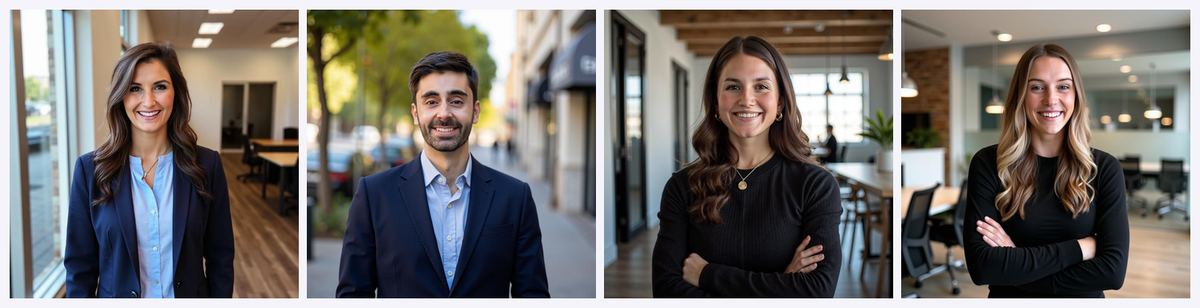
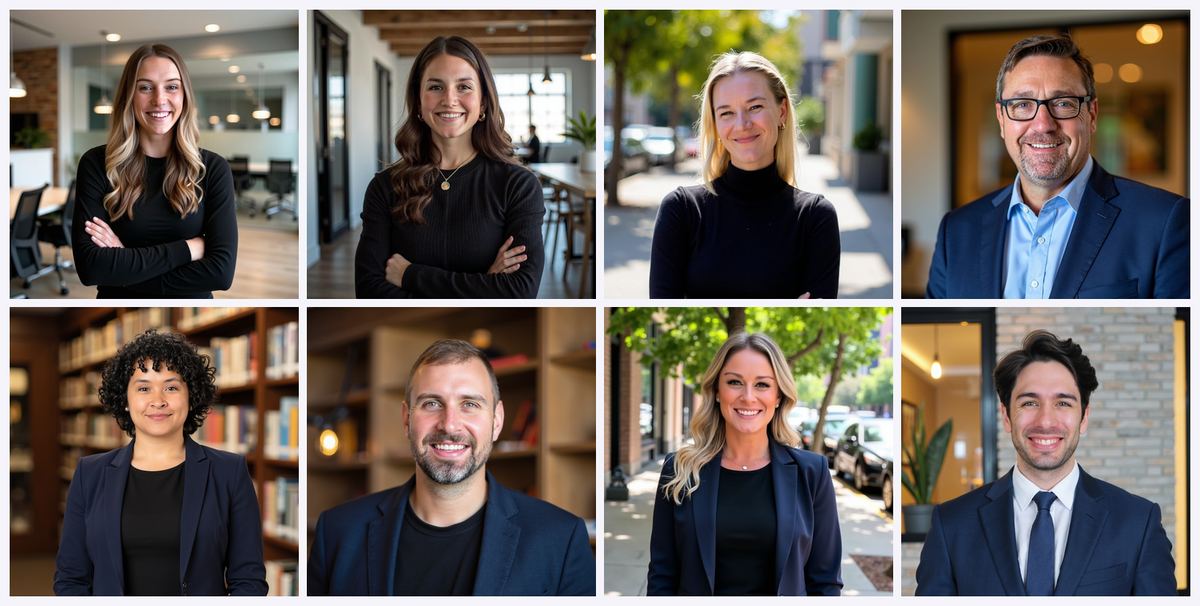 Official Magic Studio examples used as the quality baseline in this comparison.
: Which AI Headshot Generator Should You Actually Buy in 2026?
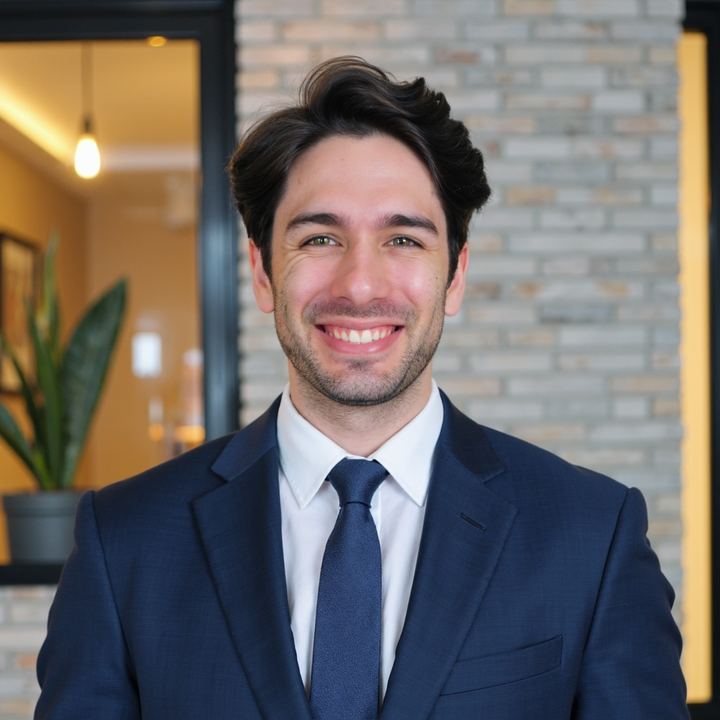
Official Magic Studio examples used as the quality baseline in this comparison.
: Which AI Headshot Generator Should You Actually Buy in 2026?
Short answer: If you want the cheapest possible entry point or you're rolling out matching headshots across a 50-person company with SSO and an API, HeadshotPro is the sensible pick at $29–$59 for individuals. If you want the most images per order, the fastest turnaround, and a genuine pay-only-if-you-like-them model, Magic Studio (the platform formerly known as InstaHeadshots) is the better buy — and it's the only one of the four where you can stack a working discount code. If turnaround speed is non-negotiable and you're comfortable with fluctuating promotional pricing, Aragon AI competes hard. If you just need a tidier LinkedIn photo this afternoon and you already pay for Canva, the Canva AI headshot generator is free enough to try — but it is not a true AI headshot generator, and that distinction matters more than any price on this page.
Here's the compressed version, by tool:
- HeadshotPro — Best for teams and lowest entry price. $29 (30 headshots, ~2 hours), $39 (50 headshots, ~30 minutes), $59 (70 headshots, ~15 minutes, 4K). Team credits from $19.50 per shoot at volume. SOC 2 Type II, REST API, Zapier, SSO add-on. Trustpilot 4.7 from 3,541 reviews. No public coupon code.
- Magic Studio (formerly InstaHeadshots) — Best overall value and best risk profile. Public pricing starts at $59 for 50 headshots in 5 looks, ready in about 15 minutes. You preview your headshots before you pay. Teams get 100 headshots per person. 36 million headshots generated, 5/5 Trustpilot across 16,436 reviews. Use code AFFINCO10 for 10% off.
- Aragon AI — Best for speed and for people who want an editing suite bundled in. Packages list at roughly $35 / $45 / $75 for about 40 to 100 headshots, with heavy promotional discounting throughout 2026. SOC 2 Type II. Deep AI photo editor.
- Canva AI Headshot Generator — Best free option, worst likeness. Two free credits, then a 24-hour wait. Enhances a single uploaded photo rather than training a model on your face. Fine for a placeholder, weak for a high-stakes profile photo.
The one-line recommendation: for most individual professionals updating a LinkedIn profile, resume photo, or personal brand in 2026, Magic Studio delivers the best combination of volume, speed and downside protection — and AFFINCO10 takes 10% off the top.
→ Create your professional headshots on Magic Studio and apply coupon code at checkout for 10% off.
The 2026 Update Most Comparison Articles Missed: InstaHeadshots Is Now Magic Studio
If you've been researching AI headshot generators for more than a few months, you know InstaHeadshots. It launched as an experiment in late 2023 and became one of the highest-rated headshot services on the market. As of 2026, that brand has been folded into a larger platform: InstaHeadshots is now Magic Studio.
This is not a rumour or a redirect glitch. The company published a full migration page explaining the change, and the mechanics are straightforward:
- instaheadshots.com now permanently redirects to magicstudio.com/headshots, and app.instaheadshots.com redirects to app.magicstudio.com.
- Your account carries over. Same email, same login method, same sign-in provider.
- Your headshots, favourites, edited photos, high-resolution images and profiles all transferred automatically.
- Purchased packs, available downloads and remaining credits carried over. Nothing needed repurchasing.
- Team accounts, members, invitations, credits and dashboards continue working exactly as before.
- Privacy and data-retention policies did not change as part of the rebrand.
The company's stated reason: headshots were the starting point, but customers wanted more ways to create photos of themselves, so the product is expanding into a broader personal AI photography platform covering professional, social, dating and other personal photos, with group photos and pet photos on the roadmap.
Why this matters for your purchase decision: a large share of the "best AI headshot generator" articles ranking today still describe InstaHeadshots as a separate product with a $49 / $59 / $69 pricing ladder. Some of those pages haven't been touched since 2025. If you're comparing tools using stale data, you're comparing a product that no longer exists under that name. This guide uses the live Magic Studio pages.
Good news on the coupon: the affiliate link still resolves correctly through the redirect, and AFFINCO10 still works. You don't need a new link or a new code.
→ Start your headshots at Magic Studio — enter at checkout to save 10%.
How to Use the AFFINCO10 Coupon Code (Step by Step)
The AFFINCO10 discount code takes 10% off Magic Studio headshot packages. It is a straightforward percentage discount applied at checkout, not a bait-and-switch or an expired code recycled from a coupon aggregator.
Here's exactly how to redeem it:
- Open the checkout through the correct link. Go to headshots.magicstudio.com. The link redirects to Magic Studio's headshots page and carries the referral parameter through.
- Upload your selfies and choose your pack. Magic Studio recommends uploading 10 or more photos with varied backgrounds, face angles and lighting. Consistent features like glasses or facial hair will be reflected in your results.
- Locate the promo or discount field at checkout. It sits with the payment details.
- Enter exactly as written. Case matters on most checkout forms — type it in capitals.
- Confirm the discount applied before paying. The total should drop by 10%. If it hasn't updated, refresh and re-enter the code rather than proceeding.
- Remember you preview first. Magic Studio's model is pay-after-you-love-them: your headshots are generated and shown to you, and you pay to keep them.
What AFFINCO10 Applies To
- Individual headshot packages: yes.
- Applied per transaction: if you come back later for a second shoot, try the code again at checkout.
- Team plans: team pricing has its own automatic volume discount structure (10% off at 10 members, 20% off at 20, custom rates at 100+). For large rollouts, contact their team directly for a quote.
An Honest Note About Headshot Coupon Codes
You will find a lot of pages promising discounts on AI headshot tools. Most are affiliate pages, including this one. A 10% saving is real money, but it should never be the reason you pick a tool. A discount on a generator that doesn't capture your likeness is just a cheaper miss. Pick the tool that will actually produce a photo you'd put on your LinkedIn profile, then apply the code.
That's the logic behind this entire comparison: the coupon is a bonus on top of a recommendation that stands on its own.
HeadshotPro Review 2026: Pricing, Features, Limits
HeadshotPro is the most-searched AI headshot generator brand in this comparison, and for good reason. It has been running since 2023, holds a 4.7 Trustpilot rating across 3,541 reviews, and has built the most complete corporate feature set in the category. If you searched "headshot pro" and landed here, this is the section you came for.
What HeadshotPro Actually Is
HeadshotPro is a purpose-built AI headshot generator. You upload a handful of selfies, pick backdrops and outfits, and the system trains a model on your face and returns a batch of finished professional headshots. It is a one-time purchase with no subscription — nothing renews in the background, and packages never expire.
Its centre of gravity is teams. The product is architected around a company rolling out consistent employee photos: admin dashboards, invite links, bulk download, style enforcement, directory sync. An individual buying a single shoot is using a fraction of what the platform does.
HeadshotPro Pricing 2026: Individual Plans
Three one-time individual tiers, straight from the live pricing page:
- Basic — $29. 30 total headshots. Ready in about 2 hours. 6 photo credits for edits. Standard resolution.
- Professional — $39. 50 total headshots. Ready in about 30 minutes. 26 photo credits. Includes one free redo within 14 days. Premium resolution with higher realism. Portrait or landscape format.
- Executive — $59. 70 total headshots. Ready in about 15 minutes. 46 photo credits. 4K resolution downloads — the only individual tier that includes them.
All three include the full style library (or a "Choose for me" option), branded profile-picture templates via a self-serve editor, card or PayPal payment, and the money-back Realism Guarantee.
A word of caution on third-party HeadshotPro pricing: review sites currently quote wildly different numbers for these tiers — some list "$29 for 40 headshots," others "$39 for 120 headshots," others "Small / Normal / Premium Shoot" naming that no longer appears on the site. The figures above come from HeadshotPro's own pricing page as of 1 September 2026. Ignore the rest.
HeadshotPro Team and Enterprise Pricing
This is where HeadshotPro genuinely leads the category.
- Credit-based, not seat-based. You buy credits, not licences. One credit equals one person's full shoot. Nothing renews.
- Credits never expire. Buy a batch now, spend it as you hire.
- Volume discounts stack across your lifetime purchases, not per order. Buy 30 credits today and 30 next quarter, and the second order prices as if you'd bought 60.
- Discounts start at 20% off at 5 credits and climb to 50% off at 1,000 or more. A 100-credit block works out to about $25.35 per shoot; the published floor is $19.50 per shoot at the top of the volume ladder.
- Each team member gets 40 headshots plus one free retry, and 16 photo credits for edits.
- Turnaround under 30 minutes for team shoots.
Team accounts unlock the operational tooling: admin dashboard, invite by email or domain-restricted link, automatic reminders, progress tracking, bulk upload and bulk download, CSV export of member statuses, roles and sub-teams, results review, custom onboarding fields, and automatic shoot-renewal scheduling for keeping photos current as people's appearances change.
Enterprise adds a custom volume rate, SSO and SCIM provisioning included, a signed MSA, Net-30 invoice billing, dedicated rollout support, audit logs, and custom outfits by request.
HeadshotPro Features Worth Knowing About
- Style and brand control. Admins curate the style pool so everyone matches. Teams can upload up to 12 custom backdrops; enterprise gets fully custom backdrops. Backdrop consistency enforcement and per-team clothing pools keep a 200-person directory from looking like a collage.
- Integrations. REST API at 300 requests per minute on Team, webhooks, Zapier, and SCIM directory sync with Okta and Entra ID as an enterprise add-on. Whitelabel embedding is available as an add-on. This is the only tool in this comparison with a serious automation story — you can trigger headshot generation from an HR event and deliver results back into your own application.
- Free tools. HeadshotPro publishes a free headshot generator, a LinkedIn photo optimizer, and a free profile-picture editor. Useful for testing the waters, though free-tier output quality is noticeably below the paid plans.
- Branded profile pictures. A self-serve editor for adding logo templates and frames — genuinely handy for sales teams and conference speakers.
- Headshot renewal. Scheduled re-shoots so team photos don't drift years out of date.
HeadshotPro Security and Privacy
Strong, and clearly documented:
- Input photos are automatically deleted 30 days after generation.
- Your photos are never used to train AI models.
- SOC 2 Type II report and DPA available to every customer — not gated behind Enterprise — via their Trust Center.
- GDPR compliance documentation available.
- MFA enforcement for admins; SAML 2.0 / OAuth SSO as a Teams add-on billed at provider cost with no markup.
- Optional automatic results deletion at 30 days for teams.
One practical detail people miss: download links last 7 days. Save what you want to keep.
Where HeadshotPro Falls Short
Being fair to a strong product, these are the real trade-offs:
- Volume is the lowest in this comparison. 30 to 70 headshots per individual shoot. Magic Studio's team plan alone delivers 100 per person. If you want maximum shots to choose from, HeadshotPro isn't optimising for that.
- 4K is Executive-only. The $29 and $39 tiers cap below that. If you need print resolution, you're at $59 minimum.
- The refund has a catch. The Realism Guarantee is genuine, but you generally must not have downloaded images to qualify. Read the terms before you start downloading favourites.
- You pay before you see results. Unlike Magic Studio's preview-first model, HeadshotPro is a conventional pay-upfront purchase backed by a guarantee. That's a meaningfully different risk profile.
- No public coupon code. There's an affiliate programme, but no widely available consumer discount comparable to AFFINCO10.
- Individuals pay for infrastructure they won't use. The admin dashboards, SCIM sync and API are excellent — and irrelevant if you're one person updating a LinkedIn photo.
Who Should Buy HeadshotPro
Buy HeadshotPro if you are: an HR or marketing lead standardising employee photos across offices; a company needing SSO, SCIM, an API, or a signed MSA; a budget-focused individual who wants the absolute lowest entry price at $29; or an organisation in a regulated industry that needs a SOC 2 Type II report in the procurement pack.
Skip it if you are: an individual who wants maximum image volume; someone who wants to see results before paying; or a buyer who wants a working discount code.
HeadshotPro vs InstaHeadshots (Now Magic Studio): The Head-to-Head
This is the comparison people search most, so let's do it properly. Remember that InstaHeadshots is now Magic Studio — same team, same product lineage, new name and a broader platform.
Price and What You Get for It
- HeadshotPro: $29 for 30 headshots, $39 for 50, $59 for 70. Lowest entry point in this guide.
- Magic Studio: public pricing card currently shows plans starting at $59 for 50 headshots across 5 looks, ready in about 15 minutes. Their FAQ still refers to Starter, Basic and Premium packs with training times from 2 to 60 minutes depending on the pack, and many third-party pages still quote the legacy InstaHeadshots ladder of $49 / $59 / $69 for roughly 40 / 100 / 200 headshots. Check the live checkout for the current tiering.
- With AFFINCO10, a $59 Magic Studio package comes down to about $53.10.
Verdict: HeadshotPro wins on headline entry price. Magic Studio wins on images-per-dollar at the tiers where volume climbs into the hundreds.
Volume
- HeadshotPro: 30 to 70 headshots per individual shoot; 40 per person on team credits.
- Magic Studio: 50 headshots and 5 looks on the entry package; 100 headshots per person across 5 styles on team plans.
Verdict: Magic Studio, clearly. More shots means more chances at the two or three you'll actually publish.
Speed
- HeadshotPro: about 2 hours (Basic), 30 minutes (Professional), 15 minutes (Executive). Under 30 minutes for teams.
- Magic Studio: about 15 minutes on the current package; the FAQ notes training runs 2 to 60 minutes depending on pack, with the Starter pack around 60 minutes and higher packs significantly faster. Team shoots run 30 minutes to an hour.
Verdict: Effectively a tie at the top tiers. Both deliver in roughly a quarter of an hour when you pay for speed.
Resolution
- HeadshotPro: 4K downloads on the Executive tier; standard and premium resolution below that.
- Magic Studio: default individual output is 1024 × 1024 pixels, with paid upscaling available if you need print resolution. Team output is delivered as JPEG at 1024 × 1536.
Verdict: HeadshotPro wins outright if you need high resolution out of the box. This is Magic Studio's clearest weakness, and it's the one thing I'd genuinely weigh against it. For LinkedIn, Slack, a company bio page, an email signature or a conference profile, 1024px is entirely sufficient. For a printed brochure or a large-format conference banner, budget for the upscale.
Risk and Guarantees
- HeadshotPro: pay upfront. 100% money-back Realism Guarantee. Professional and Executive include a free redo within 14 days. Refund eligibility generally requires that you haven't downloaded images.
- Magic Studio: you preview your headshots before paying. If you're unsatisfied after purchase, the guarantee covers you when fewer than 4 headshots are usable, provided you request it within 3 days of delivery and haven't downloaded any.
Verdict: Magic Studio, decisively. Seeing the actual output before money changes hands is a structurally better deal than any refund policy, because you never have to argue with anyone.
Teams and Corporate Rollout
- HeadshotPro: admin dashboard, invite links, reminders, bulk download, CSV export, roles and sub-teams, custom backdrops, REST API, webhooks, Zapier, SCIM, SSO, audit logs, Net-30 billing, signed MSA. Credits from $19.50 per shoot at volume.
- Magic Studio: team dashboard with email invites, admin-managed uploads, one consistent style applied team-wide, 100 headshots per person, ability to add profiles as you grow. Pricing at 10 members is $62 per person ($620 total) with 10% off at 10 members, 20% off at 20, and custom rates at 100+. Free trial headshot for one team member available case-by-case on request.
Verdict: HeadshotPro, comfortably, for anything above about 25 people or anywhere IT and legal need to sign off. Magic Studio's team offering is capable and delivers far more images per person, but it doesn't attempt the identity-provider and compliance tooling. One honest limitation on Magic Studio's side: styles and backgrounds are dynamically generated by the AI, so you can pick a consistent style but cannot specify exact uniforms, brand colours or particular backgrounds. For a company with strict brand guidelines, that's disqualifying.
Privacy
- HeadshotPro: input photos auto-deleted at 30 days; no AI training on your photos; SOC 2 Type II and DPA available to all customers; optional auto-deletion of results.
- Magic Studio: data including input images and created headshots auto-deleted 30 days after creation, and you can delete manually at any time; your personal AI model is automatically deleted after 90 days; an individual AI is trained per photoshoot and those images are not used for any other purpose or training; images are not shared or sold; encrypted in transit; password-less access control.
Verdict: Both are genuinely good. HeadshotPro edges it on formal compliance documentation. Magic Studio's per-shoot model isolation and explicit model-deletion window are excellent and clearly stated.
The Bottom Line on HeadshotPro vs Magic Studio
Choose HeadshotPro if you're deploying across a real company with IT requirements, need 4K without upgrading, need an API, or want the $29 floor.
Choose Magic Studio if you're an individual or small team who wants far more images, a 15-minute turnaround, the ability to see your results before paying, and 10% off with a code that actually works.
→ See your Magic Studio headshots before you pay — coupon takes 10% off.
Magic Studio (Formerly InstaHeadshots) Review 2026
Scale and Track Record
Magic Studio's own pages report 36 million professional headshots created and 421,000 professionals served, with a 5 out of 5 Trustpilot rating across 16,436 reviews on the InstaHeadshots listing and a 4.9 Google rating. The site displays logos of organisations whose people have used the service, including Amazon, Google, Microsoft, Meta, Tesla, Uber, Nvidia, Goldman Sachs, Booking.com, Sotheby's, and universities including Harvard, MIT, Columbia, NYU, Caltech and Michigan.
That review volume matters. 16,436 reviews at 5/5 is a far larger sample than most tools in this category can point to, and review count is one of the more reliable trust signals available when you can't test every tool yourself.
How Magic Studio Works
- Upload photos — 10 or more, with different backgrounds, face angles and lighting. Variety directly determines output quality.
- The AI trains an individual model on your face. Consistent features like glasses or facial hair get reinforced in the output.
- Headshots arrive in roughly 15 minutes on the current package.
- You preview the results, and pay only if you love them.
- Download, or edit further — you can alter outfits, change backgrounds, or regenerate specific images for an additional fee.
Magic Studio Pricing 2026
- Individual: public pricing card shows plans starting at $59 for 50 headshots, 5 looks, ready in about 15 minutes. One-time payment, no subscription.
- Teams: $62 per person at 10 members ($620 total), with 10% off at 10 members, 20% off at 20, and custom pricing at 100+. Includes 100 headshots per person, 5 looks, 15-minute turnaround, and consistent styling across the whole team.
- Gift cards are available if you're buying headshots for someone else.
- With AFFINCO10: 10% off individual packages.
What You Get
- Full commercial rights to your headshots. Use them anywhere, personal or business.
- Editing options post-generation: outfit changes, background swaps, regeneration of specific images for a fee.
- Upscaling available for a nominal fee if you need print-resolution output above the 1024px default.
- Free tools across the wider Magic Studio platform: Magic Eraser, Background Remover, Image Upscaler, Background Blur, AI Image Generator, AI Art Generator, HEIC to JPG and WEBP to PNG converters, a free AI headshot generator, and a free ERAS photo checker for medical residency applicants.
- Niche headshot pages for LinkedIn, corporate, CEO, executive, women, real estate, doctors, lawyers and ERAS.
Magic Studio's Weaknesses
- 1024px default resolution is the lowest headline figure in this comparison. Upscaling costs extra.
- Pricing is in flux post-rebrand. The visible starting price has moved; verify at checkout rather than trusting any article, including this one, on the exact tier structure.
- No exact brand control for teams. Styles and backgrounds are AI-generated; you cannot mandate a specific uniform, hex colour or backdrop.
- No public API, SSO or SCIM. If your IT department requires identity-provider integration, this isn't the tool.
- Refund window is tight at 3 days from delivery, and requires that you haven't downloaded images.
Who Should Buy Magic Studio
Individual professionals updating LinkedIn, resumes, personal websites and speaker profiles. Job seekers who want dozens of options across multiple looks. Small teams and startups who want consistent photos without a compliance review. Realtors, consultants, coaches, doctors and lawyers who need a credible professional portrait fast. Anyone who is nervous about paying for AI headshots sight-unseen — the preview-first model removes that risk almost entirely.
→ Generate your headshots now and use for 10% off.
Aragon AI Review 2026
Positioning
Aragon AI has built its reputation on speed and on bundling a full AI photo editing suite alongside headshot generation. Its own site carries a SOC 2 Type II badge. The company publicly claims over 40 million headshots generated and a 99% satisfaction rate — treat both as vendor claims rather than independently audited figures.
Aragon AI Pricing
Aragon runs two distinct pricing models, and conflating them is the most common mistake in reviews of this tool.
One-time headshot packages — what most people actually want:
- Basic — around $35. Entry tier, suited to a single LinkedIn refresh.
- Standard — around $45. The mid tier, with more styles and faster delivery.
- Executive — around $75. Most styles, enhanced resolution, and the fastest turnaround at roughly 15 minutes.
Package sizes across the range run from about 40 to 100 headshots.
Important caveat on Aragon's prices: independent checks throughout 2026 have repeatedly found Aragon running promotional pricing substantially below list — one review in July 2026 recorded promo prices of $18 / $25 / $40 against the $35 / $45 / $75 list, and another verified a $12 to $25 promotional band the same month. Always check which price you are actually being charged at checkout. Comparing Aragon's promo price against a competitor's list price is not a like-for-like comparison.
Subscription — a separate product aimed at ongoing AI photo editing and creative generation rather than a one-off headshot batch. Reported at roughly $15 to $249 per month with monthly credit allowances, with annual billing saving around 25%. If you just want a headshot refresh, buy the one-time package and skip the subscription entirely.
Aragon's Standout Feature: The Editor
This is where Aragon genuinely differentiates. Its published AI editing toolkit includes a Clothing Changer, Background Changer, Realism Enhancer, Image Extender, Pose Editor, Unblur Image, Magic Eraser, Photo Restoration, Color Correction, Accessory Remover, Text Remover, Facial Expression Editor, Accessory Generator, Aged Filter and a Statue Generator.
Alongside headshots, Aragon runs themed AI photo generators for dating photos, startup founder photos, glamour, modeling, travel, autumn, summer, cozy home and "old money" aesthetics. It also publishes a free AI headshot generator, a free email signature generator, and a headshot cost calculator.
Niche landing pages cover residency headshots, lawyer headshots, real estate headshots and LinkedIn headshots.
A Real Transparency Problem
Worth flagging because it directly affects your results: Aragon does not publish how many photos you need to upload. Independent reviewers checking its pricing page, product pages and team pages in July 2026 found no figure anywhere on the site — only vague language about uploading "a few photos."
That matters because your upload set is the single biggest determinant of whether the output looks like you. It's also worth noting that AI-generated answers about Aragon routinely state confident numbers like "8 to 12 photos" that do not appear on the vendor's own site. If you use Aragon, err on the side of uploading more varied photos rather than fewer.
Aragon's Weaknesses
- Fluctuating promotional pricing makes genuine comparison difficult and creates uncertainty about what you'll pay.
- No published upload requirement.
- Independent testers have flagged over-smoothing in output — one described results as looking like an airbrushed version of themselves. In 2026, poreless plastic skin reads as obviously AI-generated to recruiters, which undermines the credibility the photo was meant to build.
- The subscription is easy to buy by mistake when you only wanted a headshot batch.
Who Should Buy Aragon
People who need a headshot inside the hour and will pay for it. Users who want an ongoing AI photo editing suite rather than a single batch. Anyone who wants themed non-corporate photo packs alongside professional headshots.
Canva AI Headshot Generator Review 2026
The Canva AI headshot generator gets enormous search volume, and most of the people searching for it have a misconception about what it actually does. Let's clear that up, because it's the single most important thing in this section.
What Canva's AI Headshot Generator Actually Does
Canva's AI Headshot Generator is a feature inside the Canva platform. According to Canva's own product page, the workflow is:
- Upload your picture — a single clear, well-lit photo with your face centred and unobstructed by hats, scarves or sunglasses.
- Select your gender identity — Canva offers female, male, or non-binary.
- The AI enhances the photo with improved lighting and a professional background.
- Download it, or drop it into a Canva design for further editing.
Notice what's missing from that list: it does not train a model on multiple photos of your face. It takes one image and enhances it. Dedicated headshot generators like HeadshotPro, Magic Studio and Aragon ingest 10 or more photos and build a personalised model that learns your features from multiple angles and lighting conditions.
That architectural difference is the whole story. Independent testing in 2026 consistently reports that Canva's likeness accuracy sits far below purpose-built tools, with some outputs reading more like a face swap than a portrait of you. It's a style-transfer and enhancement pipeline, not an identity-training pipeline.
This is not a criticism of Canva. Canva is an outstanding design platform, and the headshot feature does exactly what it says: it makes an existing photo look more polished. It just isn't solving the same problem as the other three tools in this comparison.
Canva AI Headshot Generator: Is It Free?
Partly, and Canva is upfront about the limits on its own FAQ:
- You get 2 free credits to create AI headshots.
- Once both are used, you wait 24 hours before generating more for free.
- Additional credits can be purchased via a link at the bottom of the app page inside the Canva editor.
Beyond the headshot tool specifically, Canva's broader AI features run on a monthly credit pool. Third-party trackers report roughly 20 premium AI uses per month on Free, around 200 on Pro, and around 400 on Business — useful context if you plan to generate heavily.
Canva Pricing 2026
Canva has raised prices more than once since 2024, and a lot of published figures are out of date. As of mid-to-late 2026, reported pricing sits in these ranges:
- Canva Free — $0. Genuinely usable, not a trial. Includes 5GB storage, millions of templates, and basic AI access. Premium assets stay watermarked or require per-item licensing.
- Canva Pro — roughly $15 to $18 per month billed monthly, or approximately $144 to $180 per year on annual billing depending on region and when you check. Single-user licence only — you cannot add a colleague. Unlocks Background Remover, Magic Resize, transparent-background and SVG exports, Brand Kits, expanded storage and full Magic Studio AI access.
- Canva Business — roughly $20.83 to $25 per user per month ($250 per user per year on annual billing). This replaced the old flat-rate Teams plan, which moved to per-seat billing. No volume discounts — three seats costs three times one seat.
- Canva Enterprise — custom, aimed at larger organisations needing SSO, SCIM provisioning and audit logs.
Prices vary by region and currency. Confirm on Canva's own pricing page before budgeting. If you see "$12.99 Pro" or "$10 per user" quoted anywhere, that predates the recent increases.
Where Canva's Headshot Tool Genuinely Wins
- It's free to start. Two credits, no separate account if you already use Canva, no payment details.
- It's fast. Generation completes in well under a minute.
- It's integrated. Your headshot lands directly in a design environment where you can build a business card, an email signature, a speaker slide or a social banner around it — none of the dedicated tools do that.
- Related tools are strong. The AI Profile Picture Generator, Face Editor, Image Enhancer, AI Photo Editor and Background Remover cover a lot of adjacent needs.
Where It Falls Short
- Likeness accuracy is the weak point, and likeness is the entire job of a headshot.
- Free-tier output resolution is capped and watermarking applies to premium assets — you'll need Pro for clean, higher-resolution exports.
- Single-photo input means the AI has far less information about your face than a tool trained on ten or more images.
- No style variety at scale. You're not getting 50 to 200 options across multiple looks and backgrounds.
- Canva updates its AI pipeline on its own schedule with no public changelog, so improvement is unpredictable.
Who Should Use the Canva AI Headshot Generator
Use it if: you already pay for Canva Pro and want a quick polish on an existing photo; you need a placeholder profile picture today at zero cost; you want the headshot to live inside a broader Canva design; or the stakes are low — an internal Slack avatar rather than an executive bio.
Don't use it if: the photo is going on a client-facing bio, an investor deck, a company leadership page, a residency application, or anywhere a hiring manager will look at it closely. For those, a dedicated AI headshot generator is worth the $29 to $59.
→ Need a headshot that actually looks like you? Try Magic Studio — 10% off with .
Which AI Headshot Generator Wins for Your Specific Use Case?
Best for LinkedIn Profile Photos
Winner: Magic Studio. LinkedIn displays profile photos small, so the 1024px default is a non-issue, and the volume across 5 looks gives you options to match different audiences. The preview-before-paying model removes the risk. HeadshotPro Professional at $39 is a strong runner-up.
Best for Job Seekers on a Budget
Winner: HeadshotPro Basic at $29. Lowest entry cost in the category, 30 headshots, and a money-back guarantee. If you can stretch to $39, the Professional tier's faster turnaround and free redo are worth the extra ten dollars.
Best for Company and Team Headshots
Winner: HeadshotPro. Credit-based pricing that never expires, stacking lifetime volume discounts up to 50%, admin dashboards, bulk operations, SSO, SCIM, API, audit logs and a signed MSA. Nothing else here competes on operational tooling.
Runner-up: Magic Studio Teams if you want 100 headshots per person and don't need identity-provider integration or exact brand-colour control.
Best for Realtors and Real Estate Agents
Winner: Magic Studio, for the image volume — realtors need portraits across listings, yard signs, brochures, social profiles and brokerage directories. Budget for the upscale if you're printing large. Both Aragon and HeadshotPro publish dedicated real estate headshot pages.
Best for Doctors, Medical Residency and ERAS Applicants
Winner: Magic Studio, largely because it publishes a free ERAS photo checker — a genuinely useful tool for verifying your photo meets application requirements before you submit. Aragon also maintains a residency headshots page.
Best for Lawyers and Professional Services
Winner: HeadshotPro for firms — the brand consistency enforcement, custom backdrops and per-team style pools keep a partner directory looking coherent. For a solo practitioner, Magic Studio's volume wins.
Best for Speed
Tie: HeadshotPro Executive, Magic Studio, and Aragon Executive all deliver in roughly 15 minutes at their top tiers.
Best Free Option
Winner: Canva AI Headshot Generator — two free credits, no payment details required. HeadshotPro, Magic Studio and Aragon all publish free headshot generators too, though free-tier output is demo-grade across the board.
Best for Print and High Resolution
Winner: HeadshotPro Executive at $59 — 4K downloads included, no upscaling fee.
The Metric That Actually Matters: Cost Per Usable Headshot
Here's the thing almost every AI headshot pricing comparison gets wrong. Everyone compares sticker prices. Almost nobody compares the number that determines whether you got value: what you paid for the photos you'll actually publish.
Independent reviewers consistently report that only a fraction of AI-generated headshots are genuinely usable in a professional context — commonly cited keeper rates sit somewhere in the 10% to 25% range, and HeadshotPro's own materials acknowledge that not every photo will be a keeper. That's normal and expected for this technology. It's also why raw volume matters more than it first appears.
Run the arithmetic:
- HeadshotPro Basic ($29, 30 headshots). At a 15% keeper rate, that's roughly 4 to 5 usable images — about $6 to $7 each.
- HeadshotPro Executive ($59, 70 headshots). At the same rate, roughly 10 usable images — about $6 each, at 4K.
- Magic Studio ($59, 50 headshots, 5 looks — $53.10 with AFFINCO10). At the same rate, roughly 7 to 8 usable images — about $7 each, and you saw them before paying.
- Magic Studio Teams (100 headshots per person). At the same rate, roughly 15 usable images per employee — the strongest volume-to-keeper ratio in this comparison.
- Aragon Executive (around $75 at list, 100 headshots). Roughly 10 to 25 usable images — anywhere from $3 to $7.50 each at list, and considerably less when promotional pricing is running.
For context, a traditional studio session is the real benchmark. HeadshotPro's own pricing page puts a traditional studio session at $300 to $800 per person. Aragon's pricing page puts the US average at around $250 for a one-hour session. Both vendors chose the number that flatters their pitch, and the truth varies enormously by market — but either way, a studio session typically hands you three to five final edited images. That's $50 to $167 per usable photo. Every tool in this comparison beats that by an order of magnitude.
The practical takeaway: don't buy the cheapest tier reflexively. The jump from $29 to $59 roughly doubles your keeper count for the same effort, and your headshot is a piece of professional infrastructure you'll use for years across dozens of platforms. Optimise for getting one photo you're genuinely happy with, not for saving thirty dollars.
Privacy and Data: What Happens to Your Face
You're uploading ten or more photos of your face to a company you'd never heard of last week. This deserves more attention than it usually gets in these comparisons.
HeadshotPro:
- Input photos automatically deleted 30 days after generation
- Your photos never used to train AI models
- SOC 2 Type II report and DPA available to every customer via Trust Center
- GDPR documentation available
- Optional automatic deletion of results at 30 days for teams
- MFA enforcement for admins; SAML 2.0 / OAuth SSO available
- Download links expire after 7 days
Magic Studio:
- All data, including input images and created headshots, automatically deleted 30 days after creation
- You can delete your data manually at any time
- Personal AI model automatically deleted after 90 days
- An individual AI is trained per photoshoot; those images are not used for any other purpose or training
- Images never shared or sold
- Data encrypted in transit, password-less access control
- Account deletion available in settings
Aragon AI:
- SOC 2 Type II compliant, badge displayed on its own site
- Publishes a security policy, DPA, subprocessor list and Trust Center
- Privacy rights request process available
Canva:
- Governed by Canva's platform-wide privacy policy and Trust Center
- Publishes a "Safe AI" framework
- Note that you're uploading into a general design platform rather than a purpose-built, isolated headshot pipeline
What to look for regardless of which you choose: an explicit statement that your photos won't train the vendor's models, a defined deletion window, and a way to delete on demand. All four disclose meaningful information here, which is genuinely better than the category standard two years ago.
How to Get Headshots That Actually Look Like You
The tool matters less than your input photos. Every vendor in this comparison says the same thing in different words, and independent testers confirm it: the upload set is the single biggest determinant of output quality.
- Upload more than the minimum. Magic Studio asks for 10 or more. HeadshotPro works from a few. Aragon doesn't publish a number at all. Whichever you use, more is better — 10 to 20 varied images is a sensible target.
- Vary everything. Different backgrounds, different lighting conditions, different outfits, different angles. A set of ten near-identical selfies from the same afternoon teaches the model almost nothing.
- Only include you. Group photos confuse the training. Crop others out or don't use the image.
- Face the camera in most shots. Front-facing images with even lighting give the AI the most usable information.
- Be consistent about defining features. Glasses and facial hair that appear consistently across your uploads will be reinforced in the output. If you sometimes wear glasses and sometimes don't, pick one and be consistent, or you'll get an unpredictable mix.
- Avoid obstructions. No hats, sunglasses, scarves over the face, or heavy shadows.
- Use recent photos. A model trained on how you looked five years ago produces a headshot that doesn't match the person on the video call.
- Watch for over-smoothing when you pick favourites. In 2026, recruiters have gotten good at spotting AI portraits, and the giveaway is poreless, plastic-looking skin. Choose the outputs where your skin still looks like skin. A slightly less flattering photo that reads as real beats a flawless one that reads as generated.
- Audit before you publish. Zoom in. Check hands, ears, glasses frames, collars and hairlines — these are where AI artifacts hide. If something looks subtly wrong to you, it will look wrong to a hiring manager.
Red Flags to Watch When Buying AI Headshots
- Review pages quoting pricing that doesn't match the vendor's site. This is endemic in this category right now. Several widely-cited HeadshotPro reviews list tier names and image counts that don't appear anywhere on HeadshotPro's actual pricing page. Always verify at the source.
- Promo prices compared against competitors' list prices. Aragon in particular runs frequent promotions. A comparison that puts Aragon's $18 promo against HeadshotPro's $29 list is not measuring the same thing.
- Refund policies that require you not to download anything. Both HeadshotPro and Magic Studio have this condition. It's reasonable, but you need to know about it before you start downloading favourites.
- "Free" tools with demo-grade output. Every vendor here offers a free generator. They're useful for a feel, not for a profile photo.
- Vendor-supplied statistics presented as independent facts. Claims about millions of headshots generated and 99% satisfaction rates come from the vendors themselves. They're not necessarily wrong; they're just not audited.
- Coupon sites listing codes with no source. A code that doesn't apply at checkout wasted your time. AFFINCO10 is a working 10% code on Magic Studio — if a code anywhere else doesn't apply, don't waste twenty minutes on it.
Frequently Asked Questions
What is the best AI headshot generator in 2026?
For individual professionals, Magic Studio (formerly InstaHeadshots) offers the best overall combination of image volume, 15-minute turnaround, and a preview-before-you-pay model, with 10% off using code AFFINCO10. For companies rolling out consistent employee photos with SSO, API access and compliance documentation, HeadshotPro is the stronger choice at $29 to $59 per individual and credits from $19.50 per shoot at volume.
Is HeadshotPro legit?
Yes. HeadshotPro holds a 4.7 Trustpilot rating across 3,541 reviews, is SOC 2 Type II compliant with reports available to every customer through its Trust Center, automatically deletes input photos 30 days after generation, does not use your photos to train AI models, and backs every package with a money-back Realism Guarantee. It's a well-established, legitimate service.
How much does HeadshotPro cost?
HeadshotPro costs $29 for Basic (30 headshots, about 2 hours), $39 for Professional (50 headshots, about 30 minutes, free redo within 14 days), and $59 for Executive (70 headshots, about 15 minutes, 4K resolution). All are one-time payments with no subscription. Team credits start at $19.50 per shoot at high volume, with automatic discounts from 20% off at 5 credits up to 50% off at 1,000 or more.
Is InstaHeadshots the same as Magic Studio?
Yes. InstaHeadshots is now Magic Studio. The rebrand moved everything to magicstudio.com — accounts, headshots, favourites, edits, credits, purchases and teams all carried over automatically with no action required. instaheadshots.com permanently redirects to magicstudio.com/headshots, and app.instaheadshots.com redirects to app.magicstudio.com. Existing links continue to work.
HeadshotPro vs InstaHeadshots: which is better?
HeadshotPro is better for teams and companies — credit-based pricing, SSO, SCIM, REST API, audit logs, custom backdrops and 4K on its top tier. Magic Studio (formerly InstaHeadshots) is better for individuals — more headshots per order, 15-minute delivery, a broader style range, and the ability to preview your results before paying. Magic Studio also accepts the AFFINCO10 coupon for 10% off, while HeadshotPro has no comparable public discount.
Does the Canva AI headshot generator actually work?
It works as an enhancement tool, not as a true AI headshot generator. Canva takes a single uploaded photo and improves the lighting and background, rather than training a personalised model on ten or more images of your face the way dedicated tools do. That architectural difference means likeness accuracy is noticeably weaker. It's a reasonable free option for a low-stakes placeholder, and a poor choice for a client-facing or executive profile photo.
Is the Canva AI headshot generator free?
Partly. Canva provides 2 free credits for the AI Headshot Generator. Once you've used both, you wait 24 hours before generating more for free, or you purchase additional credits through a link at the bottom of the app page inside the Canva editor. Canva Pro, which unlocks higher-resolution and watermark-free exports along with Background Remover and Magic Resize, runs roughly $15 to $18 per month depending on region and billing cycle.
How much does Aragon AI cost?
Aragon AI's one-time headshot packages list at approximately $35, $45 and $75 for its Basic, Standard and Executive tiers, covering roughly 40 to 100 headshots with turnaround as fast as 15 minutes on the top tier. Aragon runs frequent promotions well below list price, so verify what you're actually being charged at checkout. It also sells a separate subscription for ongoing AI photo editing, reported between $15 and $249 per month — that product is not needed for a one-off headshot batch.
What is the AFFINCO10 coupon code?
AFFINCO10 is a working discount code that takes 10% off Magic Studio (formerly InstaHeadshots) headshot packages. Enter it in the discount field at checkout and confirm the total updates before paying. It applies per transaction, so you can try it again on a future purchase.
How many photos do I need to upload for AI headshots?
Magic Studio recommends 10 or more photos with varied backgrounds, angles and lighting. HeadshotPro works from a smaller set of selfies. Aragon does not publish a required photo count anywhere on its site. As a general rule, 10 to 20 varied, recent, front-facing photos of only you will produce noticeably better likeness than the bare minimum.
Can I use AI headshots commercially?
Yes, across all the paid tools in this comparison. Magic Studio grants full commercial rights to your generated images. HeadshotPro packages are intended for professional use across LinkedIn, CVs and company profiles. Check each vendor's current terms of service for the specific wording that applies to your use case.
How long do AI headshots take?
Roughly 15 minutes at the top tiers of Magic Studio, HeadshotPro Executive and Aragon Executive. HeadshotPro Basic runs about 2 hours and Professional about 30 minutes. Magic Studio team shoots take 30 minutes to an hour. Canva generates in under a minute, because it's enhancing one photo rather than training a model.
Do AI headshots look fake?
They can, and the giveaway is almost always over-smoothed skin. Recruiters in 2026 have become good at spotting artificially poreless portraits, and an obviously AI-generated photo undermines the credibility it was meant to build. Choose outputs where skin texture is preserved, check hands, ears, glasses and collars for artifacts, and prefer a slightly less flattering image that reads as real over a flawless one that reads as generated.
Are AI headshots cheaper than a photographer?
Dramatically. HeadshotPro's pricing page cites traditional studio sessions at $300 to $800 per person; Aragon's cites a US average around $250 for a one-hour session. Either way, a studio session typically delivers three to five final edited images, working out to $50 to $167 per usable photo. Every AI tool in this comparison delivers dozens of images for $29 to $75, putting cost per usable headshot in the $3 to $7 range.
Final Verdict
The AI headshot market in 2026 has matured to the point where all four of these tools produce something you could publish. The question isn't whether they work — it's which trade-off fits your situation.
HeadshotPro has built the best corporate product in the category. If you're standardising photos across a company, need SOC 2 documentation in a procurement pack, want SSO and SCIM, or need an API to trigger shoots from HR events, nothing else here comes close. Its $29 floor is also the lowest entry price available. Its limitations are volume and the fact that you pay before you see results.
Magic Studio is the best pick for the overwhelming majority of individual professionals. More headshots per order, a 15-minute turnaround, 5 looks per package, 36 million headshots of track record, a 5/5 Trustpilot rating across 16,436 reviews, and — critically — you see your results before you pay for them. Its 1024px default resolution is the one real compromise, and for LinkedIn, Slack, company bios and email signatures it simply doesn't matter.
Aragon AI competes seriously on speed and offers the deepest editing suite. Its promotional pricing can make it a genuine bargain. Its lack of a published upload requirement and reports of over-smoothing are worth weighing.
Canva is a design platform with a headshot feature, not a headshot generator. Free, fast, integrated, and weakest on the one thing that matters most — looking like you.
If you're one person who needs a professional headshot you'll actually use, the recommendation is straightforward: upload your selfies to Magic Studio, look at what comes back, and only pay if you like it. That's the lowest-risk path to a photo you'll keep for years.
Ready to get your headshots?
→ Create your AI headshots at Magic Studio
Apply coupon code at checkout for 10% off.
Preview your headshots before you pay. Full commercial rights. Photos auto-deleted after 30 days. Ready in about 15 minutes.
Pricing and features change frequently in this category, and several vendors have adjusted pricing during 2026. Everything in this guide was verified against each vendor's own live pages on 1 September 2026. Confirm current pricing at checkout before purchasing.